formbase
Version:
Better default styles for common input elements
129 lines (93 loc) • 3.59 kB
Markdown
[](https://david-dm.org/electerious/formbase.svg#info=dependencies) [](https://www.paypal.com/cgi-bin/webscr?cmd=_s-xclick&hosted_button_id=CYKBESW577YWE)
Better default styles for common input elements.
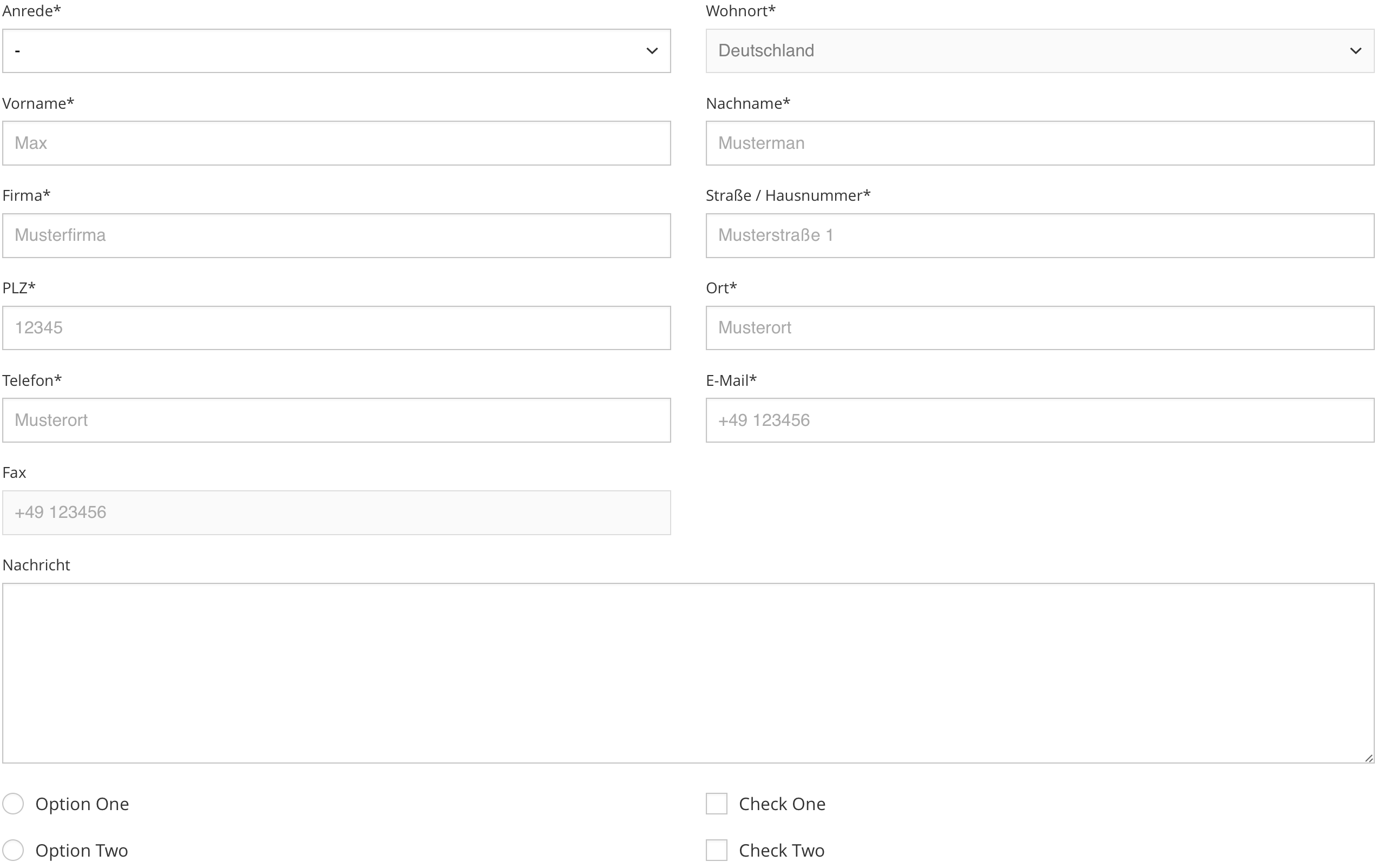
formbase eliminates cross browser bugs, inconsistencies across systems and applies a beautiful default styling to several input elements.
- [Demos](
- [Features](
- [Setup](
- [Usage](
- [Options](
- [Semver strategy](
| Name | Description | Link |
|:-----------|:------------|:------------|
| Default | Includes all features. | [Try it on CodePen](http://codepen.io/electerious/pen/ENvEOb) |
- Works in all modern browsers and IE11
- No JavaScript, just CSS
- Works with inputs, textareas, selects, checkboxes and radio buttons
- Consistent styling across browsers
- Zero dependencies
We recommend installing formbase using [npm](https://npmjs.com) or [yarn](https://yarnpkg.com).
```sh
npm install formbase
```
```sh
yarn add formbase
```
Include the CSS file in the `head`…
```html
<link rel="stylesheet" href="dist/formbase.min.css">
```
…or import the SASS file directly:
```scss
@import 'src/styles/main';
```
```html
<input class="input" type="text">
```
```html
<textarea class="input" rows="8" cols="40"></textarea>
```
```html
<select class="select">
<option selected disabled>-</option>
<option value="one">One</option>
<option value="two">Two</option>
</select>
```
```html
<div class="control">
<input class="control__input" id="Radio" type="radio">
<label class="control__label" for="Radio">Radio</label>
</div>
```
```html
<div class="control">
<input class="control__input" id="checkbox" type="checkbox">
<label class="control__label" for="checkbox">Checkbox</label>
</div>
```
Import `src/styles/main.scss` directly to customize the look of formbase:
```scss
$formbase__prefix: ''; // Class name prefix
$formbase__margin: .9rem; // Margin
$formbase__padding: .6rem; // Padding
$formbase__select_size: 12px; // Size of the select arrow
$formbase__control_size: 20px; // Size of the checkbox and radio button (1)
$formbase__radius: 0; // Input border radius
$formbase__svg:
$formbase__color:
$formbase__placeholder:
$formbase__background:
$formbase__border:
$formbase__active:
$formbase__shadow: inset 0 1px 3px rgba(0, 0, 0, .05); // Shadow styling
$formbase__duration: .3s; // Transition duration
$formbase__timing: ease; // Transition timing
// (1) It's recommended to use an absolute unit (px) for the control size to avoid half pixels. Half pixels can transform the circle of the radio control into an egg.
// (2) Only works with hex values
@import 'src/styles/main';
```
Any change to CSS rules whatsoever is considered backwards-breaking and will result in a new **major** release. Others changes with no impact on rendering are considered backwards-compatible and will result in a new **patch** release. No changes to CSS rules can add functionality in a backwards-compatible manner, therefore no changes are considered **minor**.