footballcli
Version:
Command Line Interface for next fixtures, live scores and more
152 lines (99 loc) • 4.46 kB
Markdown
# football-cli
[](https://travis-ci.org/ManrajGrover/football-cli) [](https://www.npmjs.com/package/footballcli) [](https://www.npmjs.com/package/footballcli) 
> Command line interface for Hackers who love football ⚽
## Installation
**Run**
```shell
$ npm install -g footballcli
```
## How to get API Key?
Please register on [football-data.org](http://api.football-data.org/register) to get your API Key. Then run `$ sudo football config` to add your API Key. Requests made using API key increases your rate limit from 50 requests per day to 50 requests per minute.
## Usage
### Commands available
```shell
football <command>
Commands:
scores Get scores of past and live fixtures
fixtures Get upcoming and past fixtures of a league and team
standings Get standings of particular league
lists List of codes of various competitions
config Change configuration and defaults
Options:
-h, --help Show help [boolean]
```
#### Command `scores`
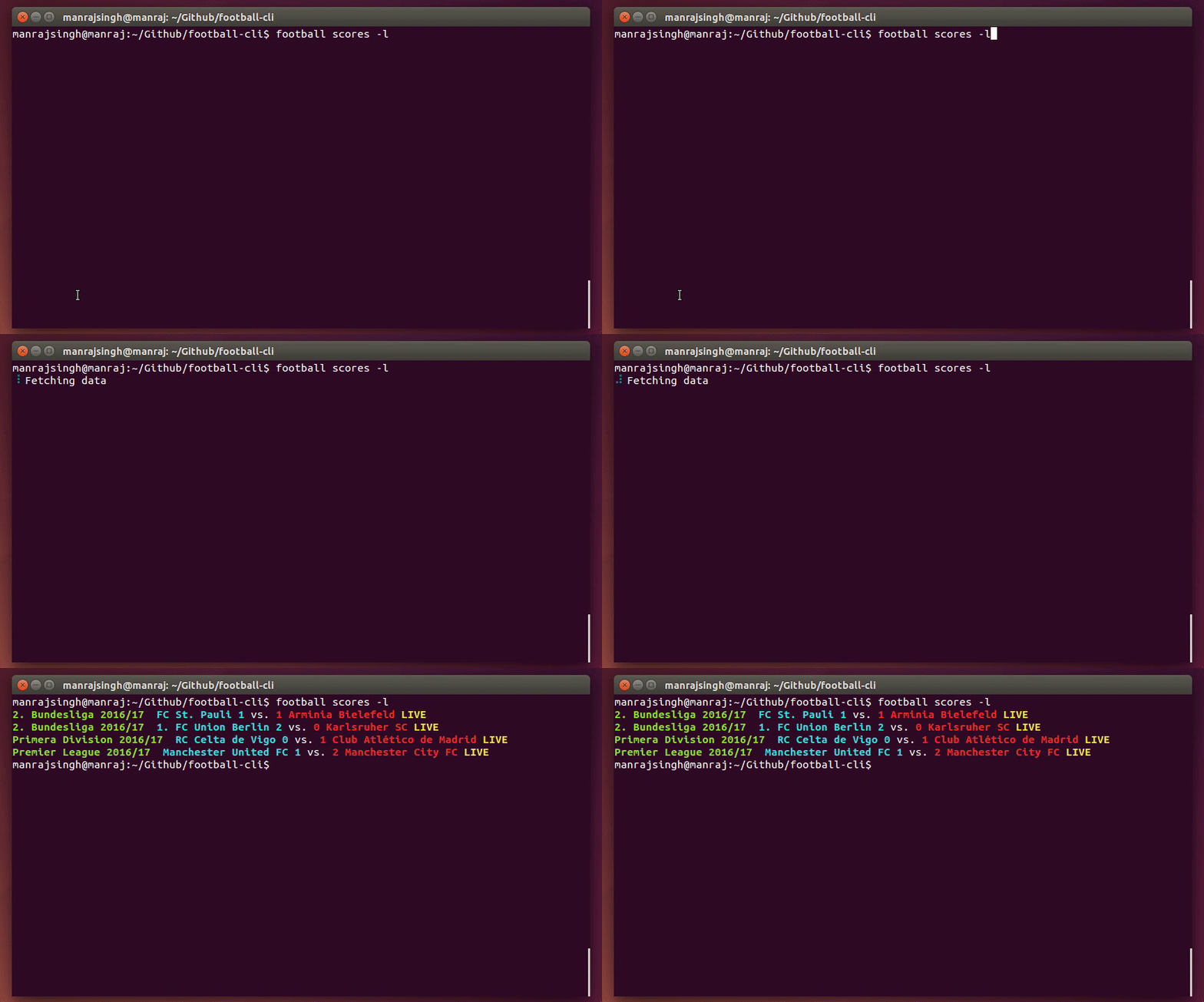
Get scores of past and live fixtures
```shell
Usage: football scores [options]
Options:
-h, --help Show help [boolean]
-l, --live Live scores [boolean]
-t, --team Select team [string]
Examples:
football scores -t "Manchester United" -l
```
#### Command `fixtures`
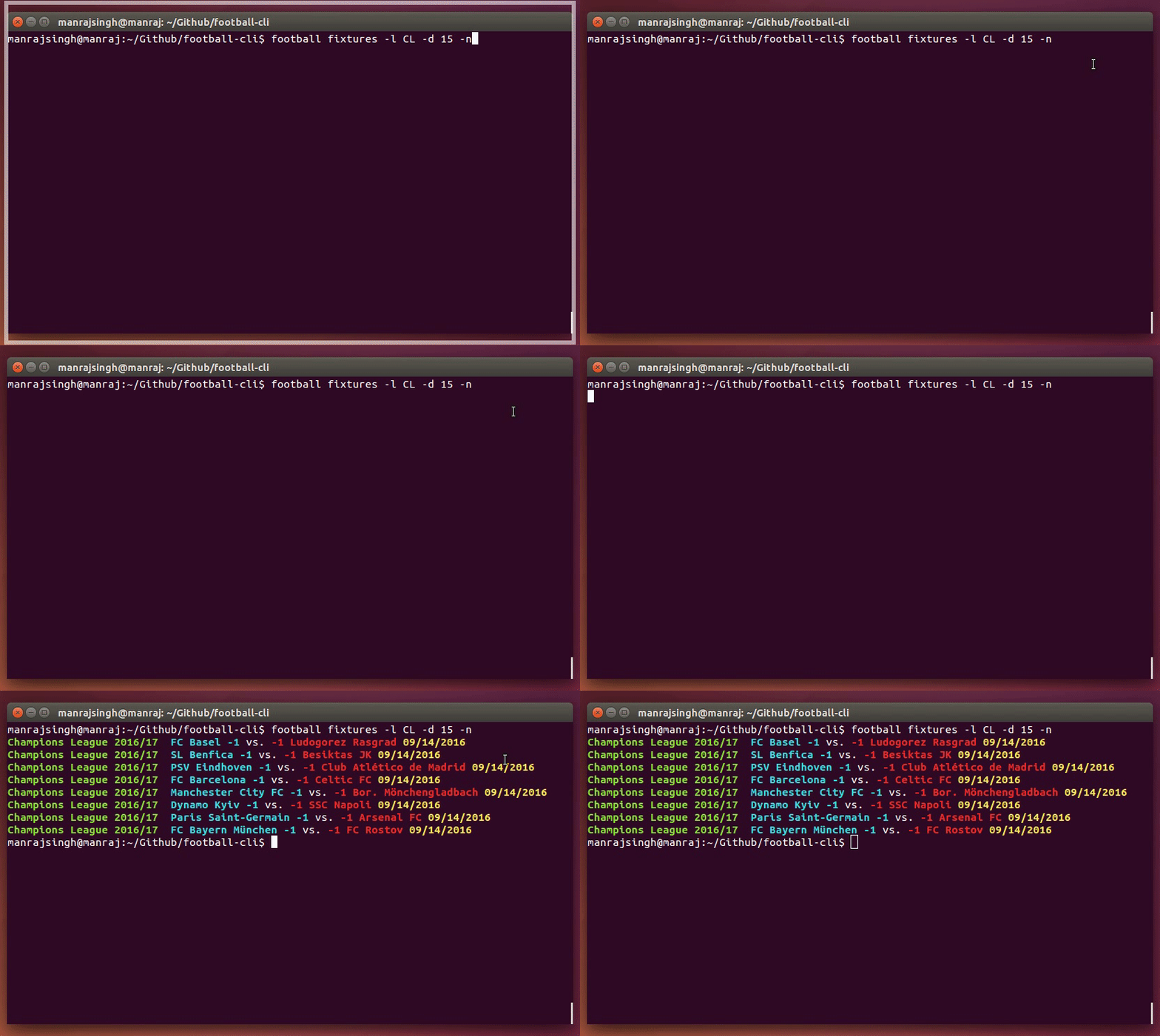
Get upcoming and past fixtures of a league and team
```shell
Usage: football fixtures [options]
Options:
-h, --help Show help [boolean]
-d, --days Number of days from today [number]
-l, --league League [string]
-t, --team Team name or substring of it [string]
-n, --next Next or upcoming matches [boolean]
Examples:
football fixtures -l PL -d 5 -t "Manchester United" -n
```
#### Command `standings`
Get standings of particular league
```shell
Usage: football standings [options]
Options:
-h, --help Show help [boolean]
-l, --league League to be searched [required]
Examples:
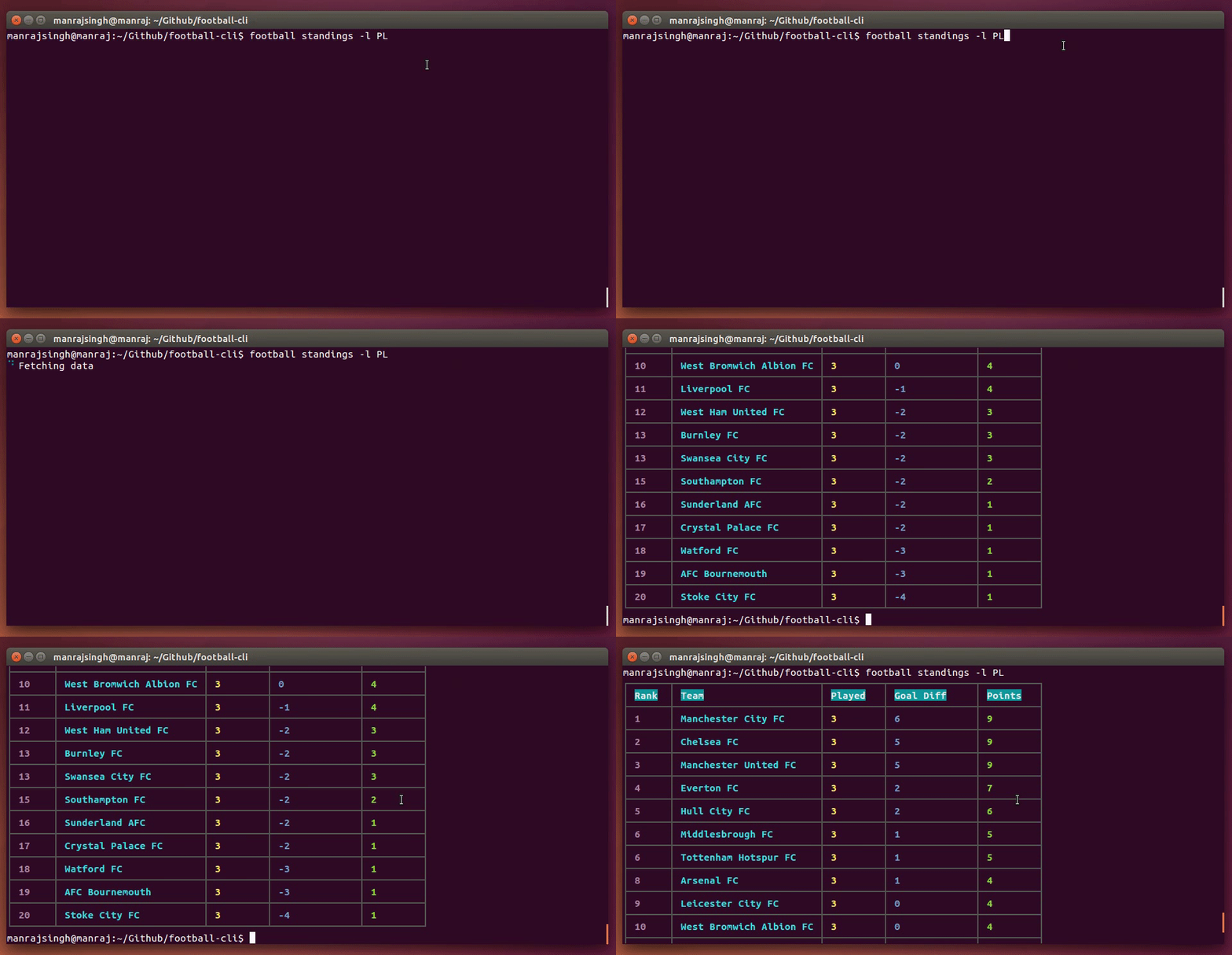
football standings -l PL
```
#### Command `lists`
List of codes of various competitions
```shell
Usage: sudo football lists [options]
Options:
-h, --help Show help [boolean]
-r, --refresh Refresh league ids [boolean]
Examples:
sudo football lists -r
```
#### Command `config`
Change configuration and defaults
```shell
Usage: sudo football config
Options:
-h, --help Show help [boolean]
Examples:
sudo football config
```
## Note
For World Cup fixtures, you need to specify `league` flag with value as `WC`. API does not provide world cup information in consolidated response and is a known bug.
## Development
Run:
```sh
$ git clone https://github.com/ManrajGrover/football-cli.git
$ cd football-cli
$ npm link
```
This will setup a symbolic link to the CLI. Any changes in source files will now be reflected when running the `football` command.
To lint your code, run
```sh
$ npm run lint
```
## Get in touch
Say hi on [twitter](https://twitter.com/manrajsgrover) and share this project by clicking [here](https://twitter.com/home?status=Checkout%20command%20line%20tool%20for%20checking%20live%20%23scores,%20%23fixtures%20and%20more%20on%20%23Github%20by%20%40manrajsgrover%20%23cli%20https%3A//github.com/ManrajGrover/football-cli)
## Related
You may find similar packages [here](http://api.football-data.org/libraries)
## License
[MIT](https://github.com/ManrajGrover/football-cli/blob/master/LICENSE) © ManrajGrover