fontello-batch-cli
Version:
Batch command line interface for Fontello.
56 lines (33 loc) • 2.21 kB
Markdown
# Fontello-Batch-CLI
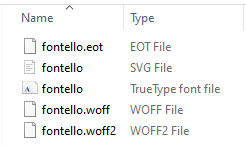
This tool lets you convert all the svg image files under the source folder to webfonts, including following webfont formats: eot, svg, ttf, woff and woff2.
This tool is built on top of [Fontello](https://github.com/fontello/fontello/), [Fontello CLI](https://github.com/paulyoung/fontello-cli/), and uses [Fontello API](http://fontello.com) to generate the target fonts.
This tool allow the import of svg images files and export of webfonts done in one command line.
## Installation
```sh
$ npm install -g fontello-batch-cli
```
## Usage
```
$ fontello-batch-cli --help
$ fontello-batch-cli --version
$ fontello-batch-cli --path C:\SvgSourceFolder
$ fontello-batch-cli --path "C:\Svg Source Folder"
If you want to use your self hosted Fontello server, specify Fontello server with --host argument, otherwise, without --host argument, default to http://fontello.com.
$ fontello-batch-cli --path "C:\Svg Source Folder" --host http://localhost:3000
```
## Self Hosted Fontello Server
If you want to host your own Fontello Server, give a try [Fontello Server Docker Image](https://hub.docker.com/r/luchenatwork/fontello-server).
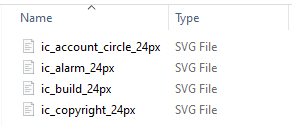
## Example Svg Files Source Folder
## Example Command Output Folder
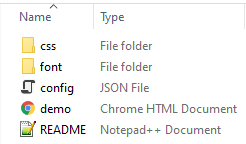
A folder named after fontello-xxxxxxxx, e.g., fontello-663c06f5, will be created at current command line working folder.
Output folder structure will look like below
All web fonts created can be located at font subfolder of output folder.
## Why use Fontello and this tool?
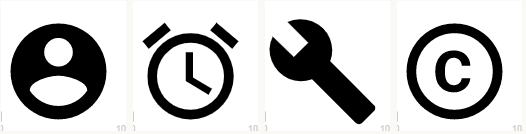
Use google material svg icons as source, web font generated by Fontello has better fine tuned visual detail than the ones generated by other svg font conversion tool.
### Web Font by Fontello
### Web Font by other SVG Font Tool