focus-formik-error
Version:
Simple auto focus to first Formik error
144 lines (111 loc) • 3.82 kB
Markdown
This component allows you to automatically focus errors in your [Formik](https://formik.org/docs/overview) form, the focus runs after the [validation](https://formik.org/docs/guides/validation#when-does-validation-run).
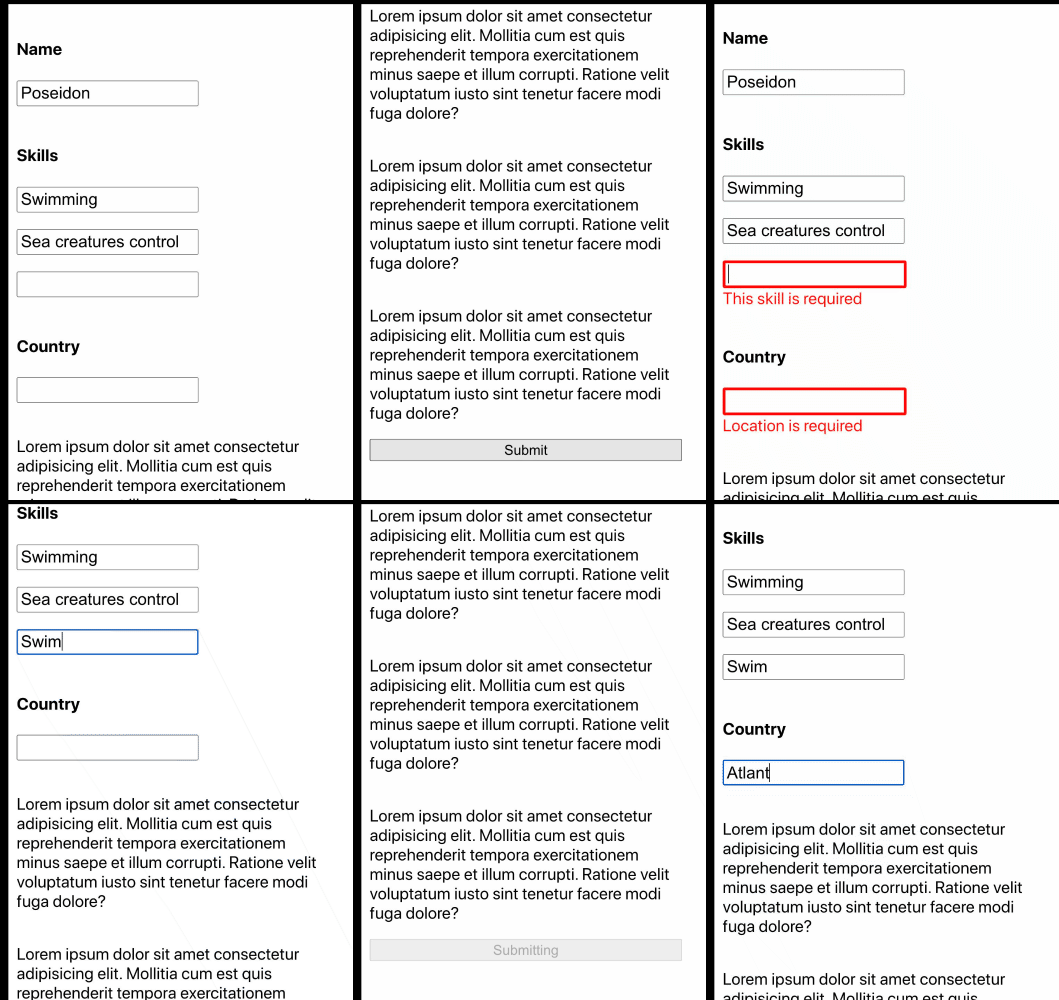
- Support nested Arrays, nested Objects and both combined in Formik values.
- Simple and lightweight only 24kb, no extra animations.
- TypeScript support
```js
npm i focus-formik-error
```
You can use it by including it inside the Formik provider or also use it with useFormik hook as follow.
Include the `<ConnectedFocusError />` component inside the Formik context provider.
```tsx
import React from 'react'
import { Formik, Form, Field, ErrorMessage } from 'formik'
import { ConnectedFocusError } from 'focus-formik-error'
const Basic = () => (
<Formik
initialValues={{
name: 'Poseidon',
}}
onSubmit={(values, { setSubmitting, setErrors }) => {
// Simulates server side validation
setTimeout(() => {
const errors = {} as any
if (!values.name) {
errors.country = 'Name is required'
}
setErrors(errors)
setSubmitting(false)
}, 500)
}}>
{({ errors, isSubmitting }) => (
<Form className={'form'}>
<ConnectedFocusError />
<div className={'input-container'}>
<label>Name </label>
<Field
type='text'
name='name'
className={`input ${errors.name ? 'input-error' : ''}`}
/>
<ErrorMessage name='name' component='div' className={'error-text'} />
</div>
<button
type='submit'
disabled={isSubmitting}
style={{ marginBottom: '5em' }}>
{isSubmitting ? 'Submitting' : 'Submit'}
</button>
</Form>
)}
</Formik>
)
export default Basic
```
Include the `<FocusError />` component inside you form and pass `formik` as props.
> **NOTE: Follow the same pattern in the name attribute of the input component used in the `initialValues` or the focus is not going to work. I.g: `name="values.name"`**
```tsx
import React from 'react'
import { useFormik } from 'formik'
import { FocusError } from 'focus-formik-error'
const UseFormikExample = () => {
const formik = useFormik({
initialValues: {
name: '',
},
onSubmit: (values, { setSubmitting, setErrors }) => {
setTimeout(() => {
// Simulates server side validation
const errors = {} as any
if (!values.name) {
errors.country = 'Name is required'
}
setErrors(errors)
setSubmitting(false)
}, 400)
},
})
return (
<form onSubmit={formik.handleSubmit}>
<FocusError formik={formik} />
<input
id='values.name'
name='values.name'
type='text'
onChange={formik.handleChange}
value={formik.values.name}
/>
{formik.errors.name}
<button type='submit' disabled={formik.isSubmitting}>
Submit
</button>
</form>
)
}
export default UseFormikExample
```
| Prop | Type | Default | Description |
| ------------ | ----------- | --------- | ------------------------------------------------------ |
| `focusDelay` | number (ms) | 100 | Time in ms to execute the focus in the error component |
| `onFocus` | Function | undefined | Function, which executes after an element was focussed |
I actively welcome pull requests for improvements or fixes.
[](./LICENSE.md)