flex-text
Version:
Mastering font-size like flexbox!
130 lines (81 loc) • 2.49 kB
Markdown
# flex-text
Mastering font-size like flexbox for **IE 8+**:
```
font-size A:B:C:D = 1:2:1:1
```
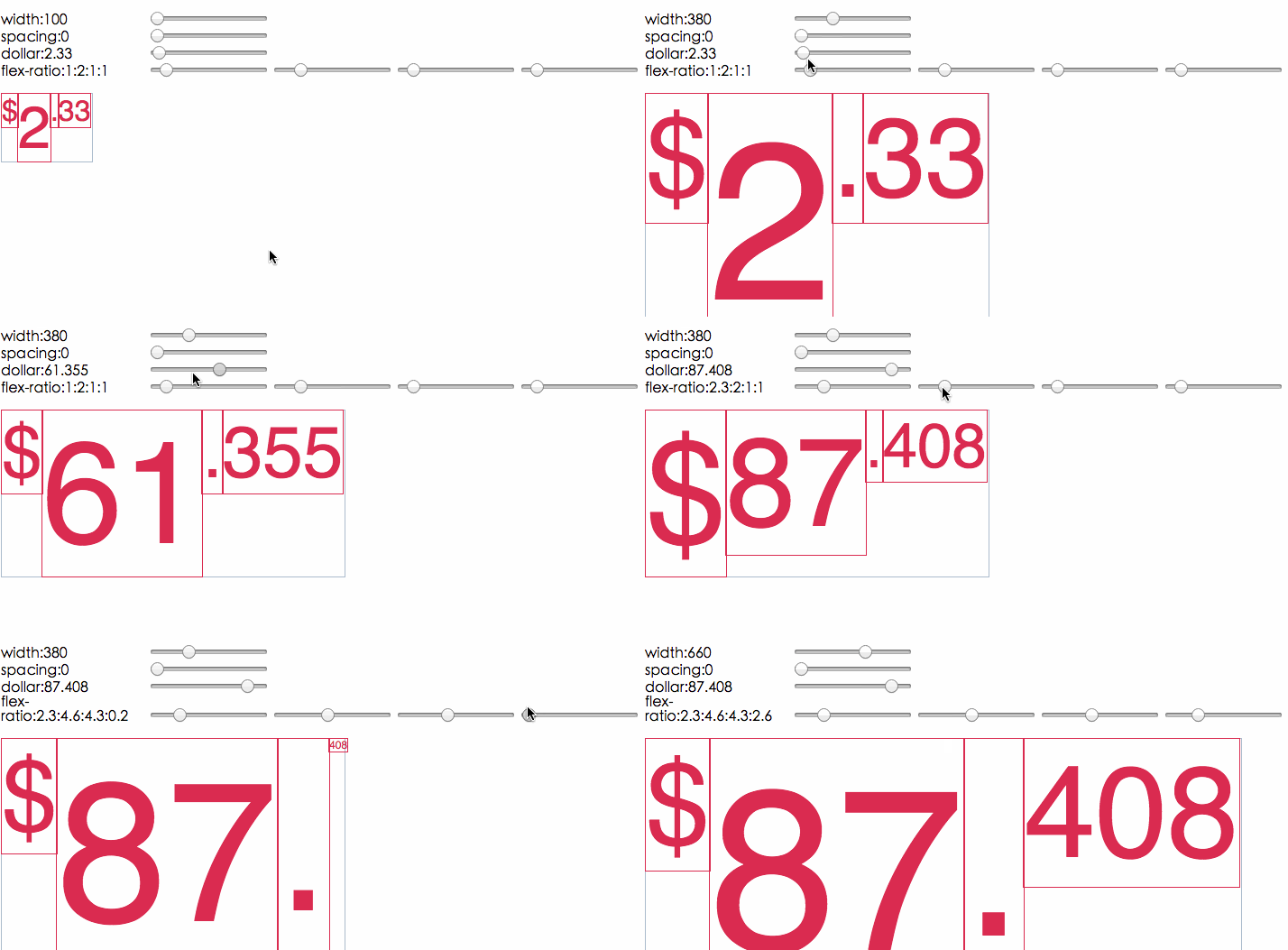
## Demo
[http://idiotwu.github.io/flex-text/](http://idiotwu.github.io/flex-text/)
## Install
```
npm install flex-text
```
## Usage
```javascript
import FlexText from 'flex-text';
const flexText = new FlexText({
container: document.querySelector('.container'),
spacing: 0,
items: [{
elem: document.querySelector('.first'),
flex: 1,
}, {
elem: document.querySelector('.second'),
flex: 2,
}, ...]
});
```
## Important Notes
### Unwanted white space:
You may get white spaces around flex items when they are layouted as `inline-block`, here's a little trick to it:
```css
.container {
letter-spacing: -0.31em;
}
.item {
letter-spacing: normal;
}
```
### Canvas vs Legacy Element
This plugin does text measuring with `<span>` element. As a result, the created `<span>` element must be inserted into document so that we can measure boundings. Text measuring with canvas is easier and will calculate at a higher performace. However, using legacy elements keeps us away from incompatibility :)
That's also the reason why I wrote it in es5 flavor.
## APIs
### new FlexText([options: object])
Construct new instance with supported options:
#### container: element
The element that holds all flex items.
You can set container later by calling `instance#attachTo()`
#### spacing: number
White space between each item.
You can also modify spacing by calling `instance#setSpacing()`.
#### items: array
A list of flex items:
```javascript
[{
elem: element, // the flex item
flex: number, // flex factor, like css flex-grow property
}, ...]
```
You can also add single flex item by calling `instance#addItem()`.
### instance#update()
Update DOM layout at next frame.
### instance#setSpacing(value: number)
Change white space between items.
### instance#attachTo(container: element)
Set the container element.
### instance#addItem(elem: element[, flex: number])
Add single flex item, default `flex` is `1`.
### instance#removeItem(elem: element)
Remove item from list by giving `item.elem`.
### instance#clear()
Remove all flex items.
### instance#alloc()
Measuring font-size and returning the result like:
```javascipt
[{
elem: DOMElement,
fontSize: 123,
}, ...]
```
## License
MIT.