extensor
Version:
Extra funcionalities to socket.io
170 lines (113 loc) • 4.24 kB
Markdown
# Extensor
[](https://travis-ci.org/GX-mob/extensor)
[](https://david-dm.org/gx-mob/extensor)
[](https://app.fossa.io/projects/git%2Bgithub.com%2FGX-mobgeek%2Fextensor?ref=badge_shield)
[](https://snyk.io//test/github/GX-mobgeek/extensor?targetFile=package.json)
[](https://codecov.io/gh/GX-mob/extensor/branch/master)
### Extend functions to the socket.io.
**Currently implemented:**
- Handler authentication;
- Grant unique connections;
- Made easy the serialization with schemapack.
**Next:**
- Serialization in acknowledge
**PR's are welcome.**
## Contents
- [Install](#Install)
- [API](#API)
- [Benchmarks](./benchmarks/README.md)
## Install
```shell
npm install extensor
```
## Examples
### Binary serialization with schemapack
```javascript
import { parsers } from "extensor";
// create a schema map
const { parser, schemas } = parsers.schemapack({
message: {
// Convert the event name to int
// it's a method to minimize the packet size
id: 1,
schema: {
content: "string",
ts: "varuint"
}
}
});
// On both, server and client
// initialize socketio with the extensor generated parser
const io = SocketIO({
parser
});
// You can encode an object, if you need, like this:
const binary = schemas.message.encode({
content: "hi",
ts: Math.round(Date.now() / 1000)
});
console.log(schemas.message.decode(binary)); // => { content: "hi": ts: 159798894154 }
```
- All emitted "message" events are binary, according with the schema;
- Here we not use **2 packets like in socket.io-parser binary event**.
- For the events that not in list, JSON parser is used.
**Schemapack are the smallest JavaScript object serialization library.**
### All supported types and more info, you find at [schemapack](https://github.com/phretaddin/schemapack#here-is-a-table-of-the-available-data-types-for-use-in-your-schemas)
## Authentication
### Server
```javascript
import SocketIO from "socket.io";
import { auth } from "extensor";
const io = SocketIO();
auth.server(io, ({ socket, data }) => {
if (data.token === 1) return { userId: 123 };
return false;
});
io.on("connection", async socket => {
await socket.auth;
socket.on("msg", msg => console.log(msg));
});
```
### Client
```javascript
import SocketIOClient from "socket.io-client";
import { auth } from "extensor".
const socket = SocketIOClient();
socket.on("connect", () => {
await auth.client(socket, { token: 1 });
console.log(socket.userId); // => 123
});
```
## Blocking multiple connections
To use in a cluster, you need an external storage, current have adapters for redis and ioredis modules.
### Server
```javascript
import { unique, adapters } from "extensor";
...
unique(io, {
storage: adapters.IORedis(new Redis()) // default is stored in a simple local object
});
```
To catch a multiple attemp on client:
```javascript
socket.on("error", err => {
if (err === "multiple attemp") {
alert("you already connected");
}
});
```
## API
#### `parsers.schemapack( map: Object ): { parser: { Encoder, Decoder }, schemas, idmap }`
Create a schemapack parser for both Socket.io server and client.
#### `auth.server( io: SocketIO.Server, handler({ socket, data, done })[, options: Extensor.Options ]): void`
Create a server middleware to handle authentication
#### `auth.client( io: SocketIOClient.Socket, data[, callback(error?: string)]): Promise | void`
Send credential to server
#### `unique( io: SocketIO.Server [, options: ExtensorOptions ] )`
Create a step on the server to force a single connection
## License
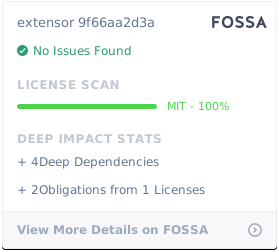
MIT
[](https://app.fossa.io/projects/git%2Bgithub.com%2FGX-mobgeek%2Fextensor?ref=badge_large)