eventric
Version:
Build JavaScript applications with Behaviour-driven Domain Design. Based on DDD, BDD, CQRS and EventSourcing.
207 lines (141 loc) • 6.32 kB
Markdown
> Not production ready. API might change heavily. First public release will be 0.2.0

## eventric.js [](https://travis-ci.org/efacilitation/eventric)
Build JavaScript applications with Behaviour-driven Domain Design. Based on DDD, BDD, CQRS and EventSourcing. Runs on NodeJS and modern Browsers.
### Why?
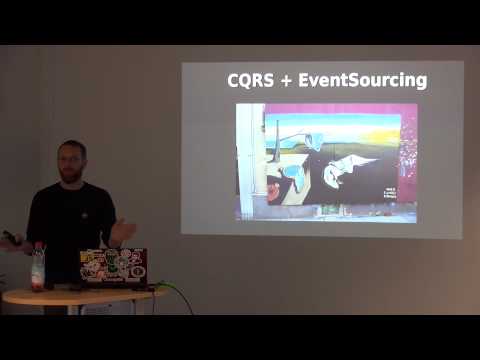
Because [MVC evolved](http://sixsteps.ghost.io/mvc-evolved/).
[](http://www.youtube.com/watch?v=XSc7NPedAxw)
## Features
* Well defined `Context` Interface
* Capture `DomainEvents` explicitly
* Persistent `Projections`
* Multiple `Store Adapters`
* Automated saving and applying of DomainEvents
* Support for Occasionally Connected Applications
## Philosophy
* Emphasize [Domain-driven design](https://www.goodreads.com/book/show/179133.Domain_Driven_Design), [Behaviour-driven development](http://dannorth.net/introducing-bdd/), [Event-driven architecture](https://www.goodreads.com/book/show/12369902-event-centric) and [Task-based UIs](http://cqrs.wordpress.com/documents/task-based-ui).
* Put the the Domain Model in the very center of your Layered Architecture ([Onion](http://jeffreypalermo.com/blog/the-onion-architecture-part-1/) / [Hexagonal](http://alistair.cockburn.us/Hexagonal+architecture))
* Explicitly set boundaries for parts of your application ([BoundedContexts](https://en.wikipedia.org/wiki/Domain-driven_design#Bounded_context) / [MicroServices](http://martinfowler.com/articles/microservices.html))
* Separation of concerns using Commands and Queries ([CQRS](http://msdn.microsoft.com/en-us/library/jj554200.aspx))
* Capture all changes to your application state as a sequence of events ([EventSourcing](http://martinfowler.com/eaaDev/EventSourcing.html) / [DomainEvents](http://www.udidahan.com/2009/06/14/domain-events-salvation/))
## A Note on DDD
Please keep in mind that eventric.js supplies you only with a structure that has common-sense in the DDD+CQRS community. But you really should get to know the tactical side of DDD as well, which is at least as important (and fun!) as the technical BuildingBlocks.
## API Docs
The Docs are currently work in progress. [API.md](API.md) has the current state based on jsdoc / dgeni.
## Getting started
Take a look at the [eventric TodoMVC](https://github.com/efacilitation/eventric-todoMVC) for a running example, or try it yourself:
We need to install eventric first.
```
npm install eventric
```
### Setup Context
Having discussed the upcoming **TodoApp Project** with the Business-Experts and fellow Developers it got clear that we should start with a `Context` named `Todo`.
```javascript
eventric = require('eventric');
todoContext = eventric.context('Todo');
```
### Define the Event
Inside of our `Todo` Context things will happen which are called DomainEvents. A technique to come up with these is called [EventStorming](http://ziobrando.blogspot.co.uk/2013/11/introducing-event-storming.html). Lets add two called `TodoCreated` and `TodoDescriptionChanged`.
```javascript
todoContext.defineDomainEvents({
TodoCreated: function(params) {},
TodoDescriptionChanged: function(params) {
this.description = params.description;
}
});
```
### Adding an Aggregate
Now we need an Aggregate which actually raises this DomainEvents.
```javascript
todoContext.addAggregate('Todo', function() {
this.create = function(callback) {
this.$emitDomainEvent('TodoCreated');
callback();
}
this.changeDescription = function(description) {
this.$emitDomainEvent('TodoDescriptionChanged', {description: description});
}
});
```
> Hint: `this.create` is called by convention when you create an aggregate using `this.$repository('Todo').create`
> Hint: `this.$emitDomainEvent` is dependency injected
### Adding CommandHandlers
To actually work with the `Context` from the outside world we need `CommandHandlers`. Let's start by adding a simple one that will create an instance of our `Todo` Aggregate.
```javascript
todoContext.addCommandHandler('CreateTodo', function(params, done) {
todoRepository = this.$repository('Todo');
todoRepository.create()
.then(function (todoId) {
return todoRepository.save(todoId);
})
.then(function(todoId) {
done(null, todoId);
});
});
```
> Hint: `this.$repository` is dependency injected
It would be nice if we could change the description of the `Todo`, so let's add this `CommandHandler` too.
```javascript
todoContext.addCommandHandler('ChangeTodoDescription', function(params, done) {
todoRepository = this.$repository('Todo');
todoRepository.findById(params.id)
.then(function (todo) {
todo.changeDescription(params.description);
return todoRepository.save(params.id);
})
.then(function() {
done();
});
});
```
### Adding a DomainEventHandler
And last but not least we want to console.log when the description of the `Todo` changes.
```javascript
todoContext.subscribeToDomainEvent('TodoDescriptionChanged', function(domainEvent) {
console.log(domainEvent.payload.description);
});
```
### Executing Commands
Initialize the Context, create a `Todo` and tell the `Todo` to change its description.
```javascript
todoContext.initialize(function() {
todoContext.command('CreateTodo')
.then(function(todoId) {
todoContext.command('ChangeTodoDescription', {
id: todoId,
description: 'Do something'
}
);
});
});
```
After executing the Commands the DomainEventHandler will print `Do something`. Your `Todo` Aggregate is now persisted using EventSourcing into the `InMemory Store`.
Congratulations, you have successfully applied DDD and CQRS! :)
## Running Tests
To execute all (client+server) tests, use:
```shell
gulp spec
```
You can watch for file-changes with
```shell
gulp watch
```
## Release
```
gulp bump:patch
git add .
git commit -m"$VERSION"
git push
npm publish
git checkout -b release master
gulp dist
git add .
git commit -m"$VERSION"
git tag $VERSION
git push --tags
git checkout master
git branch -D release
```
## License
MIT
Copyright (c) 2013-2014 SixSteps Team, eFa GmbH