emi-indo-cordova-plugin-admob
Version:
Cordova/Quasar/Capacitor Plugin Admob Android IOS
1,259 lines (889 loc) • 35.6 kB
Markdown
### emi-indo-cordova-plugin-admob@2.4.9
## Features/method
- initialize
- targeting
- globalSettings
- AppTrackingTransparency (ATT)
- CMP SDK
- UMP SDK
- CustomConsentManager
- App Open Ads
- Banner Ads including (Collapsible)
- Interstitial Ads
- Rewarded Ads
- Adsense
- Mediation
- impression-level-ad-revenue
- targetingAdRequest
- setPersonalizationState
- setPPS
## new version of the plugin @2.0.8 or higher
- Migrate from Mobile Ads SDK (Android) v23 to v24
- Migrate from Mobile Ads SDK (iOS) SDK version v11 to v12
- Migrate from Cordova Android 13.0.0 to 14.0.1
- And maybe some APIs are re-signed, the old api will not be disturbed.
- https://cordova.apache.org/announcements/2025/03/26/cordova-android-14.0.0.html
- Full of simple examples: https://github.com/EMI-INDO/emi-indo-cordova-plugin-admob/tree/main/example/www/js
- Check all release notes: https://github.com/EMI-INDO/emi-indo-cordova-plugin-admob/releases/
```
config.xml
<preference name="fullscreen" value="false | true" />
<preference name="android-minSdkVersion" value="23" />
<preference name="android-targetSdkVersion" value="35" />
```
- VIDEO banner top-center: https://www.youtube.com/watch?v=uQrC0k3-VU8
- VIDEO banner bottom-center: https://www.youtube.com/watch?v=qqxxa2gi7OU
<h3>Screenshots banner ad no overlapping</h3>
<table>
<tr>
<td align="left"><strong>Banner Ad</strong></td>
<td align="center"><strong>Collapsible, no overlapping, non full-screen</strong></td>
<td align="center"><strong>Collapsible close, no overlapping, non full-screen</strong></td>
<td align="center"><strong>Collapsible, no overlapping, full-screen</strong></td>
<td align="center"><strong>Collapsible close, no overlapping, full-screen</strong></td>
</tr>
The height of the body is reduced by the height of the banner, || Auto-detect whether it is in full-screen mode or not.
<tr>
<td></td>
<td align="center">
<img width="200" src="https://github.com/user-attachments/assets/53b832d2-8d15-4450-919b-9833569d0ffb" alt="Banner Ad" />
</td>
<td align="center">
<img width="200" src="https://github.com/user-attachments/assets/80ebf83f-b8fd-4a4c-8121-e2088005399d" alt="Banner Ad" />
</td>
<td align="center">
<img width="200" src="https://github.com/user-attachments/assets/13c3333f-b612-426e-8c3a-1e31695dc548" alt="Banner Ad" />
</td>
<td align="center">
<img width="200" src="https://github.com/user-attachments/assets/f4583d93-5764-4d24-a11c-ffdf623cb50a" alt="Banner Ad" />
</td>
</tr>
</table>
<h3>Screenshots banner ad overlapping</h3>
<table>
<tr>
<td align="left"><strong>Banner Ad</strong></td>
<td align="center"><strong>Collapsible, overlapping, full-screen</strong></td>
<td align="center"><strong>Collapsible close, overlapping, full-screen</strong></td>
<td align="center"><strong>Collapsible, overlapping, non full-screen</strong></td>
<td align="center"><strong>Collapsible close, overlapping, full-screen</strong></td>
</tr>
The body height is not reduced, the banner overlaps on top of the body, || Auto-detect whether it is in full-screen mode or not.
<tr>
<td></td>
<td align="center">
<img width="200" src="https://github.com/user-attachments/assets/14646090-bbc8-4c31-812b-f945faaadd06" alt="Banner Ad" />
</td>
<td align="center">
<img width="200" src="https://github.com/user-attachments/assets/c78e7879-cab6-4963-ad72-4a68316d7181" alt="Banner Ad" />
</td>
<td align="center">
<img width="200" src="https://github.com/user-attachments/assets/840ce3ef-60bb-4f74-9705-61d511d964f0" alt="Banner Ad" />
</td>
<td align="center">
<img width="200" src="https://github.com/user-attachments/assets/9342fb3b-bb38-4681-a794-44e25d6b9bd8" alt="Banner Ad" />
</td>
</tr>
</table>
<h3>Screenshots</h3>
<table>
<tr>
<td align="left"><strong>Non banner</strong></td>
<td align="center"><strong>App Open Ad</strong></td>
<td align="center"><strong>Interstitial Ad</strong></td>
<td align="center"><strong>Rewarded video or Rewarded Interstitial</strong></td>
<td align="center"><strong>Adsense</strong></td>
</tr>
<tr>
<td></td>
<td align="center">
<img width="200" src="https://github.com/user-attachments/assets/fc641c56-5219-4f02-8122-6a42a51f0853" alt="App Open Ad" />
</td>
<td align="center">
<img width="200" src="https://github.com/user-attachments/assets/7a5c68f2-18f9-4e23-9464-4a4c307f06ae" alt="Interstitial Ad" />
</td>
<td align="center">
<img width="200" src="https://github.com/user-attachments/assets/2d87f85e-5fb7-4bf4-8b86-c2411c35fdcf" alt="Rewarded Ad" />
</td>
<td align="center">
<img width="200" src="https://github.com/user-attachments/assets/14b289c4-74f7-45a7-9a8a-52df8859afec" alt="AdSense" />
</td>
</tr>
</table>
### emi-indo-cordova-plugin-admob
Cordova/Quasar/Capacitor Plugin Admob Android and IOS
## Support Request Ad Builder
- AdMob
- AdManager
- AdSense New [example ](https://github.com/EMI-INDO/emi-indo-cordova-plugin-admob/blob/main/example/www/js/adSense.js)
## Support framework
- Quasar: https://github.com/quasarframework/quasar/discussions/17706
- Capacitor: https://github.com/EMI-INDO/emi-indo-cordova-plugin-admob/discussions/29
- Jquery mobile: https://jquerymobile.com/
> [!NOTE]
> - To maintain this plugin in the long run,
> - for (regular maintenance),
> - just give me a cup of coffee.
## 💰Sponsor this project
[](https://paypal.me/emiindo)
[](https://ko-fi.com/F1F16NI8H)
### Check all release notes: https://github.com/EMI-INDO/emi-indo-cordova-plugin-admob/releases/
### Mobile Ads SDK (Android: 24.4.0) [Release Notes:](https://developers.google.com/admob/android/rel-notes)
### User Messaging Platform (UMP Android: 3.2.0) [Release Notes:](https://developers.google.com/admob/android/privacy/release-notes)
### Mobile Ads SDK (IOS: 12.5.0) [Release Notes:](https://developers.google.com/admob/ios/rel-notes)
### User Messaging Platform (UMP IOS: 3.0.0) [Release Notes:](https://developers.google.com/ad-manager/mobile-ads-sdk/ios/privacy/download)
### IAB Europe Transparency & Consent Framework (CMP: 2.2.0)
## Documentation Capacitor example
- [Documentation Capacitor example: ](https://github.com/EMI-INDO/emi-indo-cordova-plugin-admob/discussions/29)
## New example
- https://github.com/EMI-INDO/emi-indo-cordova-plugin-admob/tree/main/example/www
## Version locking the plugin during production is highly recommended.
- Example cordova plugin add emi-indo-cordova-plugin-admob@1.6.0 --save --variable APP_ID_ANDROID=ca-app-pub-xxx~xxx
- View plugin version: https://www.npmjs.com/package/emi-indo-cordova-plugin-admob?activeTab=versions
- Release notes: https://github.com/EMI-INDO/emi-indo-cordova-plugin-admob/releases
## Installation
- Only platform Android
```sh
cordova plugin add emi-indo-cordova-plugin-admob --save --variable APP_ID_ANDROID=ca-app-pub-xxx~xxx
```
- Only platform IOS
```sh
cordova plugin add emi-indo-cordova-plugin-admob --save --variable APP_ID_IOS=ca-app-pub-xxx~xxx
```
- Platform Both
```sh
cordova plugin add emi-indo-cordova-plugin-admob --save --variable APP_ID_ANDROID=ca-app-pub-xxx~xxx --variable APP_ID_IOS=ca-app-pub-xxx~xxx
```
## Remove
```sh
cordova plugin rm emi-indo-cordova-plugin-admob
```
## Note IOS
> [!NOTE]
> - To prevent some warnings or errors in xcode later, it is best after adding platforms and plugins cd/project root/command line run cordova prepare.
> - after that just cd platform/ios command line run pod install --repo-update
## Import the Mobile Ads SDK IOS
### Then from the command line run:
- cd platforms/ios
- Then run cordova prepare
### Then from the command line run:
- pod install --repo-update
### This is not a dependency, it's a separate plugin but highly recommended.
https://github.com/EMI-INDO/emi-indo-cordova-plugin-fanalytics
## Older versions of plugins
<details>
<summary>Older versions of plugins</summary>
### Minimum Cordova Engines
- cordova-android version = 13.0.0
- cordova-ios version = 7.0.0
### IOS Ad Support IOS 18 *
- Fix error build IOS: https://github.com/EMI-INDO/emi-indo-cordova-plugin-admob/discussions/42
- Mobile Ads SDK (IOS: 11.12.0)
- emi-indo-cordova-plugin-admob@1.6.3 or higher requires cocoapods 1.16.2 or higher
> [!WARNING]
> - Mobile Ads SDK (IOS: 11.10.0)
> - emi-indo-cordova-plugin-admob@1.5.2 or higher
> - Minimum supported Xcode version up to 15.3 or higher
> - minimum deployment-target: 12.2
### Minimum macOS | Xcode, and others
- minimum macOS 14.4 or higher
- Xcode min 15.3 > or higher
- Command Line Tools 15.3 or higher
- minimum SwiftVersion: 5.10 or higher
- [Everything is included in plugin.xml](https://github.com/EMI-INDO/emi-indo-cordova-plugin-admob/blob/main/plugin.xml)
- [SKAdNetworkIdentifier Deprecated](https://github.com/EMI-INDO/emi-indo-cordova-plugin-admob/releases/tag/v1.5.1)
- Dependency: pod MerchantKit (not needed)
### IOS
> [!WARNING]
> - emi-indo-cordova-plugin-admob@1.5.1
> - Minimum supported Xcode version to 14.3
> - Maximum supported Xcode version up to 15.2
## Minimum macOS | Xcode, and others
- Monterey
- Xcode min 14.3 > max 15.2
- Command Line Tools 14.1 or higher
https://developers.google.com/admob/ios/quick-start
</details>
<details>
<summary>Guaranteed income using this plugin #14</summary>
> __Note__
> - ## It's Not a fork, it's purely rewritten, clean of 3rd party code.
> __Note__
> - ### No Ad-Sharing
> - ### No Remote Control
> - ### I guarantee 100% revenue for you.
> - [Code source:](https://github.com/googleads/googleads-mobile-android-examples) - Admob:
> -
</details>
## Video test of the old version of the plugin
<details>
<summary>Video test of the old version of the plugin</summary>
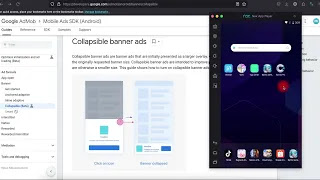
## VIDEO Test Collapsible banner ads
- Test Plugin with construct 3
[](https://youtu.be/uUivVBC0cqs)
## VIDEO Test UMP or CMP SDK Android
- Test Plugin with construct 3
[](https://youtu.be/lELJRKDrkNk)
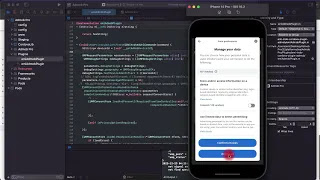
## VIDEO Test UMP or CMP SDK IOS
- Test Plugin with construct 3
[](https://youtu.be/d2dSn4LBvro)
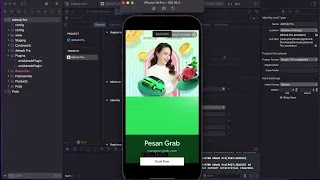
## VIDEO Test Ad Type with Xcode/IOS
- Test Plugin with construct 3
[](https://youtu.be/YYMJuf7gIsg)
## VIDEO Test Collapsible banner autoResize with Xcode/IOS
[](https://youtu.be/sLXHKdU6DAg)
</details>
## Features
<details>
<summary>Features #1</summary>
<ul>
<li> initialize</li>
<li> targeting</li>
<li> globalSettings</li>
<li> AppTrackingTransparency (ATT)</li>
<li> CMP SDK</li>
<li> UMP SDK</li>
<li> App Open Ads</li>
<li> Banner Ads</li>
<li> Interstitial Ads</li>
<li> Rewarded Ads</li>
<li> Mediation</li>
<li> impression-level-ad-revenue</li>
</ul>
</details>
## >>> Device Ready <<<
<details>
<summary>Methods: #2</summary>
<pre>
cordova.plugins.emiAdmobPlugin.initialize({
isUsingAdManagerRequest: true, // true = AdManager | false = AdMob (Default true)
isResponseInfo: true, // Default false (Debug true)
isConsentDebug: true, // Default false (Debug true)
}
document.addEventListener('on.sdkInitialization', (data) => {
// JSON.stringify(data)
const sdkVersion = data.version;
// const adAdapter = data.adapters;
// const conStatus = data.consentStatus;
// const gdprApplie = data.gdprApplies;
// const purposeConsent = data.purposeConsents;
// const vendorConsents = data.vendorConsents;
// const conTCString = data.consentTCString;
// const additionalConsent = data.additionalConsent;
console.log("On Sdk Initialization version: " + sdkVersion);
});
// Support Platform: Android | IOS
cordova.plugins.emiAdmobPlugin.globalSettings({config_globalSettings}); // Optional
cordova.plugins.emiAdmobPlugin.targeting({config_Targeting}); // Optional
// UMP SDK 3.1.0
cordova.plugins.emiAdmobPlugin.getConsentRequest(); // (Platform: Both) // Deprecated
cordova.plugins.emiAdmobPlugin.consentReset(); // (Platform: Both) // Optional
cordova.plugins.emiAdmobPlugin.showPrivacyOptionsForm(); // (Platform: Both) // Optional
// CMP SDK 2.2.0
// Optional
cordova.plugins.emiAdmobPlugin.requestIDFA(); // UMP SDK to handle Apple's App Tracking Transparency (ATT) (Platform: IOS)
cordova.plugins.emiAdmobPlugin.getIabTfc((IABTFC) => { console.log(JSONstringify(IABTFC)) }); // CMP SDK 2.2 (Platform: Both)
</pre>
<details>
<summary>Note setDebugGeography #2</summary>
Testing is very easy, no need for VPN, TEST-DEVICE-HASHED-ID, or anything else, everything has been made programmatically.
must be false if the application is released to the play store / app store.
consent from will continue to be called regardless of its status 0,1,2,3,
until the value is changed to false.
isConsentDebug: true | false
</details>
<li>example</li></ul>
<pre>
document.addEventListener("deviceready", function(){
document.addEventListener('on.sdkInitialization', (data) => {
// JSON.stringify(data)
const sdkVersion = data.version;
// const adAdapter = data.adapters;
const conStatus = data.consentStatus;
// const gdprApplie = data.gdprApplies;
// const purposeConsent = data.purposeConsents;
// const vendorConsents = data.vendorConsents;
// const conTCString = data.consentTCString;
// const additionalConsent = data.additionalConsent;
console.log("On Sdk Initialization version: " + data.consentStatus);
console.log("On Consent Status: " + conStatus);
});
// cordova.plugins.emiAdmobPlugin.getConsentRequest( (ststus) => { console.log("Consent Status: " + ststus) }); // Deprecated
// cordova.plugins.emiAdmobPlugin.showPrivacyOptionsForm();
}, false);
</pre>
</details>
<details>
<summary>Event UMP SDK #3</summary>
<pre>
on.get.consent.status
<br>
</pre>
<li>example:#4</li></ul>
<pre>
document.addEventListener('on.get.consent.status', () => {
console.log("on get consent status");
});
</pre>
</details>
<details>
<summary>Event CMP SDK #5</summary>
<pre>
on.getIabTfc
on.TCString.expired
on.TCString.remove
<br>
</pre>
<details>
<summary>Note #6</summary>
TCString expires 360 days, plugin automatically deletes it after 360 days. call consentRest()
</details>
<li>example: #7</li></ul>
<pre>
document.addEventListener('on.TCString.expired', () => {
console.log("on TCString expires 360 days");
cordova.plugins.emiAdmobPlugin.consentReset();
});
</pre>
</details>
- [AppTrackingTransparency (ATT) framework:](https://developer.apple.com/documentation/apptrackingtransparency/attrackingmanager/authorizationstatus)
- [Consent Management Platform API:](https://github.com/InteractiveAdvertisingBureau/GDPR-Transparency-and-Consent-Framework/blob/master/TCFv2/IAB%20Tech%20Lab%20-%20CMP%20API%20v2.md#in-app-details)
- [Example Get Consent Status:](https://github.com/EMI-INDO/emi-indo-cordova-plugin-admob/blob/main/example/Advanced%20topics/consent.html) index.html (Not yet updated)
- [Example requestIDFA:](https://github.com/EMI-INDO/emi-indo-cordova-plugin-admob/blob/main/example/Advanced%20topics/requestIDFA.html) index.html (Not yet updated)
- [Example IABTFC:](https://github.com/EMI-INDO/emi-indo-cordova-plugin-admob/blob/main/example/Advanced%20topics/IABTFC.html) index.html (Not yet updated)
## AppOpenAd ADS
<details>
<summary>Methods:</summary>
<pre>
// Support Platform: Android | IOS
cordova.plugins.emiAdmobPlugin.loadAppOpenAd({config});
cordova.plugins.emiAdmobPlugin.showAppOpenAd(); // default
<br>
</pre>
<li>example:</li></ul>
<pre>
cordova.plugins.emiAdmobPlugin.loadAppOpenAd({ adUnitId: App_Open_ID, autoShow: true });
```
</pre>
</details>
<details>
<summary>Event</summary>
<pre>
on.appOpenAd.loaded
on.appOpenAd.failed.loaded
on.appOpenAd.dismissed
on.appOpenAd.failed.show
on.appOpenAd.show
on.appOpenAd.revenue
(DEBUG)
on.appOpenAd.responseInfo
<br>
</pre>
<li>example:</li></ul>
<pre>
document.addEventListener('on.appOpenAd.loaded', () => {
console.log("On App Open Ad loaded");
});
</pre>
</details>
- [FULL AppOpenAd basic:](https://github.com/EMI-INDO/emi-indo-cordova-plugin-admob/blob/main/example/www/js/appOpenAd.js)
## BANNER ADS
<details>
<summary>Methods:</summary>
<pre>
cordova.plugins.emiAdmobPlugin.styleBannerAd({ padding: 50, margins: 50 }); // (Optional only android)
cordova.plugins.emiAdmobPlugin.loadBannerAd({config});
cordova.plugins.emiAdmobPlugin.showBannerAd(); // default
cordova.plugins.emiAdmobPlugin.hideBannerAd(); // default
cordova.plugins.emiAdmobPlugin.removeBannerAd(); // default
</pre>
<li>example:</li></ul>
<pre>
```
const bannerConfig = {
adUnitId: "ca-app-pub-3940256099942544/9214589741", //Banner_ID,
position: "bottom-center",
size: "responsive_adaptive", // autoResize: true (only responsive_adaptive)
collapsible: "bottom", // position: top | bottom (disable, empty string)
autoResize: true, // on.screen.rotated === orientation.portrait || on.screen.rotated === orientation.landscape
autoShow: true, // boolean
}
cordova.plugins.emiAdmobPlugin.loadBannerAd(bannerConfig);
```
</pre>
</details>
<details>
<summary>Position type string</summary>
<pre>
top-right
top-center
left
center
right
bottom-center
bottom-right
</pre>
</details>
<details>
<summary>Size type string</summary>
<pre>
responsive_adaptive
anchored_adaptive
full_width_adaptive
in_line_adaptive
banner
large_banner
medium_rectangle
full_banner
leaderboard
fluid
</pre>
</details>
<details>
<summary>Event</summary>
<pre>
on.banner.load
on.banner.failed.load
on.banner.click
on.banner.close
on.banner.impression
on.banner.open
// new
on.banner.revenue
on.banner.remove
on.banner.hide
// new
on.is.collapsible
on.bannerAd.responseInfo
</pre>
<li>example:</li></ul>
<pre>
document.addEventListener('on.banner.load', () => {
console.log("on banner load");
});
document.addEventListener('on.is.collapsible', function(event) {
// bannerConfig collapsible: "bottom", // position: top | bottom (disable, empty string)
console.log("Collapsible Status: " + event.collapsible);
});
</pre>
</details>
[FULL Banner basic:](https://github.com/EMI-INDO/emi-indo-cordova-plugin-admob/blob/main/example/www/js/bannerAd.js)
## Interstitial ADS
<details>
<summary>Methods:</summary>
<pre>
// Support Platform: Android | IOS
cordova.plugins.emiAdmobPlugin.loadInterstitialAd({config});
cordova.plugins.emiAdmobPlugin.showInterstitialAd(); // default
<br>
</pre>
<li>example:</li></ul>
<pre>
cordova.plugins.emiAdmobPlugin.loadInterstitialAd({ adUnitId: "ca-app-pub-3940256099942544/1033173712", autoShow: true });
```
</pre>
</details>
<details>
<summary>Event</summary>
<pre>
on.interstitial.loaded
on.interstitial.failed.load
on.interstitial.click
on.interstitial.dismissed
on.interstitial.failed.show
on.interstitial.impression
on.interstitial.show
// new
on.interstitial.revenue
on.interstitialAd.responseInfo
<br>
</pre>
<li>example:</li></ul>
<pre>
document.addEventListener('on.interstitial.loaded', () => {
console.log("on interstitial Ad loaded");
});
// all events that contain the keyword dismissed there is a block to load the ad after it is closed by the user.
// 'on.interstitial.dismissed' | 'on.rewardedInt.dismissed' | 'on.rewarded.dismissed'
document.addEventListener('on.interstitial.dismissed', () => {
console.log("on interstitial Ad dismissed");
console.log("you can load ads automatically after the ads are closed by users");
// loadInterstitialAd();
});
</pre>
</details>
[FULL Interstitial basic: ](https://github.com/EMI-INDO/emi-indo-cordova-plugin-admob/blob/main/example/www/js/interstitialAd.js)
## Rewarded Interstitial ADS
<details>
<summary>Methods:</summary>
<pre>
// Support Platform: Android | IOS
cordova.plugins.emiAdmobPlugin.loadRewardedInterstitialAd({config});
cordova.plugins.emiAdmobPlugin.showRewardedInterstitialAd(); // default
<br>
</pre>
<li>example:</li></ul>
<pre>
cordova.plugins.emiAdmobPlugin.loadRewardedInterstitialAd({ adUnitId: Rewarded_Interstitial_ID, autoShow: true });
</pre>
</details>
<details>
<summary>Event</summary>
<pre>
on.rewardedInt.loaded
on.rewardedInt.failed.load
on.rewardedInt.click
on.rewardedInt.dismissed
on.rewardedInt.failed.show
on.rewardedInt.impression
on.rewardedInt.showed
on.rewardedInt.userEarnedReward
// new
on.rewardedInt.revenue
on.rewardedInt.ad.skip
on.rewardedIntAd.responseInfo
<br>
</pre>
<li>example:</li></ul>
<pre>
document.addEventListener('on.rewardedInt.loaded', () => {
console.log("on rewarded Interstitial load");
});
// all events that contain the keyword dismissed there is a block to load the ad after it is closed by the user.
// 'on.interstitial.dismissed' | 'on.rewardedInt.dismissed' | 'on.rewarded.dismissed'
document.addEventListener('on.rewardedInt.dismissed', () => {
console.log("on interstitial Ad dismissed");
console.log("you can load ads automatically after the ads are closed by users");
// loadRewardedInterstitialAd();
});
</pre>
</details>
[FULL Rewarded Interstitial basic: Not yet updated](https://github.com/EMI-INDO/emi-indo-cordova-plugin-admob/blob/main/example/rewarded_interstitial_ads.html) index.html
## Rewarded ADS
<details>
<summary>Methods:</summary>
<pre>
// Support Platform: Android | IOS
cordova.plugins.emiAdmobPlugin.loadRewardedAd({config});
cordova.plugins.emiAdmobPlugin.showRewardedAd(); // default
<br>
</pre>
<li>example:</li></ul>
<pre>
cordova.plugins.emiAdmobPlugin.loadRewardedAd({ adUnitId: Rewarded_ID, autoShow: true });
</pre>
</details>
<details>
<summary>Event</summary>
<pre>
on.rewarded.loaded
on.rewarded.failed.load
on.rewarded.click
on.rewarded.dismissed
on.rewarded.failed.show
on.rewarded.impression
on.rewarded.show
on.reward.userEarnedReward
// new
on.rewarded.revenue
on.rewarded.ad.skip
on.rewardedAd.responseInfo
<br>
</pre>
<li>example:</li></ul>
<pre>
document.addEventListener('on.rewarded.loaded', () => {
console.log("on rewarded Ad loaded");
});
// all events that contain the keyword dismissed there is a block to load the ad after it is closed by the user.
// 'on.interstitial.dismissed' | 'on.rewardedInt.dismissed' | 'on.rewarded.dismissed'
document.addEventListener('on.rewarded.dismissed', () => {
console.log("on interstitial Ad dismissed");
console.log("you can load ads automatically after the ads are closed by users");
// loadRewardedAd();
});
</pre>
</details>
[FULL Rewarded basic: ](https://github.com/EMI-INDO/emi-indo-cordova-plugin-admob/blob/main/example/www/js/rewardedAd.js)
## New Method (Only Android)
### Ad Request Control
> [!WARNING]
> - isUsingAdManagerRequest: true
> - Must run before ad load
- cordova.plugins.emiAdmobPlugin.targetingAdRequest({configAdRequest});
- cordova.plugins.emiAdmobPlugin.setPersonalizationState({config});
- cordova.plugins.emiAdmobPlugin.setPPS({config});
<details>
<summary>targetingAdRequest</summary>
<pre>
// Check documentation: https://developers.google.com/ad-manager/mobile-ads-sdk/android/targeting
```
const configAdRequest = {
// enabled, disabled
customTargetingEnabled: false,
categoryExclusionsEnabled: false,
ppIdEnabled: false,
contentURLEnabled: false,
brandSafetyEnabled: false,
// set Value
customTargetingValue: ["24", "25", "26"], // age
categoryExclusionsValue: "automobile", // automobile or boat
ppIdValue: "AB123456789",
contentURLValue: "https://www.example.com",
brandSafetyArr: ["https://www.mycontenturl1.com", "https://www.mycontenturl2.com"],
}
cordova.plugins.emiAdmobPlugin.targetingAdRequest(configAdRequest);
```
</pre>
</details>
<details>
<summary>setPersonalizationState</summary>
<pre>
// Check documentation: https://developers.google.com/ad-manager/mobile-ads-sdk/android/targeting
cordova.plugins.emiAdmobPlugin.setPersonalizationState({
setPersonalizationState: "disabled" // type string: disabled | enabled
});
</pre>
</details>
<details>
<summary>setPPS</summary>
<pre>
// Check documentation: https://developers.google.com/ad-manager/mobile-ads-sdk/android/targeting
```
cordova.plugins.emiAdmobPlugin.setPPS({
ppsEnabled: false, // enabled, disabled
iabContent: "IAB_AUDIENCE_1_1", // Type string value: IAB_AUDIENCE_1_1 or IAB_CONTENT_2_2
ppsArrValue: [6,284], // type arr
});
```
</pre>
</details>
<details>
<summary>Example:</summary>
<pre>
// Check documentation: https://developers.google.com/ad-manager/mobile-ads-sdk/android/targeting
```
function callSetPPS(){
cordova.plugins.emiAdmobPlugin.setPPS({
ppsEnabled: true, // enabled, disabled
iabContent: "IAB_AUDIENCE_1_1", // Type string value: IAB_AUDIENCE_1_1 or IAB_CONTENT_2_2
ppsArrValue: [6,284], // type arr
});
}
if (callSetPPS()){
cordova.plugins.emiAdmobPlugin.loadRewardedAd({ adUnitId: Rewarded_ID, autoShow: true });
}
```
</pre>
</details>
## New Method (Only IOS)
- You will see higher earnings.
> [!NOTE]
> - Is forcing the consent form to be displayed against admob policy? (I DON'T KNOW)
>
<details>
<summary>Method:</summary>
<pre>
/*
Sometimes the consent form in IOS is difficult to display,
because ATT has been set by the user,
The problem is TCString null,
causing very few admob ads to load,
This method will force the consent form to be displayed, whatever the user's decision TCString will not be null.
*/
```
// Use your own logic, this is just an example
let userGdpr = null; // global Variable
let userTCString = null; // global Variable
document.addEventListener('on.sdkInitialization', (data) => {
userGdpr = data.gdprApplies;
userTCString = data.consentTCString;
});
if (userGdpr === 1 && userTCString === null){
cordova.plugins.emiAdmobPlugin.forceDisplayPrivacyForm();
}
```
</pre>
</details>
## GLOBAL EVENT Screen (Optional)
<details>
<summary>Event:</summary>
<pre>
on.screen.rotated
on.orientation.portrait
on.orientation.landscape
</pre>
</details>
<details>
<summary>Features and Coming soon #13</summary>
## Features
- SDK initialize
- targeting
- globalSettings
- App Open Ads
- Banner Ads
- Interstitial Ads
- Rewarded Ads
- Rewarded interstitial Ads
- [Consent Not yet updated](https://github.com/EMI-INDO/emi-indo-cordova-plugin-admob/blob/main/example/Advanced%20topics/consent.html)
- Mediation
- impression-level-ad-revenue
- GDPR IAB TFCv2.2
- AppTrackingTransparency (ATT)
- Collapsible banner ads (BETA)
## Coming soon
- App Open Ads ( Finished )
- User Consent ( Finished )
- Mediation ( Finished )
- https://developers.google.com/admob/android/native/start
- https://developers.google.com/admob/android/impression-level-ad-revenue ( Finished ) v1.1.9
- https://developers.google.com/admob/android/ssv
- https://developers.google.com/admob/android/privacy/gdpr ( Finished ) v1.4.0 [index.html](https://github.com/EMI-INDO/emi-indo-cordova-plugin-admob/blob/main/example/Advanced%20topics/consent_GDPR_IAB_TFCv2.2.html)
- https://github.com/InteractiveAdvertisingBureau/GDPR-Transparency-and-Consent-Framework/ ( Finished ) v1.4.0 [index.html](https://github.com/EMI-INDO/emi-indo-cordova-plugin-admob/blob/main/example/Advanced%20topics/consent_GDPR_IAB_TFCv2.2.html)
</details>
# IAB Europe Transparency & Consent Framework
<details>
<summary>Example How to read consent choices #12</summary>
// index.html https://github.com/EMI-INDO/emi-indo-cordova-plugin-admob/blob/main/example/Advanced%20topics/consent_GDPR_IAB_TFCv2.2.html
```sh
// >>>>>>>> New features (UMP) SDK v2.1.0
// https://developers.google.com/admob/android/privacy/gdpr
/*
If the user chooses not to display ads,
you can restrict access to the app, or ban it,
until they change their decision back,
Just call showPrivacyOptionsForm();
*/
cordova.plugins.emiAdmobPlugin.getIabTfc(
(info) => {
// How to read consent choices
console.log("IABTCF_gdprApplies: " + info.IABTCF_gdprApplies);
console.log("IABTCF_PurposeConsents: " + info.IABTCF_PurposeConsents);
console.log("IABTCF_TCString: " + info.IABTCF_TCString);
// A small example
var fundingChoices;
fundingChoices = info.IABTCF_PurposeConsents;
if (fundingChoices === "1111111111"){
// Enable app features.
loadRewardedAd();
} else if (fundingChoices === "") {
// disable app features.
} else {
// You have to test everything yourself.
console.log(info);
}
},
(error) => {
console.log("Error: " + error);
});
```
</details>
# Admob Mediation (supports both platforms)
<details>
<summary>Mediation #9</summary>
<img src="https://user-images.githubusercontent.com/78555833/229587307-91a7e380-aa2d-4140-a62d-fa8e6a8dd153.png" width="500">
## get Mediation Adapter Name
isResponseInfo: true, // debug Default false // (debugging)
<img src="https://user-images.githubusercontent.com/78555833/230655800-0dbc3f12-72fb-4cf3-b4e6-801704fade28.png" width="250">
## Meta Audience Network
[Integrate Meta Audience Network with bidding :](https://developers.google.com/admob/android/mediation/meta)
- (Adapter default: 6.13.7.0)
### Installation
```sh
cordova plugin add emi-indo-cordova-plugin-mediation-meta
```
- ================================
## Unity Ads
[Integrate Unity Ads with Mediation :](https://developers.google.com/admob/android/mediation/unity)
- (Adapter default: 4.6.1.0)
### Installation
```sh
cordova plugin add emi-indo-cordova-plugin-mediation-unity
```
- ================================
## AppLovin Ads
[Integrate AppLovin with Mediation :](https://developers.google.com/admob/android/mediation/applovin)
- (Adapter default: 11.8.2.0)
### Installation
```sh
cordova plugin add emi-indo-cordova-plugin-mediation-applovin
```
- ================================
## AdColony Ads
[Integrate AdColony with Mediation :](https://developers.google.com/admob/android/mediation/adcolony)
- (Adapter default: 4.8.0.1)
### Installation
```sh
cordova plugin add emi-indo-cordova-plugin-mediation-adcolony
```
- ================================
## Chartboost Ads
[Integrate Chartboost with Mediation :](https://developers.google.com/admob/android/mediation/chartboost)
- (Adapter default: 9.2.1.0)
### Installation
```sh
cordova plugin add emi-indo-cordova-plugin-mediation-chartboost
```
- ================================
## ironSource Ads
[Integrate ironSource with Mediation :](https://developers.google.com/admob/android/mediation/ironsource)
- (Adapter default: 7.2.7.0)
### Installation
```sh
cordova plugin add emi-indo-cordova-plugin-mediation-ironsource
```
</details>
## Variables name or preference name
<details>
<summary>Variables name #10</summary>
> __Warning__
> This is so that if I don't have time to update the Mediation Adapter version later, you can do it yourself as below.
- Cordova CLI Update Adapter version with Variables
```sh
cordova plugin add emi-indo-cordova-plugin-mediation-meta --save --variable META_ADAPTER_VERSION="xxxxx" --variable IOS_META_ADAPTER_VERSION="xxxxx"
```
- Update Adapter version with config.xml
```sh
<preference name="META_ADAPTER_VERSION" value="xxxxx" />
<preference name="IOS_META_ADAPTER_VERSION" value="xxxxx" />
```
### Variables Name
- --variable META_ADAPTER_VERSION="xxxxx" --variable IOS_META_ADAPTER_VERSION="xxxxx"
- --variable UNITY_ADAPTER_VERSION="xxxxx" --variable IOS_UNITY_ADAPTER_VERSION="xxxxx"
- --variable APPLOVIN_ADAPTER_VERSION="xxxxx" --variable IOS_APPLOVIN_ADAPTER_VERSION="xxxxx"
- --variable ADCOLONY_ADAPTER_VERSION="xxxxx" --variable IOS_ADCOLONY_ADAPTER_VERSION="xxxxx"
- --variable CHARTBOOST_ADAPTER_VERSION="xxxxx" --variable IOS_CHARTBOOST_ADAPTER_VERSION="xxxxx"
- --variable IRONSOURCE_ADAPTER_VERSION="xxxxx" --variable IOS_IRONSOURCE_ADAPTER_VERSION="xxxxx"
### preference name
## (ANDROID)
- META_ADAPTER_VERSION
- UNITY_ADAPTER_VERSION
- APPLOVIN_ADAPTER_VERSION
- ADCOLONY_ADAPTER_VERSION
- CHARTBOOST_ADAPTER_VERSION
- IRONSOURCE_ADAPTER_VERSION
## (IOS)
- IOS_META_ADAPTER_VERSION
- IOS_UNITY_ADAPTER_VERSION
- IOS_APPLOVIN_ADAPTER_VERSION
- IOS_ADCOLONY_ADAPTER_VERSION
- IOS_CHARTBOOST_ADAPTER_VERSION
- IOS_IRONSOURCE_ADAPTER_VERSION
- ================================
</details>
## 💰Sponsor this project
[](https://paypal.me/emiindo)
## Earn more money, with other ad networks.
<details>
<summary>Other plugins #11</summary>
- ### emi-indo-cordova-plugin-fan
[Facebook Audience Network:](https://github.com/EMI-INDO/emi-indo-cordova-plugin-fan) - Ads:
- ### emi-indo-cordova-plugin-unityads
[Cordova Plugin Unity:](https://github.com/EMI-INDO/emi-indo-cordova-plugin-unityads) - Ads:
## New Open AI
- ### emi-indo-cordova-plugin-open-ai
[Cordova Plugin Open Ai:](https://github.com/EMI-INDO/emi-indo-cordova-plugin-open-ai) - Open AI:
## New Firebase Analytics
- ### emi-indo-cordova-plugin-fanalytics
[Cordova Plugin Firebase Analytics:](https://github.com/EMI-INDO/emi-indo-cordova-plugin-fanalytics) - Firebase Analytics:
</details>