electron-windows-inno-installer
Version:
build installer by inno-setup
193 lines (115 loc) • 4.58 kB
Markdown
[](https://travis-ci.org/Qquanwei/electron-windows-inno-installer)
[](https://hub.docker.com/r/quanwei/electron-windows-inno-installer/)
[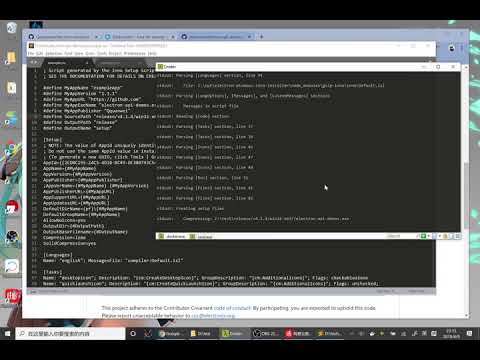](http://www.youtube.com/watch?feature=player_embedded&v=8LsJhDYZQPA)
* `npm install electron-windows-inno-installer -g`
* wine `brew install wine --devel`
* gulp `npm install gulp -g`
need your `*.iss` file in your work directory
you can using `electron-windows-inno-installer --make-iss` and then `vim example.iss` to make your setup.iss file
```
rm -rf release/
electron-windows-inno-installer ./setup.iss --platform win32-x64 --icon ./favicon.ico
```
electron-windows-inno-installer will pack all you local file *without directory* , if you want customs pack files ,you can use 'sourceFiles' field in you `package.json`
like this
```
...
"dependencies": {
"electron-windows-inno-installer": "^0.1.3"
},
"sourceFiles":[ "./index.js","./favicon.ico","./www/**/**"],
...
```
```
docker run --rm -v ${pwd}:/app -w /app/ quanwei/electron-windows-inno-installer example.iss --platform win32-x64
```
*
sourcePath is `release/{electron-version}/{platform}`
*
MyAppExeName is `{package.json.name}.exe`
* npm install electron-windows-inno-installer --save
```javascript
(electron app.js)
const autoupdater = require('electron-windows-inno-installer');
//support http/https
autoupdater.setFeedURL('http://demo/releases.json');
//release.json:
//{
//"name": "demo1.1.2",
//"version": "1.1.2",
//"date": "2016-08-09",
//"changelog": "upgrade \n\n\n\n\n?",
//"updateURL": "http://10.8.3.31:8000/setup.exe"
//}
autoupdater.on('update-downloaded',function(releasefileJSON,fullpath){
console.log('release notes: ',releasefileJSON.changelog)
console.log('write to :',fullpath);
autoupdater.quitAndInstall(); // Upgrade
});
autoupdater.on('update-not-available',function(){
console.log('INFO: Update not available');
});
autoupdater.on('update-available',function(releasefileJSON,next){
console.log('INFO: Update available',releasefileJSON);
next(); //will be download
});
autoupdater.on('progress',function(progress){
console.log(progress); // download progress
});
```
`(some html/js/css)` -> `electron-prebuild` -> `gulp-inno` -> `installer.exe`
Emmitted when updater starts checking update, after 'checkForupdates'
Emmitted when update unavailable,usually the version lowwer current version
or server response is '204'
Returns:
* releasejson : `object`
* next : `function`
Emmitted when update available, you will be invoke `next` tell updater to download this installer
Returns:
* releasejson: `object`
* fullpath: `string`
Emmitted when the installer package is downloaded. from then on , you can execute `updater.quitAndinstall()`
to quit current process and install installer.
Returns:
* err : `object`
Emmitted when throw a error
Emmitted when updater stopped work
Returns: progress
the downloaded progress
Params:
* url : `string`
set feed url
Params:
* isForce : `bool`
if `isForce` is `true` , updater will do not check version
start updater , updater will feed a update object from feedurl,
updater will checking this object that has field `version`
when the event of `update-downloade` emmitted, thie method will quit-and-install
the new installer
There are some case in your building.
* Download electron-v{version}-win32-x64.zip is slowly or failure
download the file from `https://github.com/electron/electron/releases` or `https://npm.taobao.org/mirrors/electron/` to directory `.cache/{version}/{platform}`.
example `wget https://npm.taobao.org/mirrors/electron/1.3.1/electron-v1.3.1-win32-ia32.zip -P /you/project/.cache/v1.3.1/`
Very pleasure with anyone contribute code