directus-extension-formatted-input
Version:
A simple Rich Inline Editor to format short texts
36 lines (21 loc) • 1.44 kB
Markdown
# Formatted Input for Directus
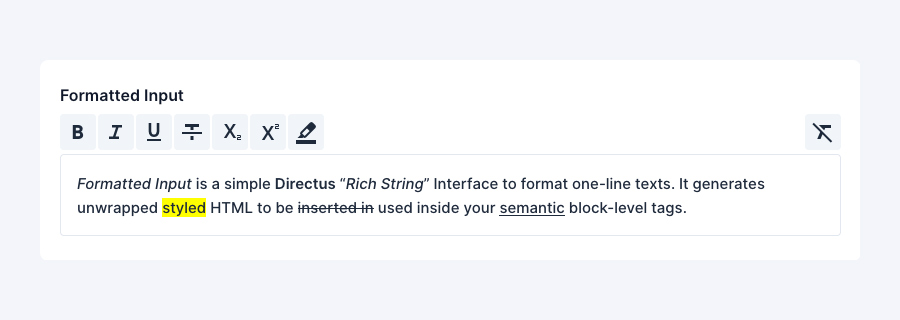
A simple Rich String Editor interface to format short texts in Directus
```
<em>Formatted Input</em> is a simple <strong>Directus</strong> “<em>Rich String</em>” Interface to format one-line texts. It generates unwrapped <mark>styled</mark> HTML to be <s>inserted in</s> used inside your <u>semantic</u> block-level tags.
```
## Installation
- [Official Guide](https://docs.directus.io/extensions/installing-extensions.html)
- [NPM Package](https://www.npmjs.com/package/directus-extension-formatted-input)
## Basic Usage
In your Directus app simply click the `Create Field` button and choose `Formatted Input`.
### Interface Options
Navigate to the interface tab to adjust the settings.
| Option | Description |
|---------|----------------------------------------|
| Toolbar | Set of `<mark>` tools available to use |
| Font | Font used in the editor |
### Display
The extension comes bundled with a `Rich String` display to render the HTML.
### Credits
[Flexible Editor by formfcw (Florian C. Wachmann)](https://github.com/formfcw/directus-extension-flexible-editor) and [Tiptap for Directus by gbicou (Benjamin Viellard)](https://github.com/gbicou/directus-extension-tiptap) for the implementation of more advanced functionalities.