directus-extension-encrypt-attr
Version:
Please enter a description for your extension
63 lines (45 loc) • 2.53 kB
Markdown
## Directus Extension Encrypt Attr
### A directus extension to implement encrypt-attr
Get more details on encrypt-attr
- https://github.com/simonratner/node-encrypted-attr
- https://www.npmjs.com/package/encrypted-attr
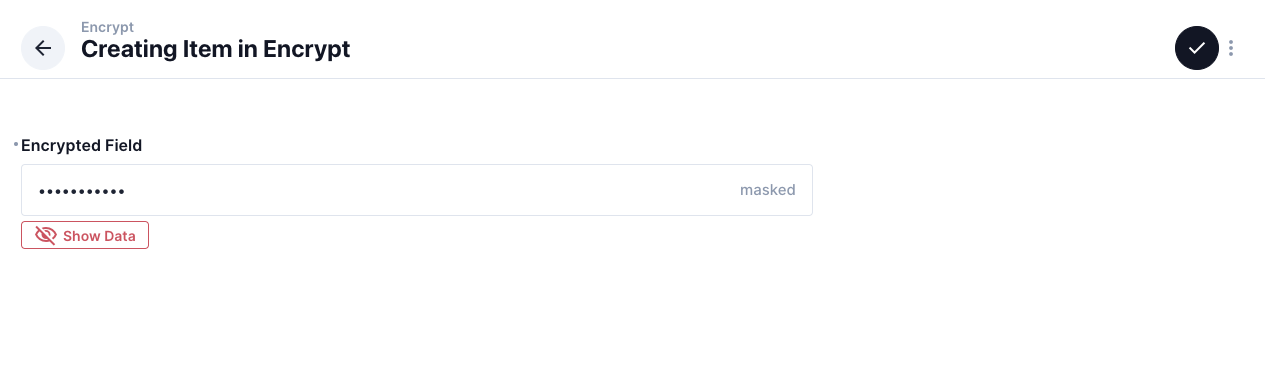

#### Install extension package
```dotnetcli
npm i directus-extension-encrypt-attr
```
#### Add extension to project
Find and copy folder "directus-extension-encrypt-attr" from "/node_modules" to "/extensions"
#### Set env for extension
File: .env
```dotnetcli
EA_KEYS={"default": "32Bytes_long_cryptographically_random_key"}
EA_KEY_ID="default"
```
| NAME | Required | Default value |
| :------------------------------ | :------: |:------: |
| EA_KEYS | YES | |
| EA_KEY_ID | NO | default |
| EA_VERIFY_ID | NO | |
All keys should be 32 bytes long, and cryptographically random. Manage these keys as you would any other sensitive credentials (environment config, vault, keychain). You can generate random keys with this snippet:
#### Threat model
This is designed to protect you from leaking sensitive user data under very specific scenarios:
- Full data dump
- Misplaced unencrypted backups
- Compromised database host
- Partial data dump
- Query injection via unsanitized input
Specifically, this does not provide any protection in cases of a compromised app host, app-level vulnerabilities, or accidentally leaking sensitive data into logs. It is also not a substitute for actually encrypting your backups, sanitizing your input, et cetera.
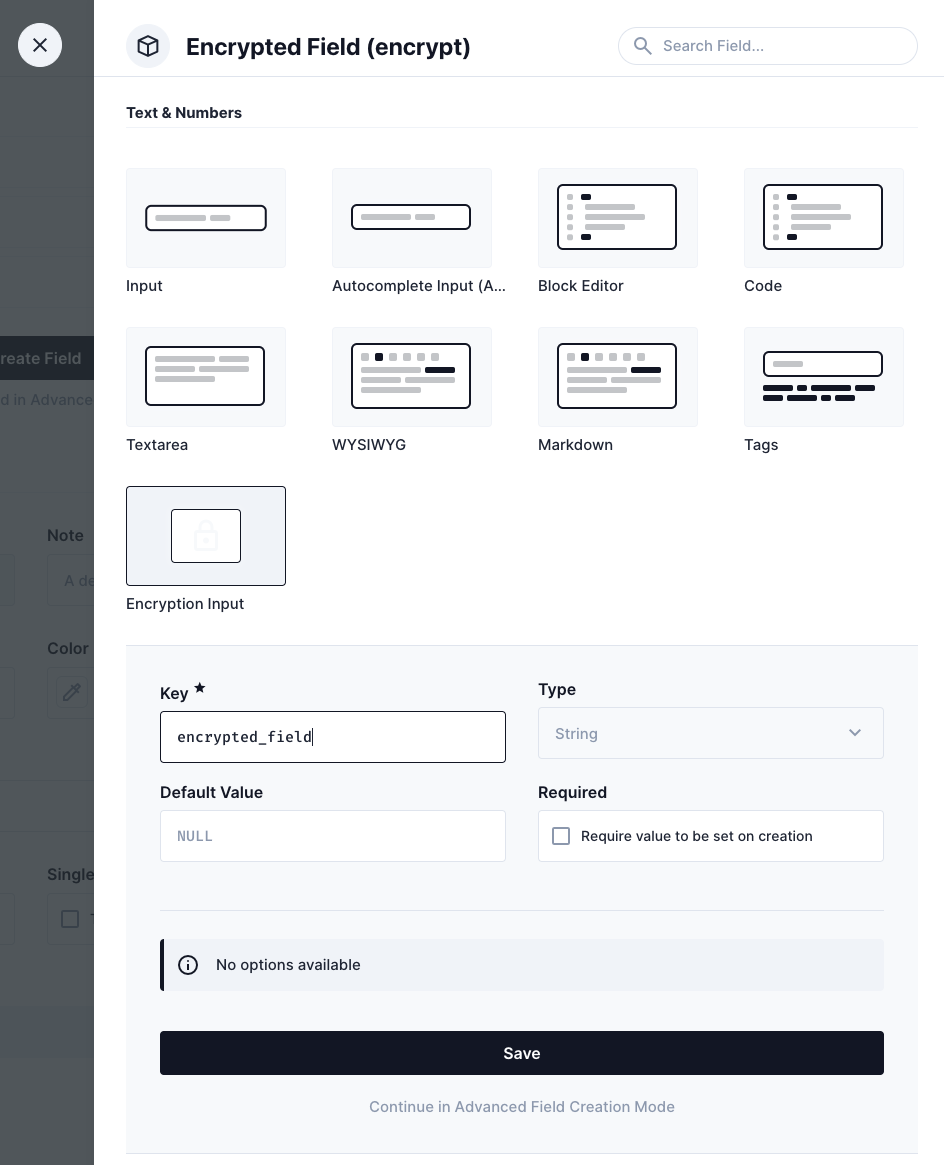
#### Interface: Encryption input
Add a new field with "Encryption Input"
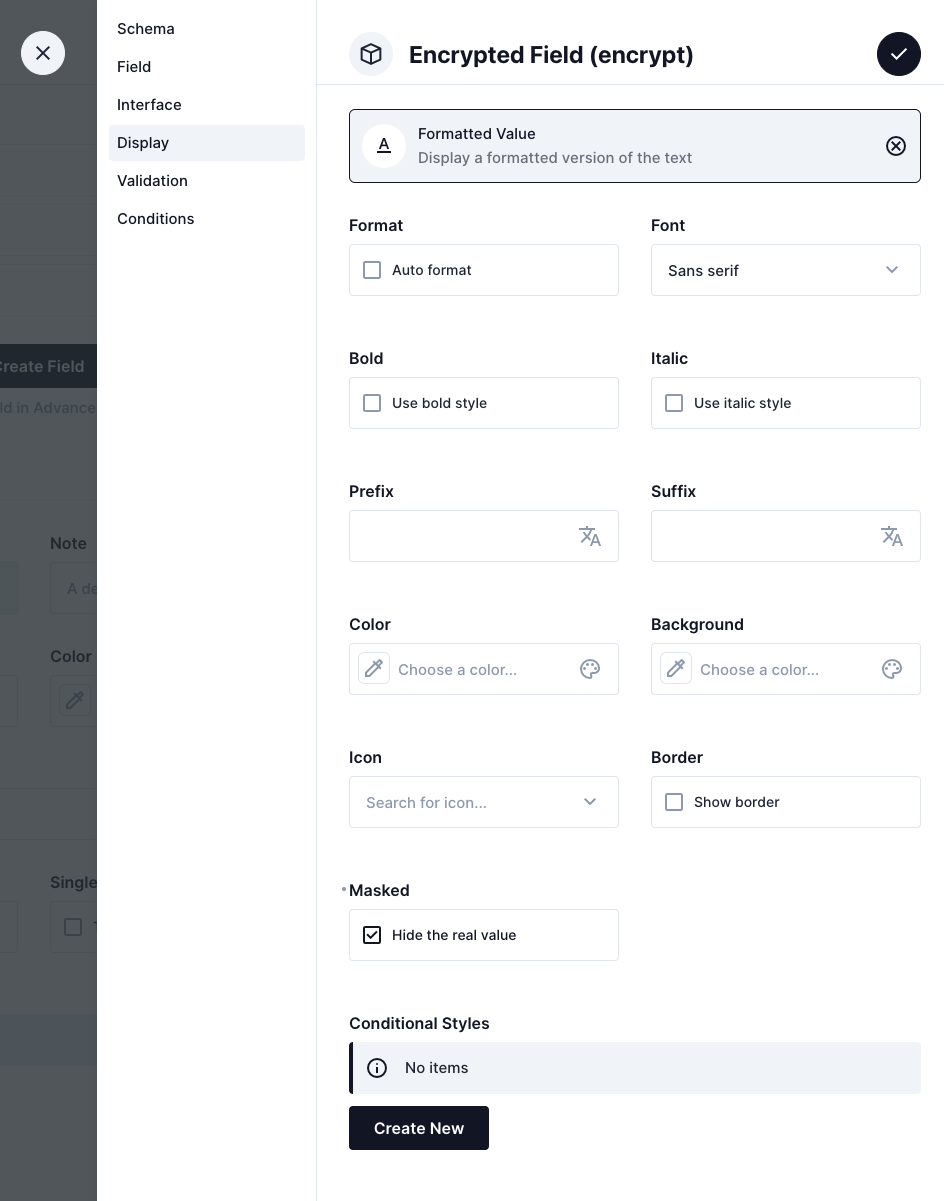
#### Display: Hide the real value
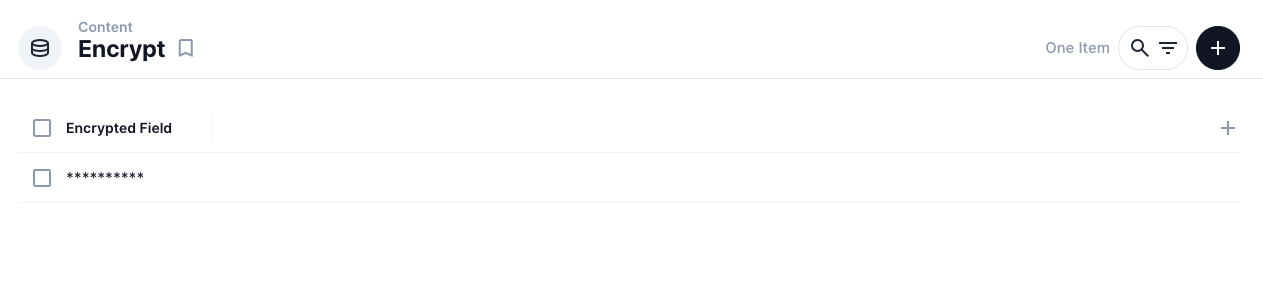
To hide the real value in item list
In "Display", choose "Formatted Value", then Check "Masked"
#### Issues
https://github.com/Drunkenpilot/directus-extension-encrypt-attr/issues
#### License
BSD-3-Clause