dify-components
Version:
This is a modern component library template based on Turborepo+Vue 3.5+TypeScript.
110 lines (81 loc) • 6.37 kB
Markdown
**English** | [简体中文](./README.zh-CN.md)
# A Monorepo Component Library Template Project Based on Turbo, Vue3.5+, and TypeScript5+, Helping to Quickly Build Your Own/Enterprise-Level Component Library🚀
This is a modern component library template based on `Turborepo + Vue 3.5 + TypeScript`, using Monorepo architecture to manage multiple packages, covering ESLint, Prettier, Stylelint, Commitlint + Husky + Lint-Staged, and TypeScript project specification configuration. This template provides a complete development environment, aiming to allow developers to focus on component development without worrying about the complexity of underlying configuration, helping to quickly build your own/enterprise-level component library (with detailed step-by-step comments included~).
## ✨ Features
- 📦 Based on Monorepo architecture for better code reuse and version management
- 🚫 Force using pnpm to manage dependencies, solve the problem of ghost dependencies, save disk space, and speed up installation
- 🚀 Using Turbo + Vue 3.5 + TypeScript, enjoy the latest technology features
- 🎨 Integrated complete code specification configuration to ensure code quality
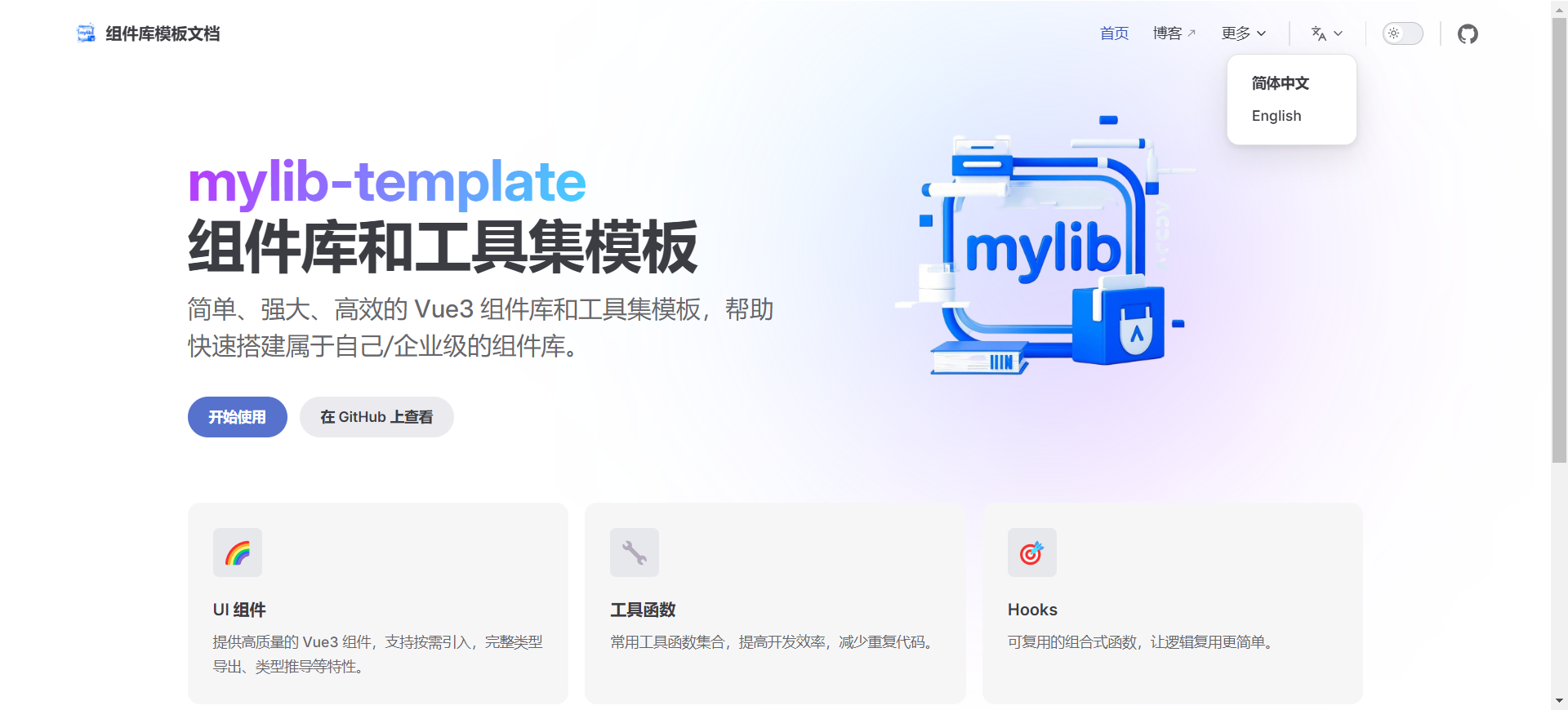
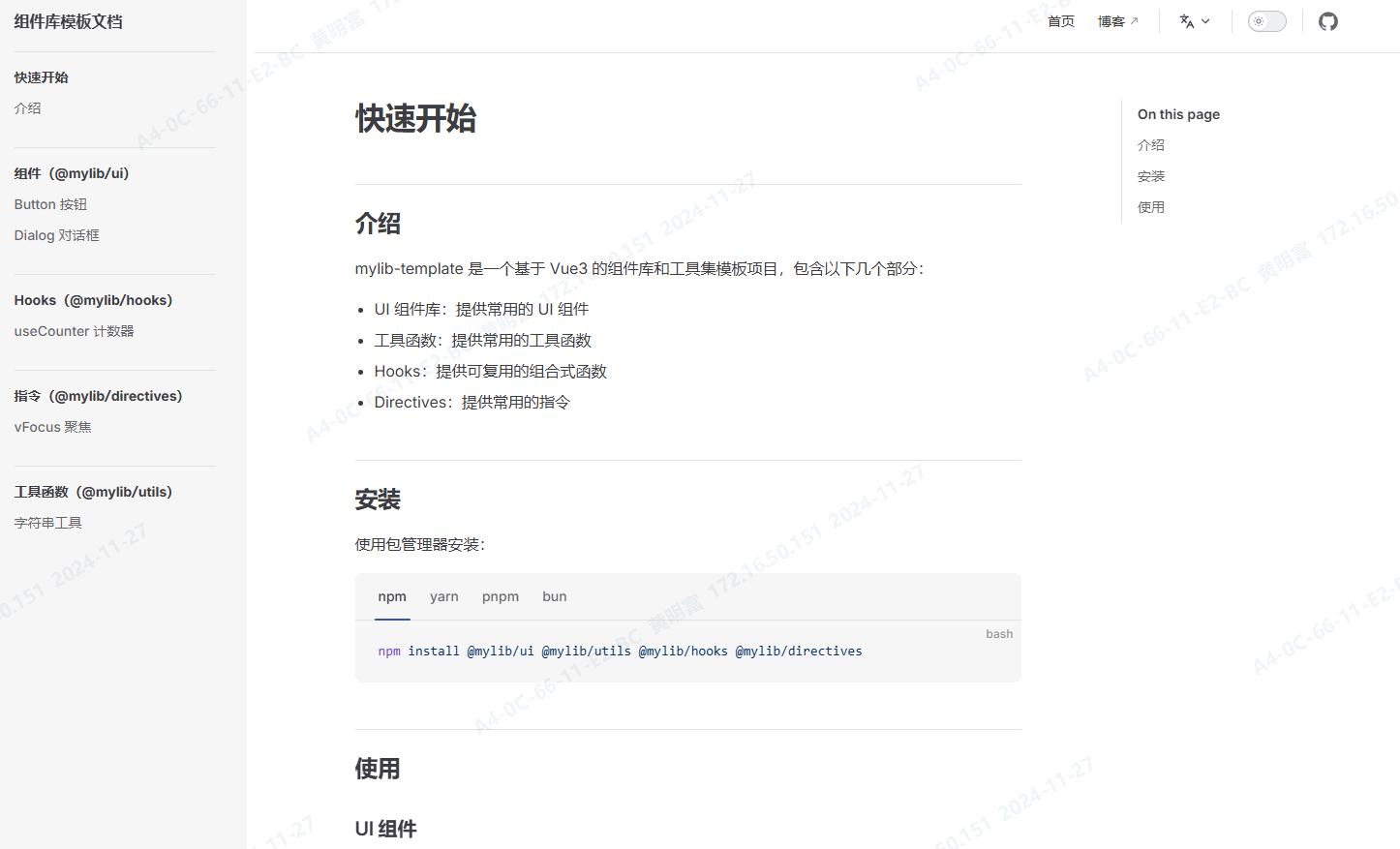
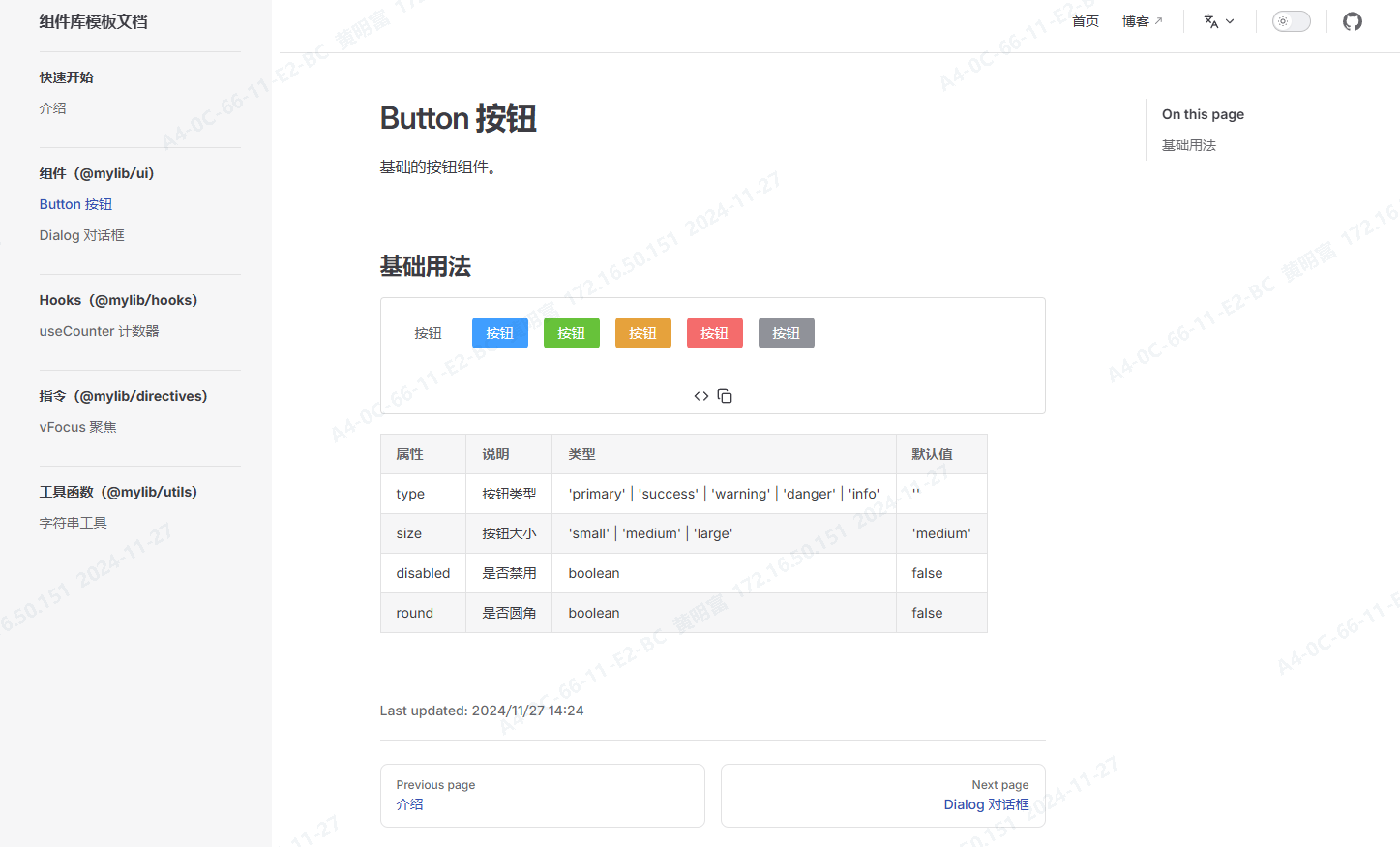
- 📚 Documentation built with VitePress, supporting internationalization
- 🔥 Component library supports on-demand import to reduce bundle size
- 🎯 Complete type hints to improve development experience
- 🛠️ Rich utility functions and Hooks to improve development efficiency
- 🔄 Support hot updates to enhance development experience
- 🔧 Equipped with a one-click package renaming script to replace with your own package name
- ⚡️ Based on Vite/Rollup to build ESM and CJS products
- ❤️ Equipped with two packaging modes: unified packaging with gulp + rollup or individual package builds with rollup/vite, developers can choose based on their preference
- 📝 Version and release management for multiple packages using changeset
## 📦 Project Structure
The project uses Monorepo architecture and mainly contains the following parts:
- `packages/lint-configs`: Contains all configuration-related packages, such as ESLint, Prettier, Stylelint, Commitlint, and TypeScript configurations. These configuration packages ensure code style consistency and high quality.
- `packages/hooks`: Contains all custom Hooks packages.
- `packages/directives`:Contains all directive packages。
- `packages/utils`: Contains all utility function packages.
- `packages/ui`: Contains all UI component packages.
- `apps/docs`: Documentation application, built with Vitepress, providing detailed component library documentation and usage guides.
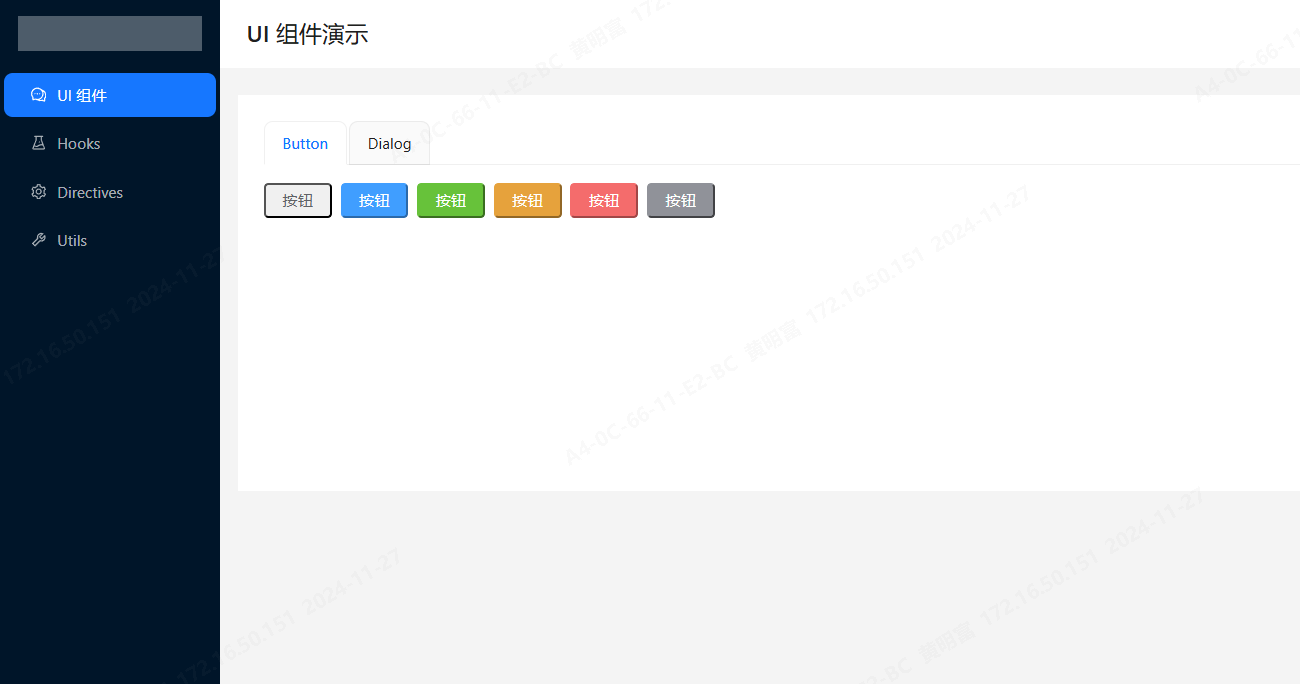
- `playground`: Playground for testing and demonstrating component examples, built with Vite.
- `build`: Unified packaging script managed by gulp, independent from individual package builds.
Additionally, the project includes automated scripts and continuous integration configurations to support efficient development processes and quality assurance.
## pkg.json Commands Guide
```bash
"dev": "turbo run dev", // Start the development environment for all packages
"dev:docs": "pnpm -F @difylib/docs run dev", // Start the documentation application
"dev:play": "pnpm -F @difylib/playground run dev", // Start the playground
"build": "turbo run build", // Build all packages
"build:docs": "pnpm -F @difylib/docs run build", // Build the documentation application
"build:gulp": "gulp -f build/gulpfile.cjs", // Unified packaging script managed by gulp
"format": "prettier --write \"**/*.{js,jsx,ts,tsx,mjs,mts,md,vue}\"", // Format all packages' code
"clean": "rm -rf .turbo && rm -rf node_modules && rm -rf dist && turbo run clean", // Clean all packages
"deps:update": "pnpm update -r --latest", // Update all packages' dependencies
"deps:check": "pnpm outdated -r", // Check all packages' dependencies
"preinstall": "npx only-allow pnpm", // Ensure pnpm is used to install dependencies
"postinstall": "turbo run build", // Run build after installing dependencies to ensure all packages are built and the project runs successfully
"prepare": "husky install", // Install Husky hooks
"rename-pkg": "bash ./scripts/rename-package.sh" // Rename packages in one go, e.g., @difylib -> @vue3-lib
```
## 🚀 Quick Start(Demo)
```bash
# Please replace the following package names with your own. You can use the rename-pkg command to change to your own package name, for example: pnpm rename-pkg "@difylib" "@vue3-lib"
pnpm add /ui @difylib/utils /hooks @difylib/directives
# Example installation:
pnpm add /ui @hmflib/utils /hooks @hmflib/directives
```
### document
> Equipped with international language switching
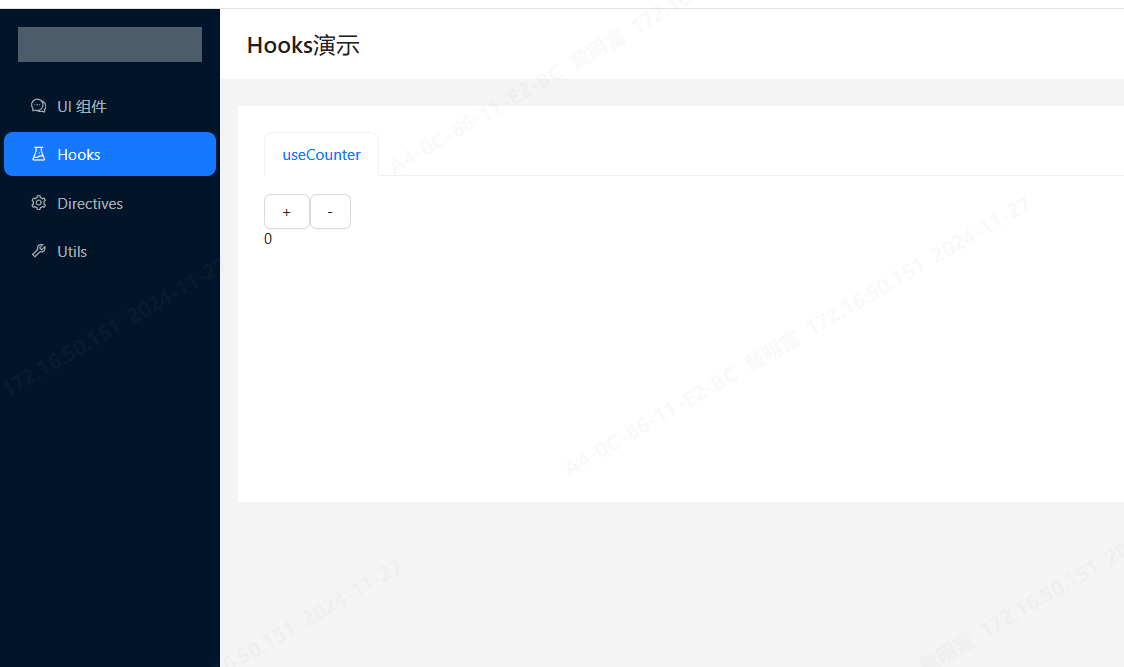
### playground
## Related Links
> Some code and structure design references [Vben5](https://github.com/vbenjs/vue-vben-admin)
- [Vue 3](https://vuejs.org/)
- [TypeScript](https://www.typescriptlang.org/)
- [Turborepo](https://turbo.build/repo)
- [Vitepress](https://vitepress.dev/)
- [Vite](https://vitejs.dev/)
- [Vben-admin](https://github.com/vbenjs/vue-vben-admin)
## Help Guide
1. If you encounter issues executing `rm -rf` or other `shell` commands, you can run the commands using Git Bash terminal (which comes with Git after installation).
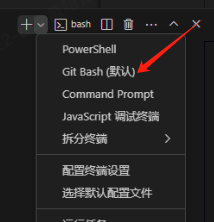
For commands like `clean`, `rename-pkg`, etc., located in the project root directory, you can use the above method to resolve the issue.
2. If you encounter failures when running `pnpm run dev`, you need to first execute the build command: `pnpm run build`, and then run `pnpm run dev`.
## Contributing Guide
1. Fork this repository
2. Create your feature branch (`git checkout -b feature/AmazingFeature`)
3. Commit your changes (`git commit -m 'Add some AmazingFeature'`)
4. Push to the branch (`git push origin feature/AmazingFeature`)
5. Open a Pull Request
## License
[MIT](LICENSE)