datamosh
Version:
Edit images via buffers.
100 lines (61 loc) • 3.19 kB
Markdown
# Datamosh [](https://opensource.org/licenses/MIT) [](https://github.com/prettier/prettier) [](https://travis-ci.com/mster/datamosh)

Mess around with image data using _buffers_, create some interesting & artistic results, **profit**.
# Install
```
$ npm install datamosh
```
# Usage
```js
const mosh = require("datamosh");
let imgBuff = await readFile("/full/path/to/image.png");
let moshedBuff = await mosh(imgBuff, "vaporwave");
```
Reading/Writing the moshed image
```js
mosh("~/image.png", null, "~/moshed_image.png");
// because mode is null, a random mode will be chosen
```
Moshing a buffer with callbacks
```js
const cb = (err, data) => {
if (!err) writeFile("/path/to/out.gif", data);
};
mosh(imgBuff, "vana", cb);
```
Using multiple modes on a single image, applied with respect to order.
```js
let moshedBuff = await mosh(imgBuff, ["fatcat", "vaporwave", "walter"]);
// ['vana', null, null] is also valid => ['vana', random, random]
```
# API
### `mosh(source, mode?, cb|writePath?)`
Takes input `source` Buffer/Path, returns an encoded Buffer with the applied modes.
- `mode`, the mosh mode to apply to the source image. Multiple modes may be passed using an array of modes. Any `null` values are replaced with a random mode.
- `cb (err, data)`, when using callbacks.
- `writePath`, the path to write the moshed image to.
Paths may use the tilde (~) character. Datamosh validates read and write paths, replacing tilde with the path to the home directory.
```
~/Desktop/moshes/ -> /home/youruser/Desktop/moshes
```
# Custom Modes
Datamosh allows you to set custom moshing modes. As of `v1.1.0`, this may be acomplished by adding a mosh function to the `MODES` property.
For mosh function starter code, see the included template file located [here](https://github.com/mster/datamosh/blob/master/lib/modes/template).
```js
const datamosh = require("datamosh");
function newMode(data, width, height) {
// your cool code goes here!
return data;
}
datamosh.MODES.newMode = newMode;
```
## Example Images

Fatcat was created by user [@mster](https://github.com/mster)
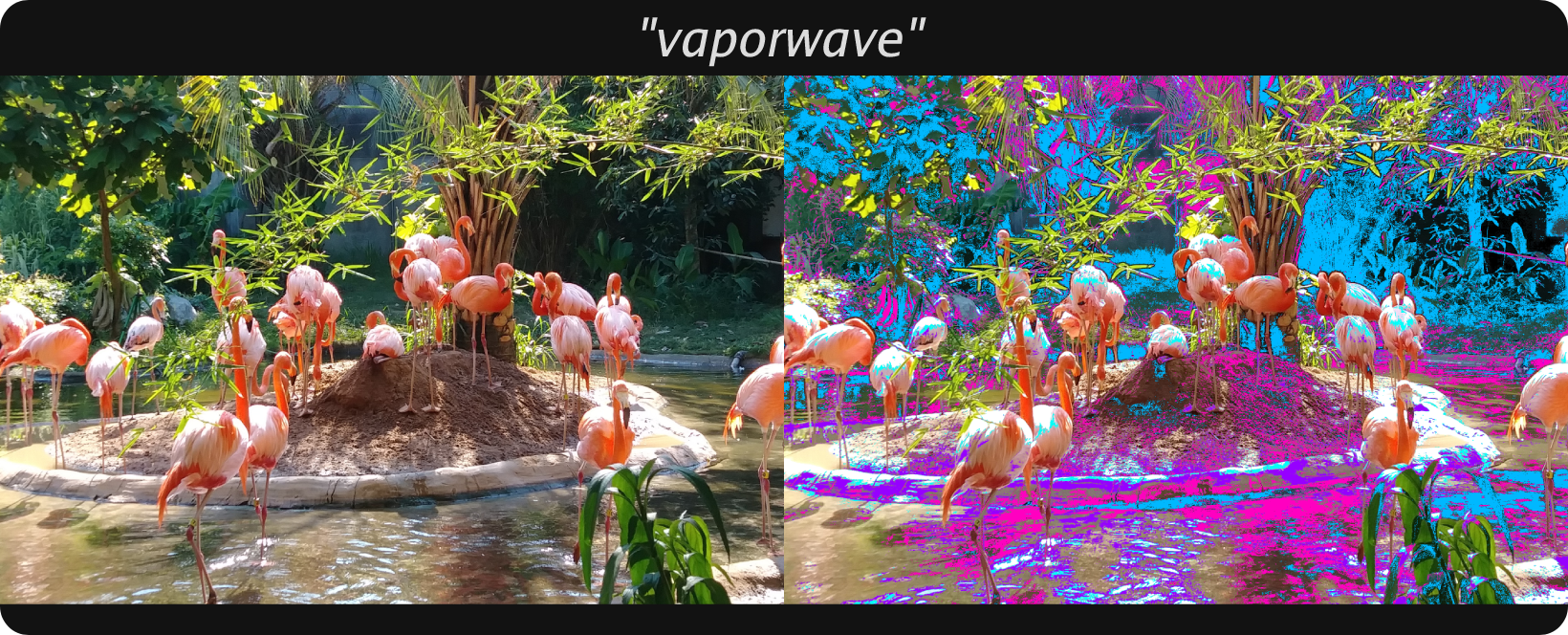
Vaporwave was created by user [@tlaskey](https://github.com/tlaskey)


## Datamosh in the wild
Check out this list of awesome apps that use `datamosh`!
- [JanMichaelBot](https://github.com/tlaskey/JanMichaelBot) by user [@Tlaskey](https://github.com/tlaskey)