dag-jose
Version:
Typescript implementation of the IPLD dag-jose format
266 lines (211 loc) • 9.54 kB
Markdown
# dag-jose
[](https://app.fossa.com/projects/git%2Bgithub.com%2Fceramicnetwork%2Fjs-dag-jose?ref=badge_shield)
This library provides a TypeScript implementation of the DAG-JOSE codec for IPLD.
It supports the new [multiformats](https://github.com/multiformats/js-multiformats) library in order to be compatible with both the current and future js-ipfs implementations.
To create and work with DAG-JOSE compatible JOSE objects we recommend using the [dag-jose-utils](https://github.com/ceramicnetwork/js-dag-jose-utils) library.
* [JWS Signing Usage](#jws-signing-usage)
* [JWE Encryption Usage](#jwe-encryption-usage)
* [Symmetric encryption](#symmetric-encryption)
* [Asymmetric encryption](#asymmetric-encryption)
* [Maintainer](#maintainer)
* [License](#license)
## JWS Signing Usage
_The following example is available in complete form in [example-signing-ipld.mjs](./example-signing-ipld.mjs)._
For independent usage as an IPLD codec:
```js
import * as Block from 'multiformats/block'
import { sha256 } from 'multiformats/hashes/sha2'
import * as dagCbor from '@ipld/dag-cbor' // for decoding the signed payload
import * as dagJose from 'dag-jose'
```
Import additional libraries for JWS handling:
```js
// JWT & utilities
import {
ES256KSigner,
createJWS,
verifyJWS
} from 'did-jwt'
import {
encodePayload,
toJWSPayload,
toJWSStrings
} from 'dag-jose-utils'
```
Given a keypair:
```js
const pubkey = '03fdd57adec3d438ea237fe46b33ee1e016eda6b585c3e27ea66686c2ea5358479'
const privkey = '278a5de700e29faae8e40e366ec5012b5ec63d36ec77e8a2417154cc1d25383f'
```
Create a signed envelope block:
```js
const signer = ES256KSigner(privkey)
// arbitrary data to DAG-CBOR encode, we get a:
// { cid:CID, linkedBlock: Uint8Array }
const payloadBlock = await encodePayload(payload)
// sign the CID as a JWS using our signer
const jws = await createJWS(toJWSPayload(payloadBlock), signer)
// createJWS gives us a compact string form JWS, DAG-JOSE will accept both the
// compact and general (object) form but a round-trip decode will always
// result in the general form. If we want need `jws` to be isometric regardless
// of whether it has been round-tripped through DAG-JOSE or straight out of
// `createJWS()` we can call `toGeneral()` to ensure it is always in the
// general form.
// jws = dagJose.toGeneral(jws)
// encode as a DagJWS IPLD block
const jwsBlock = await Block.encode({ value: jws, codec: dagJose, hasher: sha256 })
// we now have two blocks, a signed envelope and a payload
// DagJWS envelope:
// - CID: jwsBlock.cid
// - Bytes: jwsBlock.bytes
// Payload:
// - CID: payloadBlock.cid
// - Bytes: payloadBlock.linkedBlock
```
Given a DagJWS envelope block CID, load its bytes, verify the signature and load the linked payload block:
```js
// validate cid matches bytes and decode dag-jose JWS
const jwsBlock = await Block.create({ bytes, cid, codec: dagJose, hasher: sha256 })
const jwsStrings = toJWSStrings(jwsBlock.value)
// verify the signatures found in the block against our pubkey
for (const jws of jwsStrings) {
const verifiedKey = verifyJWS(jws, [{ publicKeyHex: pubkey }]) // will throw if it doesn't verify
console.log(`Verified JWS envelope \u001b[32m${cid}\u001b[39m with public key:\n\t${verifiedKey.publicKeyHex}`)
}
const payloadCid = jwsBlock.value.link
// `store.get()` represents a block store, where `get(cid:string):Uint8Array`,
// in this example case it's simply a `Map` but it could be any method of
// fetching bytes for a CID
const payloadBytes = store.get(payloadCid.toString())
// validate payloadCid matches bytes and decode dag-cbor payload
const payloadBlock = await Block.create({ bytes: payloadBytes, cid: payloadCid, codec: dagCbor, hasher: sha256 })
// The signed and verified payload is available in `payloadBlock.value`
```
## JWE Encryption Usage
When using DAG-JOSE (for JWE or JWS) with js-IPFS, you will need to convert it from a raw multiformats style codec to a legacy IPLD codec using [blockcodec-to-ipld-format](https://github.com/ipld/js-blockcodec-to-ipld-format).
_The following example is available in complete form in [example-ipfs.mjs](./example-ipfs.mjs)._
_A plain IPLD (without IPFS, for cases where you are managing the block store) version is available in [example-ipld.mjs](./example-ipld.mjs)._
```js
// IPLD & IPFS
import { create as createIpfs } from 'ipfs'
import { convert as toLegacyIpld } from 'blockcodec-to-ipld-format'
import * as dagJose from 'dag-jose'
```
```js
// JWT & utilities
import {
xc20pDirEncrypter,
xc20pDirDecrypter,
x25519Encrypter,
x25519Decrypter,
decryptJWE,
createJWE
} from 'did-jwt'
import {
decodeCleartext,
prepareCleartext
} from 'dag-jose-utils'
```
```js
// Miscellaneous crypto libraries to support the examples
import { randomBytes } from '@stablelib/random'
import { generateKeyPairFromSeed } from '@stablelib/x25519'
```
Set up js-IPFS:
```js
const dagJoseIpldFormat = toLegacyIpld(dagJose)
// Async setup tasks
async function setup () {
console.log('Starting IPFS ...')
// Instantiate an IPFS node, that knows how to deal with DAG-JOSE blocks
ipfs = await createIpfs({ ipld: { formats: [dagJoseIpldFormat] } })
}
```
### Symmetric encryption
Encrypt and store a payload using a secret key:
```js
const storeEncrypted = async (payload, key) => {
const dirEncrypter = xc20pDirEncrypter(key)
// prepares a cleartext object to be encrypted in a JWE
const cleartext = await prepareCleartext(payload)
// encrypt into JWE container layout using secret key
const jwe = await createJWE(cleartext, [dirEncrypter])
// let IPFS store the bytes using the DAG-JOSE codec and return a CID
const cid = await ipfs.dag.put(jwe, { format: dagJoseIpldFormat.codec, hashAlg: 'sha2-256' })
console.log(`Encrypted block CID: \u001b[32m${cid}\u001b[39m`)
return cid
}
```
Load an encrypted block from a CID and decrypt the payload using a secret key:
```js
const loadEncrypted = async (cid, key) => {
const dirDecrypter = xc20pDirDecrypter(key)
const retrieved = await ipfs.dag.get(cid)
const decryptedData = await decryptJWE(retrieved.value, dirDecrypter)
return decodeCleartext(decryptedData)
}
```
Create a key, encrypt and store a block, then load and decrypt it:
```js
const key = randomBytes(32)
const secretz = { my: 'secret message' }
console.log('Encrypting and storing secret:\u001b[1m', secretz, '\u001b[22m')
const cid = await storeEncrypted(secretz, key)
const decoded = await loadEncrypted(cid, key)
console.log('Loaded and decrypted block content:\u001b[1m', decoded, '\u001b[22m')
```
### Asymmetric encryption
Encrypt and store a payload using a public key:
```js
const storeEncrypted = async (payload, pubkey) => {
const asymEncrypter = x25519Encrypter(pubkey)
// prepares a cleartext object to be encrypted in a JWE
const cleartext = await prepareCleartext(payload)
// encrypt into JWE container layout using public key
const jwe = await createJWE(cleartext, [asymEncrypter])
// let IPFS store the bytes using the DAG-JOSE codec and return a CID
const cid = await ipfs.dag.put(jwe, { format: dagJoseIpldFormat.codec, hashAlg: 'sha2-256' })
console.log(`Encrypted block CID: \u001b[32m${cid}\u001b[39m`)
return cid
}
```
Load an encrypted block from a CID and decrypt the payload using a secret key:
```js
const loadEncrypted = async (cid, privkey) => {
const asymDecrypter = x25519Decrypter(privkey)
// decode the DAG-JOSE envelope
const retrieved = await ipfs.dag.get(cid)
const decryptedData = await decryptJWE(retrieved.value, asymDecrypter)
return decodeCleartext(decryptedData)
}
```
Create a key pair, encrypt and store a block using the public key, then load and decrypt it using the private key:
```js
const privkey = randomBytes(32)
// generate a public key from the existing private key
const pubkey = generateKeyPairFromSeed(privkey).publicKey
const secretz = { my: 'secret message' }
console.log('Encrypting and storing secret with public key:\u001b[1m', secretz, '\u001b[22m')
const cid = await storeEncrypted(secretz, pubkey)
const decoded = await loadEncrypted(cid, privkey)
console.log('Loaded and decrypted block content with private key:\u001b[1m', decoded, '\u001b[22m')
```
#### Encrypt and decrypt using other jose library
The `did-jwt` library only supports `x25519` key exchange and `XChacha20Poly1305`. If you want to use the `dag-jose` codec with other less secure algorithms you can encrypt another library and put the resulting JWE into the dag. Below is an example using the [jose](https://github.com/panva/jose/) library.
```js
const jwk = jose.JWK.generateSync('oct', 256)
const cleartext = prepareCleartext({ my: 'secret message' })
// encrypt and put into ipfs
const jwe = jose.JWE.encrypt.flattened(cleartext, jwk, { alg: 'dir', enc: 'A128CBC-HS256' })
const cid = await ipfs.dag.put(jwe, { format: format.codec, hashAlg: 'sha2-256' })
// retreive and decrypt object
const retrived = await ipfs.dag.get(cid)
const decryptedData = jose.JWE.decrypt(retrived, jwk)
console.log(decodeCleartext(decryptedData))
// output:
// { my: 'secret message' }
```
## Maintainer
[Joel Thorstensson](https://github.com/oed)
## License
[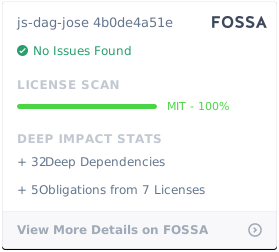](https://app.fossa.com/projects/git%2Bgithub.com%2Fceramicnetwork%2Fjs-dag-jose?ref=badge_large)