css-purge
Version:
A CSS tool written in Node JS as a command line app or library for the purging, burning, reducing, shortening, compressing, cleaning, trimming and formatting of duplicate, extra, excess or bloated CSS.
374 lines (260 loc) • 10.3 kB
Markdown
<a href="http://rbtech.github.io/css-purge" target="_blank"><img align="right" src="http://rbtech.github.io/css-purge/assets/images/visit_website.jpg"></a>
[](https://www.npmjs.com/package/css-purge) [](https://npmcharts.com/compare/css-purge?&=true&periodLength=30&minimal=true) [](https://www.npmjs.com/package/css-purge)
**V3 - We just released our most awesome version yet!**
## A CSS tool written in Node JS as a command line app or library for the purging, burning, reducing, shortening, compressing, cleaning, trimming and formatting of duplicate, extra, excess or bloated CSS.
[](http://rbtech.github.io/css-purge)
## Overview
#### Purging CSS
This is the typical usage scenario, where you may want to purge some CSS from a file(s) or folder(s) or CSS from your workflow (like from [gulp](https://gulpjs.com) or [grunt](https://gruntjs.com)).
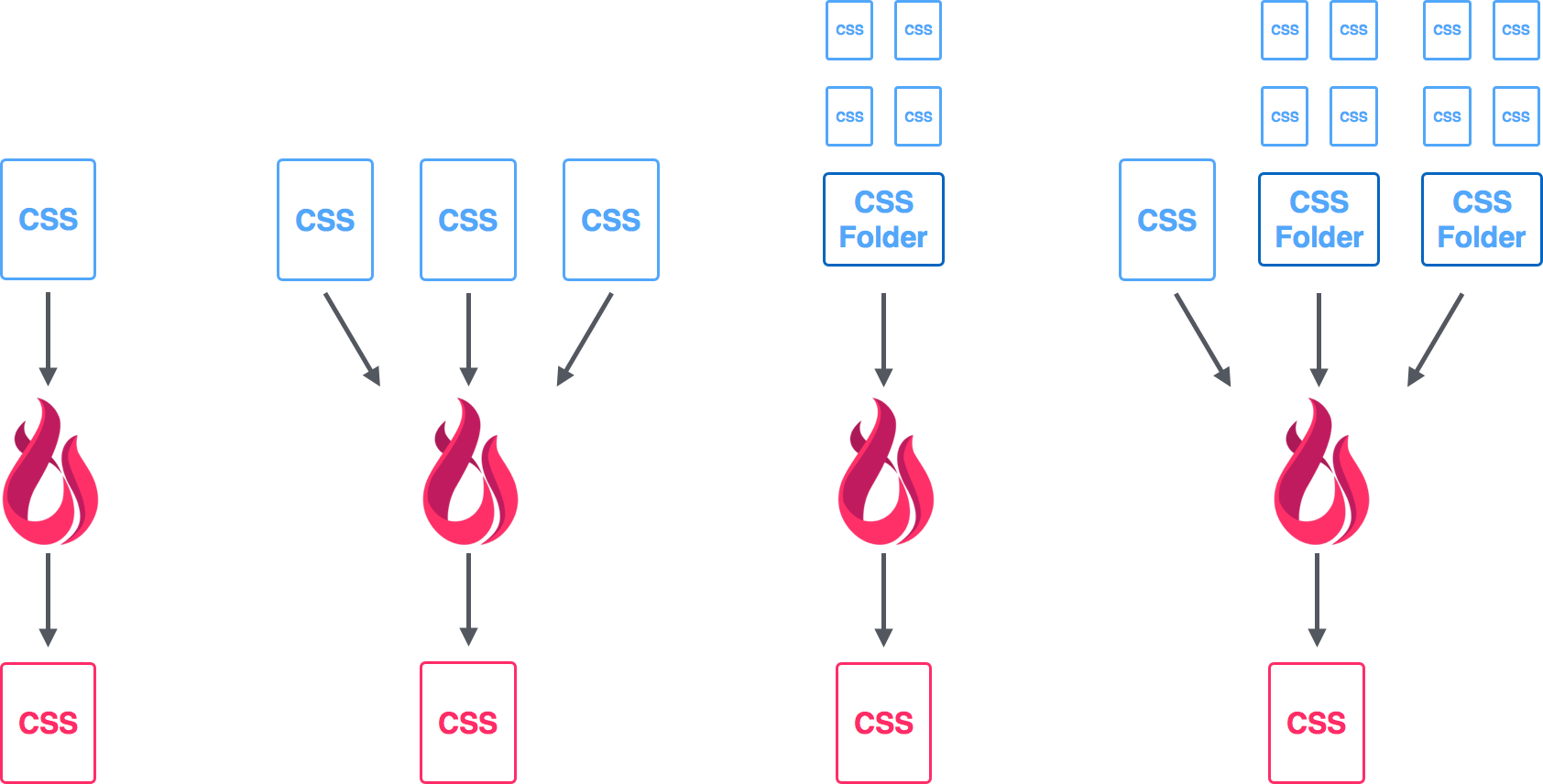
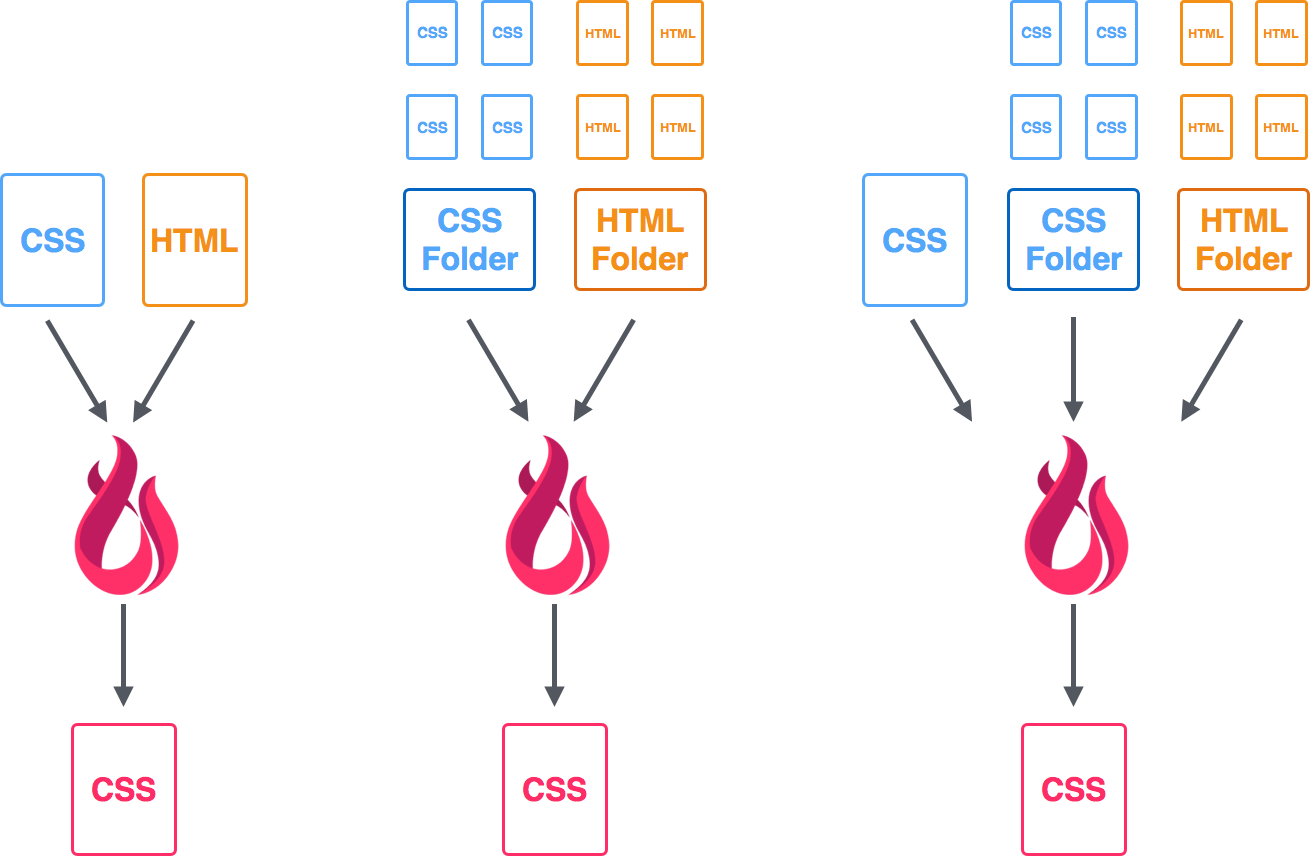
#### Purging Unused CSS
You want to take it a step further by taking your CSS file(s) and reducing it further based on what is used in your HTML file(s).
Usage
----
### CLI App Usage
Global usage is nice for doing something quick everywhere.
1) Install with npm:
```
npm install css-purge -g
```
2) Run with options:
```
css-purge [CLI options]
```
CLI Options:
Command | Description
------------ | -------------
-i "filename/folder name location" | CSS file(s) input
-o "filename" | The new CSS filename to output as
-c "some CSS" | input CSS from CLI
-f "config filename" | run with a custom config filename
-m "filename/folder name/URL location" | HTML file(s) input
-d | run with the default config file (config_css.json must exist in folder)
-v | displays the version number
-h | CLI help
##### Examples
**CSS** - Purge some CSS and output to terminal
```
css-purge -c ".panel { color:red; color: blue; }"
```
**CSS file** - Purge CSS from main.css and output to main.min.css
```
css-purge -i main.css -o main.min.css
```
**CSS file with Custom Config** - Purge CSS from main.css and output to main.min.css using myconfig.json for configuration
```
css-purge -i main.css -o main.min.css -f myconfig.json
```
**CSS file with HTML file** - Purge CSS from main.css using index.html to compare and output to main.min.css
```
css-purge -i main.css -o main.min.css -m index.html
```
**Multiple CSS and HTML files** - Purge CSS from main.css and framework.css (in that specific order) using index.html and index.html from www.mywebsite.com to compare and output to main.min.css
```
css-purge -i "main.css, framework.css" -o main.min.css -m "index.html, http://www.mywebsite.com/index.html"
```
### Project Usage
Local usage is nice for “setting up shop” for a project.
1) Clone with [git](https://git-scm.com)/[GitHub Desktop](https://desktop.github.com/):
```
git clone https://github.com/rbtech/css-purge.git
```
or download from: [https://github.com/rbtech/css-purge](https://github.com/rbtech/css-purge)
2) Install dependencies:
```
npm install
```
3) Run with options
```
node css-purge [CLI options]
```
CLI Options:
Command | Description
------------ | -------------
-i "filename/folder name location" | CSS file(s) input
-o "filename" | The new CSS filename to output as
-c "some CSS" | input CSS from CLI
-f "config filename" | run with a custom config filename
-m "filename/folder name/URL location" | HTML file(s) input
-d | run with the default config file (config_css.json must exist in folder)
-v | displays the version number
-h | CLI help
### Node JS Library Usage
Libraries help share the awesomeness to more people :)
You can test out the library in your browser [here](https://npm.runkit.com/css-purge).
Install:
```
npm install css-purge --save
```
Some example usage:
```javascript
var cssPurge = require('css-purge');
//purging a CSS string with options
var css = "p { color: blue; color: blue; } ";
cssPurge.purgeCSS(css, {
trim : true,
shorten : true
}, function(error, result){
if (error)
console.log(error)
else
console.log('Output CSS: ', result);
});
//uses default settings that are set in the config file
//make sure that css is set
cssPurge.purgeCSSFiles();
//purging a CSS file
cssPurge.purgeCSSFiles({
css:'demo/test1.css'
});
//purging a CSS file with HTML
cssPurge.purgeCSSFiles({
css: 'demo/test1.css',
html: 'demo/html/test1.html'
});
//purging a CSS file with HTML and options
cssPurge.purgeCSSFiles({
css_output: 'test1.min.css',
css: 'demo/test1.css',
html: 'demo/html/test1.html',
trim : true,
shorten : true,
verbose : true
});
//purging a CSS file with HTML, options and config
cssPurge.purgeCSSFiles({
css_output: 'test1.min.css',
css: 'demo/test1.css',
html: 'demo/html/test1.html',
trim : true,
shorten : true,
verbose : true
},
'myconfig.json'
);
```
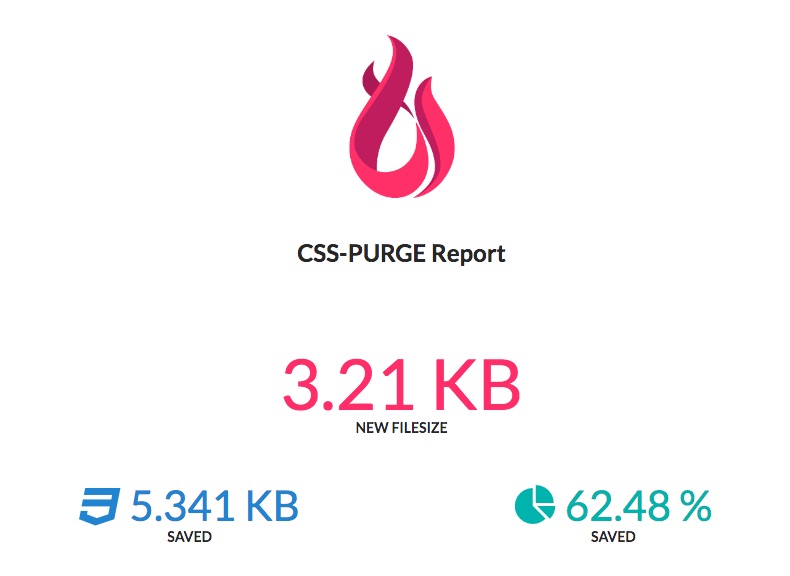
CSS-Purge Report Viewer
----
[](http://rbtech.github.io/css-purge)
Open a separate terminal window, then:
1) Clone with [git](https://git-scm.com)/[GitHub Desktop](https://desktop.github.com/):
```
git clone https://github.com/rbtech/css-purge-report-viewer.git
```
or download from: [https://github.com/rbtech/css-purge-report-viewer](https://github.com/rbtech/css-purge-report-viewer)
2) Install reload:
```
npm install reload -g
```
3) Run reload to view the report:
```
reload -b -e html, css, js, json
```
Report notes:
- make sure you are in the report viewers directory before running reload
- make sure CSS-Purge is set to generate into the report viewers directory
Config Options
----
For an overview of some of the options/features,
have a look [Under the hood](http://rbtech.github.io/css-purge/#features).
Full description of each option can be found on the [website](http://rbtech.github.io/css-purge) (Getting Started > Config).
Example config.json:
```json
{
"options": {
"css_output": "purged.min.css",
"css": "demo/html/static-jekyll/_siteassets/main.css",
"html": "demo/html/static-jekyll/_site",
"new_reduce_common_into_parent": true,
"trim": true,
"trim_keep_non_standard_inline_comments": false,
"trim_removed_rules_previous_comment": true,
"trim_comments": false,
"trim_whitespace": false,
"trim_breaklines": false,
"trim_last_semicolon": false,
"shorten": true,
"shorten_zero": false,
"shorten_hexcolor": false,
"shorten_hexcolor_extended_names": false,
"shorten_hexcolor_UPPERCASE": false,
"shorten_font": false,
"shorten_background": true,
"shorten_background_min": 2,
"shorten_margin": false,
"shorten_padding": false,
"shorten_list_style": false,
"shorten_outline": false,
"shorten_border": false,
"shorten_border_top": false,
"shorten_border_right": false,
"shorten_border_bottom": false,
"shorten_border_left": false,
"shorten_border_radius": false,
"format": true,
"format_4095_rules_legacy_limit": false,
"format_font_family": true,
"special_convert_rem": false,
"special_convert_rem_browser_default_px": "16",
"special_convert_rem_desired_html_px": "10",
"special_convert_rem_font_size": true,
"special_reduce_with_html" : false,
"special_reduce_with_html_ignore_selectors" : [
"@-ms-",
":-ms-",
"::",
":valid",
":invalid",
"+.",
":-"
],
"generate_report": true,
"verbose": true,
"bypass_media_rules": true,
"bypass_document_rules": false,
"bypass_supports_rules": false,
"bypass_page_rules": false,
"bypass_charset": false,
"zero_units": "em, ex, %, px, cm, mm, in, pt, pc, ch, rem, vh, vw, vmin, vmax",
"zero_ignore_declaration": [],
"report_file_location": "report/purged_css_report_data.json",
"reduce_declarations_file_location": "config_reduce_declarations.json"
}
}
```
Plugins!
----
- [gulp-css-purge](https://github.com/rbtech/gulp-css-purge)
- [grunt-css-purge](https://github.com/dominikwilkowski/grunt-css-purge)
- [Webpack loader : purge-css-loader](https://github.com/dzianisreznik/purge-css-loader)
We will list them as they come.
Help
----
##### Source Code Issues
- [Visit the issues section on github](https://github.com/rbtech/css-purge/issues)
##### Community and Q&A
Got a question on how to do something and when answered will help everyone?
Then place it on StackOverflow with the tag “css-purge”
- [View questions tagged with “css-purge”](https://stackoverflow.com/questions/tagged/css-purge)
- Join us on gitter - [Visit the community](https://gitter.im/css-purge)
License
-----
(The MIT License)
Copyright (c) 2017 [Red Blueprint Technologies](http://redblueprint.com)
Permission is hereby granted, free of charge, to any person obtaining
a copy of this software and associated documentation files (the
'Software'), to deal in the Software without restriction, including
without limitation the rights to use, copy, modify, merge, publish,
distribute, sublicense, and/or sell copies of the Software, and to
permit persons to whom the Software is furnished to do so, subject to
the following conditions:
The above copyright notice and this permission notice shall be
included in all copies or substantial portions of the Software.
THE SOFTWARE IS PROVIDED 'AS IS', WITHOUT WARRANTY OF ANY KIND,
EXPRESS OR IMPLIED, INCLUDING BUT NOT LIMITED TO THE WARRANTIES OF
MERCHANTABILITY, FITNESS FOR A PARTICULAR PURPOSE AND NONINFRINGEMENT.
IN NO EVENT SHALL THE AUTHORS OR COPYRIGHT HOLDERS BE LIABLE FOR ANY
CLAIM, DAMAGES OR OTHER LIABILITY, WHETHER IN AN ACTION OF CONTRACT,
TORT OR OTHERWISE, ARISING FROM, OUT OF OR IN CONNECTION WITH THE
SOFTWARE OR THE USE OR OTHER DEALINGS IN THE SOFTWARE.