css-mesh
Version:
Beautiful CSS-based animated mesh gradients for React - 34 themes, 3D lighting, drop shadows, mouse tracking, no WebGL required
284 lines (237 loc) • 9.44 kB
Markdown
# CSS Mesh
Animated gradient backgrounds using CSS blur effects and positioned ellipses - no WebGL required.
## ✨ Features
- 🎨 **34 Built-in Themes** - Organized into Base, Orb, Dramatic, and Special categories
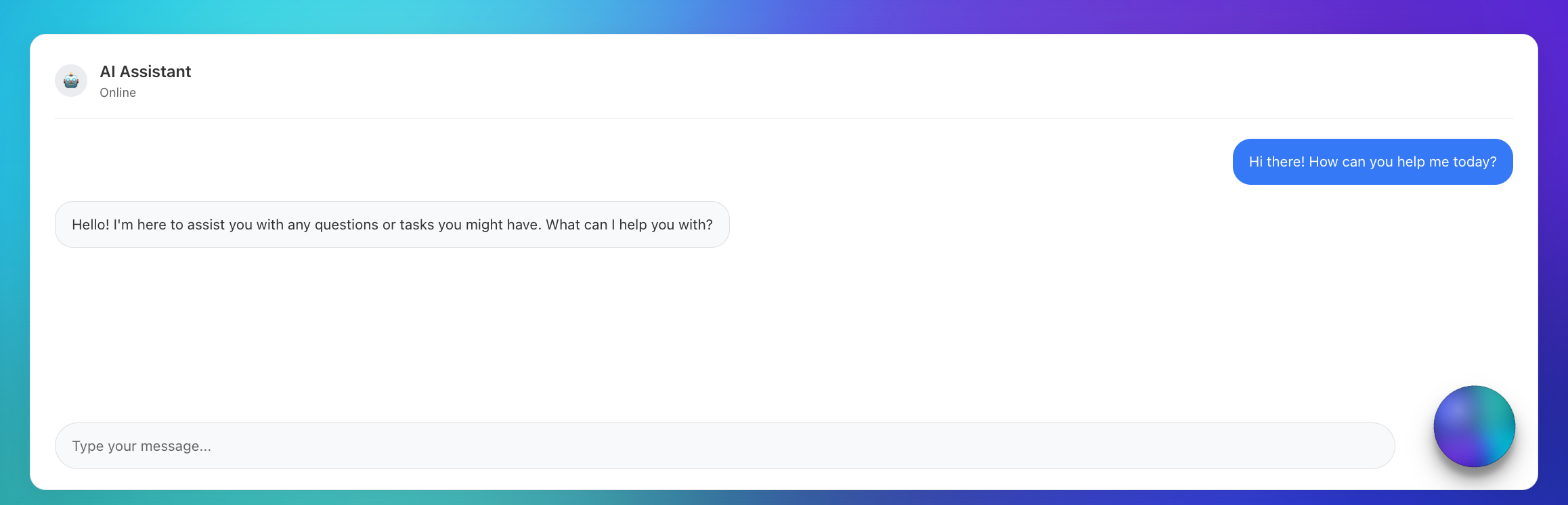
- 🔮 **Orb Mode** - Floating circular gradients with 3D lighting and drop shadows
- ⚡ **CSS-Based** - Pure CSS blur effects, no WebGL or shaders required
- 🪶 **Lightweight** - Small bundle size, no heavy 3D dependencies
- 🎛️ **Animation System** - 7 animation types: float, pulse, rotation, orbit, wave, morph, hue
- 🖱️ **Mouse Tracking** - Interactive attract/repel modes with configurable intensity
- 🔧 **Fully Customizable** - Configure ellipse size, position, gradients, blur, and opacity
- 🎨 **Visual Effects** - Saturation, contrast, brightness, and hue adjustments
- 💡 **3D Lighting** - Realistic lighting overlays with position and intensity controls
- 🌑 **Drop Shadows** - Configurable shadows with direction, size, and opacity
- 🎯 **TypeScript** - Full type safety and IntelliSense support
- 📦 **Smart Configs** - Diff-based customization system for efficient overrides
## 🚀 Quick Start
```bash
npm install css-mesh
```
```tsx
import { MeshGradient } from 'css-mesh';
function App() {
return (
<MeshGradient
theme="sunset"
animated={true}
animationType="float"
>
<div>Your content here</div>
</MeshGradient>
);
}
// Orb Mode for AI Assistants
function ChatBot() {
return (
<MeshGradient
theme="sunsetGlow"
shape="orb"
size={85}
animated={true}
animationType="morph"
containerAnimation="rotation"
dropShadow={32}
lighting3d={{
enabled: true,
position: { x: 75, y: 15 },
intensity: 0.85
}}
/>
);
}
```
## 🌐 Live Demo
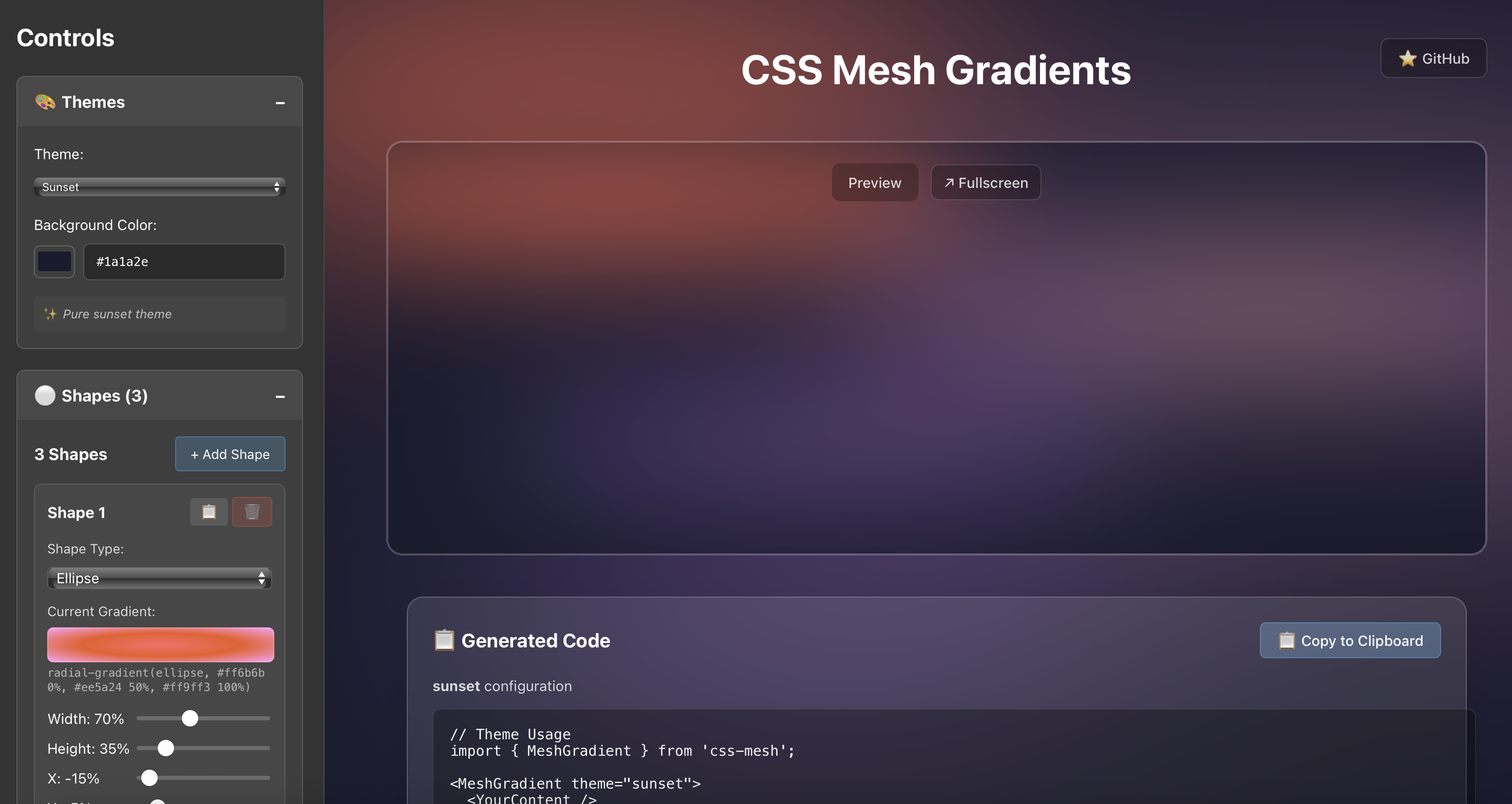
**[cssmesh.dev](https://cssmesh.dev)** - Explore all 20 themes, customize ellipses, try animations, and generate code in real-time.
## 📦 Installation
```bash
npm install css-mesh
```
**NPM Package**: [https://www.npmjs.com/package/css-mesh](https://www.npmjs.com/package/css-mesh)
**GitHub Repository**: [https://github.com/stevesouth/css-mesh](https://github.com/stevesouth/css-mesh)
## 🎨 CSS-Based Approach
CSS Mesh creates beautiful animated gradients using pure CSS techniques:
### ✨ Key Qualities
- **Pure CSS animations** - Leverages browser-native CSS blur and transforms
- **Lightweight bundle** - Minimal dependencies, fast loading
- **Familiar patterns** - Standard CSS/React patterns for easy customization
- **Drop-in component** - Simple integration with familiar React props
- **Reliable performance** - Predictable CSS animations that work everywhere
### 🎯 Perfect For
- Landing page backgrounds
- Hero sections
- App backgrounds
- Marketing sites
- Any project wanting beautiful animated gradients
## 🎨 Available Themes (34 Total)
### 🔮 Orb Themes (14) - Optimized for floating circular gradients
| Theme | Style | Colors | Background |
|-------|-------|---------|------------|
| `cyberpunk` | Neon | Electric green & pink | Dark |
| `voidPulse` | Mystical | Deep purples & blues | Black |
| `fireCore` | Intense | Fiery oranges & reds | Dark |
| `deepSpace` | Cosmic | Space blues & purples | Dark |
| `shadowGlow` | Dramatic | Dark with bright accents | Black |
| `sunsetGlow` | Premium | Warm sunset enhanced | Dark |
| `twilightDark` | Rich | Purple twilight colors | Dark |
| `midnightGlow` | Electric | Bright blues & cyans | Black |
| `crystalBlue` | Cool | Crystal blue tones | Light |
| `sunbeam` | Bright | Golden yellow rays | Light |
| `roseDawn` | Elegant | Pink & purple dawn | Light |
| `mintFresh` | Cool | Fresh mint greens | Light |
| `lavenderMist` | Soft | Lavender & purple | Light |
| `dawnLight` | Warm | Soft golden dawn | Light |
### 🎨 Base Themes (13) - Classic gradient backgrounds
| Theme | Style | Colors | Background |
|-------|-------|---------|------------|
| `sunset` | Warm | Oranges & pinks | Dark |
| `ocean` | Cool | Blues & teals | Dark |
| `aurora` | Vibrant | Purples & greens | Dark |
| `cosmic` | Dark | Deep space colors | Dark |
| `forest` | Natural | Greens & earth tones | Dark |
| `monochrome` | Minimal | Grays & blues | Dark |
| `minimal` | Clean | Soft blues & grays | Light |
| `spring` | Fresh | Light greens & pastels | Light |
| `sky` | Airy | Light blues & whites | Light |
| `cream` | Warm | Cream & beige tones | Light |
| `dawn` | Gentle | Soft oranges & pinks | Light |
| `pearl` | Elegant | Pearl & lavender | Light |
| `blush` | Delicate | Soft pinks & roses | Light |
### ⚡ Dramatic Themes (4) - Bold, intense gradients
| Theme | Style | Colors | Background |
|-------|-------|---------|------------|
| `volcanic` | Dramatic | Reds & oranges | Dark |
| `electric` | Bold | Neon blues & purples | Dark |
| `neon` | Vibrant | Bright neon colors | Dark |
| `dreamy` | Soft | Pastel pinks & purples | Light |
### ✨ Special Themes (3) - Unique features and shapes
| Theme | Style | Colors | Background |
|-------|-------|---------|------------|
| `shapes` | Demo | Mixed geometric shapes | Dark |
| `lavender` | Serene | Purple & lavender | Light |
| `mint` | Cool | Mint green & aqua | Light |
## 🎛️ Animation Types
- `float` - Gentle floating movement (default)
- `pulse` - Scale pulsing effect
- `rotation` - Continuous rotation
- `orbit` - Circular orbital motion
- `wave` - Wave-like undulation
- `morph` - Organic morphing animation
- `hue` - Color hue shifting (container-level)
## 📖 API Reference
### MeshGradient Props
```tsx
interface MeshGradientProps {
theme?: string; // Theme name (default: 'sunset')
customConfig?: Partial<BackgroundConfig>; // Custom ellipse configuration
className?: string; // Additional CSS classes
style?: React.CSSProperties; // Custom styles
children?: React.ReactNode; // Content to overlay
animated?: boolean; // Enable animations (default: false)
animationType?: AnimationType; // Animation type (default: 'float')
animationConfig?: Partial<AnimationConfig>; // Animation settings
containerAnimation?: ContainerAnimationType; // Container-level animations
mouseTracking?: MouseTrackingConfig; // Mouse interaction settings
visualEffects?: VisualEffectsConfig; // Color/visual adjustments
shape?: 'background' | 'orb'; // Display mode (default: 'background')
size?: number; // Orb size percentage (default: 80)
dropShadow?: number | boolean; // Drop shadow size or enable (default: false)
dropShadowOpacity?: number; // Shadow opacity 0-1 (default: 0.4)
dropShadowDirection?: { x: number; y: number }; // Shadow direction (default: {x: 0, y: 8})
lighting3d?: { // 3D lighting overlay
enabled: boolean;
position?: { x: number; y: number }; // Light position 0-100% (default: {x: 30, y: 30})
intensity?: number; // Light intensity 0-1 (default: 0.3)
};
}
```
## 🔧 Custom Configuration
Create your own ellipse configurations:
```tsx
const customConfig = {
backgroundColor: '#1a1a2e',
shapes: [
{
id: 'custom-1',
width: 80, // Percentage of container width
height: 30, // Percentage of container height
x: -10, // X position (percentage, can be negative)
y: 20, // Y position (percentage, can be negative)
gradient: 'radial-gradient(ellipse, #ff6b6b 0%, #ee5a24 100%)',
blur: 60, // Blur intensity in pixels
opacity: 0.7, // Opacity (0-1)
zIndex: 1, // Stacking order
shape: 'ellipse', // Shape type
},
// ... more ellipses
],
};
<MeshGradient customConfig={customConfig}>
<YourContent />
</MeshGradient>
```
## 🖱️ Mouse Tracking
```tsx
<MeshGradient
theme="sunset"
mouseTracking={{
enabled: true,
mode: 'attract', // 'attract' or 'repel'
intensity: 0.3, // 0-1 strength
radius: 30 // Effect radius in pixels
}}
>
<YourContent />
</MeshGradient>
```
## 🔮 Orb Mode
Create floating circular gradients perfect for AI assistants and modern interfaces:
```tsx
<MeshGradient
theme="cyberpunk"
shape="orb"
size={85}
animated={true}
animationType="morph"
containerAnimation="rotation"
dropShadow={32}
dropShadowOpacity={0.6}
dropShadowDirection={{ x: 0, y: 12 }}
lighting3d={{
enabled: true,
position: { x: 75, y: 25 },
intensity: 0.8
}}
/>
```
## 💡 3D Lighting & Shadows
Add realistic depth with lighting and shadows:
```tsx
<MeshGradient
theme="deepSpace"
lighting3d={{
enabled: true,
position: { x: 30, y: 30 }, // Light position (0-100%)
intensity: 0.5 // Light intensity (0-1)
}}
dropShadow={25} // Shadow size in pixels
dropShadowOpacity={0.4} // Shadow opacity (0-1)
dropShadowDirection={{ x: 5, y: 10 }} // Shadow offset
>
<YourContent />
</MeshGradient>
## 📄 License
MIT License - see [LICENSE](./LICENSE) for details.
---
*CSS-based animated gradient backgrounds for React*