cozy-intent
Version:
Event-based library allowing interactions between React-Native and React applications
256 lines (177 loc) • 8.08 kB
Markdown
# Cozy-intent
## Concept
This library allows a react-native and a react app running in a webview to communicate in unidirectional and/or bidirectional fashions. The library is following declarative paradigms and is fully strictly typed. An emphasis has been put on low configuration needs and ease of use.
In a nutshell, one end says what it wants to an other end, and the other end handles it any way it wants. For more information on the underlying systems of this library, see https://github.com/alesgenova/post-me.
## Installation
The library needs to be installed both in the parent and the children application.
- `yarn add cozy-intent`
## API
### Nomenclature
- `event`: function that sends an event to the listening messenger.
- `intent`: high-level abstraction intended to describe the whole flow of events/methods and the actual result of those calls in the application.
- `messenger`: class implementing `post-me` messenger paradigm. Messengers are environment bound (DOM, React-native, worker, iframe, etc). They send and listen methods and events to other connected messengers.
- `method`: messenger function that accept arguments to be handled by the listening messenger.
- `service`: Cozy specific implementation designed to provide decoupling from `post-me` and easier instanciation/interoperability with React applications.
### Setup
#### Parent (= react-native app)
First, we need to provide a React context to our application. This requires a method object that will be available to all webview children.
```tsx
import React from 'react'
import { NativeIntentProvider } from 'cozy-intent'
import { ReactNativeApp } from 'react-native-app'
const MyNativeApp = () => (
<NativeIntentProvider
localMethods={{
myNativeMethod: () => console.log('I am executed on the native side and I can return data to the webview side'),
}}
>
<ReactNativeApp />
</NativeIntentProvider>
)
```
Later, in a webview, we need to register a messenger. We need a ref object to the webview first.
```tsx
import React, { useEffect, useState } from 'react'
import { WebView } from 'react-native-webview'
import { useNativeIntent } from 'cozy-intent'
const MyWebview = () => {
const [ref, setRef] = useState('')
const nativeIntent = useNativeIntent()
useEffect(() => {
if (ref) {
nativeIntent.registerWebview(ref)
}
}, [ref, nativeIntent])
return <Webview ref={(ref) => setRef(ref)} onMessage={nativeIntent.tryEmit} />
}
```
#### Children (= react app running in a webview)
We need to provide a React context to our application.
```tsx
import React from 'react'
import { WebviewIntentProvider } from 'cozy-intent'
import { ReactApp } from 'react-app'
const MyWebApp = () => (
<WebviewIntentProvider
localMethods={{
myWebviewMethod: () => console.log('I am executed on the webview side and I can return data to the native side'),
}}
>
<ReactApp />
</WebviewIntentProvider>
)
```
### Usage
#### Parent (= react-native app)
We can use the service in a component and call a method registered on the webview side. Here we call the `myWebviewMethod` method injected in the webview messenger.
```tsx
import React from 'react'
import { Button } from 'react-native'
import { useNativeIntent } from 'cozy-intent'
const MyComponent = (webviewUri) => {
const nativeIntent = useNativeIntent()
const handleClick = () => nativeIntent.call(webviewUri, 'myWebviewMethod')
return <Button onClick={handleClick} />
}
```
If you need to call a webview method outside of a React component or before the `<NativeIntentProvider />`, you can get directly the service from cozy-intent.
```tsx
import { getNativeIntentService } from 'cozy-intent'
const myFunction = (webviewUri) => {
const nativeIntentService = getNativeIntentService()
nativeIntentService.call(webviewUri, 'myWebviewMethod')
}
```
#### Children (= react app running in a webview)
We can use the service in a component and call a method registered on the native side. Here we call the `myNativeMethod` method injected in the native messenger.
```tsx
import React from 'react'
import { useWebviewIntent } from 'cozy-intent'
const MyComponent = () => {
const webviewIntent = useWebviewIntent()
const handleClick = () => webviewIntent.call('myNativeMethod')
return <button onClick={handleClick} />
}
```
## Tutorials
### Start a native task from a webview and receive progress updates
#### Receive progress updates with a callback
You can pass callbacks as parameters as described [on post-me documentation](https://github.com/alesgenova/post-me#callbacks). But it will stop to work if the webview is restarted.
#### Receive progress updates with a listener method
You can create a method on the webview side that act as a listener receiving progress updates. This way, we can :
- restart the webview and still receive progress updates
- send progress updates to multiple webviews implementing the listener method
##### Parent (= react-native app)
```tsx
import React from 'react'
import { NativeIntentProvider, getNativeIntentService } from 'cozy-intent'
import { ReactNativeApp } from 'react-native-app'
const MyNativeApp = () => (
<NativeIntentProvider
localMethods={{
upload: async () => {
// we need to get the service directly because we can not use the useNativeService() hook here
const nativeIntentService = getNativeIntentService()
await uploadFirstPart()
nativeIntentService.call(webviewUri, 'updateUploadProgress', { progress: 33.3 })
await uploadSecondPart()
nativeIntentService.call(webviewUri, 'updateUploadProgress', { progress: 66.6 })
await uploadThirdPart()
nativeIntentService.call(webviewUri, 'updateUploadProgress', { progress: 100 })
}
}}
>
<ReactNativeApp />
</NativeIntentProvider>
)
```
##### Children (= react app running in a webview)
```tsx
import React from 'react'
import { WebviewIntentProvider } from 'cozy-intent'
import { ReactApp } from 'react-app'
const MyWebApp = () => (
<WebviewIntentProvider
localMethods={{
updateUploadProgress: ({ progress }) => console.log(`Upload in progress : ${progress}%`), // It will display 33.3, 66.6 and 100
}}
>
<ReactApp />
</WebviewIntentProvider>
)
```
## cozy-flagship-app intents
### Methods
#### `NativeService.call('logout')`
Will logout the user from the react-native application. Will not touch webview state.
### `NativeService.call('setFlagshipUi')`
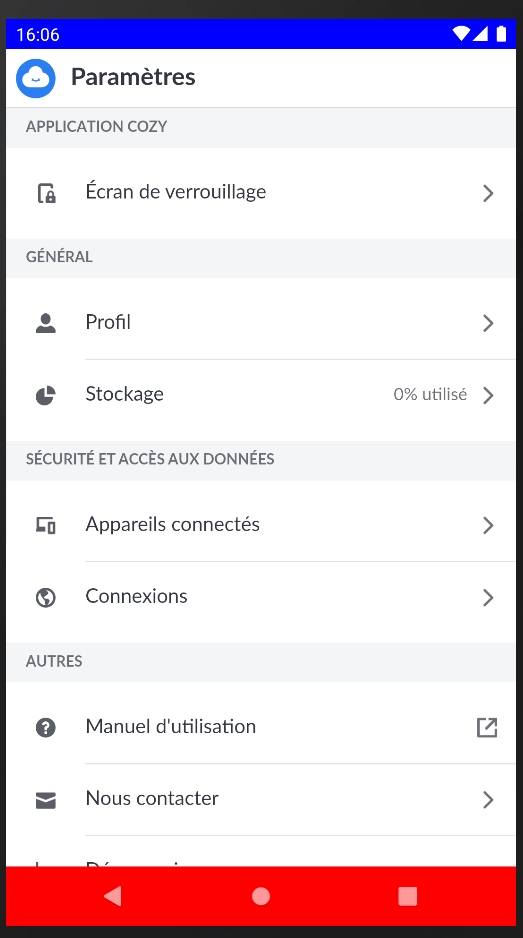
Example 1: With bottomBackground and topBackground set
```js
setFlagshipUI({
bottomBackground: '#ff0000', // Red background for the Navigation Bar
topBackground: '#0000ff' // Blue background for the Status Bar
})
```
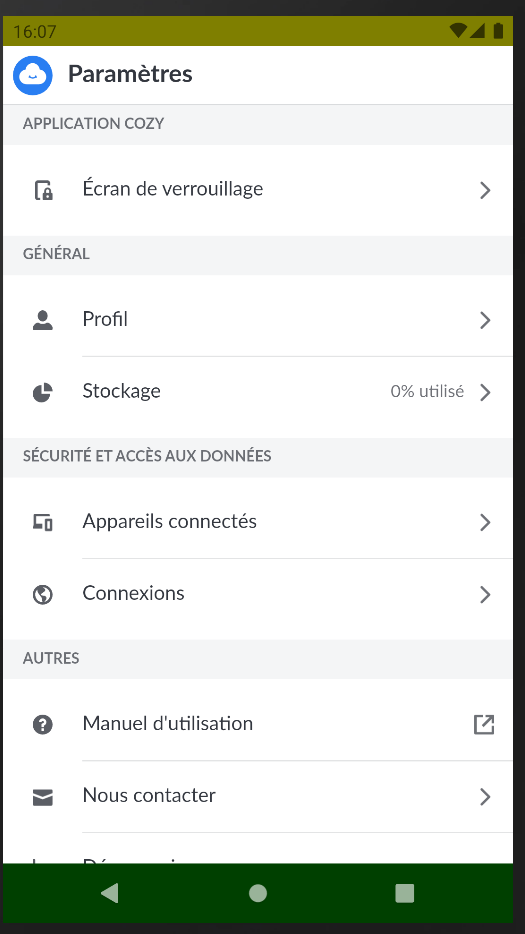
Example 2: With all optional parameters set
```js
setFlagshipUI({
bottomBackground: '#008000', // Green background for the Navigation Bar
bottomOverlay: 'rgba(0, 0, 0, 0.5)', // Half-transparent black overlay for the Navigation Bar
bottomTheme: 'light', // Light-themed icons for the Navigation Bar
topBackground: '#ffff00', // Yellow background for the Status Bar
topOverlay: 'rgba(0, 0, 0, 0.5)', // Half-transparent black overlay for the Status Bar
topTheme: 'dark' // Dark-themed icons for the Status Bar
})
```
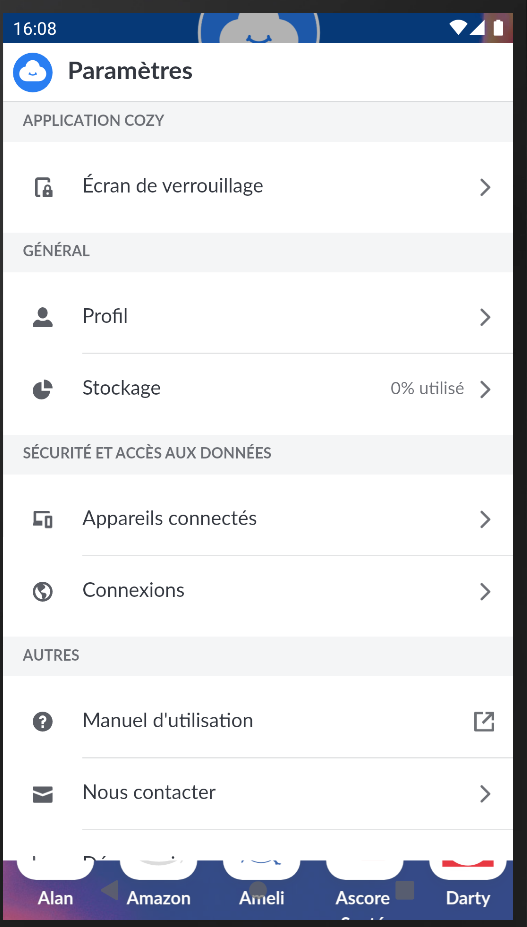
Example 3: With themes and overlays set
```js
setFlagshipUI({
bottomOverlay: 'rgba(255, 255, 255, 0.2)', // Light semi-transparent overlay for the Navigation Bar
bottomTheme: 'dark', // Dark-themed icons for the Navigation Bar
topOverlay: 'rgba(0, 0, 0, 0.3)', // Dark semi-transparent overlay for the Status Bar
topTheme: 'light' // Light-themed icons for the Status Bar
})
```