contra-ngx-img-cropper
Version:
contra image cropper utility
207 lines (151 loc) • 6.8 kB
Markdown
# Changelog
### Release 0.8.9
- Fix for #36 - Add button to crop
- Fix for #186 - Handle Hi-Res images
- Fix for #92 - IOS crop issue
### Release 0.8.6
- Dist package cleanup (PR by: @leosvelperez)
### Release 0.8.4
- Made compatible with Angular 4 && AOT
### Release 0.8.2
- CR: #148 - removed ts files from output package.
- fix for #150 - made fileType undefined as default. if defined it will enforce output format
### Release 0.8.1
- added dynamicSizing, cropperClass for responsive purposes
### Release 0.8
- added reset() method on ImageCropperComponent - fix for #118
- added compressRatio as parameter in the cropper settings
### Release 0.7.6
- 21 Bugs in the code, I fixed 3, (hopefully not) 30 Bugs in the code
### Release 0.7.1
- Fixed #87 get unsacled crop of image
### Release 0.7.0
- update for AngularJS 2.0.1
- removed typings
- fixed aspect ratio issue
- made cropper property public
- added onmouseleave behavior
### Release 0.6.1
- Fixed issue #49 - Error on reading exif
### Release 0.6.0
- Parsed EXIF information for image orientation
- fixed multiple browser compatibility issues
- added accepted files regex
- updated to Angular RC5
### Release 0.5.0
- introduced flag to hide the component file input in order to allow customization
- added pinch/zoom feature for touch devices
### Release 0.4.5:
- introduced rounded cropper: cropperSettings.rounded = true. Making keep aspect = false will throw an error on rounded cropper. (Issue #14)
- cropper takes into consideration source image data pixels not cropper image data. (Issue #17)
- support for minSize now have the following option: minWithRelativeToResolution. When set to false it will keep min size relative to canvas size. (Issue #21)
- allow user to customize look and feel of the cropper:
this.cropperSettings.cropperDrawSettings.strokeColor = 'rgba(255,255,255,1)';
this.cropperSettings.cropperDrawSettings.strokeWidth = 2;
### Release 0.4.2:
Starting with: 0.4.2 ts files are no loger published (only js & d.ts).
Please change your system.config files to make use of the js files.
```
'ng2-img-cropper' : { main: 'index.js', defaultExtension: 'js' }
```
# ng2-img-cropper
This is an adapatation of Angular 1 image cropper from: https://github.com/AllanBishop/angular-img-cropper
An image cropping tool for AngularJS. Features a rectangular crop area. The crop area's aspect ratio can be enforced during dragging.
The crop image can either be 1:1 or scaled to fit an area.
## Install from NPM
```
npm i ng2-img-cropper --save
```
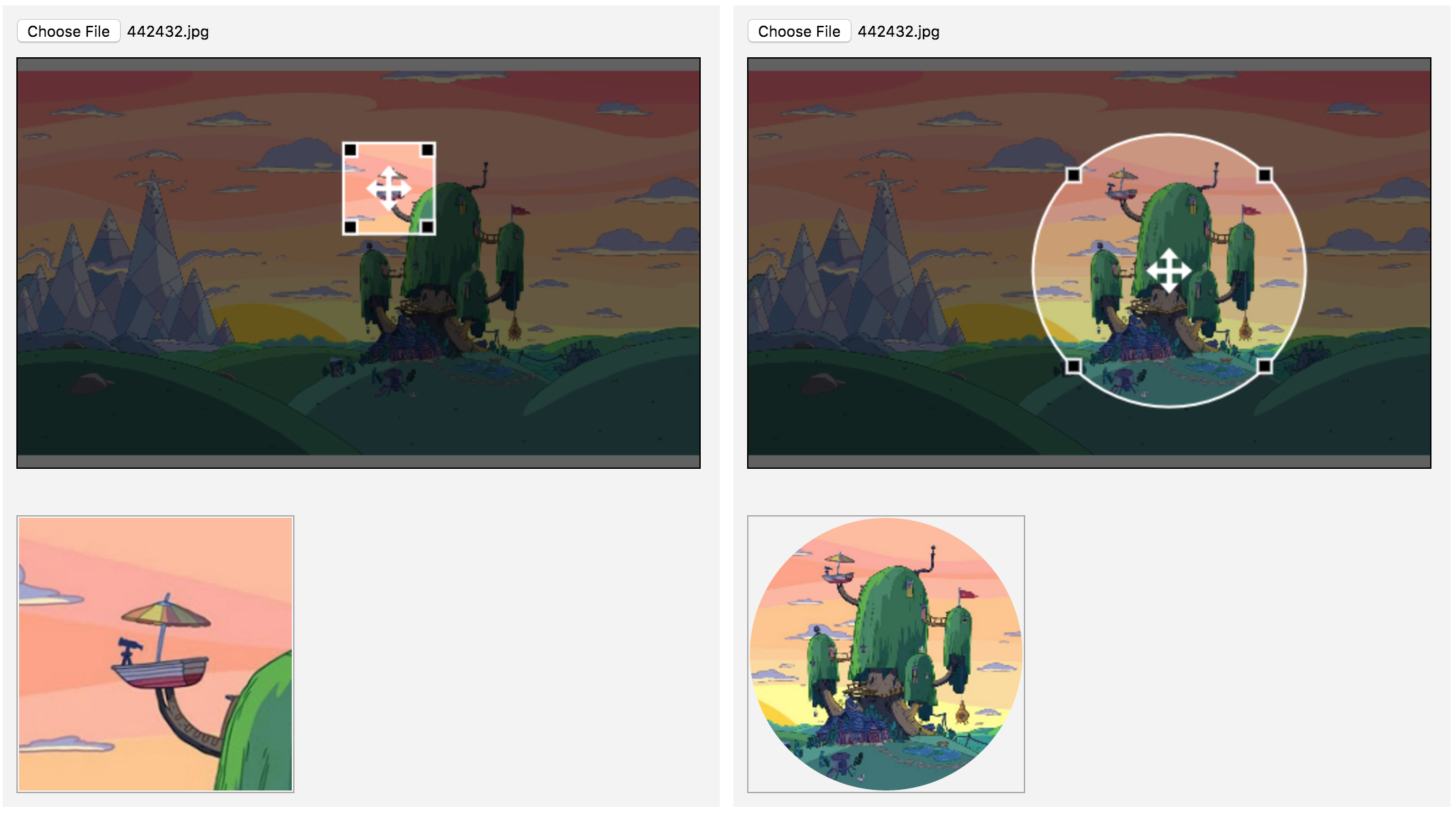
## Screenshot
## Testing
```
npm install
npm run all
```
## Example usage
```typescript
import {Component} from 'angular2/core';
import {ImageCropperComponent, CropperSettings} from 'ng2-img-cropper';
@Component({
selector: 'test-app',
template: `<div>
<img-cropper [image]="data" [settings]="cropperSettings"></img-cropper><br>
<img [src]="data.image" [width]="cropperSettings.croppedWidth" [height]="cropperSettings.croppedHeight">
</div>`,
declarations: [ImageCropperComponent]
})
export class AppComponent {
data: any;
cropperSettings: CropperSettings;
constructor() {
this.cropperSettings = new CropperSettings();
this.cropperSettings.width = 100;
this.cropperSettings.height = 100;
this.cropperSettings.croppedWidth =100;
this.cropperSettings.croppedHeight = 100;
this.cropperSettings.canvasWidth = 400;
this.cropperSettings.canvasHeight = 300;
this.data = {};
}
}
```
Checkout this [sample plunker](https://embed.plnkr.co/VFwGvAO6MhV06IDTLk5W/)
## Settings
* **canvasWidth**:*number* - Canvas DOM Element width
* **canvasHeight**:*number* - Canvas DOM Element height
* **width**:*number* - Crop Width
* **height**:*number* - Crop Height
* **minWidth**:*number* - Minimum crop Width
* **minHeight**:*number* - Minimum crop height
* **croppedWidth**:*number* - Resulting image width
* **croppedHeight**:*number* - Resulting image height
* **touchRadius**:*number* - (default: 20) Touch devices radius
* **minWithRelativeToResolution**:*boolean* - (default: true) By default the resulting image will be cropped from original image. If false, it will be cropped from canvas pixels
* **noFileInput**:*boolean* - (default: false) - hides the file input element from cropper canvas.
* **cropperDrawSettings**:*CropperDrawSettings* - rendering options
* **strokeWidth**:*number* - box/ellipsis stroke width
* **strokeColor**:*string* - box/ellipsis stroke color
* **allowedFilesRegex**:*RegExp* - (default: /\.(jpe?g|png|gif)$/i) - Regex for allowed images
* **preserveSize**:*boolean* - will not scale the resulting image to the croppedWidth/croppedHeight and will output the exact crop size from original
* **fileType**:*string* - if defined all images will be converted to desired format. sample: cropperSample.fileType = 'image/jpeg'
* **compressRatio**:*number* (default: 1.0) - default compress ratio
* **dynamicSizing**: (default: false) - if true then the cropper becomes responsive - might introduce performance issues on resize;
* **cropperClass**: string - set class on canvas element;
* **croppingClass**: string - appends class to cropper when image is set (#142);
* **resampleFn**: Function(canvas) - function used to resample the cropped image (#136); - see example #3 from runtime sample app
* **cropOnResize**:*boolean* (default: true) - if true the cropper will create a new cropped Image object immediately when the crop area is resized
## Customizing Image cropper
Replacing component file input:
```html
<div class="file-upload">
<span class="text">upload</span>
<input id="custom-input" type="file" (change)="fileChangeListener($event)">
</div>
<img-cropper #cropper [image]="data" [settings]="cropperSettings"></img-cropper>
<br>
<span class="result rounded" *ngIf="data.image" >
<img [src]="data.image" [width]="cropperSettings.croppedWidth" [height]="cropperSettings.croppedHeight">
</span>
```
```typescript
data:any;
@ViewChild('cropper', undefined)
cropper:ImageCropperComponent;
constructor() {
this.cropperSettings = new CropperSettings();
this.cropperSettings.noFileInput = true;
this.data = {};
}
fileChangeListener($event) {
var image:any = new Image();
var file:File = $event.target.files[0];
var myReader:FileReader = new FileReader();
var that = this;
myReader.onloadend = function (loadEvent:any) {
image.src = loadEvent.target.result;
that.cropper.setImage(image);
};
myReader.readAsDataURL(file);
}
```