coc-java
Version:
Java langauage extension for coc.nvim
94 lines (78 loc) • 5.31 kB
Markdown
# coc-java
Fork of [vscode-java](https://github.com/redhat-developer/vscode-java) to
works with [coc.nvim](https://github.com/neoclide/coc.nvim).
Quick Start
============
* Install [coc.nvim](https://github.com/neoclide/coc.nvim)
* Install this extension by run command:
```
:CocInstall coc-java
```
Features
=========
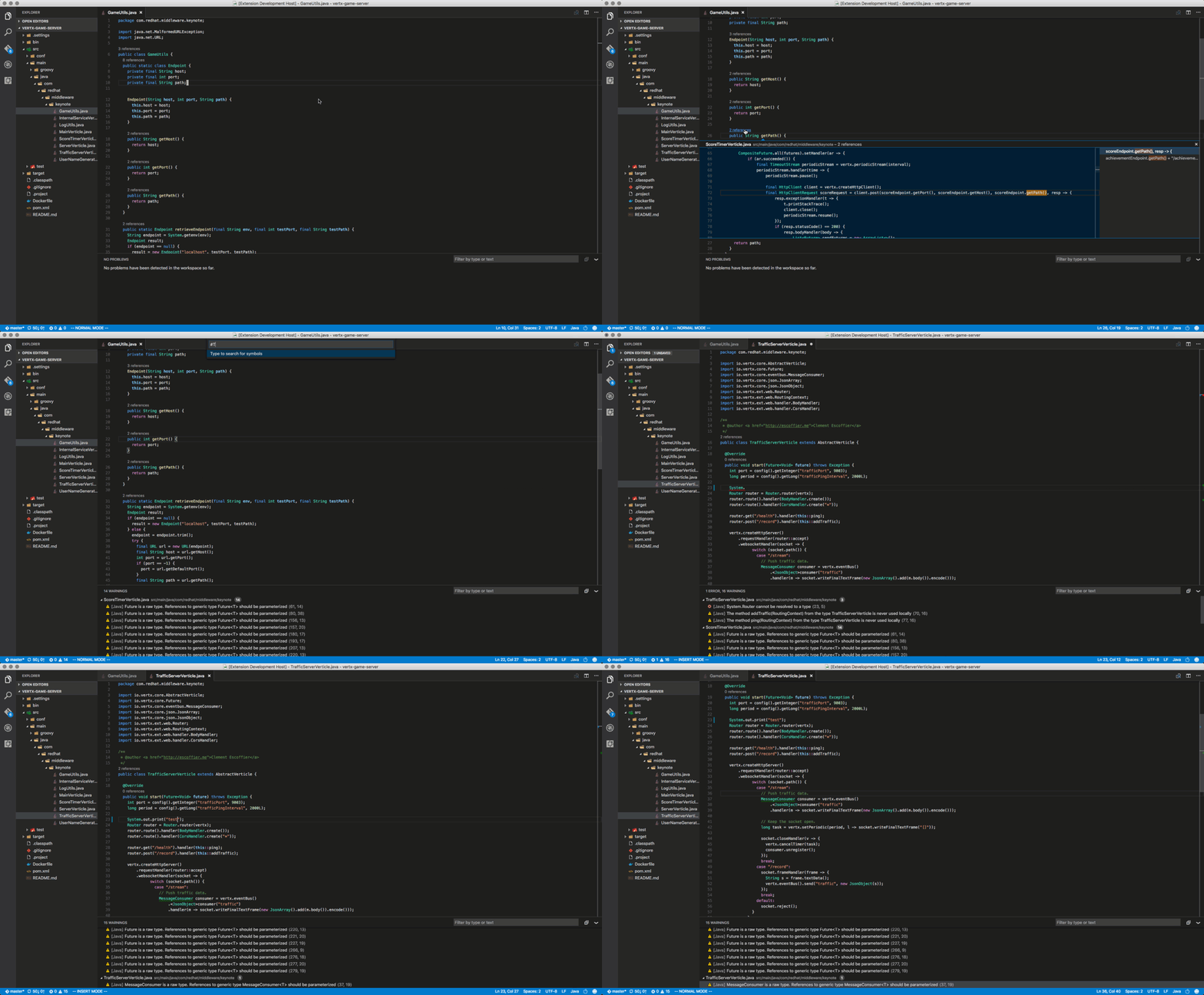
* Maven pom.xml project support
* Basic Gradle Java project support
* As you type reporting of parsing and compilation errors
* Code completion
* Code actions / Refactoring
* Javadoc hovers
* Organize imports
* Type search
* Code outline
* Code navigation
* Code lens (references/implementations)
* Highlights
* Code formatting (on-type/selection/file)
* Code snippets
* Annotation processing support (automatic for Maven projects)
Please note that [Gradle-based Android projects are not supported](https://github.com/redhat-developer/vscode-java/issues/10#issuecomment-268834749).
Setting the JDK
===============
The path to the Java Development Kit is searched in the following order:
- the `java.home` setting in VS Code settings (workspace then user settings)
- the `JDK_HOME` environment variable
- the `JAVA_HOME` environment variable
- on the current system path
Available commands
==========================
The following commands are available:
- `Java:Update Project configuration` (`Shift+Alt+U`): is available when the editor is focused on a Maven pom.xml or a Gradle file. It forces project configuration / classpath updates (eg. dependency changes or Java compilation level), according to the project build descriptor.
- `Java:Open Java Language Server log file`: opens the Java Language Server log file, useful for troubleshooting problems.
- `Java:Force Java compilation` (`Shift+Alt+B`): manually triggers compilation of the workspace.
- `Java:Organize imports` (`Shift+Alt+O`): Organize imports in the currently opened Java file.
- `Java:Open Java formatter settings`: Open the Eclipse formatter settings. Creates a new settings file if none exists.
- `Java:Clean the Java language server workspace`: Clean the Java language server workspace.
Supported VS Code settings
==========================
The following settings are supported:
* `java.home` : Absolute path to JDK 8 home folder used to launch the Java Language Server. Requires VS Code restart.
* `java.jdt.ls.vmargs` : Extra VM arguments used to launch the Java Language Server. Requires VS Code restart.
* `java.configuration.updateBuildConfiguration` : Specifies how modifications on build files update the Java classpath/configuration. Supported values are `disabled` (nothing happens), `interactive` (asks about updating on every modification), `automatic` (updating is automatically triggered).
* `java.errors.incompleteClasspath.severity` : Specifies the severity of the message when the classpath is incomplete for a Java file. Supported values are `ignore`, `info`, `warning`, `error`.
* `java.trace.server` : Traces the communication between VS Code and the Java language server.
* `java.configuration.maven.userSettings` : Absolute path to Maven's settings.xml.
* `java.import.exclusions` : Exclude folders from import via glob patterns.
* `java.referencesCodeLens.enabled` : Enable/disable the references code lenses.
* `java.implementationsCodeLens.enabled` : Enable/disable the implementations code lenses.
* `java.signatureHelp.enabled` : Enable/disable signature help support (triggered on `(`).
* `java.format.enabled` : Enable/disable the default Java formatter.
* `java.contentProvider.preferred` : Preferred content provider (see 3rd party decompilers available in [vscode-java-decompiler](https://github.com/dgileadi/vscode-java-decompiler)).
* `java.import.gradle.enabled` : Enable/disable the Gradle importer.
* `java.import.maven.enabled` : Enable/disable the Maven importer.
* `java.autobuild.enabled` : Enable/disable the 'auto build'.
* `java.completion.favoriteStaticMembers` : Defines a list of static members or types with static members.
* `java.completion.importOrder` : Defines the sorting order of import statements.
* `java.progressReports.enabled` : [Experimental] Enable/disable progress reports from background processes on the server.
* `java.completion.overwrite` : When set to true, code completion overwrites the current text. When set to false, code is simply added instead.
* `java.format.settings.url` : Specifies the url or file path to the [Eclipse formatter xml settings](https://github.com/redhat-developer/vscode-java/wiki/Formatter-settings).
* `java.format.settings.profile` : Optional formatter profile name from the Eclipse formatter settings.
* `java.format.comments.enabled` : Includes the comments during code formatting.
* `java.format.onType.enabled` : Enable/disable on-type formatting (triggered on `;`, `}` or `<return>`).
* `java.completion.guessMethodArguments` : When set to true, method arguments are guessed when a method is selected from as list of code assist proposals.
* `java.completion.enabled` : Enable/disable code completion support.
*New in 0.33.0:*
* `java.clean.workspace` : Clean the Java language server workspace.
License
===============
EPL 1.0, See [LICENSE](LICENSE) for more information.