cloudformation-declarations
Version:
TypeScript declarations and helpers for writing CloudFormation templates in TS or JS.
95 lines (64 loc) • 3.68 kB
Markdown
# TypeScript declarations for CloudFormation (WIP)
TypeScript declarations for writing CloudFormation stack templates, automatically generated from Amazon's specification files.
*Subject to change while I tweak things and figure out a workflow that I like; still a work-in-progress.*
Write your CloudFormation stack template in JavaScript or TypeScript with full IntelliSense from these declarations.
Then `JSON.stringify()` the result to a `.json` file.
## Usage:
Import this module and it'll give you all the helpers and interfaces.
For example:
```typescript
import {AWS, Template} from 'cloudformation-declarations';
const template: Template = {
Resources: {
loadBalancer: AWS.ElasticLoadBalancing.LoadBalancer({
Properties: {
Listeners: /*...*/
}
})
}
}
```
## Helper functions
When declaring resources, you can omit the `"Type"` property and wrap it in the corresponding helper function. This will give you better Intellisense because it will be limited to properties for that specific Resource type.
```typescript
AWS.ElasticLoadBalancing.LoadBalancer({
Properties: {
Listeners: /*...*/
}
})
// ... is identical to ...
{
Type: 'AWS::ElasticLoadBalancing::LoadBalancer',
Properties: {
Listeners: /*...*/
}
}
```
## Cloudformation Functions
To use a CloudFormation function, you must skip the `Fn::` syntax and call the corresponding factory function.
```
Join(["a", Ref("foo")])
// instead of
{"Fn::Join: ["a", {"Ref": "foo"}]}
```
### Why are factory functions necessary?
To facilitate readable code-completion popups, we employ a trick for CloudFormation functions. In reality a Cloudformation `Ref` is a JSON object:
```
type Ref = {"Ref": StringValue}
```
...where `StringValue` is either a string literal or any other CloudFormation function that can return a `string`, or some deeply nested combination of functions. TypeScript is capable of modeling these possibilities, but it makes the types very complex, which makes tooling much less usable.
> 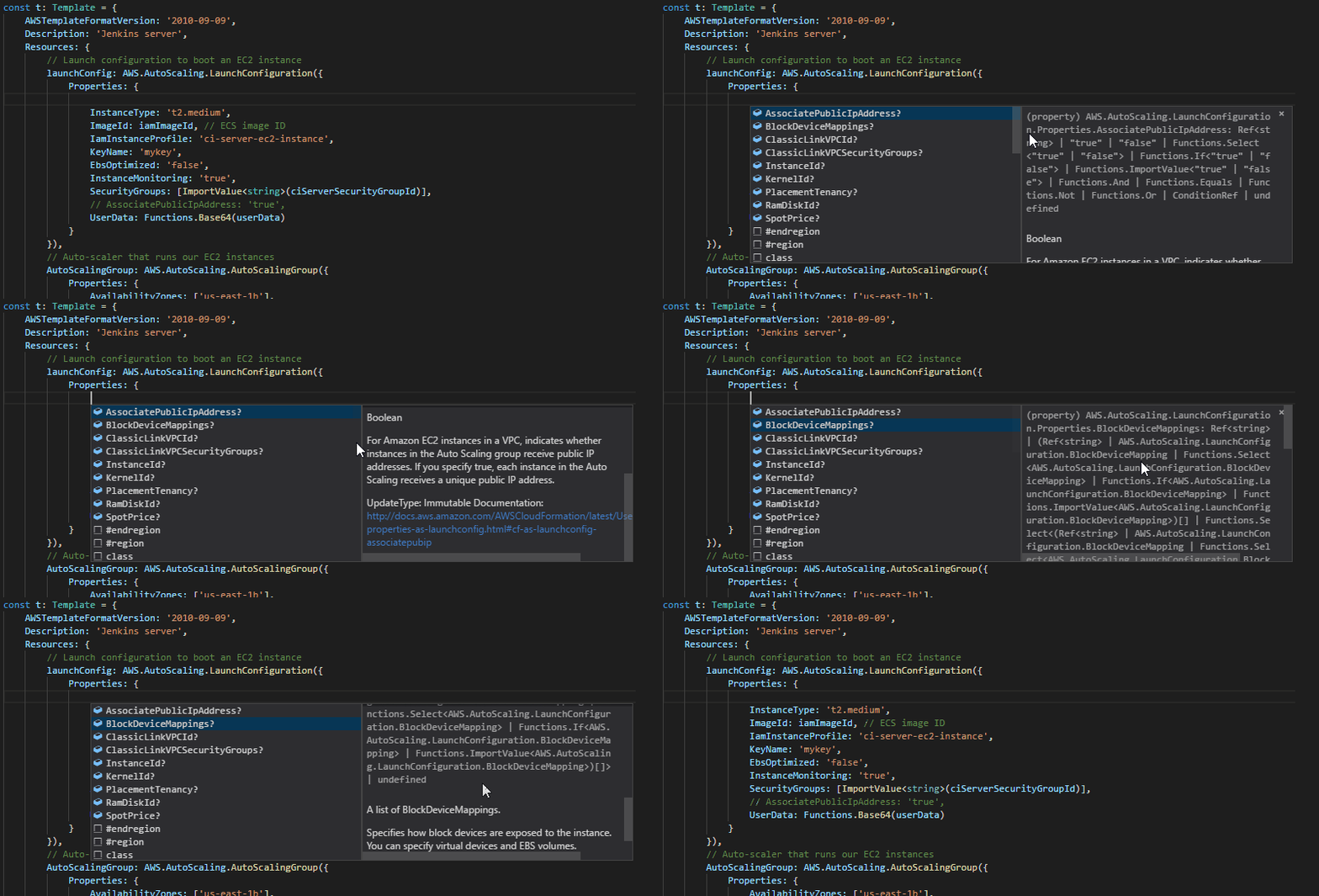
Instead, we expose a factory function for each CloudFormation function. Each factory generates the correct JSON structure at runtime, but in TypeScript the return type is the value that will be returned by the CloudFormation function.
> 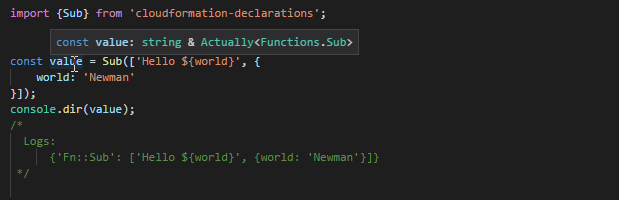
As far as TypeScript is concerned, `Sub()` returns a string. We know better; it is actually creating an object, but that object can be used everywhere that CloudFormation expects a `string`. We are lying to the type system, but in my experience this is the most pragmatic, productive solution.
*Actually<> is a "brand" that exposes the runtime type. This is for advanced situations; you should usually ignore it.*
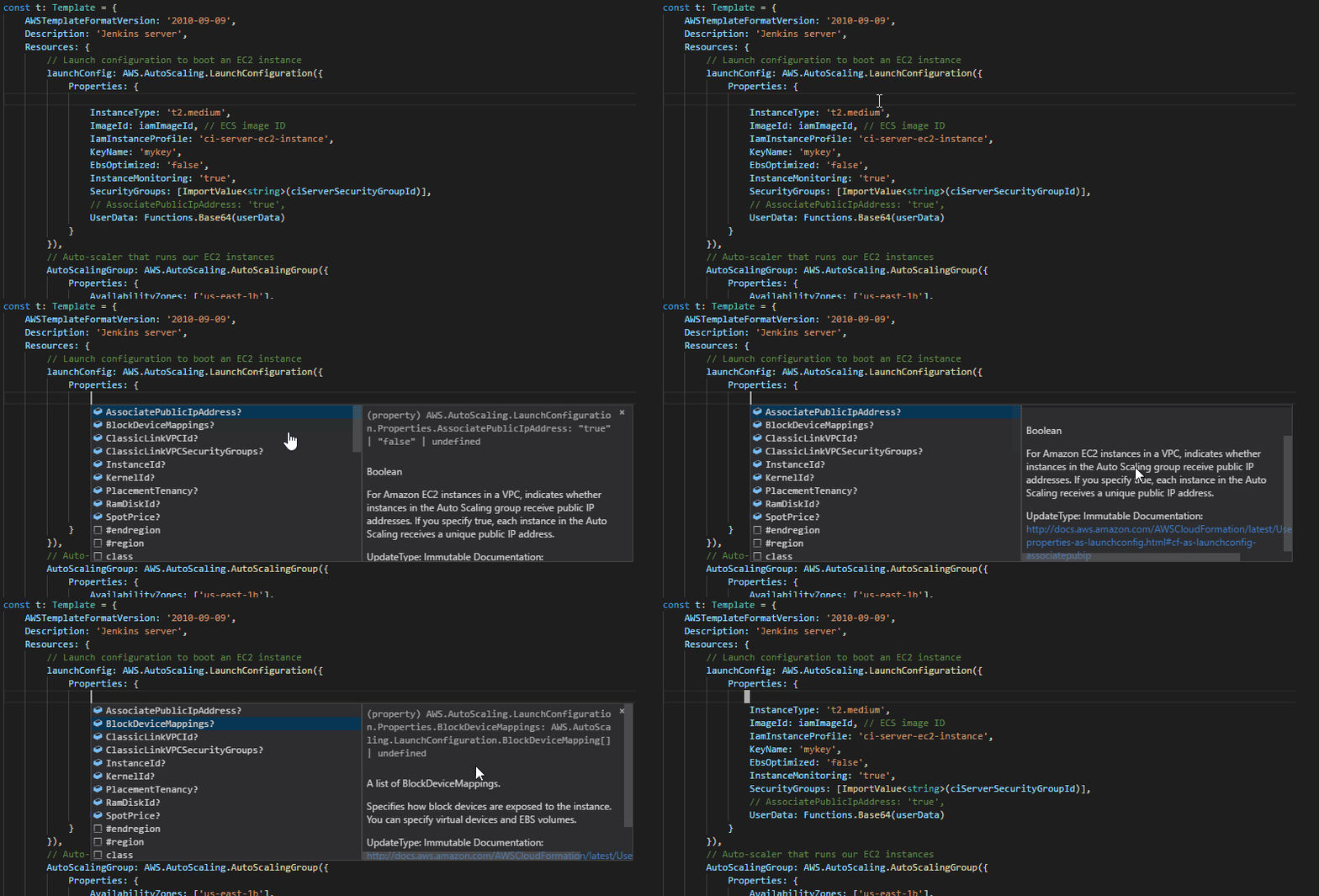
Now our JSDoc popups are much easier to read:
> 
# To rebuild
(optional) Download up-to-date resource specifications from Amazon.
http://docs.aws.amazon.com/AWSCloudFormation/latest/UserGuide/cfn-resource-specification.html
Or a direct link to the .json file: https://d1uauaxba7bl26.cloudfront.net/latest/gzip/CloudFormationResourceSpecification.json
Then run the generator script (You'll need node, NPM, and PowerShell core installed, and do an `npm install` first)
```
npm run generate
```