ckeditor5-classic-plus-fyp
Version:
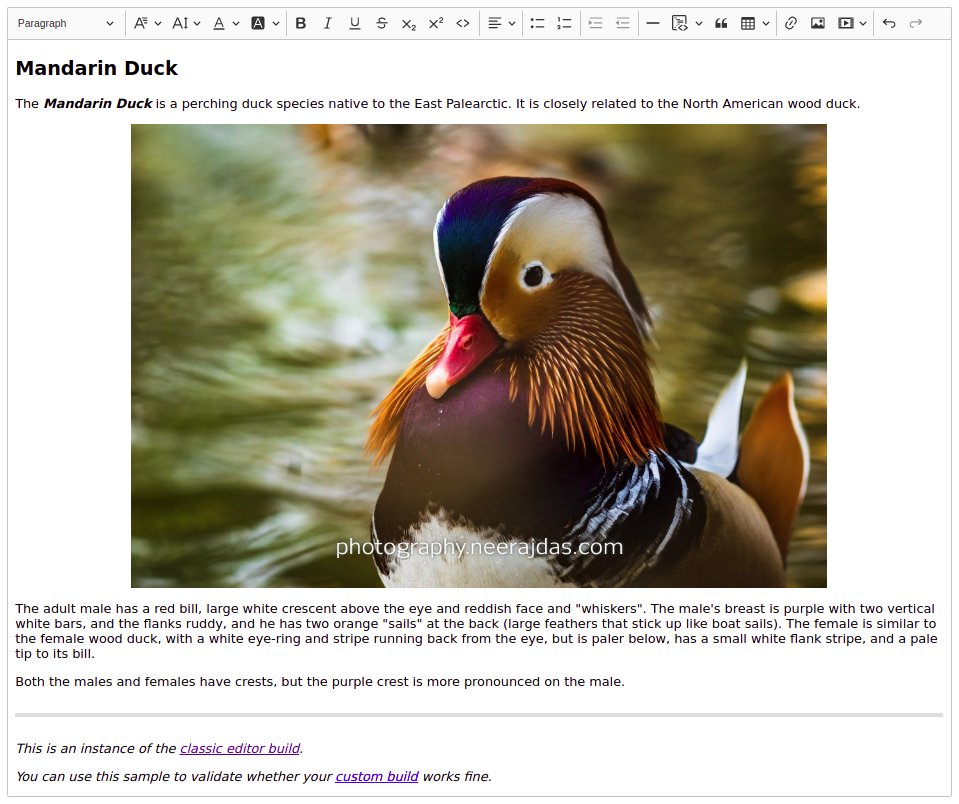
CKEditor 5 Classic Plus is a custom build built on top of CKEditor 5 Build - Classic (version: 29.1.0). It adds Simple Upload Adapter, Image Resize, Font Styling and much more to the official build.
135 lines (110 loc) • 4.11 kB
Markdown
***CKEditor 5 Classic Plus** is a [Custom Build](https://ckeditor.com/docs/ckeditor5/latest/builds/guides/development/custom-builds.html) built on top of [CKEditor 5 Build - Classic](https://ckeditor.com/docs/ckeditor5/latest/builds/guides/overview.html#classic-editor) (version: 29.1.0). It adds Simple Upload Adapter, Image Resize, Font Styling and much more to the official build.*
***Note,** If you are looking for an easy way to create a custom build of [CKEditor 5](https://ckeditor.com/), check the [online builder](https://ckeditor.com/ckeditor-5/online-builder/), which allows you to easily create a custom build through a simple and intuitive UI.*
- [Basic Text Styles](https://ckeditor.com/docs/ckeditor5/latest/features/basic-styles.html)
- [Text Alignment](https://ckeditor.com/docs/ckeditor5/latest/features/text-alignment.html)
- [Font](https://ckeditor.com/docs/ckeditor5/latest/features/font.html)
- [Code Block](https://ckeditor.com/docs/ckeditor5/latest/features/code-blocks.html)
- [Horizontal Line](https://ckeditor.com/docs/ckeditor5/latest/features/horizontal-line.html)
- [Simple Upload Adapter](https://ckeditor.com/docs/ckeditor5/latest/features/image-upload/simple-upload-adapter.html)
- [Image Link](https://ckeditor.com/docs/ckeditor5/latest/features/image.html#linking-images)
- [Image Resize](https://ckeditor.com/docs/ckeditor5/latest/features/image.html#resizing-images)
Installation
```bash
npm i @ckeditor/ckeditor5-react
npm i ckeditor5-classic-plus
```
```js
import React, { useState } from "react";
import { CKEditor } from "@ckeditor/ckeditor5-react";
import ClassicEditor from "ckeditor5-classic-plus";
export default function MyEditor() {
const [article, setArticle] = useState();
return (
<CKEditor
editor={ClassicEditor}
data={article}
onInit={editor => {
// You can store the "editor" and use when it is needed.
}}
onChange={(event, editor) => {
const data = editor.getData();
setArticle(data);
}}
config={{
simpleUpload: {
// The URL that the images are uploaded to.
uploadUrl: "http://example.com",
// Headers sent along with the XMLHttpRequest to the upload server.
headers: {
"X-CSRF-TOKEN": "CSFR-Token",
Authorization: "Bearer <JSON Web Token>"
}
}
}}
/>
);
}
```
Installation
```bash
npm i ckeditor5-classic-plus
```
```js
import ClassicEditor from 'ckeditor5-classic-plus';
// Or using the CommonJS version:
// const ClassicEditor = require('ckeditor5-classic-plus');
ClassicEditor
.create(document.querySelector('#editor'), {
simpleUpload: {
// The URL that the images are uploaded to.
uploadUrl: "http://example.com",
// Headers sent along with the XMLHttpRequest to the upload server.
headers: {
"X-CSRF-TOKEN": "CSFR-Token",
Authorization: "Bearer <JSON Web Token>"
}
}
})
.then( editor => {
window.editor = editor;
})
.catch( err => {
console.error(err.stack);
});
```
Installation
```bash
npm i ckeditor5-classic-plus
```
```html
<div id="editor">
<p>This is the editor content.</p>
</div>
<script src="./node_modules/ckeditor5-classic-plus/build/ckeditor.js"></script>
<script>
ClassicEditor.create(document.querySelector("#editor"), {
simpleUpload: {
// The URL that the images are uploaded to.
uploadUrl: "http://example.com/",
// Headers sent along with the XMLHttpRequest to the upload server.
headers: {
"X-CSRF-TOKEN": "CSFR-Token",
Authorization: "Bearer <JSON Web Token>"
}
}
})
.then(editor => {
window.editor = editor;
})
.catch(err => {
console.error(err.stack);
});
</script>
```