cdn-cache-check
Version:
Makes HTTP requests to URLs and parses response headers to determine caching behaviour
243 lines (146 loc) • 8.74 kB
Markdown
# cdn-cache-check


[](https://www.codacy.com/gh/markSmurphy/cdn-cache-check/dashboard?utm_source=github.com&utm_medium=referral&utm_content=markSmurphy/cdn-cache-check&utm_campaign=Badge_Grade)

[](https://snyk.io/test/github/markSmurphy/cdn-cache-check?targetFile=package.json)





HTTP caching is an important component in the delivery of a fast web site. This command line utility helps to analyse URLs to determine if they're served via a CDN and the caching behaviours of both the CDN and the user-agent.
## Quick Start
### Installation
Install globally using:
```text
npm -g install cdn-cache-check
```
### Simple Usage
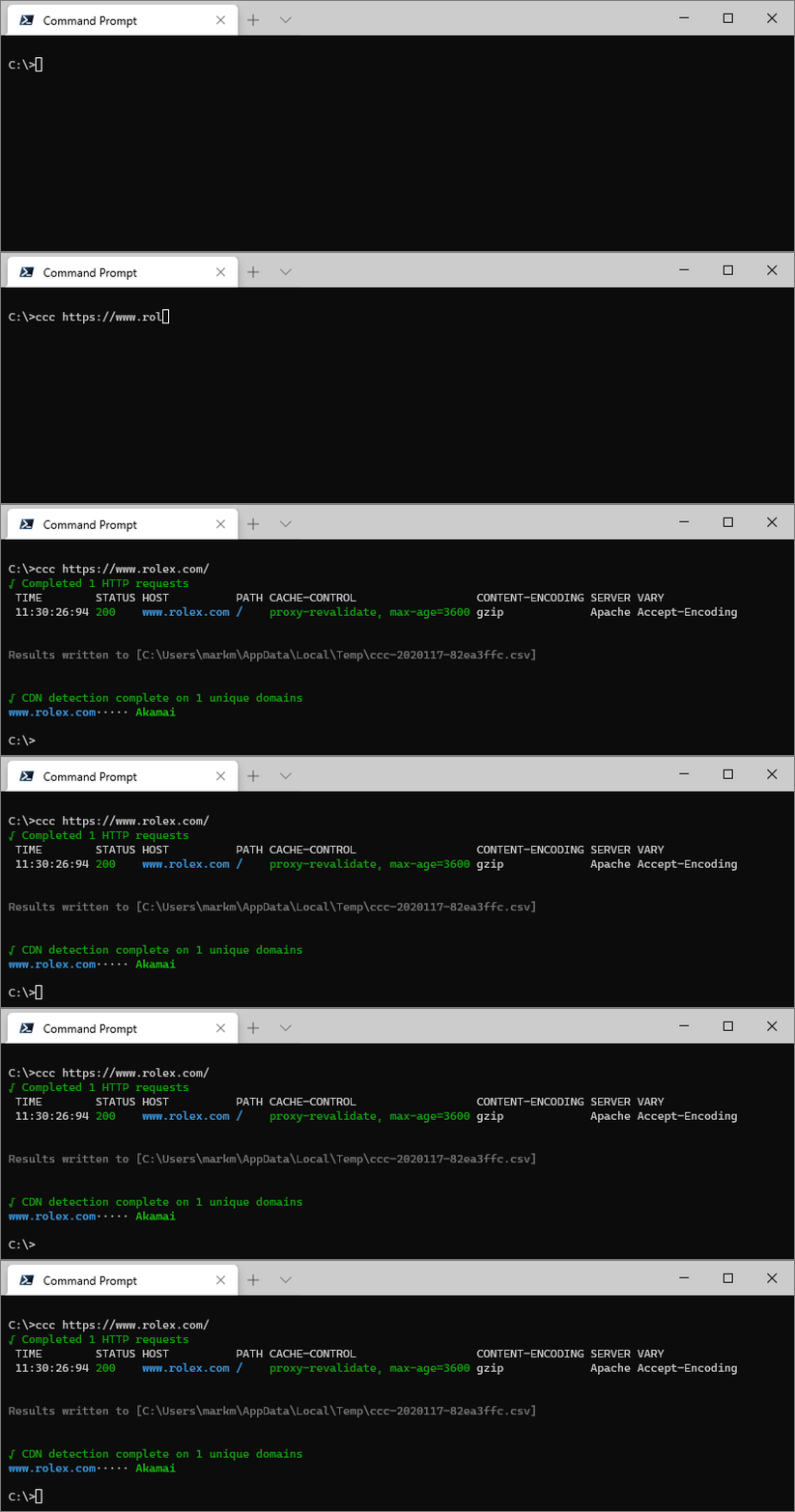
Check a single URL using `ccc [URL]`:
```text
ccc https://www.rolex.com/
```
### Change Log
See what's changed recently via the `CHANGELOG.md` which can be found [here](./CHANGELOG.md)
### More Examples
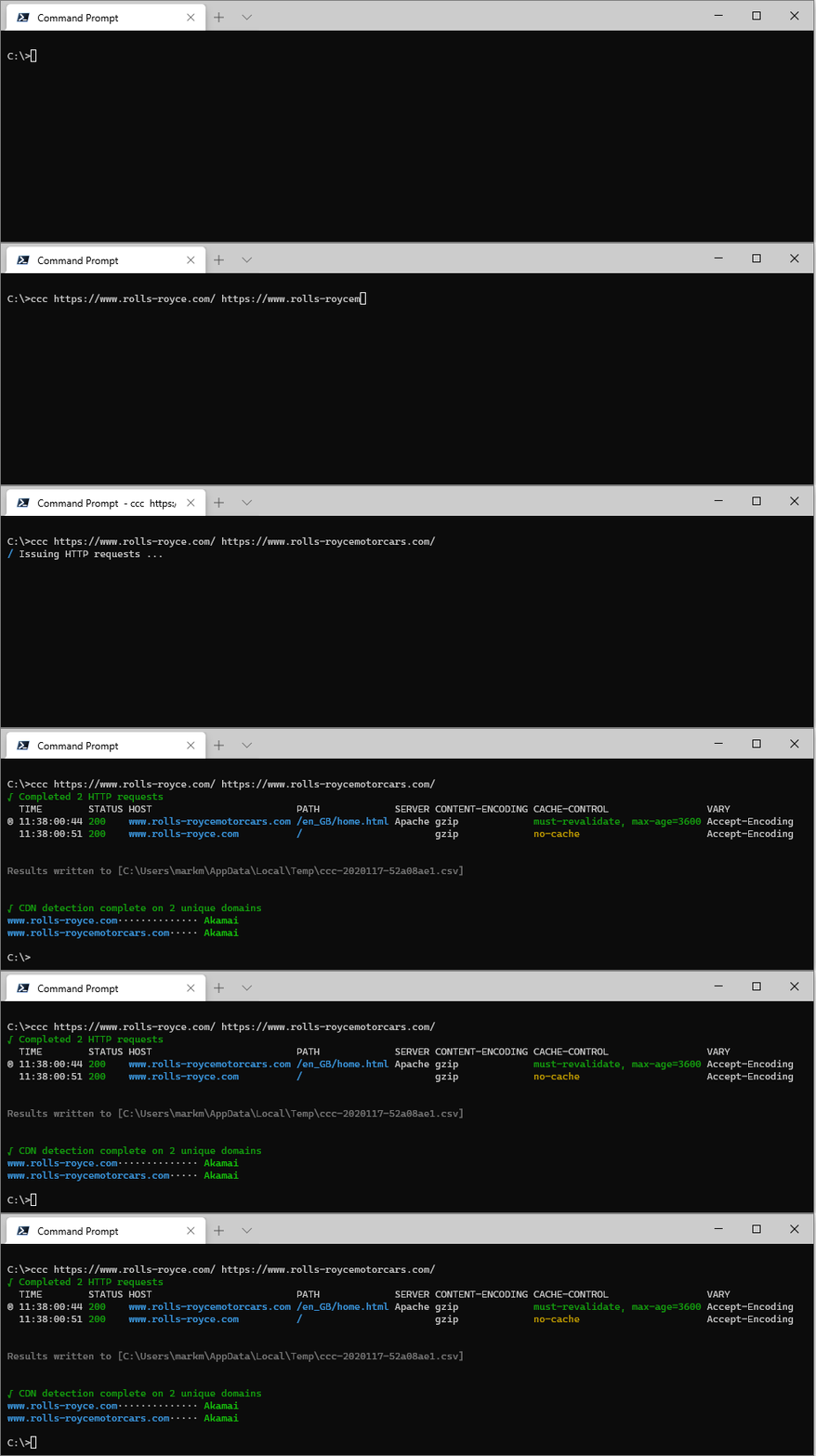
Check multiple URLs using `ccc [URL [URL […]]]`:
```text
ccc https://www.rolls-royce.com/ https://www.rolls-roycemotorcars.com/
```
Check a list of URLs read from a text file using `ccc [filename]`:
```text
ccc URLs.examples.txt
```
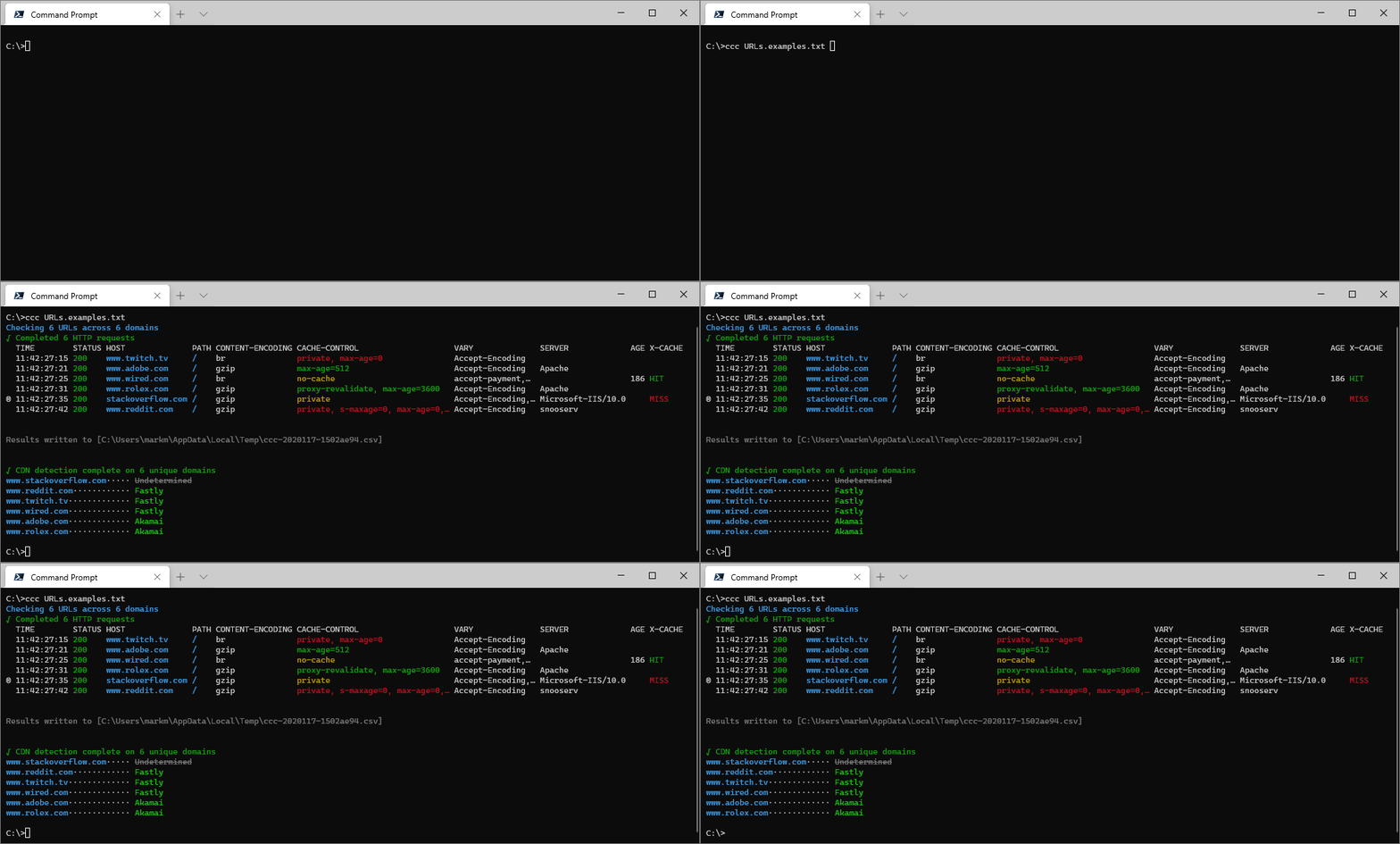
Where `URLs.examples.txt` contains:
```text
#List of example URLs
www.twitch.tv
www.reddit.com
www.stackoverflow.com
www.adobe.com
https://www.wired.com/
https://www.rolex.com/
```
---
## Overview
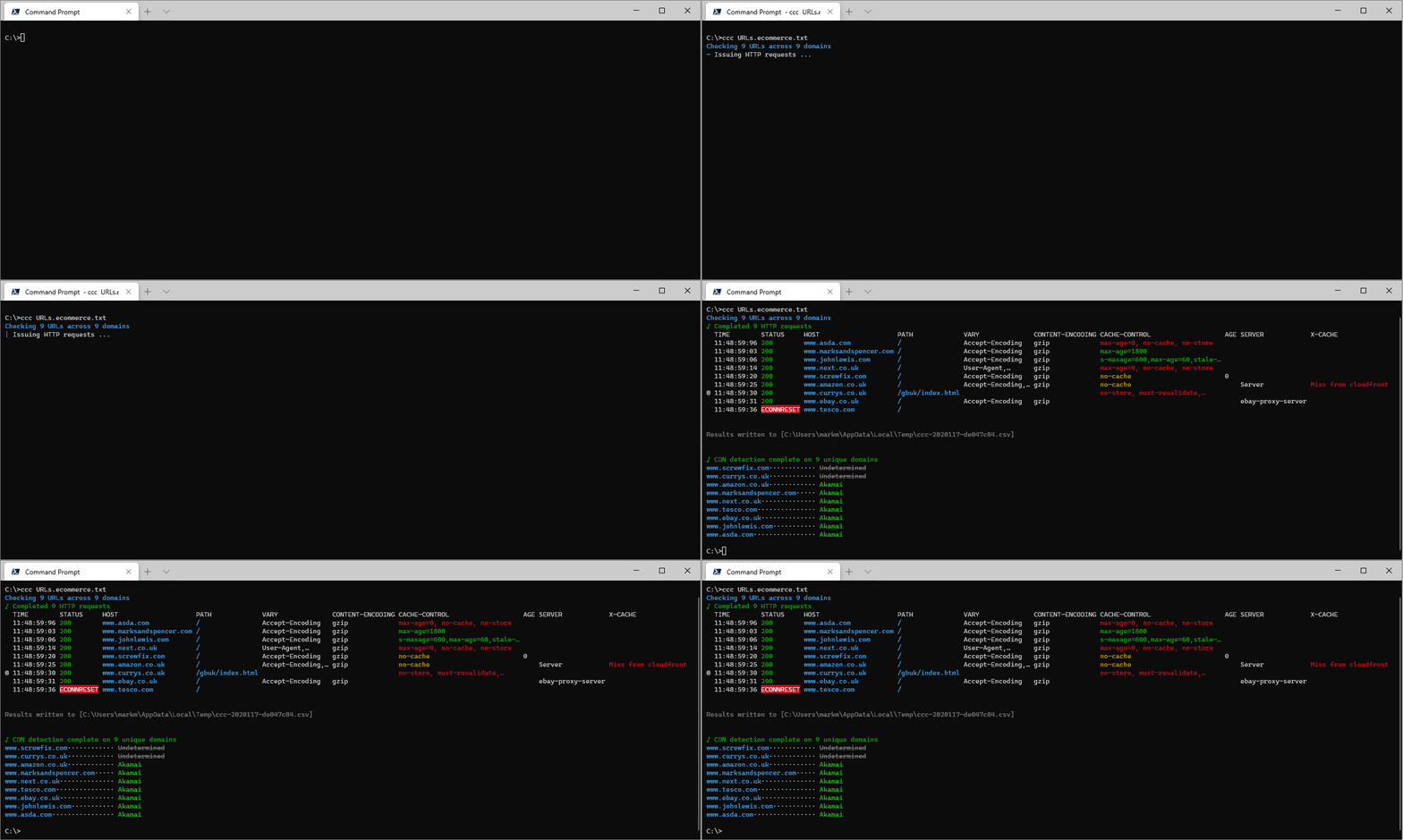
If you're looking into web site performance you'll be interested, at some stage of your analysis, in caching, compression and CDNs. `cdn-cache-check` aims to help with this task by making HTTP requests and reporting on the response headers that control these aspects across multiple URLs at a time.
---
## Usage
Supply `cdn-cache-check` with a URL, or the name of a text file containing URLs, and it will issue HTTP requests for each. You can supply multiple URLs or multiple filenames (separated by a `space`), and you can mix-and-match them too if you wish.
It will also attempt to detect the CDN serving each unique domain by performing a recursive DNS resolution and check if the domain resolves to a known CDN's apex domain.
```text
ccc [URL|file [URL|file […]]] [options]
```
## Options
### URL
The `URL` can be any valid URL or a bare domain, in which case `HTTPS` will be used when making the request.
```text
ccc https://example.com
```
```text
ccc example.com
```
### filename
The file should be a plain text file with a URL on each line. Lines which do not contain a valid URL or valid domain name are ignored, so you can have comments and annotation in the file if you so wish.
#### HTTP Archive (HAR) File Support
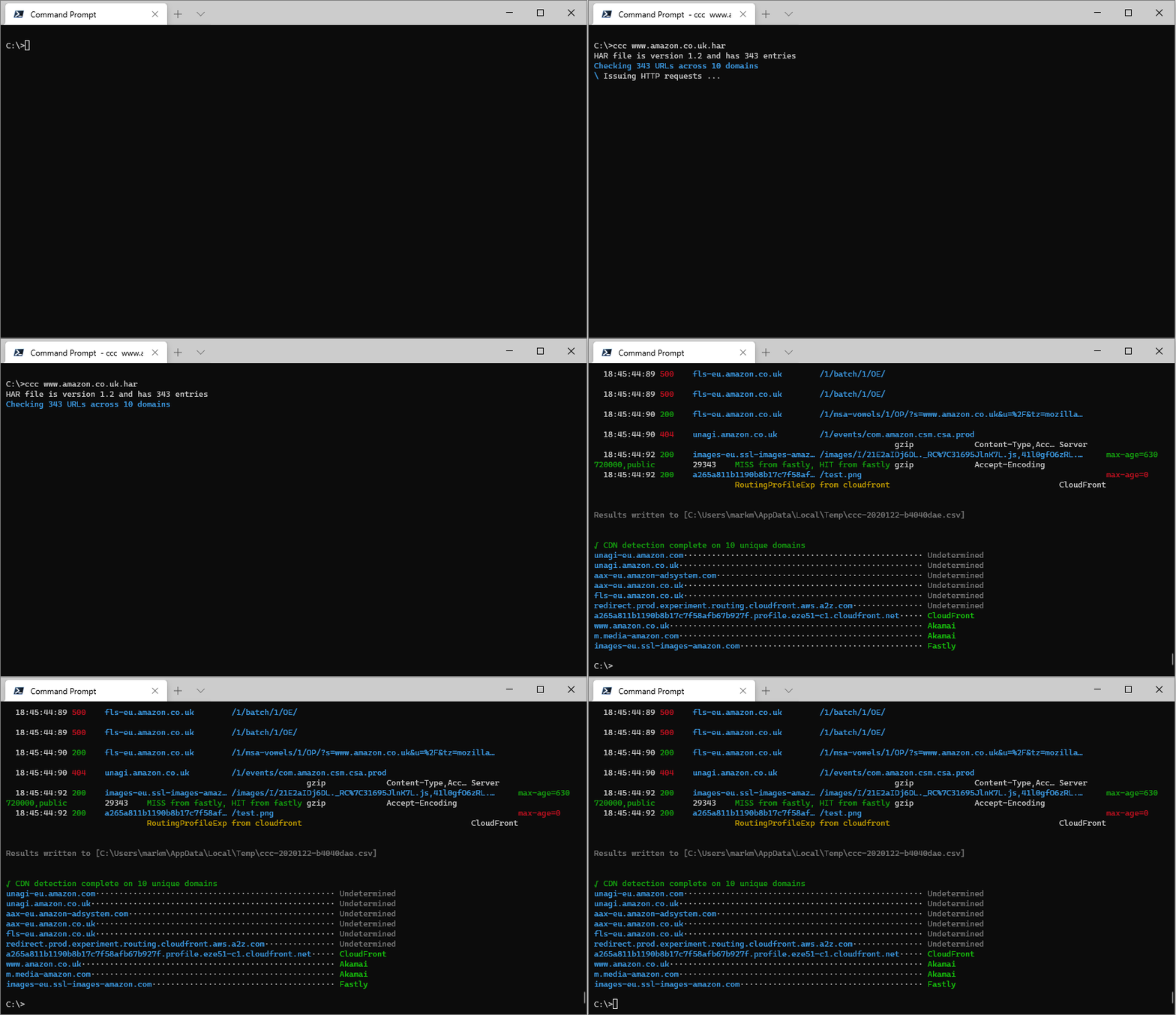
As of version 1.3.0 cdn-cache-check supports parsing `.har` files. These can be saved from your browser's Dev Tools:
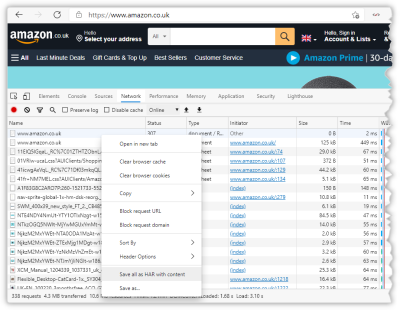
You can then pass that `.har` file to `cdn-cache-check` and it will extract the URLs and make fresh requests for them:
### --method
The default HTTP method is `GET` but you can modify this
```text
ccc example.com --method head
```
### --headers *collection*
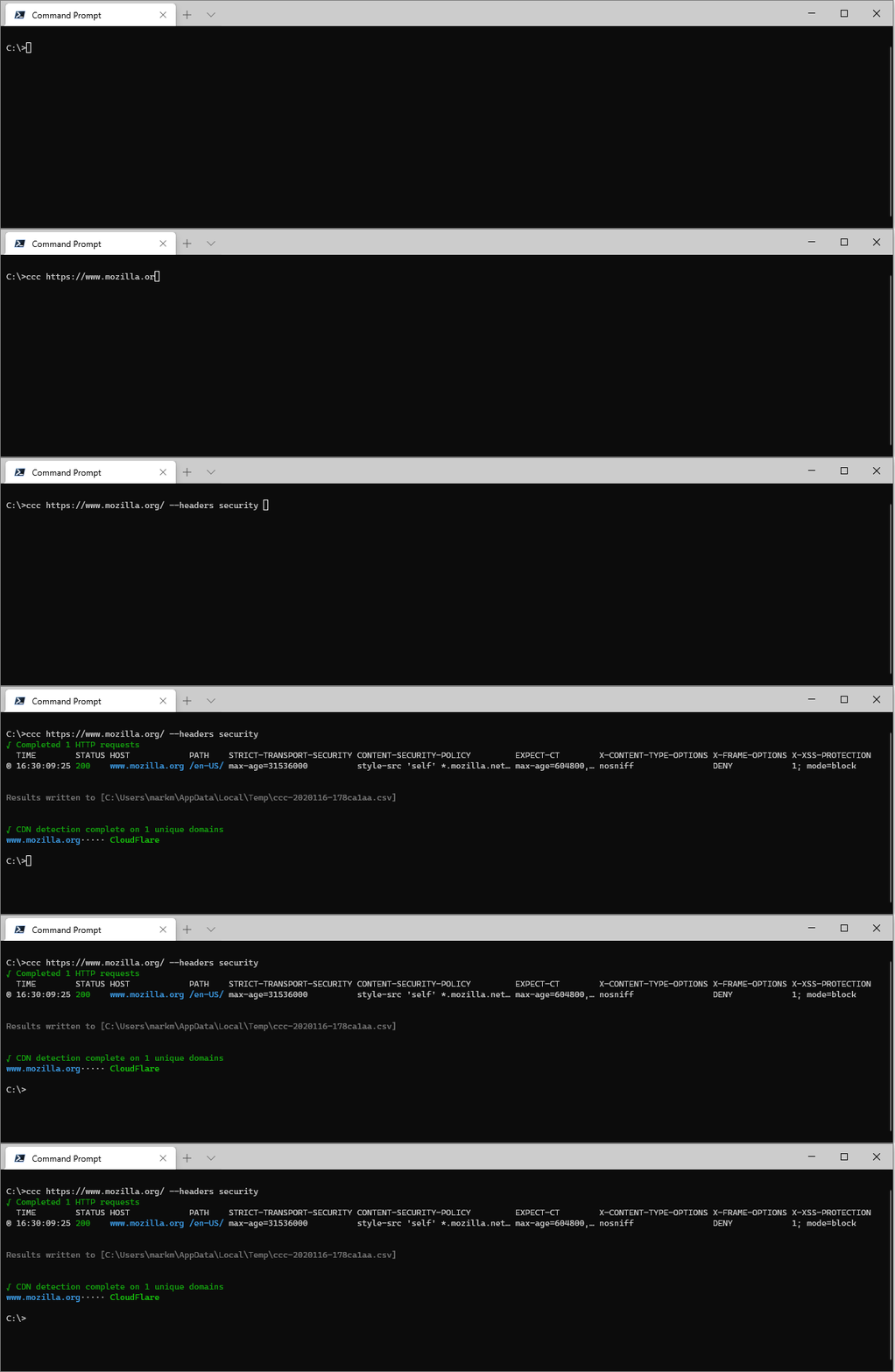
By default the listed response headers are limited to `x-cache`, `cache-control`, `server`, `content-encoding`, `vary`, `age`; but this is just the **default** headers collection. You can use the `--headers` switch to specify and alternate collection of headers, and can use ``list-header-collections` to view all collections.
For example, there's a collection that lists **security** related response headers:
```text
ccc https://www.mozilla.org/ --headers security
```
### --list-header-collections
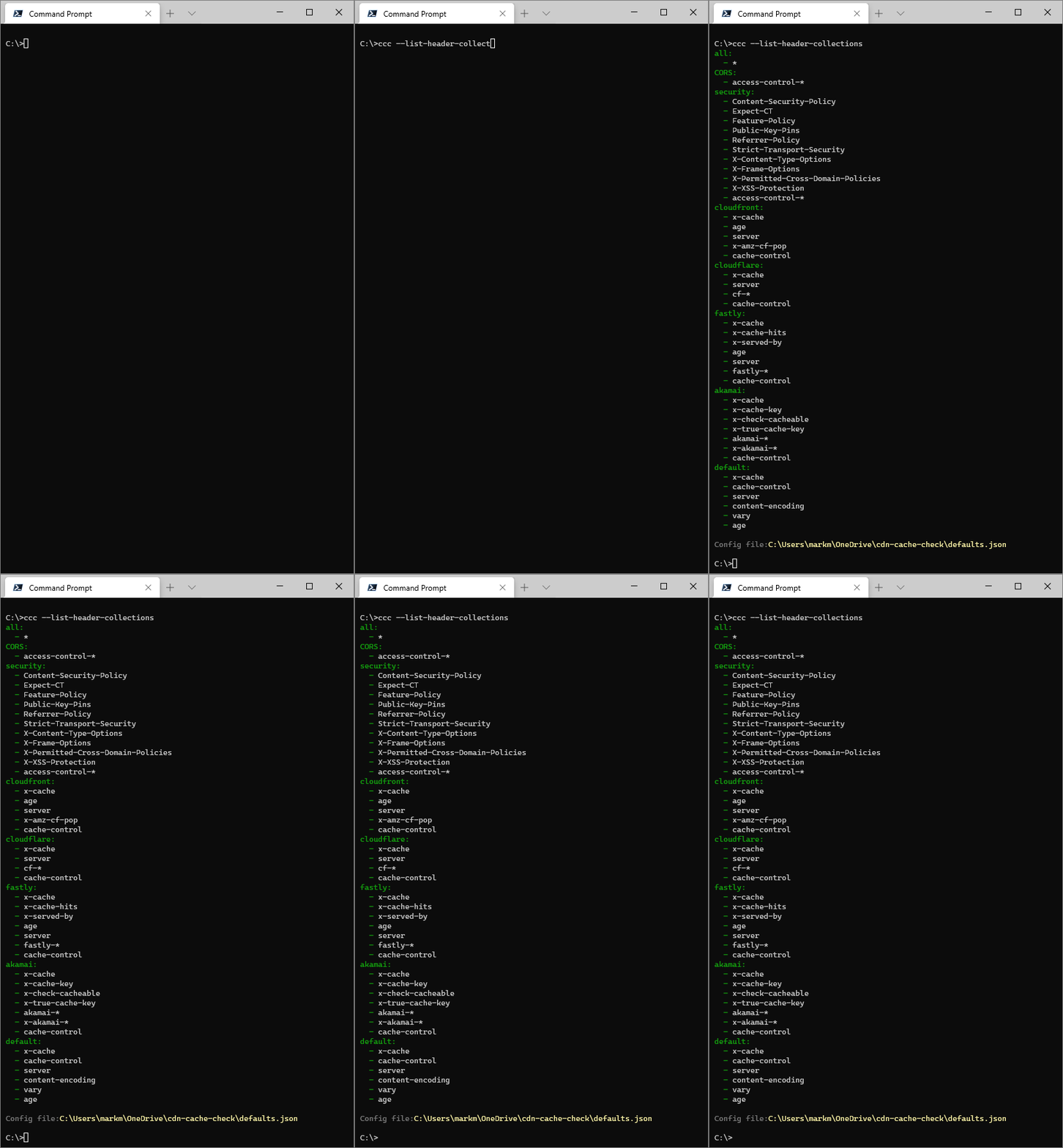
Use `--list-header-collection` to see all of the configured **Header Collections** and which responses are included in each. The location of the configuration file is also shown, which you can edit to include your own custom **Header Collection**.
```text
ccc --list-header-collections
```
### --list-response-headers
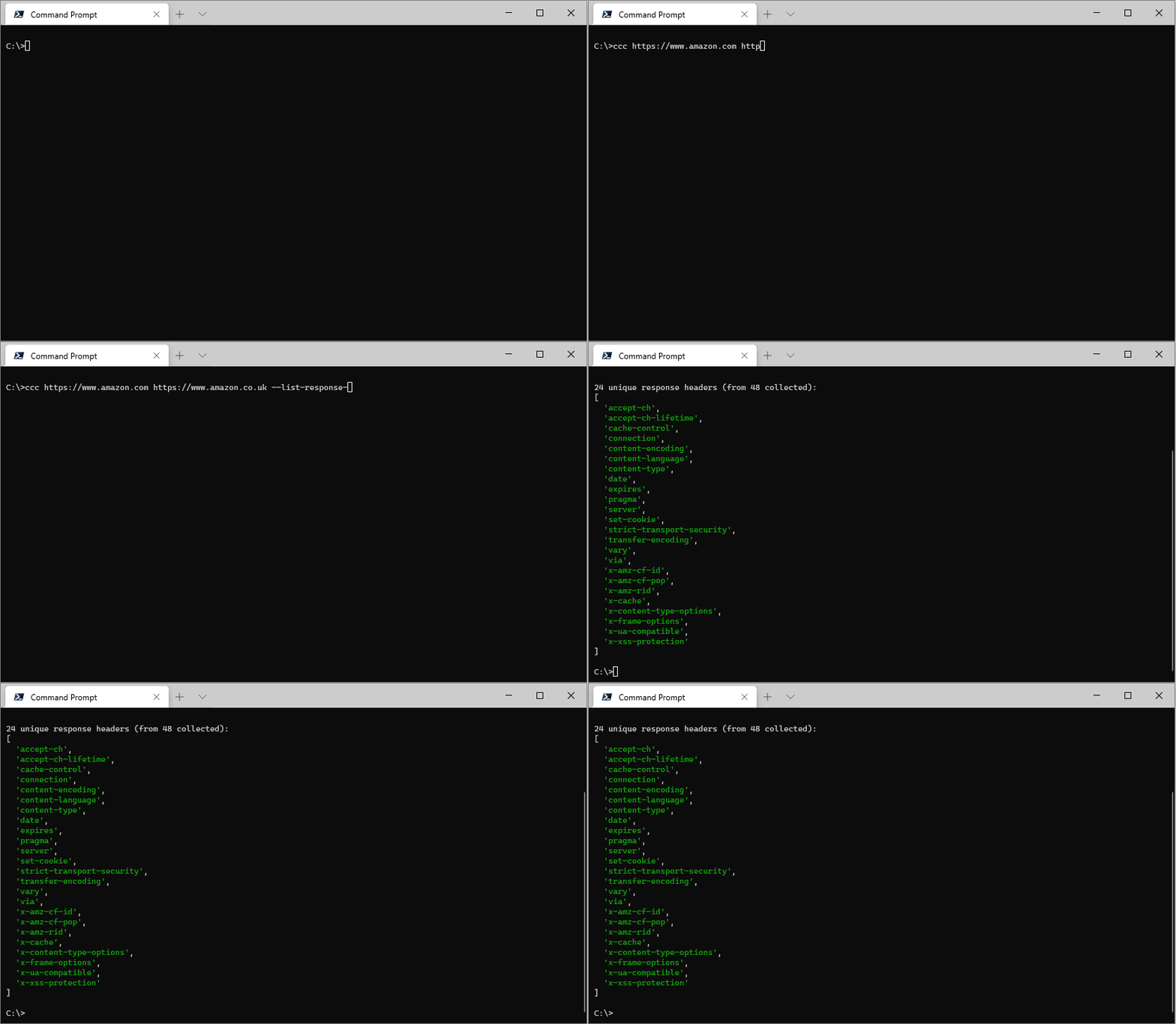
`--list-response-headers` is used to display the names of each unique response header returned from the URL(s) provided. It's primary purpose is to assist with creating a custom [header collection](#--list-header-collection) as it shows all the headers from which a custom list can be selected.
```text
ccc https://www.amazon.com https://www.amazon.co.uk --list-response-headers
```
### --export
`--export` accepts a boolean value and allows you control whether the results are also written to a `.csv` file. The default is `true`; to switch it off use:
```text
ccc https://example.com --export false
```
### --open
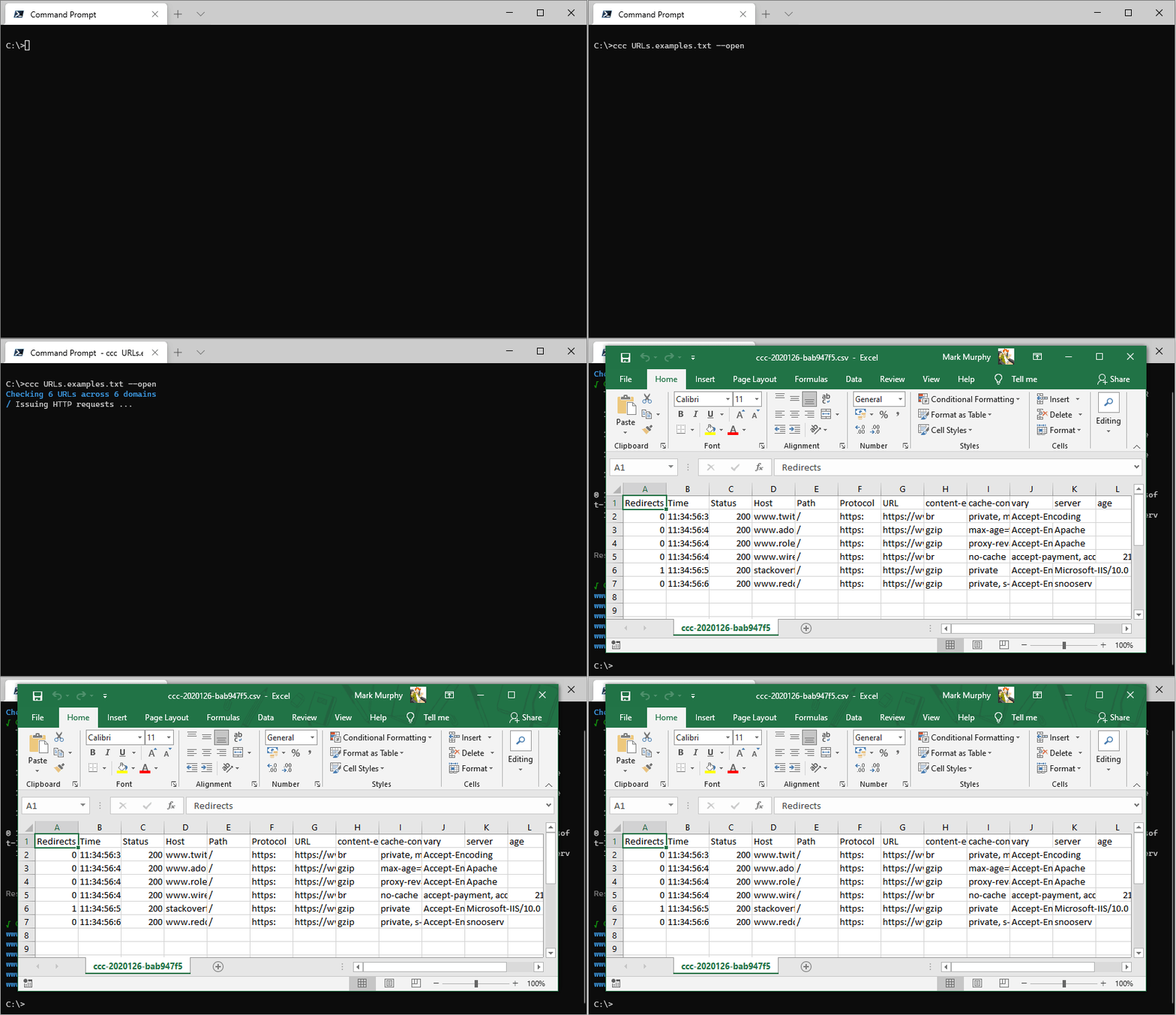
If the results are exported to a `.csv` file then `--open` will automatically open the file in whatever the registered application for `.csv` files is.
### --no-color
Switches off colour output. Useful if piping output somewhere which doesn't handle the unicode control codes.
### --version
Displays the version number.
### --help
Displays the help screen.
---
## Features
### CDN Detection
The CDN detection works by perform a recursive DNS lookup on the target domain and looking through the `CNAME` records for an entry in an apex domain that's known to be owned by a CDN service. If the target domain resolves to an `A` record there is no information with which to make a determination, so those domains will be listed as `Undetermined`.
The detection technique also works for cloud hosting services, so services like AWS's S3, Azure's Blob Storage and GitHub Pages will also be identified.
### .csv Export
All results will be written in full to a `csv` file in the `temp` directory. The full path of this file is displayed in the terminal.
### Handling redirects
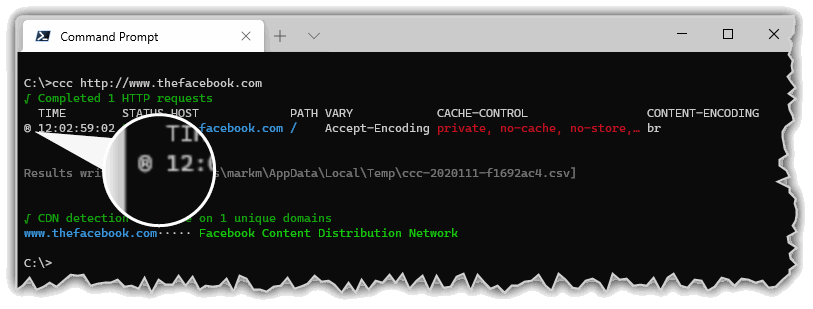
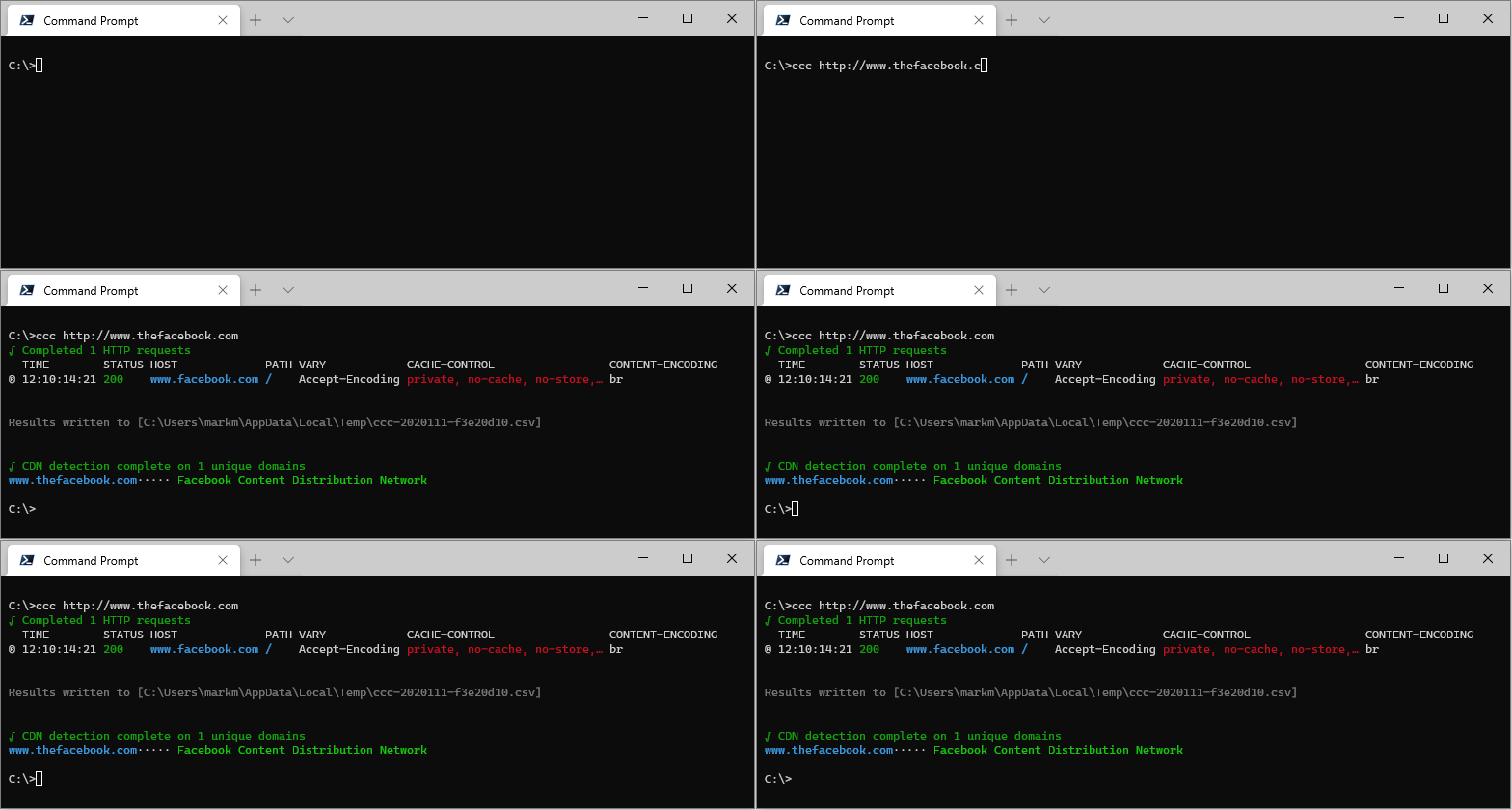
If the target URL results in a redirect it will be followed, and the final URL will be the one shown in the results. All output entries which are the result of following a redirect are marked with a redirect indicator `®` (and a redirect count in the `csv` export file).
```text
ccc http://thefacebook.com
```
### Error handling/reporting
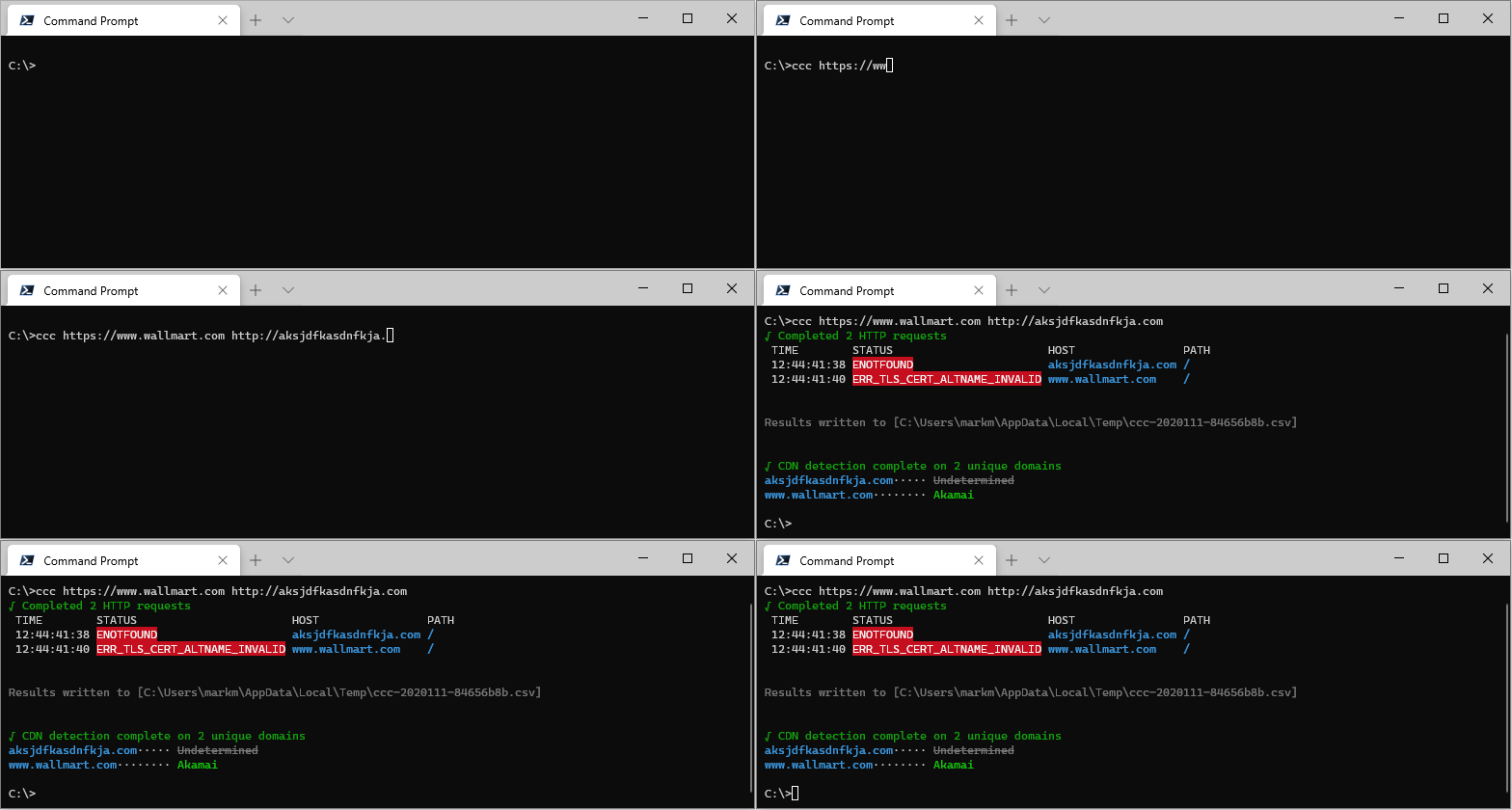
Network, DNS and HTTP errors are reported in the `STATUS` column.
Example:
```text
ccc https://www.wallmart.com http://aksjdfkasdnfkja.com
```
---
## Debugging
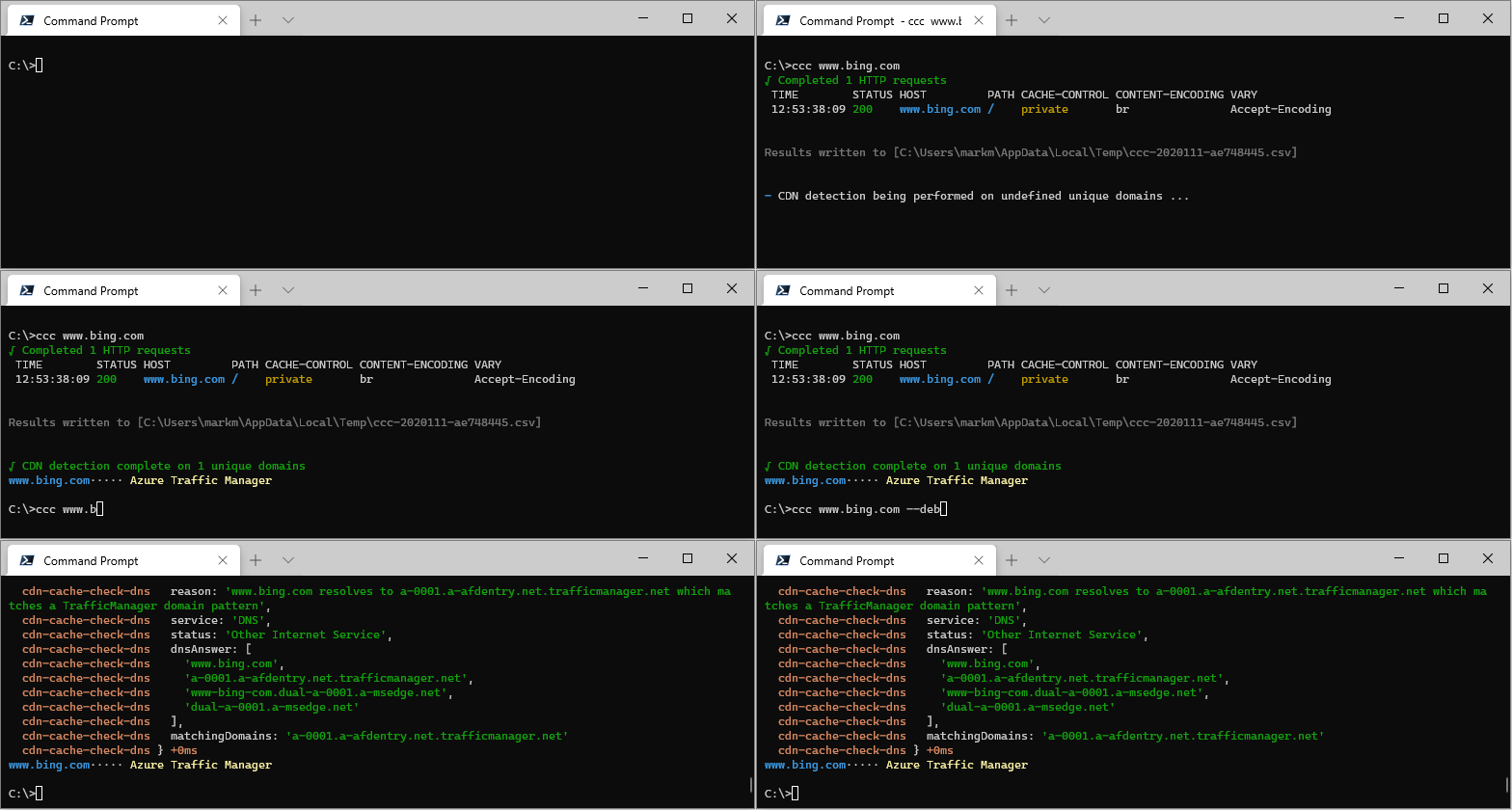
Include the `--debug` switch to get verbose debug output.
```text
ccc www.bing.com --debug
```
---
## FAQ
* [Where is the Change Log?](#where-is-the-change-log)
### Where is the Change Log
The `CHANGELOG.md` can be found [here](./CHANGELOG.md)
---