ccpet
Version:
A Claude Code status line script that displays a virtual pet
255 lines (197 loc) • 8.22 kB
Markdown
# ccpet
[](https://badge.fury.io/js/ccpet)
[](https://www.npmjs.com/package/ccpet)
[](https://github.com/terryso/ccpet/actions)
[](https://opensource.org/licenses/MIT)
[简体中文 / Chinese](README.zh-CN.md)
A virtual pet for your Claude Code status line. The pet's energy decays over time, increases when you consume tokens, and persists across sessions.
## Features
- **🐾 Virtual Pet System**
- Energy-based pet that responds to your Claude Code usage
- Time-based decay (~0.0231 per minute, ~3 days from 100 → 0)
- Feeding via token usage (1,000,000 tokens = +1 energy)
- **🎭 Animated Expressions** based on energy levels
- **HAPPY (≥80)**: `(^_^) (^o^) (^_^) (^v^)` - Your pet is thriving!
- **HUNGRY (≥40)**: `(o_o) (O_O) (o_o) (-_-)` - Needs some attention
- **SICK (≥10)**: `(u_u) (T_T) (u_u) (>_<)` - Time to feed your pet
- **DEAD (<10)**: `(x_x) (X_X) (x_x) (+_+)` - Your pet needs urgent care!
- **📊 Rich Status Display**
- Colorful energy bar with precise energy values
- Accumulated tokens and lifetime statistics
- Real-time session metrics (input/output/cached/total)
- Pet birth time tracking for lifecycle management
- **⚙️ Configurable & Persistent**
- Customizable colors and decay rates
- State persists across Claude Code sessions
## Installation & Setup
### Quick Start
To use ccpet as your Claude Code status line, add this to your `~/.claude/settings.json`:
```json
{
"statusLine": {
"type": "command",
"command": "npx ccpet@latest",
"padding": 0
}
}
```
### Alternative: Global Installation
For better performance, you can install globally:
```bash
npm install -g ccpet
```
Then update your settings to use the global path.
## CLI Commands
### Basic Usage
```bash
ccpet # Show status line (for Claude Code)
ccpet --help # Show help information
ccpet --version # Show version number
```
### Pet Management Commands
#### Check Command
```bash
ccpet check # Manually check pet status (no token cost)
ccpet check --watch # Continuous monitoring mode (60s interval)
ccpet check -w --interval 30 # Watch mode with 30s interval
ccpet check --help # Show check command help
```
Use `ccpet check` to:
- ✅ Check pet status without consuming tokens
- ✅ See time since last feeding
- ✅ Monitor energy levels between sessions
- ✅ **NEW:** Continuous monitoring with real-time updates
- ✅ **NEW:** Clean countdown display
- ✅ **NEW:** Customizable refresh intervals (10-300 seconds)
#### Configuration Command
```bash
ccpet config list # Show current configuration
ccpet config set <key> <value> # Set configuration value
ccpet config reset # Reset to default configuration
ccpet config path # Show configuration file location
```
**Configuration Options:**
```bash
# Colors (format: #RRGGBB or #RRGGBB:bright or #RRGGBB:bright:bold)
ccpet config set colors.petExpression "#FF0000:bright:bold"
ccpet config set colors.energyBar "#00FF00"
ccpet config set colors.energyValue "#00FFFF"
ccpet config set colors.lifetimeTokens "#FF00FF"
# Pet behavior
ccpet config set pet.animationEnabled true
ccpet config set pet.decayRate 0.0231
# Multi-line display (NEW!)
ccpet config set display.maxLines 3 # Show up to 3 lines (1-3)
ccpet config set display.line2.enabled true # Enable/disable line 2
ccpet config set display.line2.items "input,output" # What to show on line 2
ccpet config set display.line3.enabled true # Enable/disable line 3
ccpet config set display.line3.items "total" # What to show on line 3
```
**Available Display Items:** `input`, `output`, `cached`, `total`, `context-length`, `context-percentage`, `context-percentage-usable`, `cost`
### Continuous Pet Monitoring
**Monitor your pet in real-time with the new watch mode:**
```bash
# Start continuous monitoring (default 60s interval)
ccpet check --watch
# Custom monitoring interval (10-300 seconds)
ccpet check --watch --interval 30
# Short form
ccpet check -w --interval 45
```
**Features:**
- ✅ Real-time pet status updates
- ✅ Clean 3-line display layout
- ✅ Countdown timer showing next update
- ✅ Graceful exit with Ctrl+C
- ✅ Error recovery with retry mechanisms
- ✅ Customizable refresh intervals (10-300 seconds)
- ✅ In-place updates without screen flicker
**Example Output:**
```text
🐶(^_^) ●●●●●●●●●● 100.00 (838.9K) 💖25.84M
⏰ 距离上次喂食: 0分钟前
⏳ 下次更新: 10秒
```
**Note:** The display updates in-place every interval, replacing the previous content for a clean monitoring experience.
## Status Display
### Default 3-Line Display
```text
(^o^) ●●●●●●●●●● 98.52 (45.2K) 💖5.2M
Input: 2847 Output: 1256 Cached: 512 Total: 4615
Ctx: 2.4K Ctx: 12.0% Ctx(u): 88.5% Cost: $0.15
```
**Note**: Context metrics (Ctx(u)) now display in light green by default. Cost metrics show the total USD cost of your current session.
### Single Line (Minimal)
Configure with: `ccpet config set display.maxLines 1`
```text
(^o^) ●●●●●●●●●● 98.52 (45.2K) 💖5.2M
```
### 2-Line Display (Minimal)
Configure with: `ccpet config set display.maxLines 2`
```text
(^o^) ●●●●●●●●●● 98.52 (45.2K) 💖5.2M
Input: 2847 Output: 1256 Cached: 512 Total: 4615
```
### Custom 3-Line Display
Configure with:
```bash
ccpet config set display.line2.items "input,output"
ccpet config set display.line3.items "total,context-percentage-usable"
```
```text
(^o^) ●●●●●●●●●● 98.52 (45.2K) 💖5.2M
Input: 2847 Output: 1256
Total: 4615 Ctx(u): 88.5%
```
**Display Format:**
- **Line 1** (Fixed): `[expression] [energy_bar] [energy_value] ([accumulated_tokens]) 💖[lifetime_tokens]`
- **Line 2** (Configurable): Custom items you choose
- **Line 3** (Configurable): Custom items you choose
## Pet Care Guide
### 🌟 Keeping Your Pet Healthy
- **Active Usage**: Use Claude Code regularly to feed your pet
- **Token Conversion**: 1,000,000 tokens = +1 energy point
- **Natural Decay**: ~0.0231 energy per minute (~3 days to fully decay)
### 😴 When Your Pet Dies
If your pet's energy reaches 0:
- All statistics are reset (lifetime tokens, accumulated tokens)
- Pet gets a new birth time when reborn
- Your pet can be revived by continued Claude Code usage
- Each new token helps rebuild your pet from scratch
## Troubleshooting
### Status Line Not Updating?
The status line only updates when you use Claude Code. Use `ccpet check` for manual updates.
### Pet Disappeared?
1. Check Claude Code settings: `cat ~/.claude/settings.json`
2. Verify ccpet installation: `ccpet --version`
3. Test manually: `ccpet check`
## Technical Details
### Data Storage
Pet state is stored in `~/.claude-pet/pet-state.json` with the following structure:
- `energy`: Current energy level (0-100)
- `expression`: Current facial expression
- `animalType`: Pet species (cat, dog, rabbit, panda, fox)
- `birthTime`: When the pet was born/reborn (ISO timestamp)
- `lastFeedTime`: Last feeding timestamp
- `totalTokensConsumed`: Total tokens consumed this lifecycle
- `totalLifetimeTokens`: Lifetime token consumption
- `accumulatedTokens`: Tokens waiting to convert to energy
The system automatically adds missing fields (like `birthTime`) for backward compatibility.
## Development
### Testing
```bash
npm test # Run all tests
npm run test:coverage # Run tests with coverage report
```
### Building
```bash
npm run build # Build distribution files
npm run watch # Build and watch for changes
```
## ⭐ Star History
[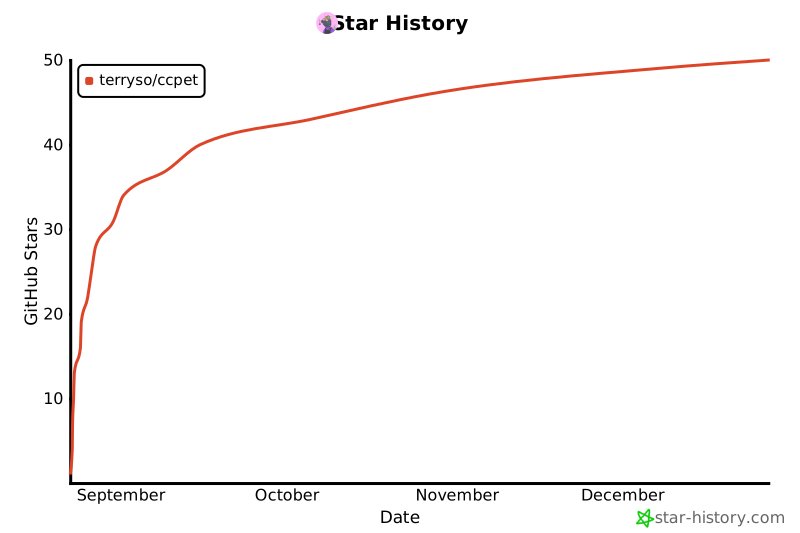](https://www.star-history.com/#terryso/ccpet&Date)
## License
MIT License
---
**Enjoy your virtual coding companion! 🐾**
*Remember: A well-fed pet is a happy pet. Keep coding to keep your pet healthy!*