captcha-canvas
Version:
A captcha generator by using canvas module.
107 lines (77 loc) • 6.96 kB
Markdown
# captcha-canvas
<!-- ALL-CONTRIBUTORS-BADGE:START - Do not remove or modify this section -->
[](#contributors-)
<!-- ALL-CONTRIBUTORS-BADGE:END -->
This is an npm package [captcha-canvas](https://npmjs.com/package/captcha-canvas) helps you to make custom captcha of all types. The package uses `canvas` to create captcha imagas. See installation section to know how to install.
> Install canvas before captcha-canvas installation. As canvas is the peer dependencies.
[](https://npmjs.com/package/captcha-canvas)
#### Captcha Image:

[](https://app.fossa.com/projects/git%2Bgithub.com%2FShashank3736%2Fcaptcha-canvas?ref=badge_shield)
### Features
* Highly customisable you can customise every single value use to make this package.
* 95% OCR fails to read this captcha image and throw Error.
* Use class constructor method so you can generate as many frames as many you want by using same values.
* No bundled dependenceris. You need to install them to use the package.
* Support of background images is also possible.
* Captcha adapt all the external options very easily.
## How to use?
Here is a quick example on how to use the module. But a well written [documentation](https://captcha-canvas.js.org/v2/) is available to understand all the mothods and customisation available for your project.
```js
const { CaptchaGenerator } = require('captcha-canvas'); //require package here
const fs = require('fs'); //require fs module for saving image in a file
const options = {height: 200, width: 600}; //options for captcha image
const captcha = new CaptchaGenerator(options); //getting captcha constructor
captcha.text; //returns text of the captcha image.
const buffer = await captcha.generate(); //returns buffer of the captcha image
fs.writeFileSync('image.png', buffer); //will create image.png file of the captcha
```
You can use many methods like [setCaptcha](https://captcha-canvas.js.org/v2/classes/main.default.html#setCaptcha) and [setTrace](https://captcha-canvas.js.org/v2/classes/main.default.html#setTrace) to customize there appearance and values.
### Segmented Captcha Example
You can now apply different styles to different segments of the captcha string by passing an array of `SetCaptchaOptions` to the `setCaptcha` method. Each object in the array can define `start` and `end` properties to specify the character range it applies to.
```js
const { CaptchaGenerator } = require('captcha-canvas');
const fs = require('fs');
(async () => {
const captcha = new CaptchaGenerator();
captcha.setCaptcha([
{ text: 'AB', color: 'red', size: 60, start: 0, end: 2 },
{ text: 'CD', color: 'green', size: 40, start: 2, end: 4 },
{ text: 'EF', color: 'blue', size: 50, start: 4, end: 6 },
])
.setDimension(150, 450);
fs.writeFileSync('./examples/segmented_captcha.png', captcha.generateSync());
console.log(captcha.text);
})();
```
## Need Help:
I am working on a simple guide for this npm package you can check it out [here](https://github.com/Shashank3736/captcha-canvas/wiki).
Open an [issue](https://github.com/Shashank3736/captcha-canvas/issues) if you need help regarding this module or want to report any bug.
## Wanna support developer?
* Star the [github repo](https://github.com/Shashank3736/captcha-canvas) of the project. More stars motivate me to work on this project.
* Open an [issue](https://github.com/Shashank3736/captcha-canvas/issues) to recommend some new features or report bug regarding this module.
* For now, you don't have anyway to fund this project but maybe in future I update this.
## Supported versions
We always recommend you to use the most latest version for more methods and better performance.
If you are at v1.x.y and I launched a new version 2.0.0 do not update it. Because it is major change which may (basically always) break your present code or the output is not as expected.
If you are at same major change version but a new patch/minor changed version is available install without any fear. Usually minor change comes with some new methods, and patch release comes with bug fixes/updated readme.
## Contributors ✨
Thanks goes to these wonderful people ([emoji key](https://allcontributors.org/docs/en/emoji-key)):
<!-- ALL-CONTRIBUTORS-LIST:START - Do not remove or modify this section -->
<!-- prettier-ignore-start -->
<!-- markdownlint-disable -->
<table>
<tr>
<td align="center"><a href="https://github.com/Shashank3736"><img src="https://avatars2.githubusercontent.com/u/58896906?v=4?s=100" width="100px;" alt=""/><br /><sub><b>Shashank</b></sub></a><br /><a href="#projectManagement-Shashank3736" title="Project Management">📆</a></td>
<td align="center"><a href="https://github.com/TheDeadCraftPT"><img src="https://avatars2.githubusercontent.com/u/46866023?v=4?s=100" width="100px;" alt=""/><br /><sub><b>TheDeadCraftPT</b></sub></a><br /><a href="https://github.com/Shashank3736/captcha-canvas/issues?q=author%3ATheDeadCraftPT" title="Bug reports">🐛</a></td>
<td align="center"><a href="https://ichiidev.xyz"><img src="https://avatars1.githubusercontent.com/u/45918948?v=4?s=100" width="100px;" alt=""/><br /><sub><b>IchiiDev</b></sub></a><br /><a href="https://github.com/Shashank3736/captcha-canvas/issues?q=author%3AIchiiDev" title="Bug reports">🐛</a></td>
<td align="center"><a href="https://t.me/Munn4tic/"><img src="https://avatars1.githubusercontent.com/u/32958839?v=4?s=100" width="100px;" alt=""/><br /><sub><b>Ikramullah</b></sub></a><br /><a href="https://github.com/Shashank3736/captcha-canvas/commits?author=skymunn" title="Documentation">📖</a> <a href="https://github.com/Shashank3736/captcha-canvas/commits?author=skymunn" title="Code">💻</a></td>
<td align="center"><a href="https://github.com/ryanhex53"><img src="https://avatars.githubusercontent.com/u/360426?v=4?s=100" width="100px;" alt=""/><br /><sub><b>ryanhex53</b></sub></a><br /><a href="https://github.com/Shashank3736/captcha-canvas/commits?author=ryanhex53" title="Code">💻</a></td>
</tr>
</table>
<!-- markdownlint-restore -->
<!-- prettier-ignore-end -->
<!-- ALL-CONTRIBUTORS-LIST:END -->
This project follows the [all-contributors](https://github.com/all-contributors/all-contributors) specification. Contributions of any kind welcome!
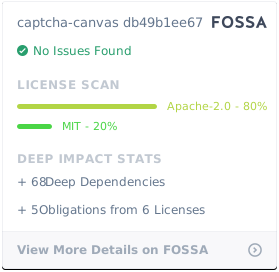
## License
[](https://app.fossa.com/projects/git%2Bgithub.com%2FShashank3736%2Fcaptcha-canvas?ref=badge_large)