canvas-meter
Version:
175 lines (146 loc) • 3.5 kB
Markdown
# canvas-meter
A configurable JavaScript meter
## Getting started
### with npm
```
npm install canvas-meter --save
```
require it
```
const canvasMeter = require ("canvas-meter");
```
### with a script tag
```
<script src="https://storage.googleapis.com/xliberation.com/canvas-meter/canvas-meter.v1.0.min.js"></script>
```
## Examples
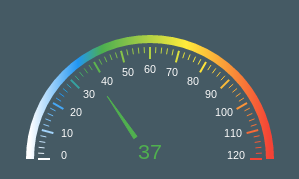
A speedometer
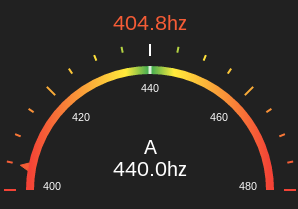
A guitar tuner
## API
Create a canvas element
```
<canvas width="300" height="210" id="meter"></canvas>
```
pass it to an instance of the meter
```
const meter = new CanvasMeter(document.getElementById("meter"));
```
Update it when you want.
```
meter.draw(currentValue,lowValue,highValue,idealValue,label);
```
### Configuration
Most aspects of the meter are configurable. Here is a complete list of all the things you can set.
#### Defaults
The defaults are for a guitar tuner and look like this.
```
let options = {
meter: {
ramp:[
{stop:0, color:'#F44336'},
{stop:.4,color:'#FFEB3B'},
{stop:.49,color:'#4CAF50'},
{stop:.5,color:'#FFFFFF'},
{stop:.51,color:'#4CAF50'},
{stop:.6,color:'#FFEB3B'},
{stop:1,color:'#F44336'}
],
colors: {
background:'#212121',
label:'#FFFFFF',
tickLabel:'#FAFAFA'
},
offsets: {
ideal:-14,
value:-160,
label:-36,
meter:-20,
tickLabel:22,
tick:-26,
pointer:-12
},
ticks: {
major:{
height:12,
width:2,
count:5
},
minor:{
height:6,
width:2,
count:3
},
pointer: {
height:8,
width:28
}
},
fonts: {
label:'24pt sans',
tickLabel:'8pt sans',
ideal:'16pt sans',
value:'16pt sans',
},
formatters: {
value:(v) => typeof v===typeof undefined ? "" :`${v.toFixed(1).toString()}hz`,
ideal:(v) => typeof v===typeof undefined ? "" : `${v.toFixed(1).toString()}hz`,
label:(v) => typeof v===typeof undefined ? "" : `${v.toString()}`,
tickLabel:(v) => typeof v===typeof undefined ? "" : `${Math.round(v).toString()}`,
},
arc: {
size:.8,
width:8
}
}
};
```
#### Example
Here's the skin for the speedometer example. Any properties not mentioned here are picked up from the default.
```
const getSpeedoSkin = () => {
return {
meter:{
offsets:{
tick:8,
tickLabel:34,
value:0,
pointer:44
},
ramp:[
{stop:0, color:'#FFFFFF'},
{stop:.2,color:'#2196F3'},
{stop:.3,color:'#4CAF50'},
{stop:.65,color:'#FFEB3B'},
{stop:1,color:'#F44336'}
],
colors:{
background:'#455A64'
},
ticks:{
major:{
count:13
},
minor: {
count:4,
width:1
},
pointer: {
height:50,
width:8
}
},
formatters: {
value: function (v) { return Math.round(v.toString())},
ideal: function (v) { return "";}
}
}
};
};
```
Use it like this
```
const meter = new CanvasMeter(document.getElementById("speedo"));
meter.setOptions (getSpeedoSkin());
```