c4builder-weldfire-test
Version:
A CLI tool designed to compile a folder structure of markdowns and plant uml files into a site, pdf, single file markdown or a collection of markdowns with links
62 lines (36 loc) • 3.27 kB
Markdown
This project was created using [c4builder](https://adrianvlupu.github.io/C4-Builder/)
Take a look at
- [PlantUml](http://plantuml.com/) creates diagrams from plain text.
- [Markdown](https://guides.github.com/features/mastering-markdown/) creates rich text documents from plant text.
- [C4Model](https://c4model.com/) the idea behind maps of your code
- [C4-PlantUML](https://github.com/RicardoNiepel/C4-PlantUML) C4 syntax support for generating plantuml diagrams
- [vscode-plantuml](https://github.com/qjebbs/vscode-plantuml) plugin for visual studio code to view diagrams at design time
Open the terminal and run the following commands to start compiling the documentation
```bash
npm i -g c4builder
c4builder
```
> Note on using local images inside markdown files
>
> Images should be placed next to the markdown file using them.
>
> All of them will be copied over to the `docs` folder either in `/` (in the case of a single MD/PDF file) or following the same folder structure as in `src`, so make sure they have unique names.
However you think about your users (as actors, roles, personas, etc), people are the various human users of your software system.
### Software System
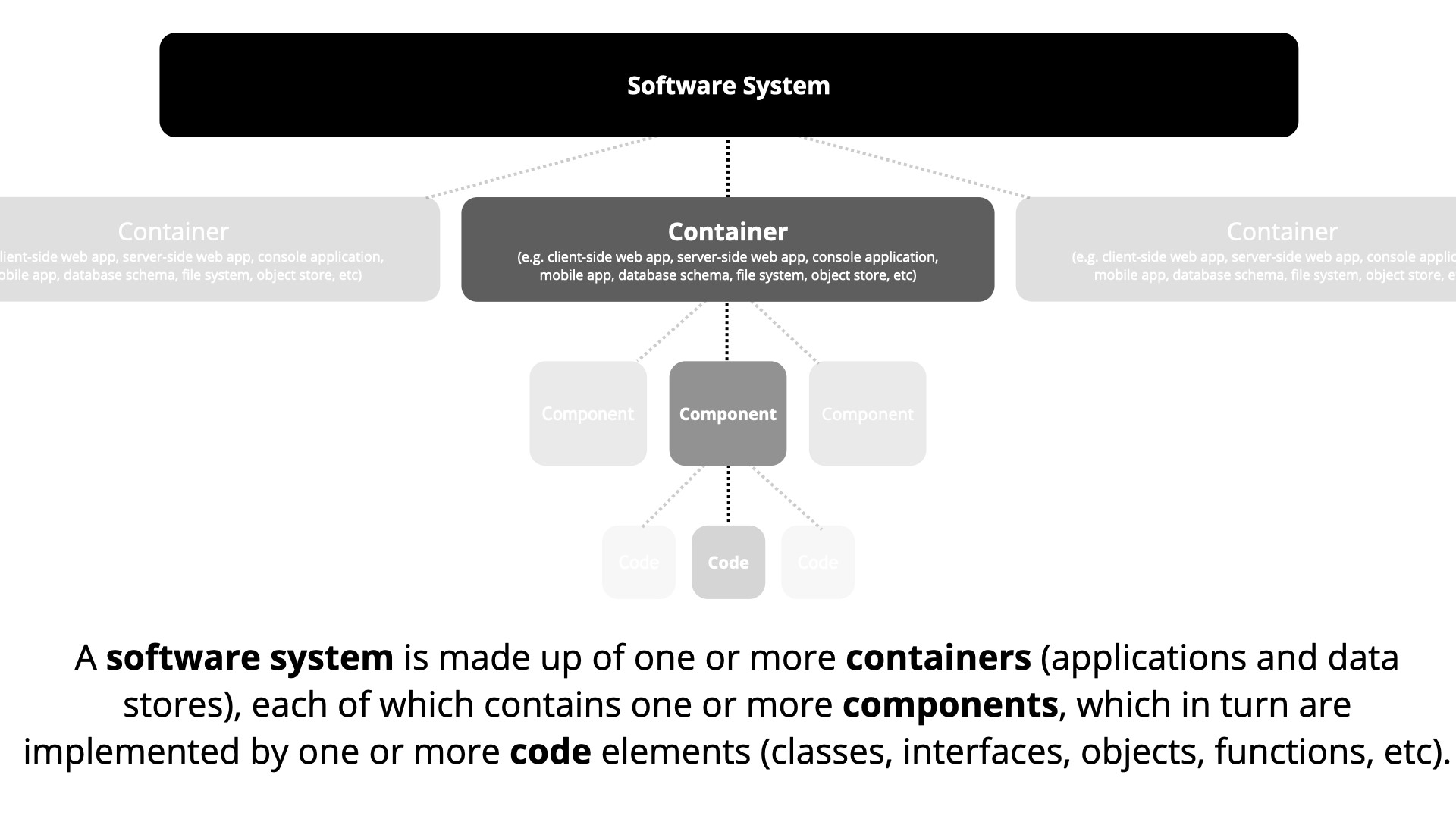
A software system is the highest level of abstraction and describes something that delivers value to its users, whether they are human or not. This includes the software system you are modelling, and the other software systems upon which your software system depends (or vice versa).
### Container
A container represents something that hosts code or data. A container is something that needs to be running in order for the overall software system to work. In real terms, a container is something like:
- Server-side web application: A Java EE web application running on Apache Tomcat, an ASP.NET MVC application running on Microsoft IIS, a Ruby on Rails application running on WEBrick, a Node.js application, etc.
- Client-side web application: A JavaScript application running in a web browser using Angular, Backbone.JS, jQuery, etc).
- Client-side desktop application: A Windows desktop application written using WPF, an OS X desktop application written using Objective-C, a cross-platform desktop application written using JavaFX, etc.
- Mobile app: An Apple iOS app, an Android app, a Microsoft Windows Phone app, etc.
- Server-side console application: A standalone (e.g. "public static void main")
- etc
### Component
Component
The word "component" is a hugely overloaded term in the software development industry, but in this context a component is simply a grouping of related functionality encapsulated behind a well-defined interface. If you're using a language like Java or C#, the simplest way to think of a component is that it's a collection of implementation classes behind an interface. Aspects such as how those components are packaged (e.g. one component vs many components per JAR file, DLL, shared library, etc) is a separate and orthogonal concern.
An important point to note here is that all components inside a container typically execute in the same process space.