bugsplat
Version:
error reporting for js
115 lines (86 loc) • 5.12 kB
Markdown
[](https://bugsplat.com)
<br/>
# <div align="center">BugSplat</div>
### **<div align="center">Crash and error reporting built for busy developers.</div>**
<div align="center">
<a href="https://twitter.com/BugSplatCo">
<img alt="Follow @bugsplatco on Twitter" src="https://img.shields.io/twitter/follow/bugsplatco?label=Follow%20BugSplat&style=social">
</a>
<a href="https://discord.gg/K4KjjRV5ve">
<img alt="Join BugSplat on Discord" src="https://img.shields.io/discord/664965194799251487?label=Join%20Discord&logo=Discord&style=social">
</a>
</div>
## 👋 Introduction
BugSplat-js is a JavaScript error reporting system for web applications. Before continuing with the tutorial please make sure you have completed the following checklist:
* [Sign Up](https://app.bugsplat.com/v2/sign-up) as a new BugSplat user.
* [Log In](https://app.bugsplat.com/auth0/login) using your email address.
## 🏗 Installation
Install `bugsplat` via npm. This package currently requires Node.js 18 or later.
```sh
npm i bugsplat --save
```
If you need to use a version of Node.js that's older than 18, you can install bugsplat@7.1.4.
## ⚙️ Configuration
Depending on your project's module system you can either `import` or `require` BugSplat:
### ESM
```ts
import { BugSplat } from 'bugsplat';
```
### CommonJS
```ts
const { BugSplat } = require('bugsplat');
```
Create a new instance of the BugSplat class with the name of your BugSplat database, the name of your application and the version of your application:
```ts
const bugsplat = new BugSplat(database, application, version);
```
Listen for `window.onerror` events and post them to BugSplat:
```ts
window.onerror = async (event, source, lineno, colno, error) => {
await bugsplat.post(error);
}
```
Also listen for `window.unhandledpromiserejection` events and post them to BugSplat:
```ts
window.onunhandledrejection = async (rejection) => {
await bugsplat.post(rejection.reason)
}
```
Throw an exception after the event handler has been added.
```ts
throw new Error('BugSplat!');
```
You can use bugsplat-js to capture errors that originate inside of try-catch blocks:
```ts
try {
throw new Error('BugSplat');
} catch(error) {
await bugsplat.post(error);
}
```
You can also use bugsplat-js to post errors from promise rejections:
```ts
Promise.reject(new Error('BugSplat!')).catch(error => bugsplat.post(error, {}));
```
## ✅ Verification
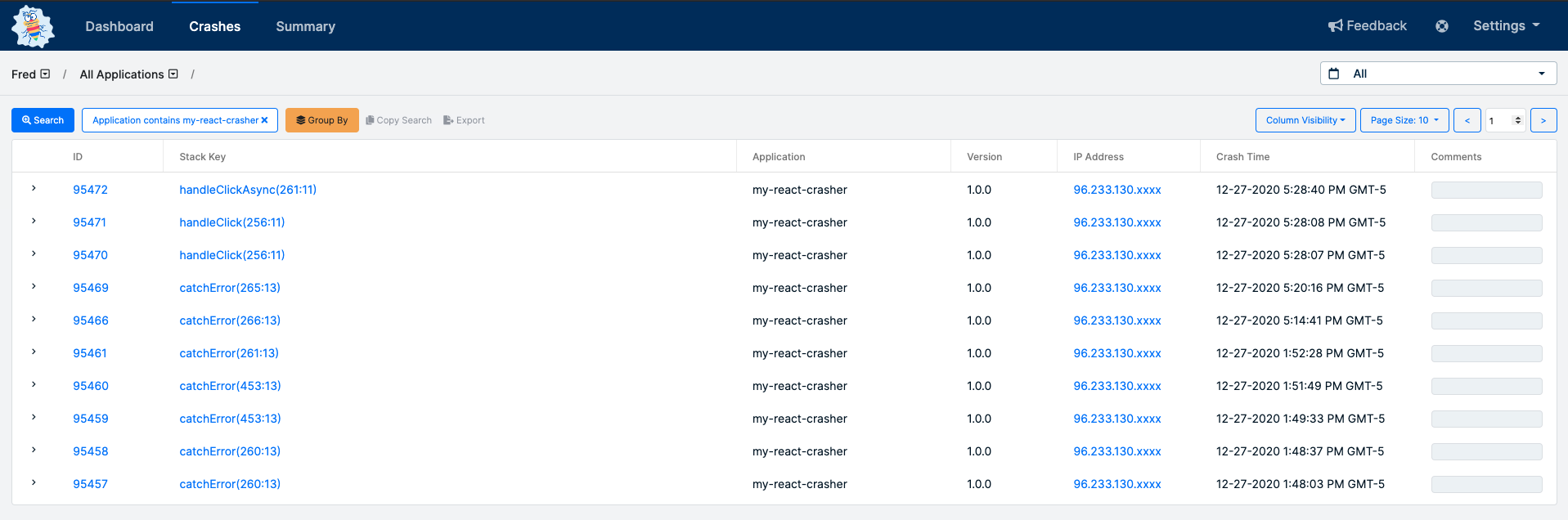
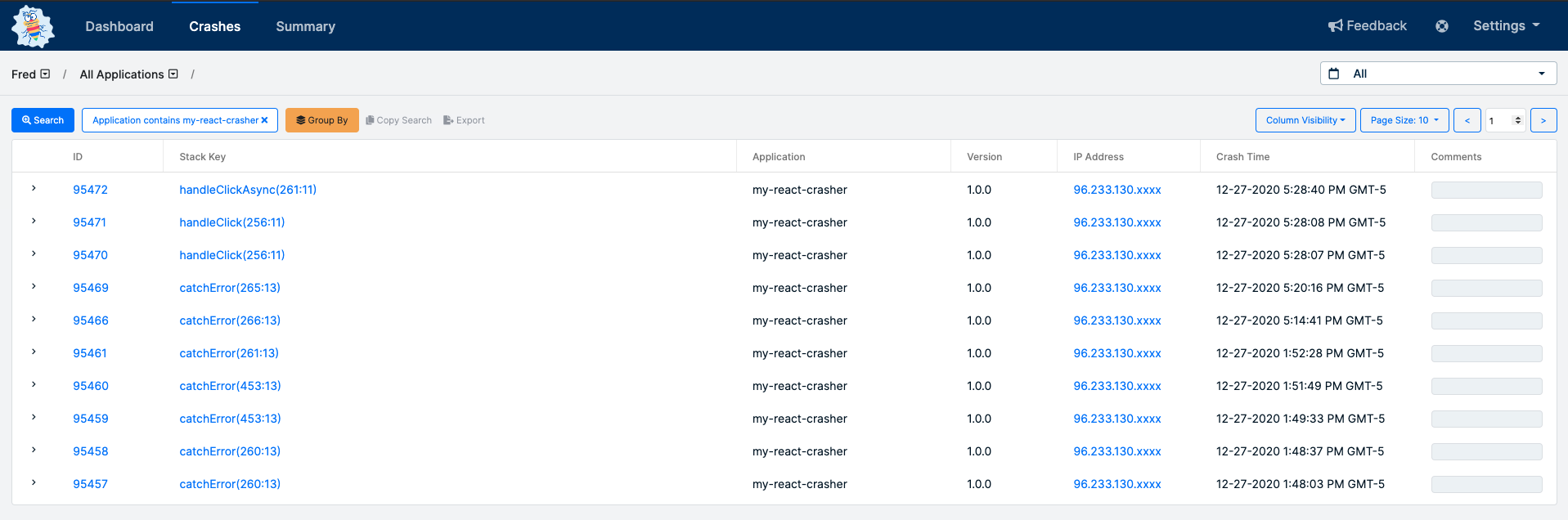
After posting an error with bugsplat-js, navigate to the [Crashes](https://app.bugsplat.com/v2/crashes?database=Fred&c0=appName&f0=CONTAINS&v0=my-react-crasher) page. You should see a new crash report for the application you just configured. Click the link in the ID column to see details about your crash on the [Crash](https://app.bugsplat.com/v2/crash?database=Fred&id=94338) page:
That’s it! Your application is now configured to post crash reports to BugSplat.
## 🧩 API
In addition to the configuration demonstrated above, there are a few public methods that can be used to customize your BugSplat integration:
```ts
bugsplat.setDefaultAppKey(appKey); // Additional metadata that can be queried via BugSplat's web application
bugsplat.setDefaultUser(user); // The name or id of your user
bugsplat.setDefaultEmail(email); // The email of your user
bugsplat.setDefaultDescription(description); // Additional info about your crash that gets reset after every post
async bugsplat.post(error, options); // Posts an arbitrary Error object to BugSplat
// If the values options.appKey, options.user, options.email, options.description are set the corresponding default values will be overwritten
// Returns a promise that resolves with properties: error (if there was an error posting to BugSplat), response (the response from the BugSplat crash post API), and original (the error passed by bugsplat.post)
```
## 📢 Upgrading
If you are developing a Node.js application and were using bugsplat-js <= 5.0.0 please upgrade to [bugsplat-node](https://www.npmjs.com/package/bugsplat-node). BugSplat-node has the same consumer APIs as bugsplat-js <= 5.0.0. Additionally, support for file attachments and exiting the Node process in the error handler have been moved to [bugsplat-node](https://www.npmjs.com/package/bugsplat-node) so that bugsplat-js can be run in browsers as well as Node.js environments.
## 🧑💻 Contributing
BugSplat loves open source software! Please check out our project on [GitHub](https://github.com/BugSplat-Git/bugsplat-js) and send us a pull request.
## 👷 Support
If you have any additional questions, please email or [support](mailto:support@bugsplat.com) team, join us on [Discord](https://discord.gg/K4KjjRV5ve), or reach out via the chat in our web application.