browser-nativefs
Version:
Native File System API with legacy fallback in the browser.
139 lines (105 loc) • 3.94 kB
Markdown
This module allows you to easily use the
[](https://wicg.github.io/file-system-access/) on supporting browsers,
with a transparent fallback to the `<input type="file">` and `<a download>` legacy methods.
This library is a [ponyfill](https://ponyfill.com/).
Read more on the background of this module in my post
[](https://blog.tomayac.com/2020/01/23/progressive-enhancement-in-the-age-of-fugu-apis/).
See the library in action: https://browser-nativefs.glitch.me/.
The module feature-detects support for the File System Access API and
only loads the actually relevant code.
```js
// The imported methods will use the File System
// Access API or a fallback implementation.
import {
fileOpen,
directoryOpen,
fileSave,
} from 'https://unpkg.com/browser-nativefs';
(async () => {
// Open a file.
const blob = await fileOpen({
mimeTypes: ['image/*'],
});
// Open multiple files.
const blobs = await fileOpen({
mimeTypes: ['image/*'],
multiple: true,
});
// Open all files in a directory,
// recursively including subdirectories.
const blobsInDirectory = await directoryOpen({
recursive: true,
});
// Save a file.
await fileSave(blob, {
fileName: 'Untitled.png',
extensions: ['.png'],
});
})();
```
```js
// Options are optional.
const options = {
// List of allowed MIME types, defaults to `*/*`.
mimeTypes: ['image/*'],
// List of allowed file extensions (with leading '.'), defaults to `''`.
extensions: ['.png', '.jpg', '.jpeg', '.webp'],
// Set to `true` for allowing multiple files, defaults to `false`.
multiple: true,
// Textual description for file dialog , defaults to `''`.
description: 'Image files',
};
const blobs = await fileOpen(options);
```
```js
// Options are optional.
const options = {
// Set to `true` to recursively open files in all subdirectories,
// defaults to `false`.
recursive: true,
};
const blobs = await directoryOpen(options);
```
The module also polyfills a [`webkitRelativePath`](https://developer.mozilla.org/en-US/docs/Web/API/File/webkitRelativePath) property on returned files in a consistent way, regardless of the underlying implementation.
```js
// Options are optional.
const options = {
// Suggested file name to use, defaults to `''`.
fileName: 'Untitled.txt',
// Suggested file extensions (with leading '.'), defaults to `''`.
extensions: ['.txt'],
};
// Optional file handle to save back to an existing file.
// This will only work with the File System Access API.
// Get a `FileHandle` from the `handle` property of the `Blob`
// you receive from `fileOpen()` (this is non-standard).
const handle = previouslyOpenedBlob.handle;
await fileSave(someBlob, options, handle);
```
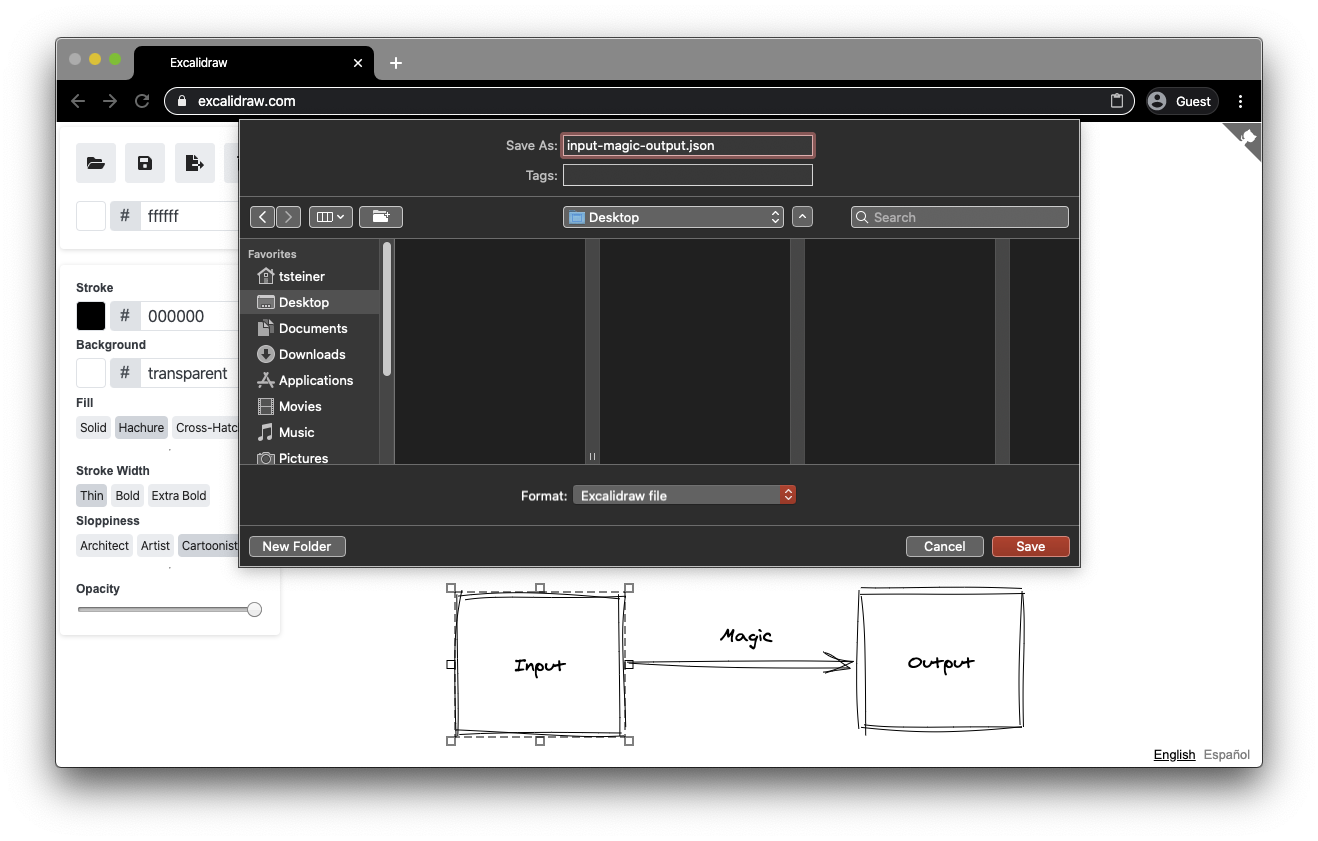
You can see the module in action in the [Excalidraw](https://excalidraw.com/) drawing app.
A similar, but more extensive library called
[](https://github.com/jimmywarting/native-file-system-adapter/)
is provided by [@jimmywarting](https://github.com/jimmywarting).
Thanks to [@developit](https://github.com/developit)
for improving the dynamic module loading
and [@dwelle](https://github.com/dwelle) for the helpful feedback,
issue reports, and the Windows build fix.
Directory operations were made consistent regarding `webkitRelativePath`
and parallelized and sped up significantly by
[@RReverser](https://github.com/RReverser).
The TypeScript type annotations were provided by
[@nanaian](https://github.com/nanaian).
Apache 2.0.
This is not an official Google product.