brgndy-react-wave-form
Version:
react audio waveform library like soundcloud
114 lines (94 loc) • 5.13 kB
Markdown
react audio waveform library like soundcloud
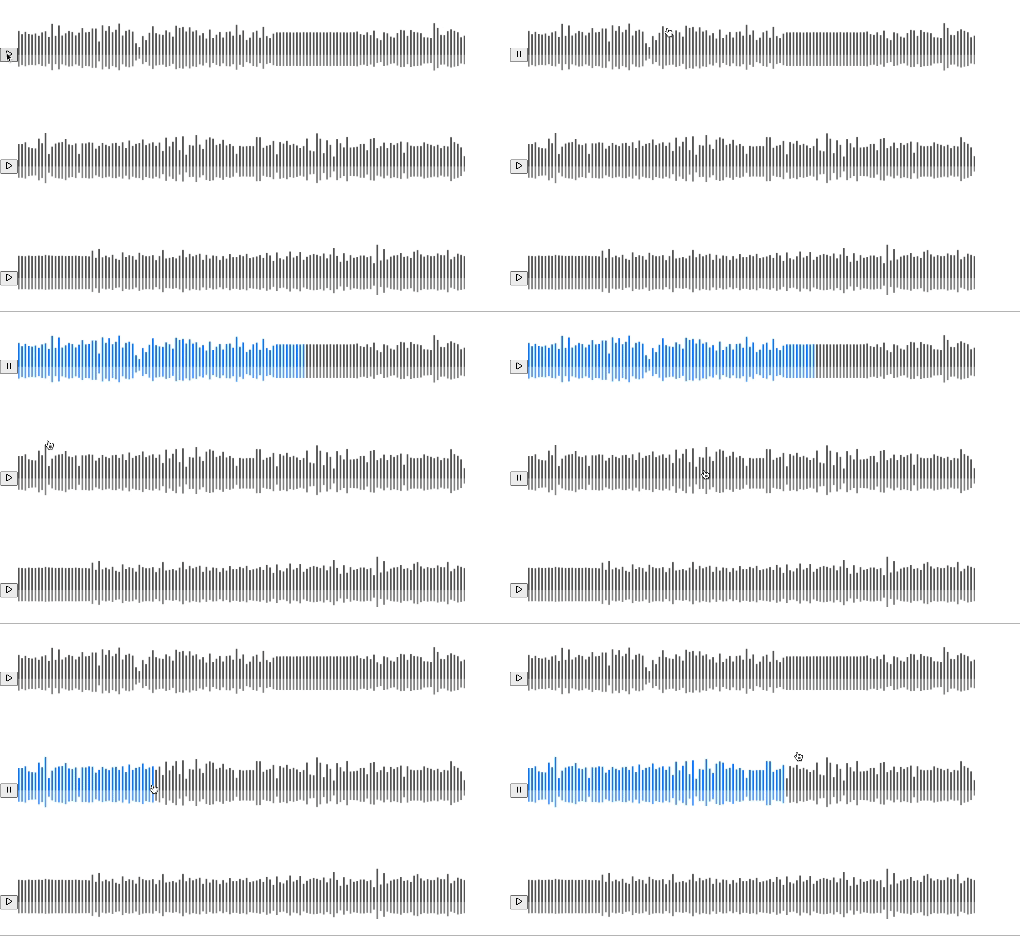
```
npm install brgndy-react-wave-form
```
```tsx
import {
AudioWaveForm,
AudioWaveFormWrapper,
PlayOrPauseButton,
} from "brgndy-react-wave-form";
import { buttonClass, waveFormClass, waveFormContainer, icon } from "./App.css";
import { ReactComponent as PlayIcon } from "../src/assets/play.svg";
import { ReactComponent as PauseIcon } from "../src/assets/pause.svg";
const mockMusicData = [
{
id: 1,
src: "/music1.mp3",
},
{
id: 2,
src: "/music2.mp3",
},
{
id: 3,
src: "/music3.mp3",
},
];
function App() {
return (
<>
<AudioWaveFormWrapper>
{musicData.map((music) => {
return (
<div key={music.id} className={waveFormContainer}>
<PlayOrPauseButton
src={music.src}
className=""
playOrPauseValues={[
<PlayIcon className={icon} />,
<PauseIcon className={icon} />,
]}
/>
<AudioWaveForm
waveFormWidth={800}
barWidth={3}
barGap={3}
barVariability={0.5}
waveFormClassName={waveFormClass}
audioFileSrc={music.src}
backgroundTopColor={"red"}
backgroundBottomColor={"yellow"}
barTopColor={"black"}
barBottomColor={"gray"}
/>
</div>
);
})}
</AudioWaveFormWrapper>
</>
);
}
export default App;
```
| Name | Datatype | Default | Description |
| --------------------- | -------- | ------------------------ | -------------------------------------------------------------------------- |
| audioFileSrc | string | "" | URL of the music file you want to convert to WaveForm |
| waveFormClassName | string | "" | className you want to apply that canvas component. |
| waveFormWidth | number | 500 | The basic width of the canvas you want to convert. default minimum is 500 |
| waveFromHeight | number | 200 | The basic height of the canvas you want to convert. default minimum is 200 |
| barWidth | number | 3 | Area of the waveform bar you want to convert. default minimum is 3 |
| barGap | number | 3 | gap between waveform bars. default minimum is 3 |
| baseBarHeight | number | 0.2 | Bar height of basic waveform. default minimum is 0.2 |
| barVariability | number | 0.6 | Change in height between waveform bars. default minimum is 0.6 |
| backgroundTopColor | string | "rgb(92, 92, 92)" | Top of the default background color that has not been played yet |
| backgroundBottomColor | string | "rgba(0, 128, 255, 0.7)" | The part below the default background color that has not yet been played. |
| barTopColor | string | "rgb(0, 128, 255)" | The color of the top part when the song is played |
| barBottomColor | string | "rgba(92, 92, 92, 0.7)" | The color of the bottom part when the song is played |
| Name | Datatype | Default | Description |
| ----------------- | ------------------------------------------------------ | ----------------- | -------------------------------------------------------------------------------------------------------------- |
| audioFileSrc | string | "" | src of the music you want to play |
| className | string | "" | className you want to apply that component. |
| playOrPauseValues | [string, string] or [React.ReactNode, React.ReactNode] | ["play", "pause"] | Contents to be included in the play and pause buttons, index 0 is related to play, index 1 is related to pause |
> If you want to insert content into a button as SVG, use a conversion tool like svgr to convert it into a component!
- brgndyy [github](https://github.com/brgndyy)
MIT