bpmn-js-properties-panel
Version:
A simple properties panel for bpmn-js
123 lines (83 loc) • 3.59 kB
Markdown
# bpmn-js-properties-panel
[](https://travis-ci.org/bpmn-io/bpmn-js-properties-panel)
This is properties panel extension for [bpmn-js](https://github.com/bpmn-io/bpmn-js).
[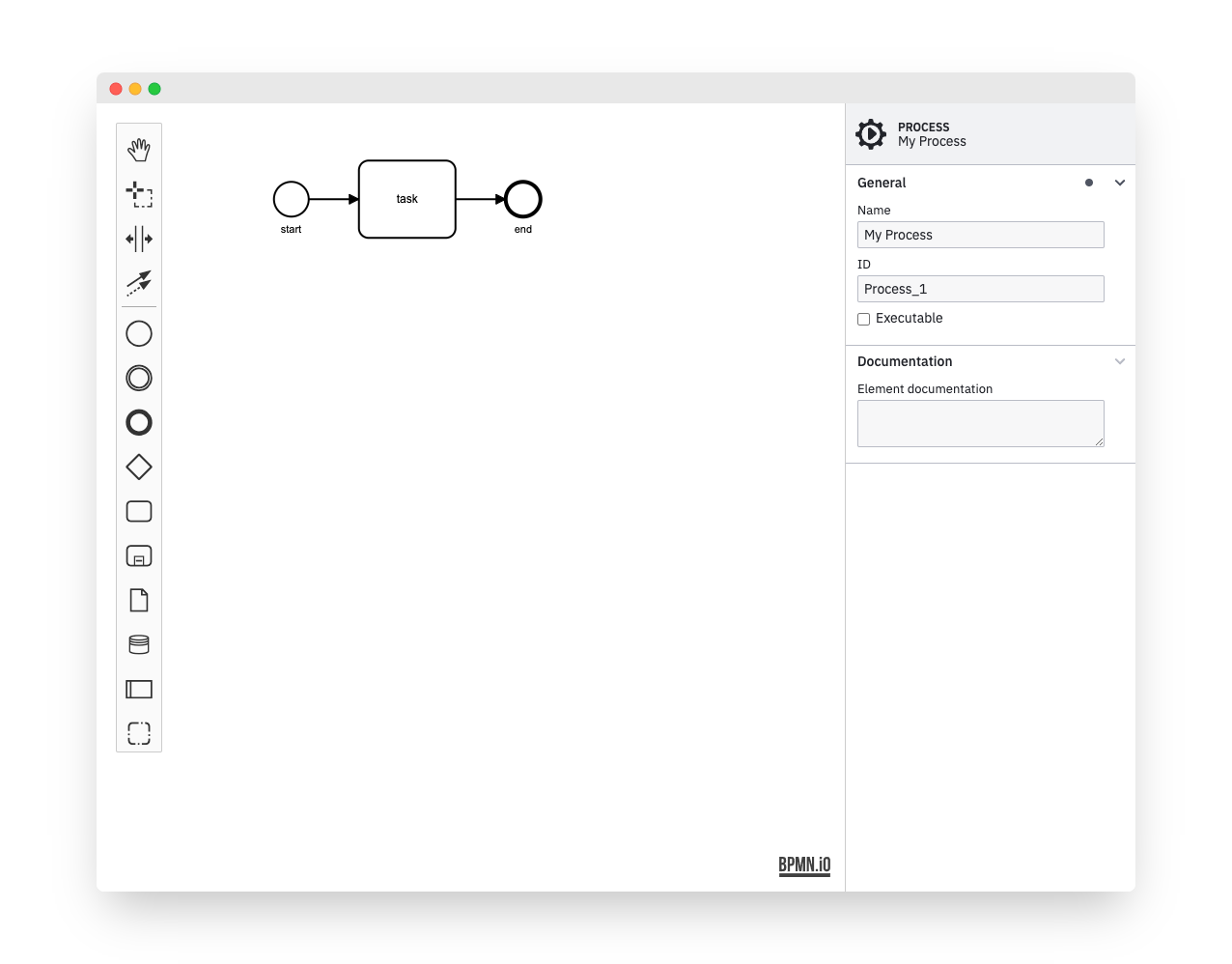](https://github.com/bpmn-io/bpmn-js-examples/tree/master/properties-panel)
## Features
The properties panel allows users to edit invisible BPMN properties in a convenient way.
Some of the features are:
* Edit element ids, multi-instance details and more
* Edit execution related [Camunda](http://camunda.org) properties
* Redo and undo (plugs into the [bpmn-js](https://github.com/bpmn-io/bpmn-js) editing cycle)
## Usage
Provide two HTML elements, one for the properties panel and one for the BPMN diagram:
```html
<div class="modeler">
<div id="canvas"></div>
<div id="properties"></div>
</div>
```
Bootstrap [bpmn-js](https://github.com/bpmn-io/bpmn-js) with the properties panel and a [properties provider](https://github.com/bpmn-io/bpmn-js-properties-panel/tree/master/lib/provider):
```javascript
var BpmnJS = require('bpmn-js/lib/Modeler'),
propertiesPanelModule = require('bpmn-js-properties-panel'),
propertiesProviderModule = require('bpmn-js-properties-panel/lib/provider/bpmn');
var bpmnJS = new BpmnJS({
additionalModules: [
propertiesPanelModule,
propertiesProviderModule
],
container: '#canvas',
propertiesPanel: {
parent: '#properties'
}
});
```
### Dynamic Attach/Detach
You may attach or detach the properties panel dynamically to any element on the page, too:
```javascript
var propertiesPanel = bpmnJS.get('propertiesPanel');
// detach the panel
propertiesPanel.detach();
// attach it to some other element
propertiesPanel.attachTo('#other-properties');
```
### Use with Camunda properties
In order to be able to edit [Camunda](https://camunda.org) related properties, use the [camunda properties provider](https://github.com/bpmn-io/bpmn-js-properties-panel/tree/master/lib/provider/camunda).
In addition, you need to define the `camunda` namespace via [camunda-bpmn-moddle](https://github.com/camunda/camunda-bpmn-moddle).
```javascript
var BpmnJS = require('bpmn-js/lib/Modeler'),
propertiesPanelModule = require('bpmn-js-properties-panel'),
// use Camunda properties provider
propertiesProviderModule = require('bpmn-js-properties-panel/lib/provider/camunda');
// a descriptor that defines Camunda related BPMN 2.0 XML extensions
var camundaModdleDescriptor = require('camunda-bpmn-moddle/resources/camunda');
var bpmnJS = new BpmnJS({
additionalModules: [
propertiesPanelModule,
propertiesProviderModule
],
container: '#canvas',
propertiesPanel: {
parent: '#properties'
},
// make camunda prefix known for import, editing and export
moddleExtensions: {
camunda: camundaModdleDescriptor
}
});
...
```
## Additional Resources
* [Issue tracker](https://github.com/bpmn-io/bpmn-js-properties-panel)
* [Forum](https://forum.bpmn.io)
* [Example Project](https://github.com/bpmn-io/bpmn-js-examples/tree/master/properties-panel)
## Development
### Running the tests
```bash
npm install
# if required: npm install -g grunt-cli
export TEST_BROWSERS=Chrome
grunt test
```
## License
MIT