botbuilder-unit
Version:
Unit tests for chatbot dialogs
505 lines (398 loc) • 19.4 kB
Markdown
[](https://badge.fury.io/gh/gudwin%2Fbotbuilder-unit)
[](https://travis-ci.org/gudwin/botbuilder-unit.svg?branch=master)
[](https://coveralls.io/github/gudwin/botbuilder-unit?branch=master)
Table of Contents
=================
* [Glossary](#glossary)
* [Introduction](#introduction)
* [WARNING Migration to 0.6.* version](#warning-migration-to-06-version)
* [List of supported features:](#list-of-supported-features)
* [Quick Start](#quick-start)
* [Install library](#install-library)
* [Create Test Script](#create-test-script)
* [Execute Script](#execute-script)
* [Installation](#installation)
* [Configuration](#configuration)
* [Script Messages](#script-messages)
* [Step Examples](#step-examples)
* [User Messages](#user-messages)
* [Expected Responses](#expected-responses)
* [Richcards and Attachments validation](#richcards-and-attachments-validation)
* [Session Management](#session-management)
* [Validating ending of conversation](#validating-ending-of-conversation)
* [Validating typing indicator](#validating-typing-indicator)
* [Custom Steps](#custom-steps)
* [Set Current Dialog](#set-current-dialog)
* [Global options](#global-options)
* [As an Environment Variable](#as-an-environment-variable)
* [As a part of the Library module.exports](#as-a-part-of-the-library-moduleexports)
* [API](#api)
* [Options Object](#options-object)
* [Mocking responses from the bot](#mocking-responses-from-the-bot)
* [ConversationMock](#conversationmock)
* [new ConversationMock( steps )](#new-conversationmock-steps-)
* [ConversationMock.prototype](#conversationmockprototype)
* [ConversationMock static methods](#conversationmock-static-methods)
* [Examples](#examples)
* [ChangeLog](#changelog)
# Glossary
- **script** or **conversation spec** - array of objects. Script is a step-by-step specification for conversation between a human and an application;
- **filter** function - a custom function that will be called by Library. Used to inject async data, the function should return a [Promise](https://promisesaplus.com/);
- **MBF** - Microsoft Bot Framework, Node.JS version;
# Introduction
> The Library still in an active development, so don't hesitate to propose changes and new features! Backward compatibility of API not guaranteed before 1.0 release.
This is a test framework for chatbots developed with Microsoft Bot Framework for Node.JS. Supports both unit and functional tests. In background of MBF
Emulates a conversation between user and bot. Provides input for bot and validates response. Each test requires a script - array of steps, where every step represents of next entities:
* Validator for Bot response;
* An Input for bot;
* Conversation State validator or modifier;
* Custom action, with logic injected by test developer;;
Test fails if conversation deviates from specified in script.
## WARNING Migration to 0.6.* version
- __before__ and __after__ attributes are not supported anymore, use **custom** steps instead;
- Bot instance removed from _filter_ functions arguments, as it is useless, as it never used;
I apologize for the inconvenience.
## List of supported features:
* Support bots (for functional tests) and dialogs (unit testing);
* Built-in validators:
* text : message text. Could be an exact phrase or regular expression by equality or by regular expression;
* [prompts](https://docs.microsoft.com/en-us/bot-framework/nodejs/bot-builder-nodejs-dialog-prompt);
* conversation [endings](https://docs.microsoft.com/en-us/bot-framework/nodejs/bot-builder-nodejs-dialog-manage-conversation-flow#end-conversation) and typing [indicators](https://docs.microsoft.com/en-us/bot-framework/nodejs/bot-builder-nodejs-send-typing-indicator);
* validation of [suggested actions](https://docs.microsoft.com/en-us/bot-framework/nodejs/bot-builder-nodejs-send-suggested-actions);
* attachment and richcard validation;
* session state management;
* active dialog and default params management;
* timeout validation;
* custom validation login as a step of the script
* configurable reporting;
* mocking of responses from a bot, use it if you need only to prototype conversation;
# Quick Start
## Install library
`npm install --save-dev botbuilder-unit`
## Create Test Script
File **"test-script.js"**:
```javascript
const unit = require('botbuilder-unit');
const builder = require('botbuilder');
// This array, also called a script. It will be used to validate conversation with user
let script = [
{
"user": "hi"
},
{
"bot": "How should I call you?"
},
{
"user": "Timmy"
},
{
"bot": "Nice to meet you, \"Timmy\"!"
}
];
// Setting up a bot
bot = new builder.UniversalBot(connector);
bot.dialog('/', [
session => builder.Prompts.text(session, 'How should I call you?'),
(session, response) => session.endDialog(`Nice to meet you, ${JSON.stringify(response.response)}!`)
]);
// Executing test
unit(bot, script, {
title: 'Your first test script',
reporter : new unit.BeautyLogReporter() // Display log in messenger-like style, with colors
}).then(() => {
// If test finished successfully
console.log('Script passed');
}, (err) => {
console.error(err);
})
```
## Execute Script
```node ./test-script.js```
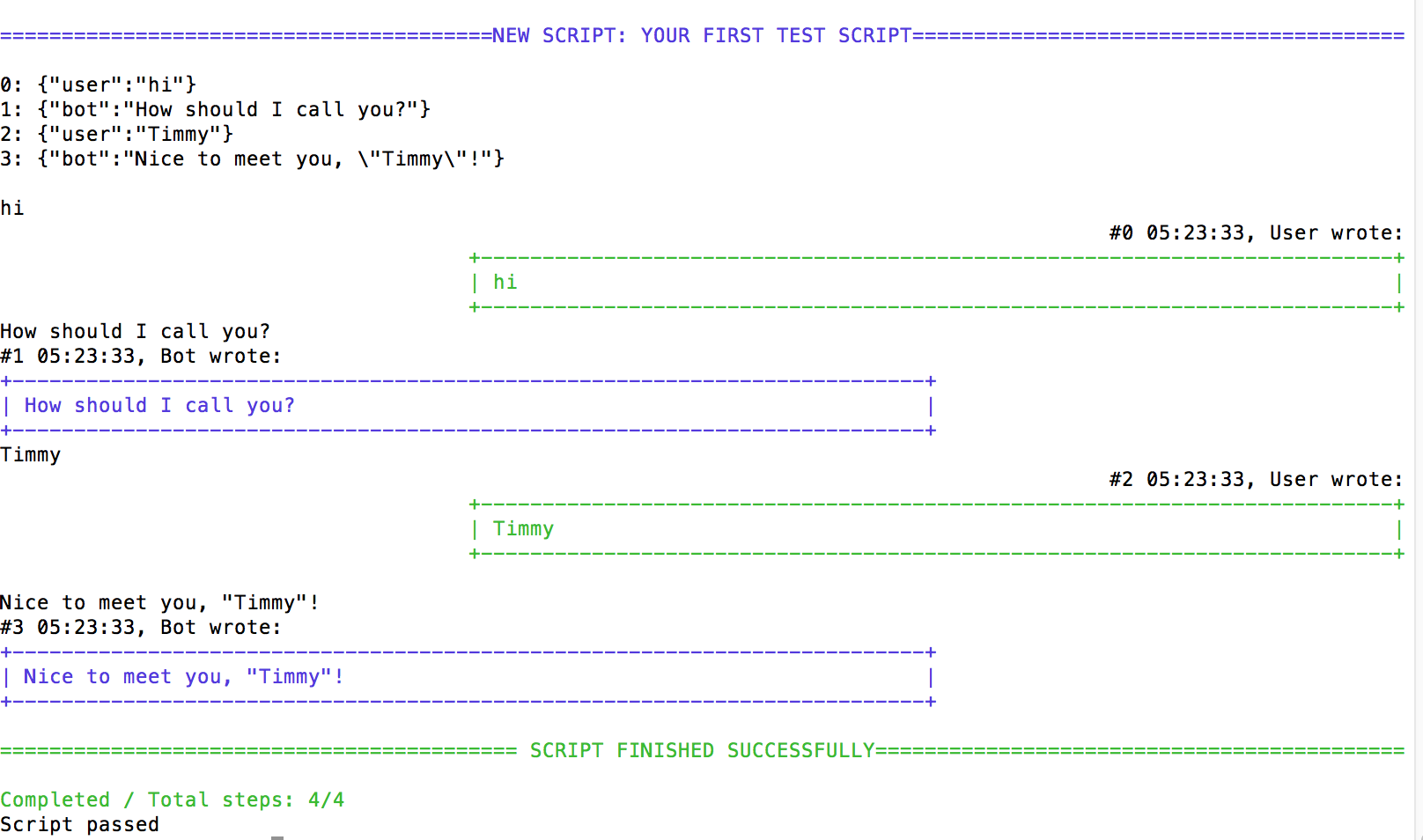
At the end you will see next result:
# Installation
`npm install --save-dev botbuilder-unit`
# Configuration
## Script Messages
As already mentioned, all steps are divided into groups of activities, each step is key-value object. Each activity defines a set of unique keys. So, the Library differentiates steps key used in a step configuration.
Each key represents a concrete action. Some keys could used together, in one step. If key name marked as **standalone**, that means the key always alone in a step.
It is not possible to mix key of different activities.
Full list of supported step attributes:
* Bot Response Validation. :
* **bot**:(string|filter) - message text, received from bot;
* **suggestedActions**: array - validates suggestedActions of received message ;
* **attachmentLayout**: string - used to identify layout, a way how attachments ordered and displayed. Usually one of _list_ or _carousel_.
* **attachments**: array - each item represents an attachment, meta-data and content;
* standalone ***endConversation**: null, use it to specify that conversation will be finished;
* standalone **typing**: null, use it, if you want to validate that [typing indicator](https://docs.microsoft.com/en-us/bot-framework/nodejs/bot-builder-nodejs-send-typing-indicator) sent;
* Input from User:
* **user**: (string|filter) text message or instance of Botbuilder.Message
* Session Management:
* **session** (object|filter) - used to set value of session or to validate it (see examples below);
* Dialog Management:
* **dialog**, sets current dialog for bot instance, could be used together with **args** option
* **args**, set default arguments for bot instance, could be used together with **dialog** option
## Step Examples
### User Messages
If the message is from the user, than message object should look like this:
```javascript
{
"user" : "Hey there!"
}
```
Or, specify a _filter_ function. The Library will pass an argument to the function - an instance of bot being tested. A function must return a Promise. An resolved value of Promise (supposed to be a string) will be passed to the bot:
```javascript
{
"user": function () {
return Promise.resolve('Hello world!');
}
}
```
### Expected Responses
In case, if the message is from the bot, than:
```javascript
{
"bot" : "Hello, %username%"
}
```
It is possible to validate bot messages with RegExps:
```javascript
{
"bot" : /^Hello/
}
```
or with a _filter_ function. The Library will pass two arguments into the function:
* **bot**, a bot instance itself,
* **receivedMessage**, a message object received from bot
Next example presents usage of filter function, that validates if chatbot returned a Number in range of 0 to 100:
```javascript
{
"bot" : function ( receivedMessage) {
let value = parseInt(receivedMessage.text);
if (( value >= 0 ) && (value <=100)) {
return Promise.resolve('success');
} else {
return Promise.reject('failure');
}
}
}
```
If you want to validate suggested actions of the message:
```javascript
{
"bot" : "Hello world!",
"suggestedActions" : [
botbuilder.CardAction.imBack(null, "add", "Add"),
botbuilder.CardAction.imBack(null, "settings", "Settings")
]
}
```
You could use _filter_ function to validate suggested actions:
```javascript
{
"bot" : function ( receivedMessage ) {
if ( receviedMessage.suggestedActions.length == 2 ) {
return Promise.resolve('success');
} else {
return Promise.reject('fail');
}
}
}
```
### Richcards and Attachments validation
It is possible to validate attachments and richcards returned by a bot. To validate attachment body you need to specify a step with _attachments_ attribute, to validate an attachment layout you need to specify _attachmentLayout_ attribute.
It is possible to combine these parameters together.
```javascript
{
"attachmentLayout": "carousel",
"attachments": [
{
"contentType": "application/vnd.microsoft.card.hero",
"content": {
"title": "My Title",
"subtitle": "My Subtitle",
"images": [
{
"url": "Some Url"
},
{
"url": "Another Url"
}
]
}
}
]
},
```
Or with _bot_ attribute:
```javascript
{
"bot" : "Hello World!",
"attachmentLayout": "carousel",
"attachments": [
{
"contentType": "application/vnd.microsoft.card.hero",
"content": {
"title": "My Title",
"subtitle": "My Subtitle",
"images": [
{
"url": "Some Url"
},
{
"url": "Another Url"
}
]
}
}
]
},
```
Inside attachments body you could freely use _filter_ functions. The function will receive a part of attachments object body for validation:
```javascript
{
"bot" : "World!",
"attachmentLayout": function ( value ) {
return "carousel" == value ? Promise.resolve() : Promise.reject();
},
"attachments": [
{
"contentType": "application/vnd.microsoft.card.hero",
"content": {
"title": function ( value ) {
return "My Title" == value ? Promise.resolve() : Promise.reject('Wrong title');
},
"subtitle": function (value ) {
return "My Subtitle" == value ? Promise.resolve() : Promise.reject('Wrong subtitle');
},
"images": function ( value ) {
return 2 == value.length ? Promise.resolve() : Promise.reject('Wrong images count');
}
}
}
]
}
```
### Session Management
It is possible to setup a state for session:
```javascript
{
"session" : {userData: {userName : 'Joe'}}
}
```
Another option is to specify a _filter_ function. Current session object will be passed as a first argument into the filter:
```javascript
{
"session" : function (session) {
session.userDta.userName = 'Joe';
return Promise.resolve(session);
}
}
```
### Validating ending of conversation
Example:
```javascript
{
"endConversation" : true
}
```
More about ending conversation you could find in [official documentation](https://docs.microsoft.com/en-us/bot-framework/nodejs/bot-builder-nodejs-dialog-manage-conversation-flow#end-conversation).
### Validating typing indicator
Example:
```javacript
{
"typing": true
}
```
### Custom Steps
It is possible to inject a custom step into the script. Such step contains a user-defined _filter_ function (in attribute _custom_)_ that **MUST** return a Promise object.
Once, when the Promise will appear resolved/rejected state:
* _rejected_ state will stop active test execution with error returned by the Promise
* _fulfilled_ (resolved) state will continue the script execution
Example:
```javacript
{
"custom": function () {
if ( someValidationFunc() ) {
return Promise.resolve();
} else {
return Promise.reject('Custom validation failed');
}
}
}
```
### Set Current Dialog
You could specify a dialog _id_ that will be set as active or default dialog for the bot. In case, if you call that function in the middle of conversation (when session conversation object already created) this message will [replace](https://docs.microsoft.com/en-us/bot-framework/nodejs/bot-builder-nodejs-dialog-replace)
See an Example:
It is also possible to specify an arguments to the function:
**Important!** the message produces a side effect as the function manipulates with attributes: **settings.defaultDialogId** and **settings.defaultDialogArgs**
You also could specify a _filter_ function. The Library will pass current instance of bot as argument into the function:
## Global options
Global options will be applied to every script that will be processed by library. There are two ways to setup a global option:
- as an environment variable, Library will autoload it during startup;
- as an attribute of _config_ object exposed in _module.exports_ section of The Library;
### As an Environment Variable
- **BOTBUILDERUNIT_TEST_TIMEOUT** - timeout for script execution in milliseconds
- **BOTBUILDERUNIT_REPORTER** - logging style, supported values: _empty_, _plain_ and _beauty_
For example, to run script with 10 seconds timeout and beautified output you need to execute something like:
`export BOTBUILDERUNIT_REPORTER=beauty; export BOTBUILDERUNIT_TEST_TIMEOUT=10000; npm test`
### As a part of the Library module.exports
The library exposes `config` object in module.exports. Properties of an object:
- **timeout** - timeout for script execution in milliseconds
- **reporter** - the instance of reporting class. Default value: _new PlainLogReporter()_. Classes provided by library:
- **PlainLogReporter**, default, will output text messages in console
- **EmptyLogReporter**, nothing will be sent to output
- **PlainLogReporter**, colored and styled output, useful for long scripts
# API
* **unit(bot , script, options)** or **unit(dialog, script, options)** - Tests given bot instance or dialog with script. Returns a Promise that will be resolved in case of success. Method arguments:
* **bot** | **dialog** UniversalBot | function | Array, Bot instance or a dialog. Dialogs wrapped by Library into empty UniversalBot instance.
* **script** Array, List of test steps, each step represents one piece of conversation between a user and a bot;
* (optional) **options** object - a key-value object.
## Options Object
key | description
--- | ---
title | String or null, value that represents test title. Will be rendered in test report
timeout | Integer, allowed execution time for a test
reporter | intance of BaseLogReporter, an log reporter instance, overwrites default log reporter
# Mocking responses from the bot
Library provides an **ConversationMock** class with purpose to mock responses from the chatbot. Possible use cases for such feature are:
- you want to test a recognizer;
- you want to "prototype" a conversation flow and see how it looks and feels, without real implementation of the dialogs
## ConversationMock
### new ConversationMock( steps )
Where **steps** is an array of standard waterfall dialog functions. Each step will be executed only once. The Library will pass standard arguments: __session__, __arguments__,__next__ into step.
### ConversationMock.prototype
- **getListener()** returns a listener for WaterfallDialog. Once the listener executed the first step will be executed, and will move internal pointer to a next step. Second call will execute second step callback and so on...
### ConversationMock static methods
- **sendMessagesStep( messages, afterFunc)** - Creates a step for waterfall dialog. Arguments:
- **messages** argument is an array of strings, these messages will be sent to user;
- **afterFunc**__(session, args, next)__ is a callback, will be called after messages will be sent.
# Examples
- [Base Example](https://github.com/gudwin/botbuilder-unit/blob/master/examples/01-timmy/timmy.js?raw=true)
- [Session Management Example](https://github.com/gudwin/botbuilder-unit/blob/master/examples/02-session/session.js?raw=true)
- [Startup Dialog Example](https://github.com/gudwin/botbuilder-unit/blob/master/examples/03-startup/startup.js?raw=true)
- [Rich Card Validation Example](https://github.com/gudwin/botbuilder-unit/blob/master/examples/04-richcard/richcard.js?raw=true)
- [Testing Standalone Dialog Example](https://github.com/gudwin/botbuilder-unit/blob/master/examples/05-dialog/dialog.js?raw=true)
# ChangeLog
- 0.7.1 - code coverage tool integrated into CI pipeline, finally. Improved attachment validation errors.
- 0.7.0 - new method - **dialog(waterfallDialog, script)**, MemoryConnector, methods for testing standalone dialog or middleware,
- 0.6.5 - Switched license to LGPL, more tests for suggested actions;
- 0.6.4 - Better error messages;
- 0.6.3 - Fix for attachment validation by callback. Better error messages. Smoke tests for log reporters;
- 0.6.2 - Better error messages;
- 0.6.1 - Rich card and attachments validation. **Warning!** Bot instance removed from _filter_ functions arguments, as it is useless, as it never used;
- 0.6.0 - support for custom steps, refactoring of steps execution flow. **Warning!** __before__ and __after__ attributes are not supported anymore, use **custom** steps instead
- 0.5.5 - documentation updates & fixes;
- 0.5.4 - TOC added into documentation, basic test for proactive messages, basic code coverage report added;
- 0.5.3 - fixes, examples;
- 0.5.2 - missed setDialogMessageSpec specification;
- 0.5.1 - documentation updates, support for startup dialog, refactorings;
- 0.5.0 - support for session messages
- 0.4.7 - support for suggestActions, minor fixes
- 0.4.2 - new static method for ConversationMock class - sendMessagesStep, minor fixes
- 0.4.0 - new output log, global options support
- 0.3.0 - timeout support, minor fixes
- 0.2.3 - fixed error with case then multiple messages from users awaited
- 0.2.2 - updated error messages in case if current message in script does not matching pattern for a bot's message
- 0.2.0 - removed ambiguity with user and bot messages, using "user" and "bot" instead of "out" and "in"
- 0.1.0 - initial version