binary-clock-js
Version:
Display Binary Clock
58 lines (41 loc) • 1.97 kB
Markdown
# Binary Clock JS
[](https://nodei.co/npm/binary-clock-js/)
This displays the draws the Binary Clock on a Canvas or Terminal
### Directory Structure
1. `node`: this directory contains the example usage of this library in node js environment
2. `web`: this directory contains the example usage of this library in browser environment
3. `binary-clock.js`: source code of the library.
4. `package.json`: package info
### Screenshots
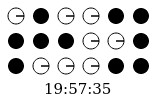
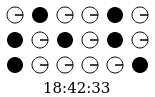
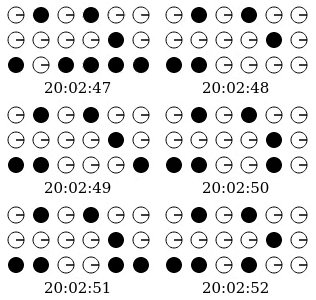
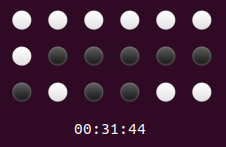
### Integration Steps for Web
1. Install `binary-clock-js` through `npm`.
```
npm i binary-clock-js -s
2. Add `canvas` tag to your html as below
```
<canvas id="binary-clock-canvas"></canvas>
3. Add the `binary-clock.js` script to your html as below
```
<script src="/path_to_node_modules/binary-clock-js/binary-clock.js"></script>
<script>
new BinaryClock(new Date(), document.getElementById('binary-clock-canvas'))
</script>
4. Web Demo: [Link](https://anjnkmr.github.io/binary-clock-js/)
### Integration Steps for Terminal
1. Install `binary-clock-js` through `npm`.
```
npm i binary-clock-js -s
2. Import `BinaryClock` to your application.
```
let { BinaryClock } = require('binary-clock');
3. Use the below function same as in Web
(Second parameter should be `null` as it is used for `canvas` object in the `web` implementation)
```
// Usage with Default Options
new BinaryClock();
// Usage with autoUpdate false
new BinaryClock(new Date(), null, {autoUpdate: false});