aws-spa
Version:
A no-brainer script to deploy a single page app on AWS
147 lines (103 loc) • 6.29 kB
Markdown
# aws-spa
Deploy a single page app on AWS in one command.
> Note: this repository is intended for internal use at Lalilo, and supports only our current deployment needs. We recommend against using it as-is in your production apps as our updates may contain breaking changes and won't be maintained to support other use cases.
[](https://circleci.com/gh/lalalilo/aws-spa) [](https://codecov.io/gh/lalalilo/aws-spa)
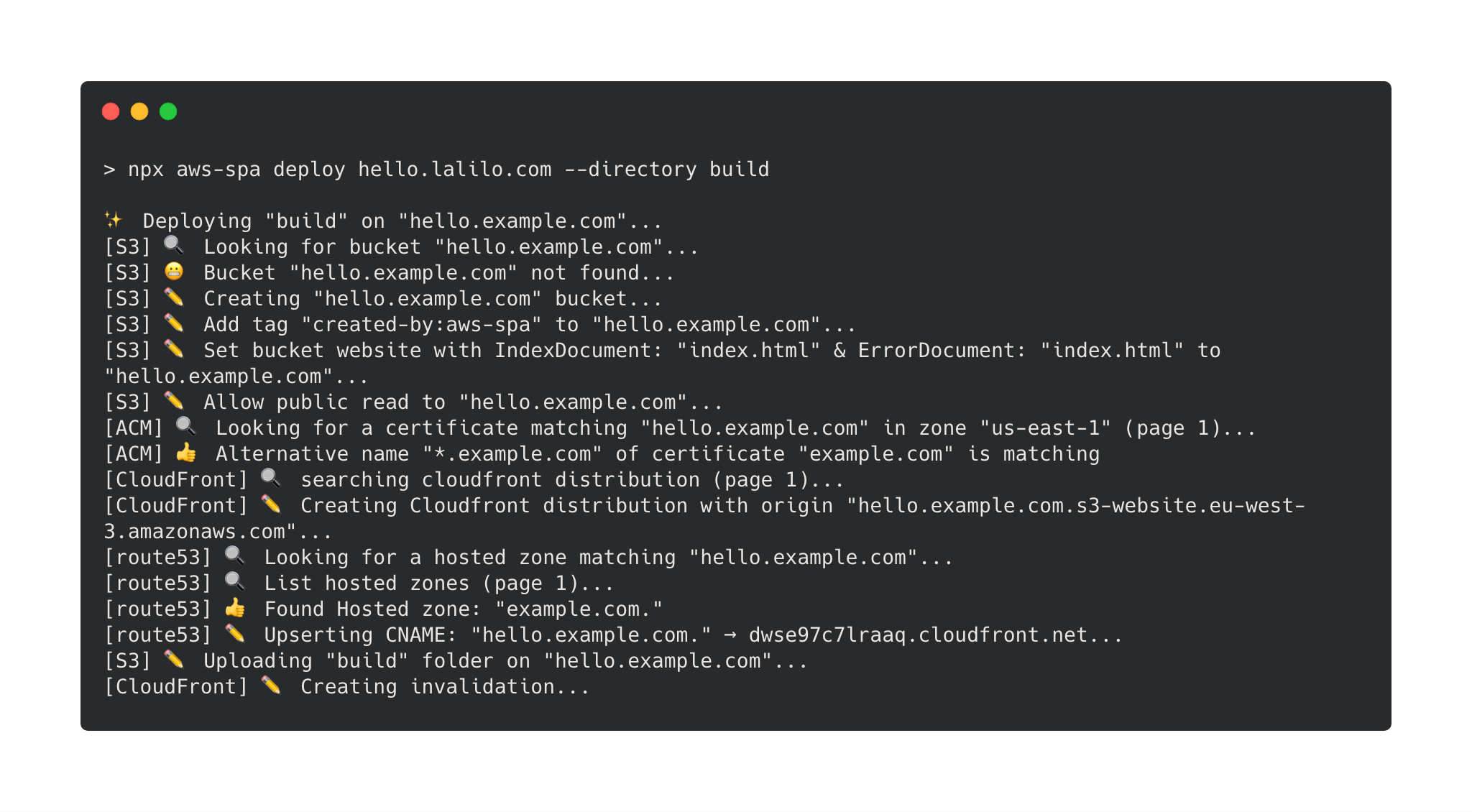
## Install & use
```bash
npm install --dev aws-spa
npx aws-spa deploy --help
```
## Why?
Configuring the deployment of a single page app is harder than it should be. Most SPA configuration are very similar. aws-spa embodies this idea. It is meant to handle all the quirks associated with SPA configuration.
## Features
- Create AWS Bucket & CloudFront distribution & Route 53 record & ACM certificate and configure it
- Serve gzipped file
- Invalidate CloudFront after deployment
- idempotent script
## Get Started
### With create-react-app
```
npx create-react-app hello-world && cd hello-world
yarn add aws-spa
yarn build
# read about [create-react-app static file caching](https://facebook.github.io/create-react-app/docs/production-build#static-file-cachin)
npx aws-spa deploy hello.example.com --cacheInvalidation "index.html" --cacheBustedPrefix "static/"
```
## API
### aws-spa deploy
Deploy a single page app on AWS
#### Positionals
- `domainName`:
The domain name on which the SPA will be accessible. For example `app.example.com`.
You can also specify a path: `app.example.com/something`. This can be useful to deploy multiple versions of an app in the same s3 bucket. For example one could deploy a feature branch of the SPA like this:
```bash
aws-spa deploy app.example.com/$(git branch | grep * | cut -d ' ' -f2)
```
#### Options
- `--wait`: Wait for CloudFront distribution to be deployed & cache invalidation to be completed. If you choose not to wait (default), you won't see site changes as soon as the command ends.
- `--directory`: The directory where the static files have been generated. It must contain an index.html. Default is `build`.
- `--cacheInvalidation`: cache invalidation to be done in CloudFront. Default is `*`: all files are invalidated. For a `create-react-app` app you only need to invalidate `/index.html`
- `--cacheBustedPrefix`: a folder where files are suffixed with a hash (cash busting). Their `cache-control` value is set to `max-age=31536000`. For a `create-react-app` app you can specify `static/`.
- `--noPrompt`: Disable confirm message that prompts on non CI environments (env CI=true).
- `--shouldBlockBucketPublicAccess`: This option will deploy the SPA with a bucket not being publicly accessible. Access to the bucket will be done through an Origin Access Control (OAC). Default value is false.
- `--noDefaultRootobject`: Instead of using index.html as the root object, allows to resolve example.com/<branch> to example.com/<branch>/index.html using a cloudfront function.
- `--redirect403ToRoot`: Redirect 403 errors to the root of the SPA. This is useful if you want to use client-side routing with an S3 static website without using a hash router.
- `--objectExpirationDays`: Add a lifecycle configuration to the bucket that clean object after a number of days. This avoid having numerous outdated branch in the bucket.
## Migrate an existing SPA on aws-spa
aws-spa is aware of the resources it is managing thanks to tags.
If a S3 bucket named with the domain name already exists, a prompt will ask you if you want to deleguate the management of this bucket to aws-s3 (this will basically checks that s3 bucket is well configured to serve a static website).
If a CloudFront distribution with this S3 bucket already exists, the script will fail because CloudFront distribution update is quite complicated.
- If you don't care about downtime, you can delete the CloudFront distribution first.
- If you care about downtime, you can configure the CloudFront distribution by yourself (don't forget to gzip the files) and then add the tag key: `managed-by-aws-spa`, value: `v1`.
## IAM
- cloudfront:CreateDistribution
- cloudfront:ListDistributions
- cloudfront:ListTagsForResource
- cloudfront:TagResource
- cloudfront:GetDistributionConfig
- cloudfront:CreateInvalidation
- cloudfront:UpdateDistribution
- cloudfront:ListOriginAccessControls
- cloudfront:GetOriginAccessControl
- cloudfront:CreateOriginAccessControl
- cloudfront:DeleteOriginAccessControl
- s3:PutBucketPolicy
- s3:GetBucketPolicy
- s3:PutBucketWebsite
- s3:GetBucketWebsite
- s3:DeleteBucketWebsite
- s3:PutBucketTagging
- s3:GetBucketTagging
- s3:DeleteBucketTagging
- s3:ListBucket
- s3:PutBucketPublicAccessBlock
- s3:CreateBucket
- s3:PutObject
- s3:PutLifecycleConfiguration
- s3:GetLifecycleConfiguration
- route53:ListHostedZones
- route53:CreateHostedZone
- route53:ListResourceRecordSets
- route53:ChangeResourceRecordSets
- acm:ListCertificates
- acm:DescribeCertificate
- acm:RequestCertificate
- lambda:CreateFunction
- lambda:GetFunctionConfiguration
- lambda:UpdateFunctionCode
- lambda:UpdateFunctionConfiguration
- iam:AttachRolePolicy
- iam:CreateRole
- iam:GetRole
### If using simple auth
- lambda:GetFunction
- lambda:EnableReplication\*
- iam:CreateServiceLinkedRole
- iam:CreateRole on resource: arn:aws:iam::<account_id>:role/aws-spa-basic-auth-\*
## FAQ
### Why not using Ansible, Saltstack, Terraform, Cloudformation, Troposphere, etc?
If it better suits your use case, these tools are probably a very good choice because there are done for this. Meanwhile there are some reasons why it is written in javascript:
- in my CI/CD installing Ansible, awscli or Terraform takes more than 1 minute. Since my SPA needs nodejs to be built, having a the same dependency to deploy is convenient & fast.
- Developers would have to learn these tools while they have already tons of things to learn. Using a script in the same language that they develop is nice.
- These tools are quite heavy while deploying a SPA requires only a couple of AWS API calls.