atlastk
Version:
The quick and easy way to add versatile graphical interfaces with networking capabilities to your Node.js programs.
130 lines (88 loc) • 9.43 kB
Markdown
# *Node.js* version of the *Atlas* toolkit
[](https://q37.info/s/st7gccd4) [](https://q37.info/s/sssznrb4)
[](http://github.com/epeios-q37/atlas-node/)
[](https://github.com/epeios-q37/atlas-node/blob/master/LICENSE)
[](https://atlastk.org)
[](https://q37.info/s/h3zjb39j)
<!--
Si la table ci-dessous est modifiée, alors modifier également (pages du site atlastk.org) :
- la page '_index' ;
- la page 'Online demonstrations' ;
-->
> The [*Atlas* toolkit](https://atlastk.org) is available for:
> | Language / Demo | Repositories | Popularity |
> |:-:|:-:|:-:|
> | [](https://q37.info/s/qtnkp9w4)<br/>[](https://q37.info/s/3vwk3h3n) | [](https://framagit.org/epeios-q37/atlas-java) [](https://github.com/epeios-q37/atlas-java)<br/>[](https://gitlab.com/epeios-q37/atlas-java) | [](https://github.com/epeios-q37/atlas-java/stargazers)<br/>[](https://github.com/epeios-q37/atlas-java/network/) |
> | [](https://q37.info/s/3d7hr733)<br/>[](https://q37.info/s/st7gccd4) | [](https://framagit.org/epeios-q37/atlas-node) [](https://github.com/epeios-q37/atlas-node)<br/>[](https://gitlab.com/epeios-q37/atlas-node) | [](https://github.com/epeios-q37/atlas-node/stargazers)<br/>[](https://github.com/epeios-q37/atlas-node/network/) |
> | [](https://q37.info/s/4nvmwjgg)<br/>[](https://q37.info/s/h3h34zgq) | [](https://framagit.org/epeios-q37/atlas-perl) [](https://github.com/epeios-q37/atlas-perl)<br/>[](https://gitlab.com/epeios-q37/atlas-perl) | [](https://github.com/epeios-q37/atlas-perl/stargazers)<br/>[](https://github.com/epeios-q37/atlas-perl/network/) |
> | [](https://q37.info/s/pd7j9k4r)<br/>[](https://q37.info/s/vwpsw73v) | [](https://framagit.org/epeios-q37/atlas-python) [](https://github.com/epeios-q37/atlas-python)<br/>[](https://gitlab.com/epeios-q37/atlas-python) | [](https://github.com/epeios-q37/atlas-python/stargazers)<br/>[](https://github.com/epeios-q37/atlas-python/network/) |
> | [](https://q37.info/s/gkfj3zpz)<br/>[](https://q37.info/s/9thdtmjg) | [](https://framagit.org/epeios-q37/atlas-ruby) [](https://github.com/epeios-q37/atlas-ruby)<br/>[](https://gitlab.com/epeios-q37/atlas-ruby) | [](https://github.com/epeios-q37/atlas-ruby/stargazers)<br/>[](https://github.com/epeios-q37/atlas-ruby/network/) |
---
## A GUI with *Node.js* in a couple of minutes
Click the animation to see a screencast of programming this ["Hello, World!" program](https://en.wikipedia.org/wiki/%22Hello,_World!%22_program) with *Node.js* in a matter of minutes:
[](https://q37.info/s/4pcpvrhz)
Same video on [*Peertube*](https://en.wikipedia.org/wiki/PeerTube): <https://q37.info/s/9wtsrwqw>.
Source code:
```javascript
const atlastk = require('atlastk');
const BODY = `
<fieldset>
<input id="Input" xdh:onevent="Submit" value="World"/>
<button xdh:onevent="Submit">Hello</button>
<hr/>
<fieldset>
<output id="Output">Greetings displayed here!</output>
</fieldset>
</fieldset>
`;
const CALLBACKS = {
"": (dom, id) => dom.inner("", BODY,
() => dom.focus("Input")),
"Submit": (dom, id) => dom.getValue("Input",
(name) => dom.begin("Output", "<div>Hello, " + name + "!</div>",
() => dom.setValue("Input", "",
() => dom.focus("Input")))),
};
atlastk.launch(() => new atlastk.DOM(), CALLBACKS);
```
### See for yourself right now - it's quick and easy!
#### Online, with nothing to install
To run above "Hello, World!" program directly in your browser, as seen in corresponding video, follow this link: <https://replit.com/@AtlasTK/hello-node>.
Thanks to [*Replit*](https://q37.info/s/mxmgq3qm), an [online IDE](https://q37.info/s/zzkzbdw7), you can write and run programs using the *Atlas* toolkit directly in your web browser, without having to install *Node.js* on your computer [](https://q37.info/s/sssznrb4).
To see more examples, like the following [*TodoMVC*](http://todomvc.com/), simply:
- go [here](https://q37.info/s/st7gccd4) (also accessible with the [](https://q37.info/s/st7gccd4) button at the top of this page),
- click on the green `Run` button,
- choose the *Node* entry (this clones the corresponding *GitHub* repository),
- choose the demonstration to launch,
- wait for the application to open,
- … and, as you wish, fork the *Replit* repository and run your own tests directly in your browser, by modifying the code of the examples or by writing your own code.
[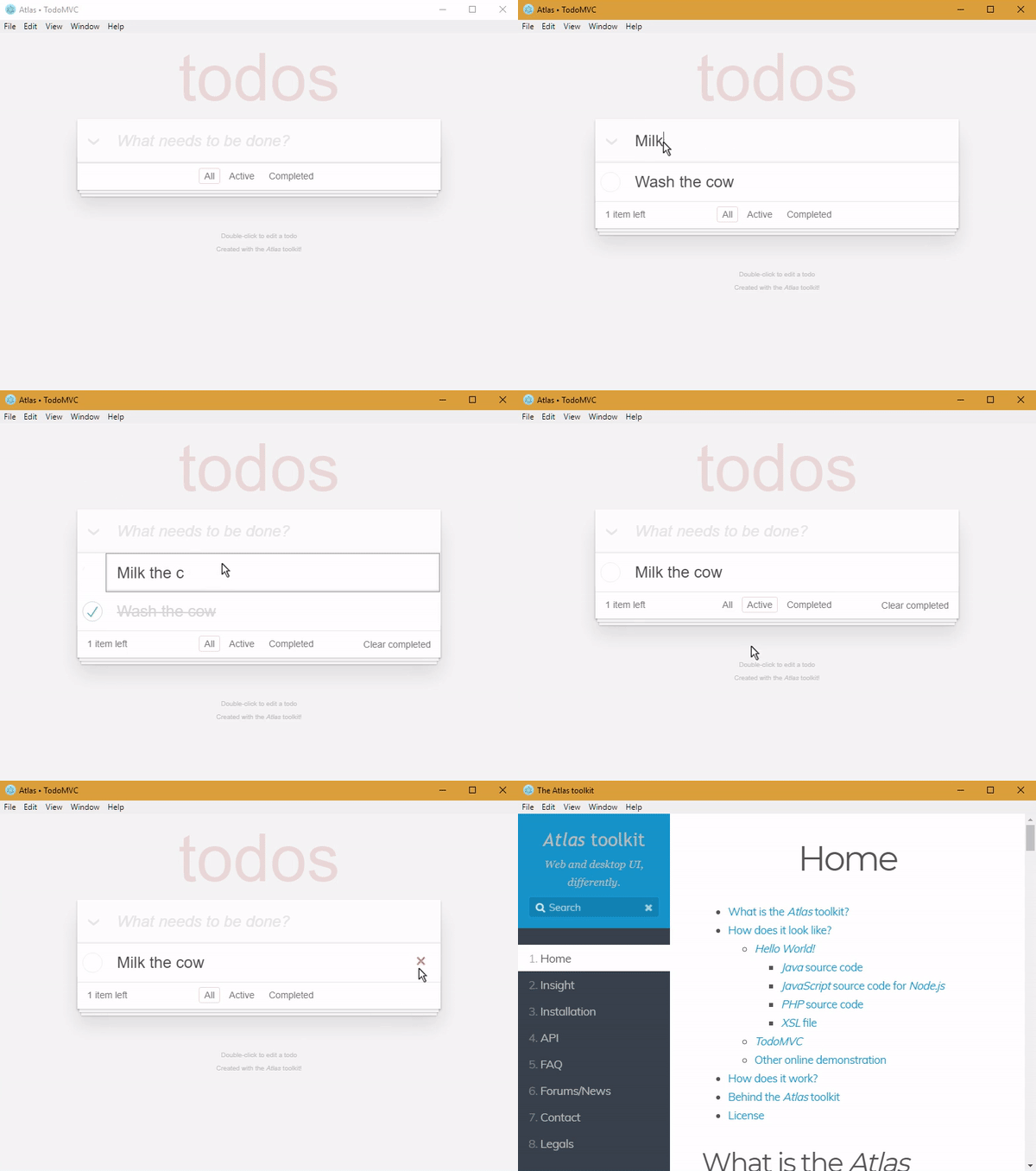](https://q37.info/s/st7gccd4)
#### With *Node.js* on your computer
```shell
# You can replace 'github.com' with 'framagit.org'.
# DON'T copy/paste this and above line!
git clone https://github.com/epeios-q37/atlas-node
cd atlas-node
npm install
cd examples
node Hello/main.js
```
## Your turn
If you want to take your code to the next level, from [CLI](https://q37.info/s/cnh9nrw9) to [GUI](https://q37.info/s/hw9n3pjs), then you found the right toolkit.
With the [*Atlas* toolkit](http://atlastk.org/), you transform your programs in modern web applications ([*SPA*](https://q37.info/s/7sbmxd3j)) without the usual hassles:
- no front-end *JavaScript* to write; only *HTML*(/*CSS*) and *Node.js*,
- no [front and back end architecture](https://q37.info/s/px7hhztd) to bother with,
- no [web server](https://q37.info/s/n3hpwsht) (*Apache*, *Nginx*…) to install,
- no need to deploy your application on a remote server,
- no incoming port to open on your internet box or routeur.
The *Atlas* toolkit is written in pure *Node.js*, with no native code and no dependencies, allowing the *Atlas* toolkit to be used on all environments where *Node.js* is available.
And simply by running them on a local computer connected to internet, applications using the *Atlas* toolkit will be accessible from the entire internet on laptops, smartphones, tablets…
## Content of the repository
The `atlastk` directory contains the *JavaScript* source code for *Node.js* of the *Atlas* toolkit, which is not needed to run the examples.
The `node_modules` directory (not provided by the repository, but will be created when launching `npm install`) contains the files that are needed in order to use the *Atlas* toolkit.
The `examples` directory contains some examples.
To launch an example (from within the repository):
- launch `npm install` (this have only to be do once),
- `cd examples`,
- launch `node <Name>/main.js`,
where `<Name>` is the name of the example (`15-puzzle`, `Blank`, `Chatroom`…). For example `node Hello/main.js`.