astro-terminal-player
Version:
Embed player for terminal sessions (recorded with asciinema) in your Astro project. Using asciinema player under the hood. Comes with full asciinema player settings support, typings and docs hints.
103 lines (71 loc) • 3.42 kB
Markdown
# 🚀 Astro — Terminal player (Asciinema)
[](https://www.npmjs.com/package/astro-terminal-player)

[](https://github.com/JulianCataldo/web-garden/blob/develop/LICENSE)
[](https://makeapullrequest.com)
[](https://astro.build)
[](http://www.typescriptlang.org/)
[](https://prettier.io)
[](https://editorconfig.org)
[](https://eslint.org)
Embed player for terminal sessions (recorded with [asciinema](https://asciinema.org)) in your Astro project.
Using [asciinema player](https://github.com/asciinema/asciinema-player) under the hood.
Comes with full asciinema player settings support, typings and docs hints.
Auto plays / pauses when player is visible.
## 📦 Installation
<!-- Should investigate peerDeps auto-install, that way, only `pnpm i [package]` will suffice -->
```sh
pnpm i asciinema-player astro-terminal-player
```
### Vite client-side fix
You might want to add this to your `astro.config`:
```js
export default defineConfig({
/* ... */
vite: { optimizeDeps: { include: ['asciinema-player'] } },
});
```
So client-side, third-party JS will be loaded properly, instead of getting this error:
`Uncaught SyntaxError: The requested module '.../@babel/runtime/regenerator/...' does not provide an export named 'default' ... `
<!-- If some dependency issues persists, try installing ``. -->
Also importing asciinema-player CSS solve a discrepency between `dev` and `build` where the latter comes unstyled. To fix this, add this to your CSS:
`@import 'asciinema-player/dist/bundle/asciinema-player.css';`
Note that this component is already importing CSS bundle internally, so this is a temporary quick fix.
## 🛠 Usage
```astro
import { TerminalPlayer } from 'astro-terminal-player';
import myRecordedCast from '../assets/myRecordedCast.cast?url';
// ...
```
```astro
<!-- ... -->
<body>
<!-- Place component inside `BODY` tag -->
<TerminalPlayer
src={myRecordedCast /* Required */}
settings={{
/* `asciinema-player` settings are typed and thoroughly documented */
loop: true,
speed: 1.7,
theme: 'solarized-dark',
terminalFontSize: 'big',
}}
aria-label="Terminal session player!"
class="my-custom-css-overrides"
class:list={['my-custom-css-list']}
/>
<!-- ... -->
</body>
```
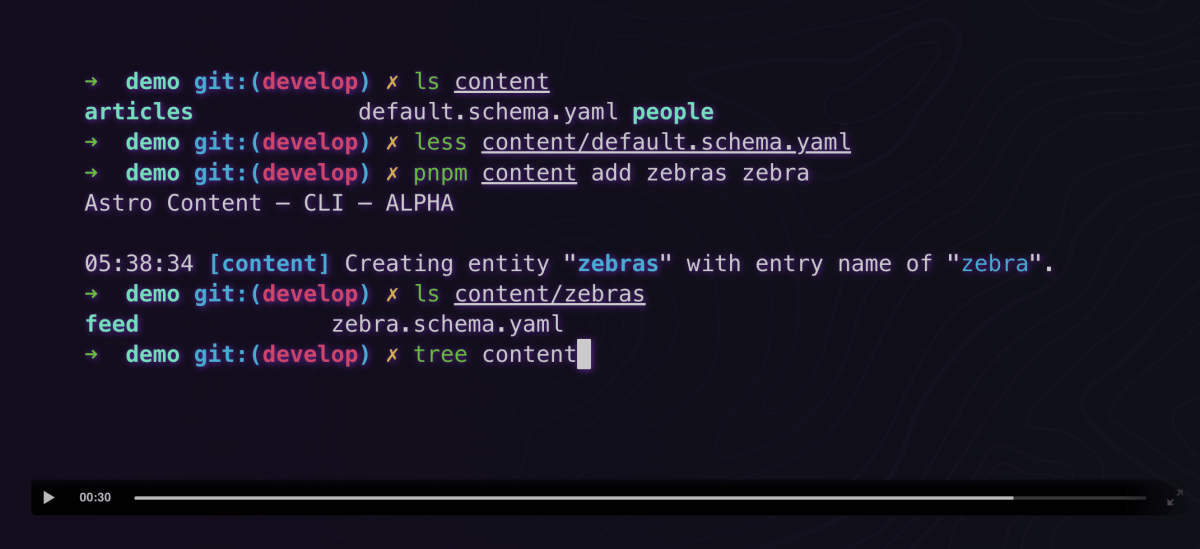
## 🎉 Result
<div class="git-footer">
## [LIVE DEMO 🎭 DOCUMENTATION WEBSITE ⎋](https://code.juliancataldo.com/)
[](https://code.juliancataldo.com)
**_[`code.juliancataldo.com`](https://code.juliancataldo.com/)_**
🔗 [JulianCataldo.com](https://www.juliancataldo.com/)
</div>