aplos
Version:
A sleek, contemporary, and purposefully designed VitePress theme
115 lines (75 loc) • 4.37 kB
Markdown
<div align="center">
<h1>Aplós</h1>
A sleek, contemporary, and purposefully designed VitePress theme
</div>
> [!IMPORTANT]
> If you want to see the documentation/guide check <https://aplos.gxbs.me>.
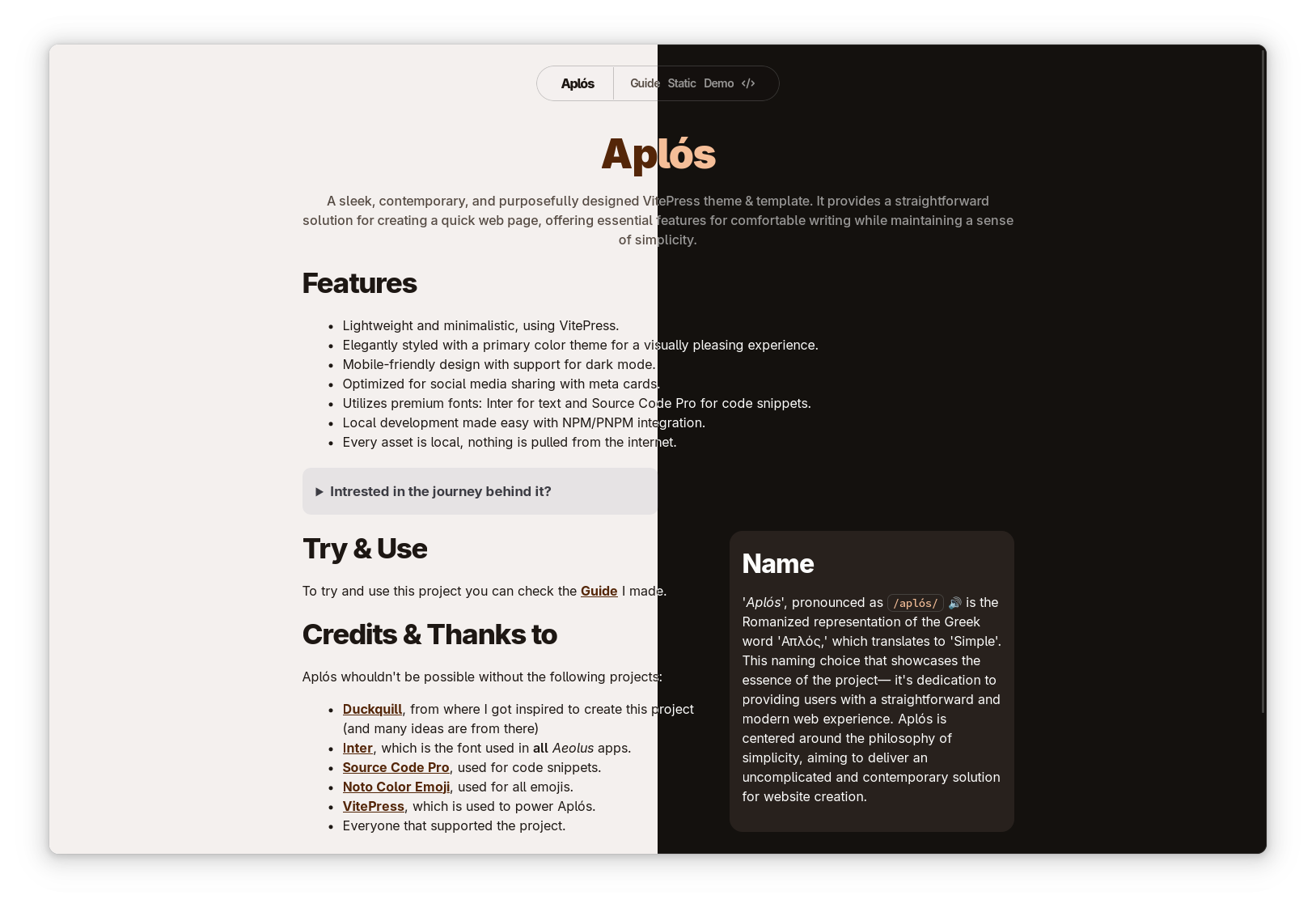
## Features
- Lightweight and minimalistic, using VitePress.
- Elegantly styled with a primary color theme for a visually pleasing experience.
- Mobile-friendly design with support for dark mode.
- Optimized for social media sharing with meta cards.
- Utilizes premium fonts: Inter for text and Geist Mono for code snippets.
- Local development made easy with NPM/PNPM integration.
<a href="https://github.com/aplosdev/template">
<picture>
<source
srcset="https://github-readme-stats.vercel.app/api/pin/?username=aplosdev&repo=template&theme=dark"
media="(prefers-color-scheme: dark)"
/>
<source
srcset="https://github-readme-stats.vercel.app/api/pin/?username=aplosdev&repo=template"
media="(prefers-color-scheme: light), (prefers-color-scheme: no-preference)"
/>
<img src="https://github-readme-stats.vercel.app/api/pin/?username=aplosdev&repo=template" alt="Repo Card" />
</picture>
</a>
## Name
The name 'Aplós', pronounced as `/aplós/` is the Romanized representation of the Greek word 'Απλός,' which translates to 'Simple'. This naming choice showcases the essence of the project— it's dedication to providing users with a straightforward and modern web experience. Aplós is centered around the philosophy of simplicity, aiming to deliver an uncomplicated and contemporary solution for website creation.
## Try & Use
You can install the package with the following command:
```bash
npm i aplos
```
You can check the next steps by looking at the [Guide](https://aplos.gxbs.me/guide/) I made.
## Contributing
If you want to contribute to Aplós, you can check the [Contributing](https://aplos.gxbs.me/contributing) page in the documentation.
## Release Cycle
Now that Aplós is an NPM Package, a release cycle is required. There is a new version every Saturday at 16:00 GMT for regular small updates (if there are changes), and for more critical updates every time there is a need.
### Versioning
Aplós uses [Semantic Versioning](https://semver.org/), so you can understand the changes by looking at the version number (using the `major.minor.patch` format).
It might be possible that the pre-release versions start as a patch version and end up becoming a minor/major version (e.g: `2.1.3-1` -> `2.2.0-0`) if there are significant changes or breaking changes.
### 'Next' Tag
The 'next' tag is version of Aplós, used to test the next version before it is released. Use the 'next' tag if you want to test the next version of Aplós.
You can install the 'next' tag with the following command:
```bash
npm i aplos@next
```
### Development
If you want to contribute to Aplós, you can clone the repository and install the dependencies with the following commands:
```bash
git clone https://github.com/aplosdev/aplos.git
```
Before you start developing, make sure to install the dependencies:
```bash
pnpm install
```
If you want a development server, you can directly run the Docs for development using the following command:
```bash
pnpm docs:dev
```
You can edit the project and see your changes live.
All other standard VitePress commands are available, like `pnpm demo:build` and `pnpm demo:preview`.
> [!NOTE]
> Only the `build` and `preview` commands require the `demo` prefix.
## Thanks ❤ & Credits️
- [Duckquill](https://duckquill.daudix.one), from where I got inspired to create this project (and many ideas are from there)
- [Hari Rana](https://tesk.page/) for style-related feedback and suggestions
- [Inter](https://rsms.me/inter/), used for all Sans Serif text.
- [Geist Mono](https://vercel.com/font/), used for code snippets.
- [VitePress](https://vitepress.dev), which is used to power Aplós.
- Everyone that supported the project.
---
## Documentation
The documentation source is in the `docs` folder, it always uses the latest code from the `main` branch, so you can see the latest changes and use it as the development environment. **If you happen to find any issues, please report them in the [Issues](https://github.com/aplosdev/aplos/issues) section.**