allelify
Version:
Parallelize commands and write logs to reasonable files in background.
32 lines (25 loc) • 1.47 kB
Markdown
# allelify
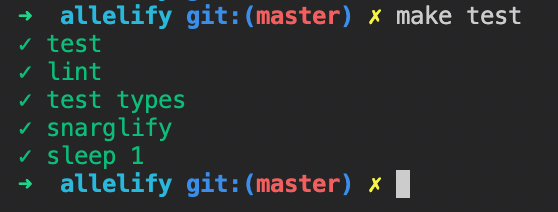

```js
require("allelify")([
"make test",
{
title: "lint",
command: "make lint",
},
{
title: "snarglify",
command: "ag",
args: ["-l", "build steps"],
},
]);
```
```sh
npm install -g allelify
allelify 'make lint' 'sleep 1' 'make test'
```
For build steps, I often want a simple way to run commands in parallel while preserving clear logs that aren't muddled together from multiple processes. `allelify` does just that.
Most of the logic for this comes from [spinnies](https://www.npmjs.com/package/spinnies)—this is a minimal wrapper that handles logs, parallelization, and errors.
- By default, **this writes log files to /tmp**. You can specify a different directory by adding a second argument to `allelify`—`allelify(commands, { tmpDirectory: path.join(__dirname, "../tmp") })`.
- This uses `child_process.spawn` to start a child process. This allows it to handle processes with large amounts of logs, but has the drawback that shell-redirects and pipes don't work. Additionally, it means that to specify command lines arguments with spaces, you'll need to use the `{ title, command, args }` syntax—it's not doing any fancy parsing to figure out what args to pass to `spawn`.