albxrmtypesgen
Version:
A TypeScript Declaration Generator for Dynamics 365 Forms
119 lines (83 loc) • 5.29 kB
Markdown


[](https://www.npmjs.com/package/xrmtypesgen)
[](https://coveralls.io/github/OliverFlint/XrmTypesGen)
[](https://github.com/OliverFlint/XrmTypesGen/issues)
[](https://github.com/OliverFlint/XrmTypesGen/network)
[](https://github.com/OliverFlint/XrmTypesGen/stargazers)
[](https://github.com/OliverFlint/XrmTypesGen/blob/main/LICENSE)


# XrmTypesGen
A Typescript Type Declaration Generator for Dynamics 365. Inspired by the [@types/xrm](https://github.com/DefinitelyTyped/DefinitelyTyped/tree/master/types/xrm) and [XrmDefinitelyTyped](https://github.com/delegateas/XrmDefinitelyTyped).
## Usage
### Generate your types
#### **Install the npm package:**
```
npm install xrmtypesgen -g
```
#### **If you wish to install the package locally use the following:**
```
npm install xrmtypesgen --save-dev
```
and run via npx:
```
npx xrmtypesgen [options]
```
#### **Generate the Xrm types:**
Username & Password Authentication
```
xrmtypesgen --url https://myorg.crm11.dynamics.com/ --username username@org.onmicrosoft.com --password password123 --tenent https://login.windows.net/org.onmicrosoft.com --solution solutionname --output ./types
```
Client Credential Authentication
```
xrmtypesgen --url https://myorg.crm11.dynamics.com/ --tenent https://login.windows.net/myorg.onmicrosoft.com --entities "account,contact,lead" --output types --clientid myclientid --secret mysecret
```
#### **Arguments:**
```
Usage: xrmtypesgen [options]
Options:
-V, --version output the version number
-u, --url <url> D365/Dataverse Url. e.g. https://myorg.crm11.dynamics.com/
-n, --username <username> Username for D365/Dataverse
-p, --password <password> Password for D365/Dataverse
--secret <secret> OAuth Client Secret
-t, --tenent <tenent> Azure Active Directory authority. e.g. https://login.windows.net/myorg.onmicrosoft.com
-c, --clientid <clientid> OAuth Client Id (default: "51f81489-12ee-4a9e-aaae-a2591f45987d")
-s, --solution <solution> Unique D365/Dataverse Solution Name
-e, --entities <entities> Comma seperated list of entities
-o, --output <output> Output path (default: "types")
-h, --help display help for command
e.g. xrmtypesgen --url https://myorg.crm11.dynamics.com/ --username username@myorg.onmicrosoft.com --password password123 --tenent https://login.windows.net/myorg.onmicrosoft.com --solution solutionname --output ./types
e.g. xrmtypesgen --url https://myorg.crm11.dynamics.com/ --username username@myorg.onmicrosoft.com --password password123 --tenent https://login.windows.net/myorg.onmicrosoft.com --entities account,contact,lead --output ./types
e.g. xrmtypesgen --url https://myorg.crm11.dynamics.com/ --tenent https://login.windows.net/myorg.onmicrosoft.com --entities "account,contact,lead" --output types --clientid myclientid --secret mysecret
```
### Using your types
The generated type declaration depend on `@types/xrm`, so lets install them
```
npm install @types/xrm --save-dev
```
You are now free to use the new type declaration... Here are some examples.
Form Context:
```typescript
function myfunc(context: Xrm.Events.EventContext) {
const formContext = context.getFormContext() as Xrm.Ext.Forms.contact.main.Contact.Form;
...
}
```
Get an attribute, and set the value:
```typescript
formContext.getAttribute('birthdate').setValue(new Date(1990, 6, 20));
```
Disable the 'birth date' control within the section called 'PERSONAL INFORMATION', that is within the tab called 'DETAILS_TAB':
```typescript
formContext.ui.tabs
.get('DETAILS_TAB')
.sections.get('PERSONAL INFORMATION')
.controls.get('birthdate')
.setDisabled(true);
```
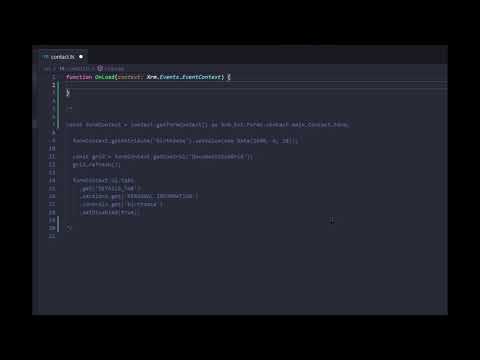
Here's a little video demo...
[](https://youtu.be/zhLn1Ac21_4)
## Why?
Well, I've been using @types/xrm for over 5 years now and XrmDefinitelyTyped for about 2 years. I love the added features XrmDefinitelyTyped provides but dislike the fact that it doesn't extend on @types/xrm given most D365/XRM projects use these types. So I set about creating my own tool to generate type declarations that extend @type/xrm 😁