agendash
Version:
Dashboard for Agenda job scheduler
163 lines (119 loc) • 4.38 kB
Markdown
# Agendash
A modern dashboard for [Agenda](https://github.com/agenda/agenda) job scheduler.
## Installation
```bash
npm install agendash agenda @agendajs/mongo-backend
```
## Quick Start
### Express
```typescript
import express from 'express';
import { Agenda } from 'agenda';
import { MongoBackend } from '@agendajs/mongo-backend';
import { expressMiddleware } from 'agendash';
const app = express();
const agenda = new Agenda({
backend: new MongoBackend({ address: 'mongodb://localhost:27017/agenda' })
});
// Mount agendash at /dash
app.use('/dash', expressMiddleware(agenda));
app.listen(3000, () => {
console.log('Dashboard: http://localhost:3000/dash');
});
```
### Fastify
```typescript
import Fastify from 'fastify';
import { Agenda } from 'agenda';
import { MongoBackend } from '@agendajs/mongo-backend';
import { fastifyPlugin } from 'agendash';
const fastify = Fastify();
const agenda = new Agenda({
backend: new MongoBackend({ address: 'mongodb://localhost:27017/agenda' })
});
// Register agendash at /dash
fastify.register(fastifyPlugin(agenda), { prefix: '/dash' });
fastify.listen({ port: 3000 }, () => {
console.log('Dashboard: http://localhost:3000/dash');
});
```
### Koa
```typescript
import Koa from 'koa';
import Router from 'koa-router';
import { Agenda } from 'agenda';
import { MongoBackend } from '@agendajs/mongo-backend';
import { koaMiddleware } from 'agendash';
const app = new Koa();
const agenda = new Agenda({
backend: new MongoBackend({ address: 'mongodb://localhost:27017/agenda' })
});
// Mount agendash at /dash
const { router, middleware } = koaMiddleware(agenda, '/dash');
app.use(middleware);
app.use(router.routes());
app.use(router.allowedMethods());
app.listen(3000, () => {
console.log('Dashboard: http://localhost:3000/dash');
});
```
### Hapi
```typescript
import Hapi from '@hapi/hapi';
import { Agenda } from 'agenda';
import { MongoBackend } from '@agendajs/mongo-backend';
import { hapiPlugin } from 'agendash';
const agenda = new Agenda({
backend: new MongoBackend({ address: 'mongodb://localhost:27017/agenda' })
});
const server = Hapi.server({ port: 3000 });
await server.register({
plugin: hapiPlugin(agenda),
options: { basePath: '/dash' }
});
await server.start();
console.log('Dashboard: http://localhost:3000/dash');
```
## Security
**Important:** The Agendash dashboard provides full access to view, create, requeue, and delete jobs. You should **always protect it with authentication** before deploying to production.
Example with basic auth (Express):
```typescript
import basicAuth from 'express-basic-auth';
// Protect the dashboard with basic auth
app.use('/dash', basicAuth({
users: { 'admin': 'secure-password' },
challenge: true
}));
// Then mount agendash
app.use('/dash', expressMiddleware(agenda));
```
For production environments, consider using:
- Session-based authentication with your existing auth system
- OAuth/SSO integration
- IP-based access control (e.g., only accessible from internal network)
- A reverse proxy with authentication (e.g., nginx with auth_basic)
**Never expose the dashboard to the public internet without authentication.**
## Features
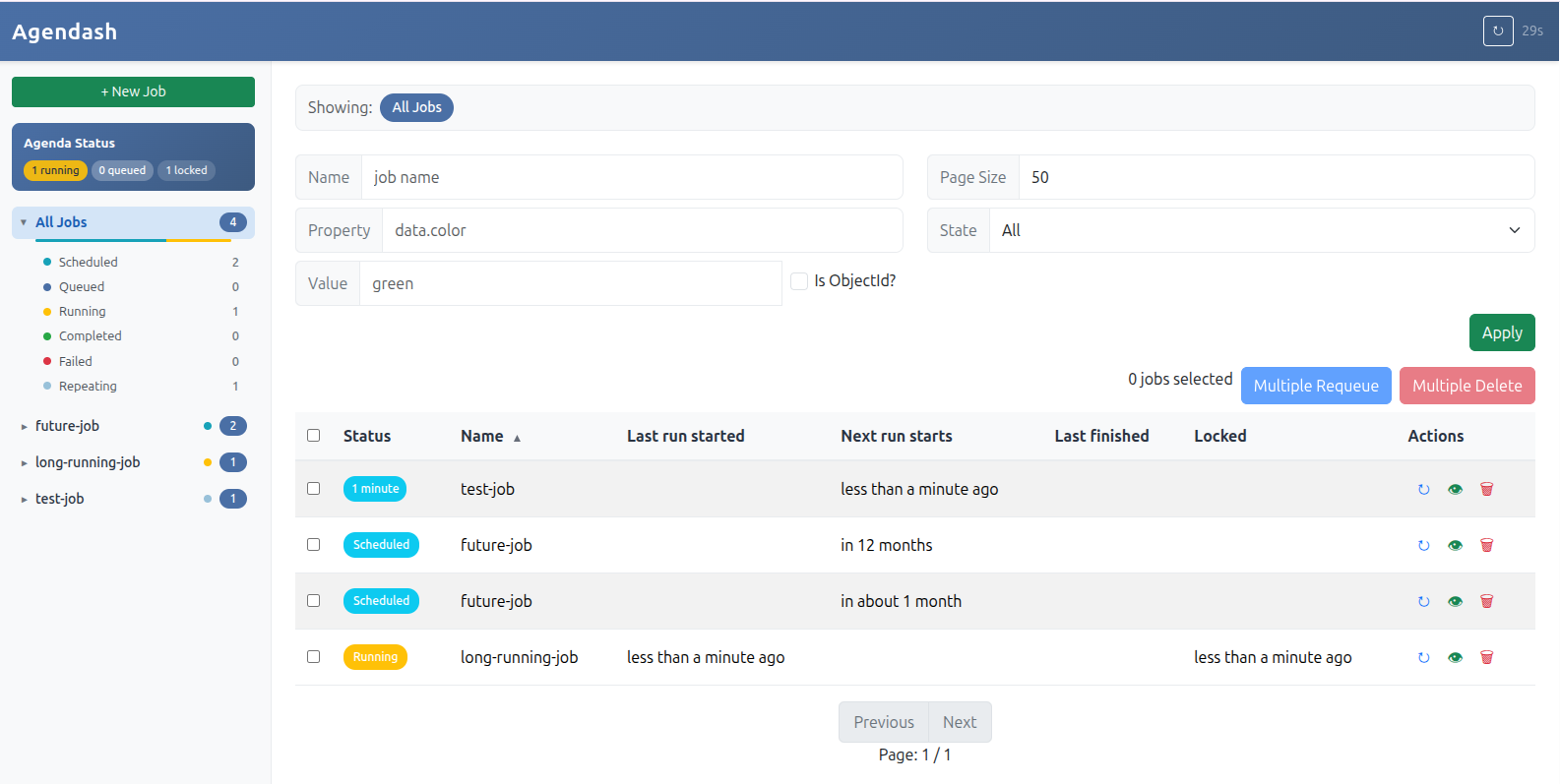
- **Job Overview**: View all jobs organized by name with status counts
- **Job States**: See jobs by state (scheduled, queued, running, completed, failed, repeating)
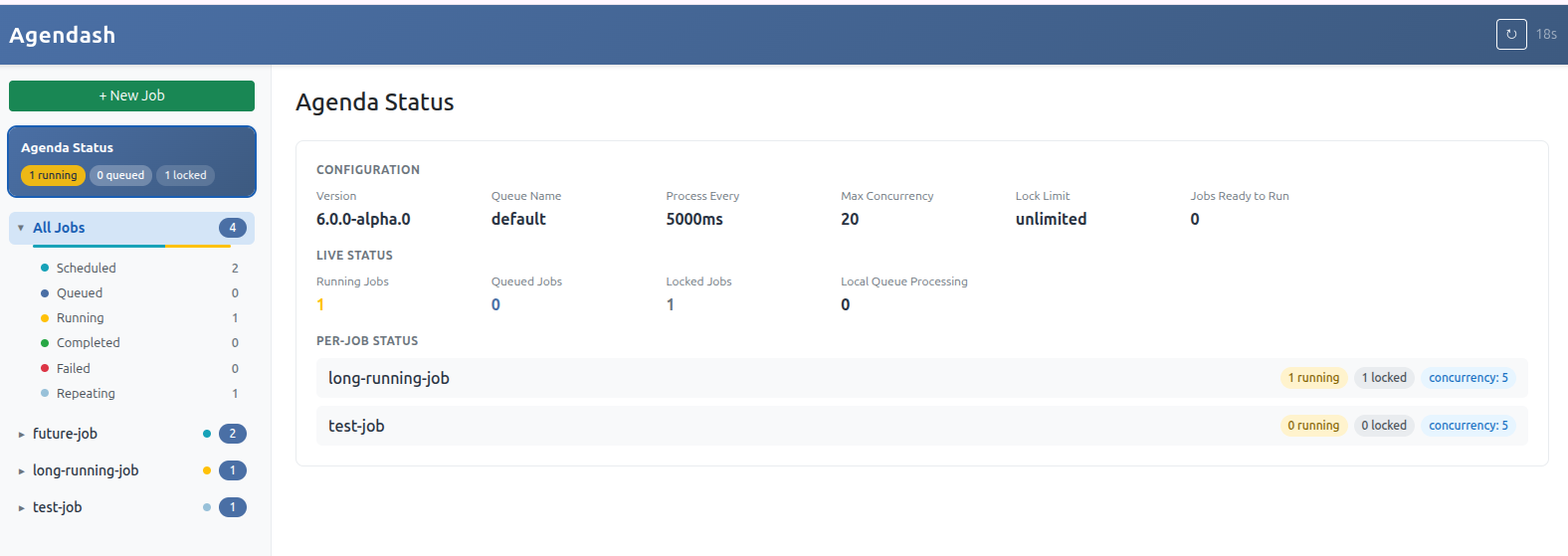
- **Agenda Status**: Live view of running/queued/locked jobs and configuration
- **Filtering**: Filter jobs by name, state, or search within job data
- **Job Management**: Create, requeue, and delete jobs
- **Bulk Operations**: Multi-select jobs for bulk requeue or delete
- **Job Details**: View job data, timestamps, and failure information
- **Auto-refresh**: Dashboard refreshes automatically with countdown indicator
- **Mobile Responsive**: Works on desktop and mobile devices
## Development
To run agendash in development mode with hot reloading:
```bash
# From the agendash package directory
pnpm dev
```
This starts a development server with:
- Vite dev server for frontend hot reloading
- Express API server
- In-memory MongoDB (no external database required)
## License
MIT