a-mail-signature
Version:
Generate and modify Apple Mail E-Mail signatures
71 lines (46 loc) • 3 kB
Markdown
# a-mail-signature
[](https://www.npmjs.com/package/a-mail-signature)
[](https://david-dm.org/d-koppenhagen/a-mail-signature)
[](https://david-dm.org/d-koppenhagen/a-mail-signature?type=dev)
[](https://www.npmjs.com/package/a-mail-signature)
[](http://makeapullrequest.com)
[](https://github.com/ellerbrock/open-source-badge/)
[](https://conventionalcommits.org)
[](http://commitizen.github.io/cz-cli/)
[](https://github.com/semantic-release/semantic-release)
Generate and modify Apple Mail E-Mail signatures via `npx`.
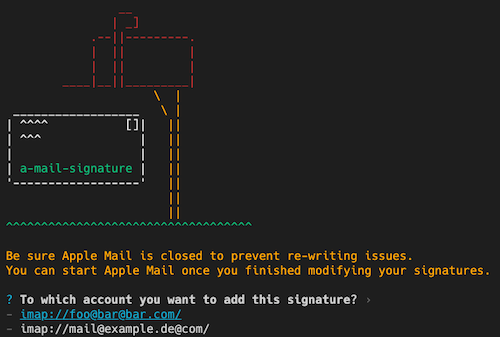
> IMPORTANT NOTE: Currently this tool works just if your Apple Mail base directory is located in `~/Library/Mail`.
> However Apple started to containerize the App and on some machines Apple Mail is now part of an app container located in `~/Library/Containers/com.apple.mail` and cannot be modified (at least I don't know how yet).
> I am working on finding out a way to achive modifying the signatures even in the containerized installation..
## Usage
> Be sure Apple Mail is closed before updateing the signatures
simply execte the `a-mail-signature` CLI by using `npx`:
```bash
npx a-mail-signature <option>
```
For example:
```bash
npx a-mail-signature create "My Default Signature" template.html
npx a-mail-signature modify "My Default Signature" template2.html
npx a-mail-signature delete "My Default Signature"
```
You can also install the CLI globally and execute `a-mail-signature` after that:
```bash
npm i -g a-mail-signature
a-mail-signature <option>
```
E-Mail signatures will be defined as HTML.
> Note: all CSS styles must be either inlined or provided inside the `<style></style>` tag.
> An external reference to a stylesheet using `<style href="style.css">` is not supported.
To check if the template has been added successfully, just open Apple Mail and go to _Mail_ > _Preferences..._ > _Signatures_.
### Options
All options are described in the help prompt:
```bash
npx a-mail-signature --help
```
## Development
To run an test the app locally, simply run `npm start`.
## Building
You can build the app by running: `npm build`.
To clean the build directory run `npm run clean`