@zoom/meetingsdk
Version:
Zoom MeetingSDK-Web Client
185 lines (140 loc) • 8.54 kB
Markdown
# Zoom Meeting SDK for Web
Use of this SDK is subject to our [Terms of Use](https://zoom.us/docs/en-us/zoom_api_license_and_tou.html)
The [Zoom Meeting SDK](https://developers.zoom.us/docs/meeting-sdk/web/) embeds the Zoom Meeting and Webinar experience in a website through a highly optimized WebAssembly module.
## Installation
In your frontend project, install the Meeting SDK:
```bash
$ npm install @zoom/meetingsdk --save
```
There are two views to choose from, [Client View](#usage---client-view) and [Component View](#usage---component-view).
## Usage - Client View
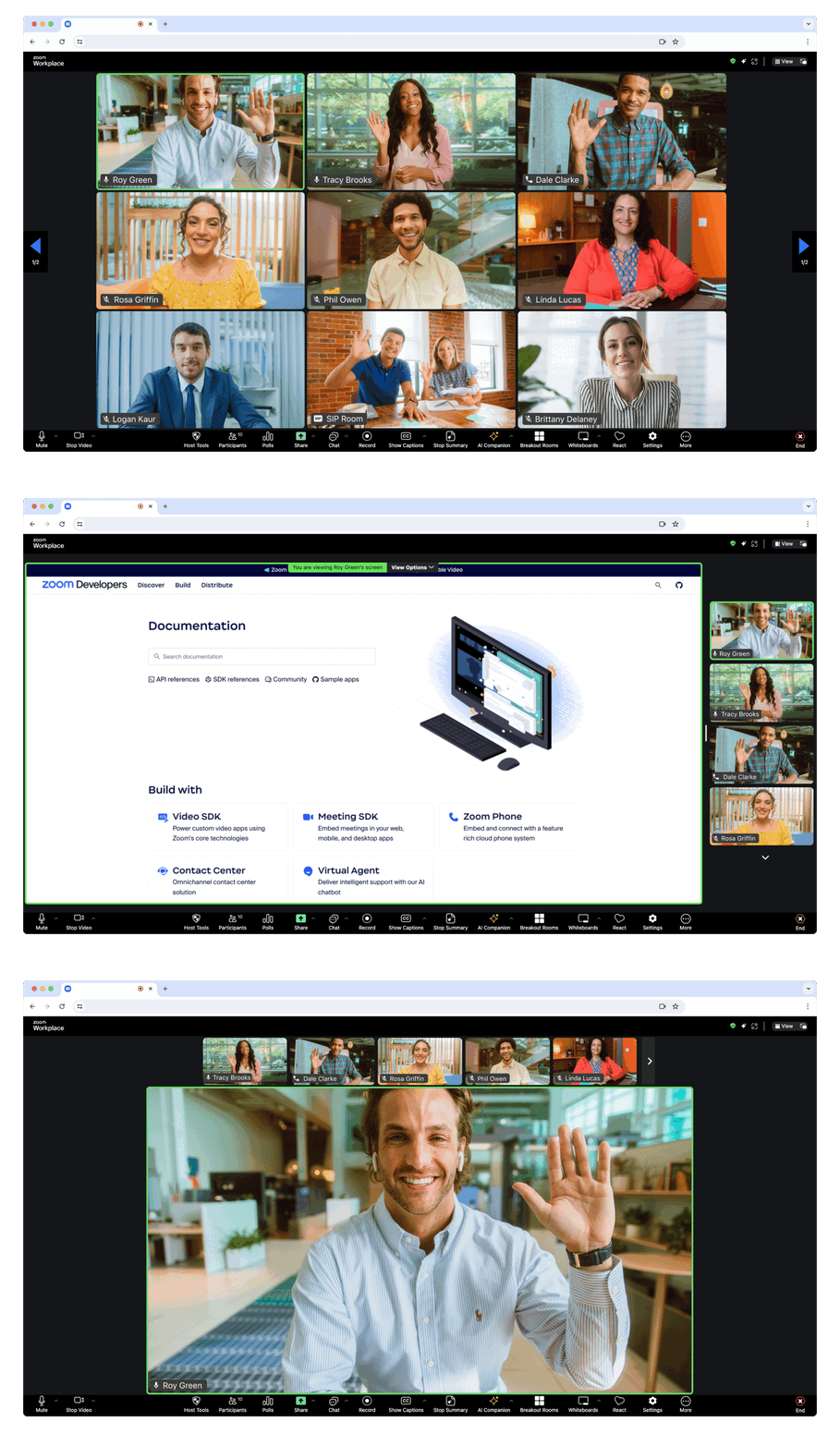
> The Client View provides the option to display the Meeting SDK as a full page. This allows for a familiar Zoom Meeting experience because the Client View is the same as the [Zoom Web Client](https://support.zoom.us/hc/en-us/articles/214629443-Zoom-Web-Client), except it lives inside your own web page.
In the component file where you want to use the Meeting SDK, import `ZoomMtg` and call the `preLoadWasm()`, and `prepareWebSDK()` functions.
```js
import { ZoomMtg } from '@zoom/meetingsdk'
ZoomMtg.preLoadWasm()
ZoomMtg.prepareWebSDK()
```
> When imported, the Meeting SDK adds new elements to the DOM to handle client overlays and accessibility elements. To manage or manipulate this DOM element within your app [see this guide](https://developers.zoom.us/docs/meeting-sdk/web/client-view/import/#appended-dom-elements).
Back in the component file we will init and start or join the meeting or webinar. Here are the required properties for the `ZoomMtg.init()` function.
| Key | Value Description |
|---|---|
| `leaveUrl` | Required, the URL the participant is taken to once they leave or when the meeting ends. |
Here are the required properties for the `ZoomMtg.join()` function. You can get the Meeting or Webinar number and passcode from the [Zoom APIs](https://developers.zoom.us/docs/meeting-sdk/web/client-view/meetings/).
| Key | Value Description |
|---|---|
| `sdkKey` | Required, your Meeting SDK SDK key or client id |
| `signature` | Required, your [SDK JWT](https://developers.zoom.us/docs/meeting-sdk/auth/). |
| `meetingNumber` | Required, the Zoom Meeting or Webinar Number. |
| `passWord` | Required, leave as empty string if the Meeting or Webinar only requires the waiting room. |
| `userName` | Required, the name of the user starting or joining the Meeting or Webinar. |
| `userEmail` | Required for Webinar, optional for Meeting, required for Meeting and Webinar if registration is required. The email of the user starting or joining the Meeting or Webinar. |
| `tk` | Required if your Meeting or Webinar requires [registration](https://support.zoom.us/hc/en-us/articles/360054446052-Managing-meeting-and-webinar-registration). The registrant's token. |
| `zak` | Required if you are starting a Meeting or Webinar not same account with sdkKey. The host's [Zoom Access Key (ZAK)](https://developers.zoom.us/docs/meeting-sdk/auth/#start-meetings-and-webinars-with-a-zoom-users-zak-token). |
Then, init, and start or join the meeting or webinar.
```js
ZoomMtg.init({
leaveUrl: leaveUrl,
patchJsMedia: true,
success: (success) => {
console.log(success)
ZoomMtg.join({
signature: signature,
meetingNumber: meetingNumber,
userName: userName,
sdkKey: sdkKey,
userEmail: userEmail,
passWord: passWord,
success: (success) => {
console.log(success)
},
error: (error) => {
console.log(error)
}
})
},
error: (error) => {
console.log(error)
}
})
```
For the full list of features and event listeners, as well as additional guides, see our [Meeting SDK docs](https://developers.zoom.us/docs/meeting-sdk/web/client-view/).
## Usage - Component View
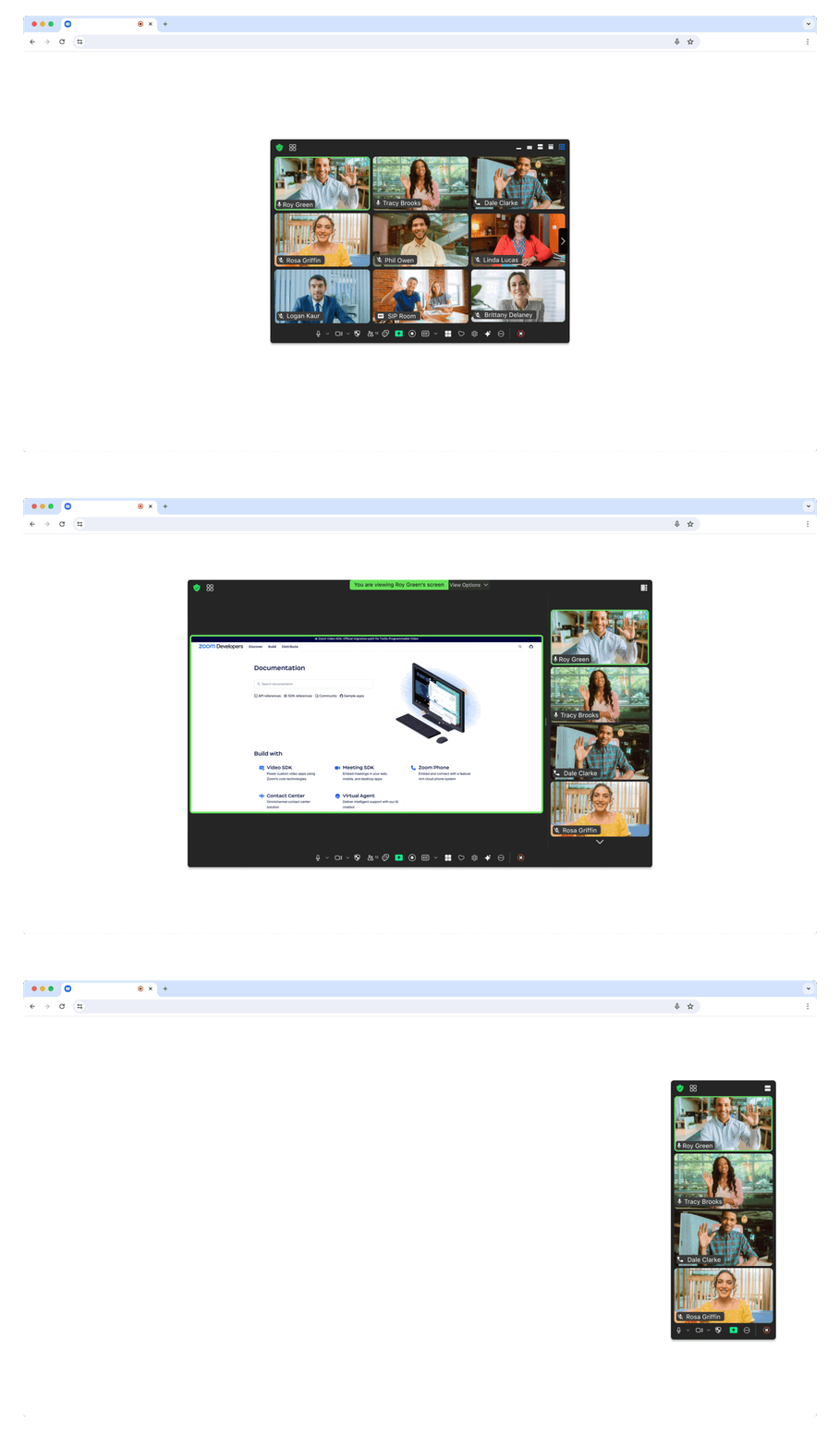
> The Component View provides the option to display the Meeting SDK in components on your page. This allows for a more flexible design.
In the component file where you want to use the Meeting SDK, import `ZoomMtgEmbedded`, create the client, and define the HTML element where you want to render the Meeting SDK.
```js
import ZoomMtgEmbedded from "@zoom/meetingsdk/embedded"
const client = ZoomMtgEmbedded.createClient()
let meetingSDKElement = document.getElementById('meetingSDKElement')
```
In the HTML file, set an id attribute on the HTML element where you want to render the Meeting SDK. It will be hidden until you start or join a meeting or webinar.
```html
<div id="meetingSDKElement">
<!-- Zoom Meeting SDK Rendered Here -->
</div>
```
Now we will start or join the meeting or webinar. Here are the required properties for the `client.join()` function. You can get the Meeting or Webinar number and passcode from the [Zoom APIs](https://developers.zoom.us/docs/meeting-sdk/web/component-view/).
| Key | Value Description |
|---|---|
| `sdkKey` | Required, your Meeting SDK SDK key or Client id |
| `signature` | Required, your [SDK JWT](https://developers.zoom.us/docs/meeting-sdk/auth/). |
| `meetingNumber` | Required, the Zoom Meeting or Webinar Number. |
| `password` | Required, leave as empty string if the Meeting or Webinar only requires the waiting room. |
| `userName` | Required, the name of the user starting or joining the Meeting or Webinar. |
| `userEmail` | Required for Webinar, optional for Meeting, required for Meeting and Webinar if registration is required. The email of the user starting or joining the Meeting or Webinar. |
| `tk` | Required if your Meeting or Webinar requires [registration](https://support.zoom.us/hc/en-us/articles/360054446052-Managing-meeting-and-webinar-registration). The registrant's token. |
| `zak` | Required if you are starting a Meeting or Webinar. The host's [Zoom Access Key (ZAK)](https://developers.zoom.us/docs/meeting-sdk/auth/#start-meetings-and-webinars-with-a-zoom-users-zak-token). |
Then, init, and start or join the meeting or webinar.
```js
client.init({
zoomAppRoot: meetingSDKElement,
language: 'en-US',
patchJsMedia: true
}).then(() => {
client.join({
sdkKey: sdkKey,
signature: signature,
meetingNumber: meetingNumber,
password: password,
userName: userName
}).then(() => {
console.log('joined successfully')
}).catch((error) => {
console.log(error)
})
}).catch((error) => {
console.log(error)
})
```
For the full list of features and event listeners, as well as additional guides, see our [Meeting SDK docs](https://developers.zoom.us/docs/meeting-sdk/web/component-view/).
## Use ZFG(Zoom For Government). You need apply new sdk key for [ZFG](https://marketplace.zoomgov.com/).
### option1 change package.json and use zfg specific version
```
"@zoom/meetingsdk": "3.11.2-zfg"
```
### option2 change webEndpoint use ZFG [Client View](https://marketplacefront.zoom.us/sdk/meeting/web/functions/ZoomMtg.init.html) [Component View](https://marketplacefront.zoom.us/sdk/meeting/web/components/interfaces/InitOptions.html#webEndpoint)
```
#Client view
ZoomMtg.setZoomJSLib("https://source.zoomgov.com/{VERSION}/lib", "/av");
ZoomMtg.init({
webEndpoint: "www.zoomgov.com",
});
#Component view
const client = ZoomMtgEmbedded.createClient();
client.init({
assetPath: 'https://source.zoomgov.com/{VERSION}/lib/av',
webEndpoint: "www.zoomgov.com"});
```
## Sample Apps
- [Meeting SDK Web Sample](https://github.com/zoom/meetingsdk-web-sample)
- [Meeting SDK Angular Sample](https://github.com/zoom/meetingsdk-angular-sample)
- [Meeing SDK React Sample](https://github.com/zoom/meetingsdk-react-sample)
- [Meeting SDK Vue.js Sample](https://github.com/zoom/meetingsdk-vuejs-sample)
- [Meeting SDK JavaScript Sample](https://github.com/zoom/meetingsdk-javascript-sample)
- [Meeting SDK Auth Sample (Node.js)](https://github.com/zoom/meetingsdk-sample-signature-node.js)
- [Webhook Sample (Node.js)](https://github.com/zoom/webhook-sample-node.js)
## Need help?
If you're looking for help, try [Developer Support](https://devsupport.zoom.us) or our [Developer Forum](https://devforum.zoom.us). Priority support is also available with [Premier Developer Support](https://zoom.us/docs/en-us/developer-support-plans.html) plans.
[Open Source Software attribution](https://github.com/zoom/meetingsdk-web/blob/master/oss_attribution.txt)