@zimjs/cam
Version:
Cam module for ZIM JavaScript Canvas Framework
72 lines (56 loc) • 2.99 kB
Markdown
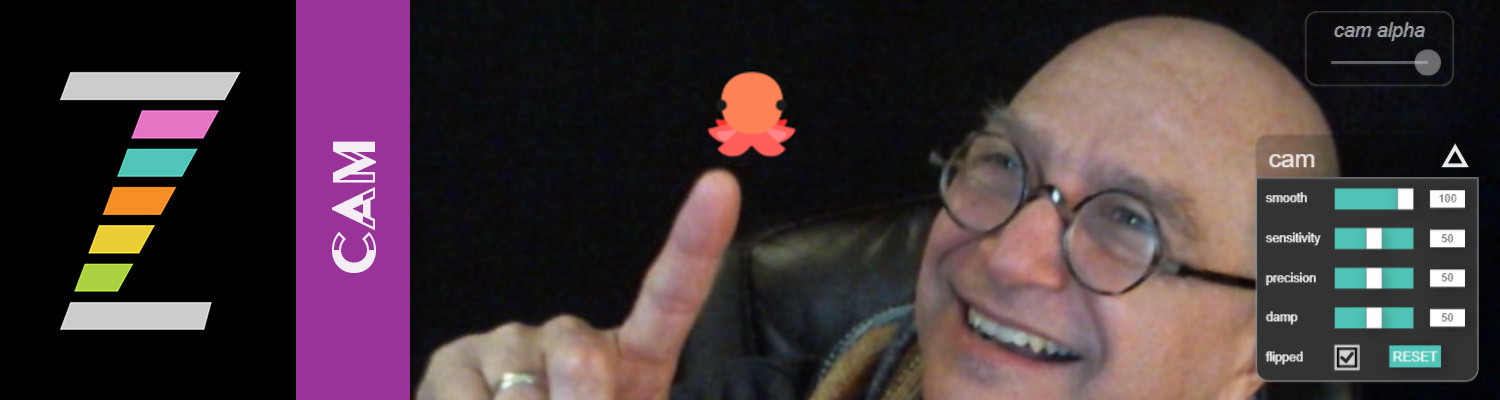
Cam is a helper module for the ZIM JavaScript Canvas Framework at https://zimjs.com. With the module you can show a Webcam, and place objects at where there is motion.
A cursor can follow your finger. Or you can set interactive regions that capture motion.
Multiple CamCursor objects can be used for instance to play a game of pong with paddles on each side.
<h2>CODE SAMPLE</h2>
```JavaScript
// CAM
// A cam motion cursor
// This will follow motion - read carefully the docs
// https://zimjs.com/docs.html?items=CamMotion,CamCursor
// as there are a lot of options!
// Apple still makes us interact with the canvas before showing video (sigh)
// so use CamAsk widget that has a callback on show() which is true for yes and false for no
const ask = new CamAsk().show(yes => {
// if the user answers yes to the CamAsk
if (yes) {
const camCursor = new CamCursor(new Emoji("🐙",50));
camCursor.on("ready", () => {
new CamAlpha(camCursor).pos(50,50,RIGHT,TOP);
new CamControls(camCursor.camMotion).pos(30,150,RIGHT,TOP);
});
// // Here is a manual way:
// const camMotion = new CamMotion().center();
// camMotion.on("ready", () => {
// new CamAlpha(camMotion).pos(50,50,RIGHT,TOP);
// const camControls = new CamControls(camMotion).pos(30,150,RIGHT,TOP);
// });
//
// const cursor = new Emoji("🐙",50).centerReg();
// camMotion.on("cursor", () => {
// cursor.loc(camMotion.motionX, camMotion.motionY);
// });
}
});
```
<h2>CDN</h2>
<p>Usually we use ES Modules to bring in ZIM and if we want Cam then we the code below - see the starting template at the top of the https://zimjs.com/code page.
</p>
```JavaScript
import zim from "https://zimjs.org/cdn/016/zim_cam";
```
<h2>NPM</h2>
<p>This repository holds the NPM package so you can install from <a href=https://www.npmjs.com/package/@zimjs/cam target=node>@zimjs/cam</a> on NPM. The <a href=https://www.npmjs.com/package/zimjs target=node>ZIM package</a> must be installed to work.</p>
```JavaScript
import zim from "zimjs"
import { CamAsk, CamCursor, CamAlpha, CamControls } from "@zimjs/cam"
```
<h2>EXAMPLES</h2>
<p>Here are a few examples that were made for the ZIM NFT Launch featuring CAM:</p>
- https://zimjs.com/nft/bubbling/cam.html - two motion regions
- https://zimjs.com/nft/bubbling/cam2.html - the cam cursor above
- https://zimjs.com/nft/bubbling/cam3.html - pong paddles
- https://zimjs.com/nft/bubbling/cam4.html - cam motion
- https://zimjs.com/nft/bubbling/cam5.html - hold and drag
<h2>ZIM</h2>
<p>See the ZIM repository at https://github.com/danzen/zimjs for information on ZIM and open source license, etc.</p>