@yworks/yfiles-layout-reactflow
Version:
yFiles Layouts for React Flow - A layout library for React Flow providing powerful yFiles layout algorithms and supporting components
204 lines (149 loc) • 7.7 kB
Markdown
[](https://www.npmjs.org/package/@yworks/yfiles-layout-reactflow)
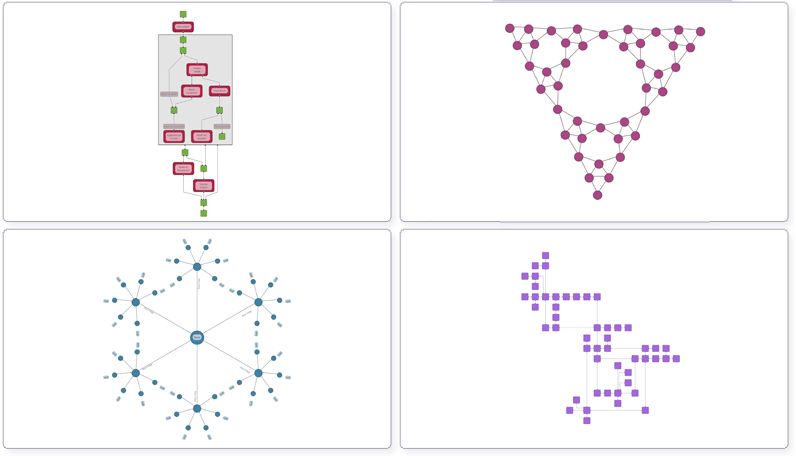
Welcome to the *yFiles Layout Algorithms for React Flow* module, a powerful and versatile layout add-on for React Flow based on the [yFiles](https://www.yworks.com/yfiles-overview) library.
*yFiles Layout Algorithms for React Flow* is a comprehensive npm module designed to seamlessly integrate the powerful layout
capabilities of yFiles for HTML into React Flow.
With *yFiles Layout Algorithms for React Flow*, developers can utilize the advanced
graph layout algorithms and customization options provided by [yFiles for HTML](https://www.yworks.com/products/yfiles)
within their React Flow projects, enabling precise control over the arrangement and appearance of nodes and edges.
To use the module, [yFiles for HTML](https://www.yworks.com/products/yfiles-for-html) is required.
You can evaluate yFiles for 60 days free of charge on [my.yworks.com](https://my.yworks.com/signup?product=YFILES_HTML_EVAL).
See [Licensing](https://www.yworks.com/docs/yfiles-react/process-mining-doc/introduction/licensing) for more information on this topic.
You can learn how to work with the yFiles npm module in our [Developer’s Guide](https://docs.yworks.com/yfileshtml/#/dguide/yfiles_npm_module). A convenient way of getting access
to yFiles is to use the [yFiles Dev Suite](https://www.npmjs.com/package/yfiles-dev-suite).
1. **Installation**
In addition to yFiles, the module requires React to be installed in your project. If you want to start your project
from scratch, we recommend using vite:
```bash
npm create vite@6.1.1 my-yfiles-layout-app -- --template react-ts
```
Install the ReactFlow:
```bash
npm install reactflow
```
Add the yFiles dependency:
```bash
npm install <yFiles package path>/lib/yfiles-30.0.0+dev.tgz
```
<details>
<summary>Sample <code>package.json</code> dependencies</summary>
The resulting package.json dependencies should resemble the following:
```json
dependencies: {
"react": "^18.2.0",
"react-dom": "^18.2.0",
"reactflow": "^11.11.0",
"@yfiles/yfiles": "./lib/yfiles-30.0.0+dev.tgz"
}
```
</details>
Install the module via npm by running the following command in your project directory:
```bash
npm install @yworks/yfiles-layout-reactflow
```
2. **License:**
Be sure to invoke `registerLicense` function before using the module.
When evaluating yFiles, the license JSON file is found in the `lib/` folder of the yFiles for HTML evaluation package.
For licensed users, the license data is provided separately.
<details>
<summary>License registration</summary>
Import or paste your license data and register the license, e.g. in `App.tsx`:
```js
import yFilesLicense from './license.json'
registerLicense(yFilesLicense)
```
</details>
3. **Usage**
Utilize the `useLayout`-hook in your React Flow application. First invoke `registerLicense` somewhere in your application.
```tsx
// App.tsx
import { registerLicense } from '@yworks/yfiles-layout-reactflow'
import yFilesLicense from './license.json'
function App() {
registerLicense(yFilesLicense)
return <Flow></Flow>
}
export default App
```
Then create a custom flow with a layout button.
```tsx
// Flow.tsx
import { useCallback } from 'react'
import ReactFlow, {
addEdge,
Connection,
EdgeProps,
NodeProps,
Panel,
ReactFlowProvider,
useEdgesState,
useNodesState
} from 'reactflow'
import 'reactflow/dist/style.css'
import { MultiHandleNode, PolylineEdge, useLayout } from '@yworks/yfiles-layout-reactflow'
import initialNodes from './nodes.json'
import initialEdges from './edges.json'
// use the node and edge types that can process the layout result
// including multiple handles and bends in edges
const edgeTypes = {
default: PolylineEdge
}
const nodeTypes = {
default: MultiHandleNode
}
function LayoutFlow() {
const [nodes, setNodes, onNodesChange] = useNodesState(initialNodes);
const [edges, setEdges, onEdgesChange] = useEdgesState(initialEdges);
const onConnect = useCallback(
(connection:Connection) => setEdges((eds) => addEdge(connection, eds)),
[]
)
// use the layout-hook to configure the layout algorithm
const { runLayout } = useLayout()
return (
<ReactFlow
nodes={nodes}
edges={edges}
onNodesChange={onNodesChange}
onEdgesChange={onEdgesChange}
onConnect={onConnect}
nodeTypes={nodeTypes}
edgeTypes={edgeTypes}
>
<Panel position="top-left">
<button onClick={() => runLayout('HierarchicalLayout')}>Run Layout</button>
</Panel>
</ReactFlow>
);
}
export default function Flow() {
return (
<ReactFlowProvider>
<LayoutFlow />
</ReactFlowProvider>
)
}
```
> Note that in order to effectively visualize the outcome of the layout algorithm, it is essential to use Node and Edge types that are capable of accommodating multiple handles and polyline paths.
[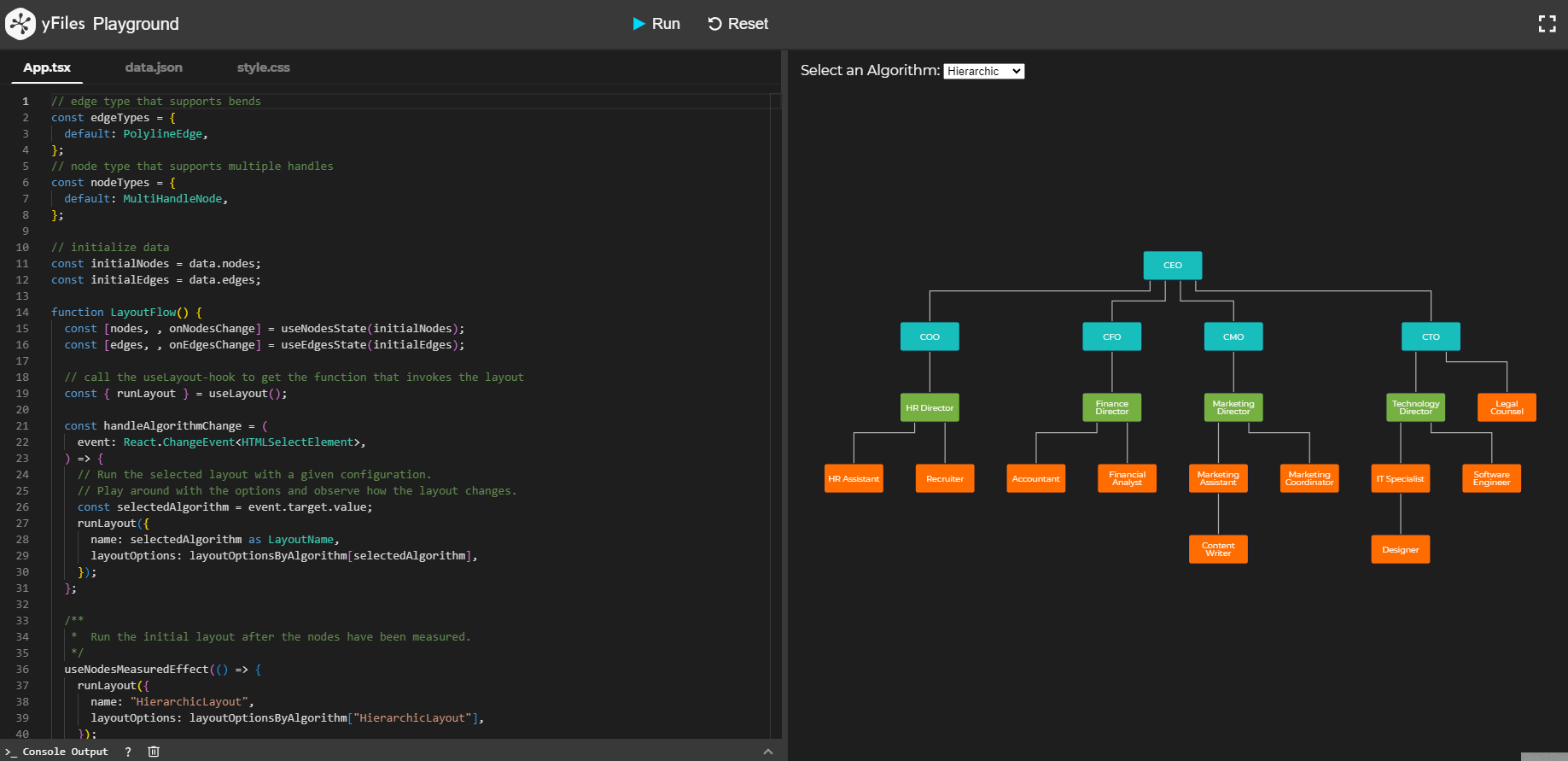](https://docs.yworks.com/yfiles-layout-reactflow/introduction/welcome)
Try the *yFiles Layout Algorithms for React Flow* directly in your browser with our [playground](https://docs.yworks.com/yfiles-layout-reactflow/introduction/welcome).
All owners of a valid software license for [yFiles for HTML](https://www.yworks.com/products/yfiles-for-html)
are allowed to use these sources as the basis for their own [yFiles for HTML](https://www.yworks.com/products/yfiles-for-html)
powered applications.
Use of such programs is governed by the rights and conditions as set out in the
[](https://www.yworks.com/products/yfiles-for-html/sla).
You can evaluate yFiles for 60 days free of charge on [my.yworks.com](https://my.yworks.com/signup?product=YFILES_HTML_EVAL).
For more information, see the `LICENSE` file.
For detailed instructions on how to use and configure the layout module, please refer to the comprehensive [documentation](https://docs.yworks.com/yfiles-layout-reactflow/introduction/welcome) provided.
For further information about [yFiles for HTML](https://www.yworks.com/yfiles-overview) and our company, please visit [yWorks.com](https://www.yworks.com).
If you are working on a specific use case (e.g., [organization chart](https://www.npmjs.com/package/@yworks/react-yfiles-orgchart),
[supply chain](https://www.npmjs.com/package/@yworks/react-yfiles-supply-chain), [company ownsership diagram](https://www.npmjs.com/package/@yworks/react-yfiles-company-ownership))
and require an easy-to-use React component, please take a look at the available [React components](https://www.yworks.com/yfiles-react-components) powered by yFiles!
For support or feedback, please reach out to [our support team](https://www.yworks.com/products/yfiles/support) or open an [issue on GitHub](https://github.com/yWorks/yfiles-layout-reactflow/issues). Happy diagramming!