@wordpress/block-editor
Version:
40 lines (25 loc) • 1.42 kB
Markdown
# TextTransformControl
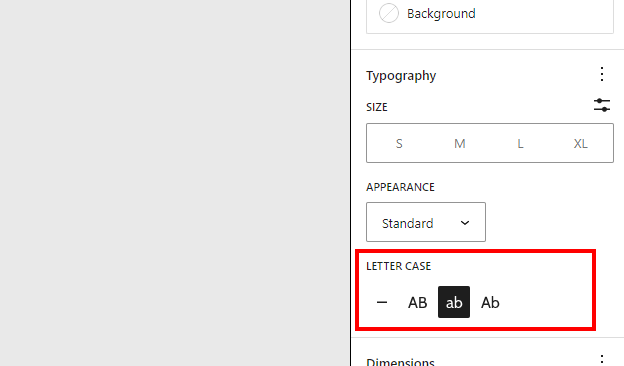
The `TextTransformControl` component is responsible for rendering a control element that allows users to select and apply text transformation options to blocks or elements in the Gutenberg editor. It provides an intuitive interface for changing the text appearance by applying different transformations such as `none`, `uppercase`, `lowercase`, `capitalize`.
## Development guidelines
### Usage
Renders the Text Transform Component with `none`, `uppercase`, `lowercase`, `capitalize` options.
```jsx
import { TextTransformControl } from '@wordpress/block-editor';
const MyTextTransformControlComponent = () => (
<TextTransformControl
value={ textTransform }
onChange={ ( value ) => {
setAttributes( { textTransform: value } );
} }
/>
);
```
### Props
### `value`
- **Type:** `String`
- **Options:** `none`, `uppercase`, `lowercase`, `capitalize`
The current value of the Text Transform setting. You may only choose from the `Options` listed above.
### `onChange`
- **Type:** `Function`
A callback function invoked when the Text Transform value is changed via an interaction with any of the buttons. Called with the Text Transform value (`none`, `uppercase`, `lowercase`, `capitalize`) as the only argument.