@vuepress-dumi/vuepress-plugin-dumi-previewer
Version:
A dumi style code previewer plugin for VuePress.
99 lines (75 loc) • 1.88 kB
Markdown
<h1 align="center">vuepress-plugin-dumi-previewer</h1>
<a href="https://github.com/OrekiSH/vuepress-dumi/blob/main/packages/vuepress-plugin-dumi-previewer/README.md">English</a> | 简体中文
💡注意: `demo`之前的空格是必需的
```md
::: demo
<div @click="handleClick">click me</div>
<script>
export default {
methods: {
handleClick() {
console.warn('clicked')
}
}
}
</script>
:::
```
如果你需要将代码限制在当前代码块的作用域内, 可以使用`demo[scope]`
💡注意: `<template></template>`标签是必需的, 并且你不能在scope模式下使用`import`语句。另外如果你在一个markdown文件中同时使用`demo[scope]`和`demo`,可能会出现一些报错
```md
::: demo[scope]
<template>
<div>{{ foo }}</div>
</template>
<script>
export default {
data() {
return { foo: 'foo' }
}
}
</script>
:::
```
```md
::: demo[scope]
<template>
<div>{{ foo }}</div>
</template>
<script>
export default {
data() {
return { foo: 'bar' }
}
}
</script>
:::
```
## 安装
* 首先安装 [VuePress v1.x](https://github.com/vuejs/vuepress)
* 接着安装插件
```bash
$ npm i -D @vuepress-dumi/vuepress-plugin-dumi-previewer
# OR
$ yarn add -D @vuepress-dumi/vuepress-plugin-dumi-previewer
```
## 用法
配置VuePress的config.js文件
```js
// .vuepress/config.js
module.exports = {
plugins: ['@vuepress-dumi/dumi-previewer'],
}
```
## 预览
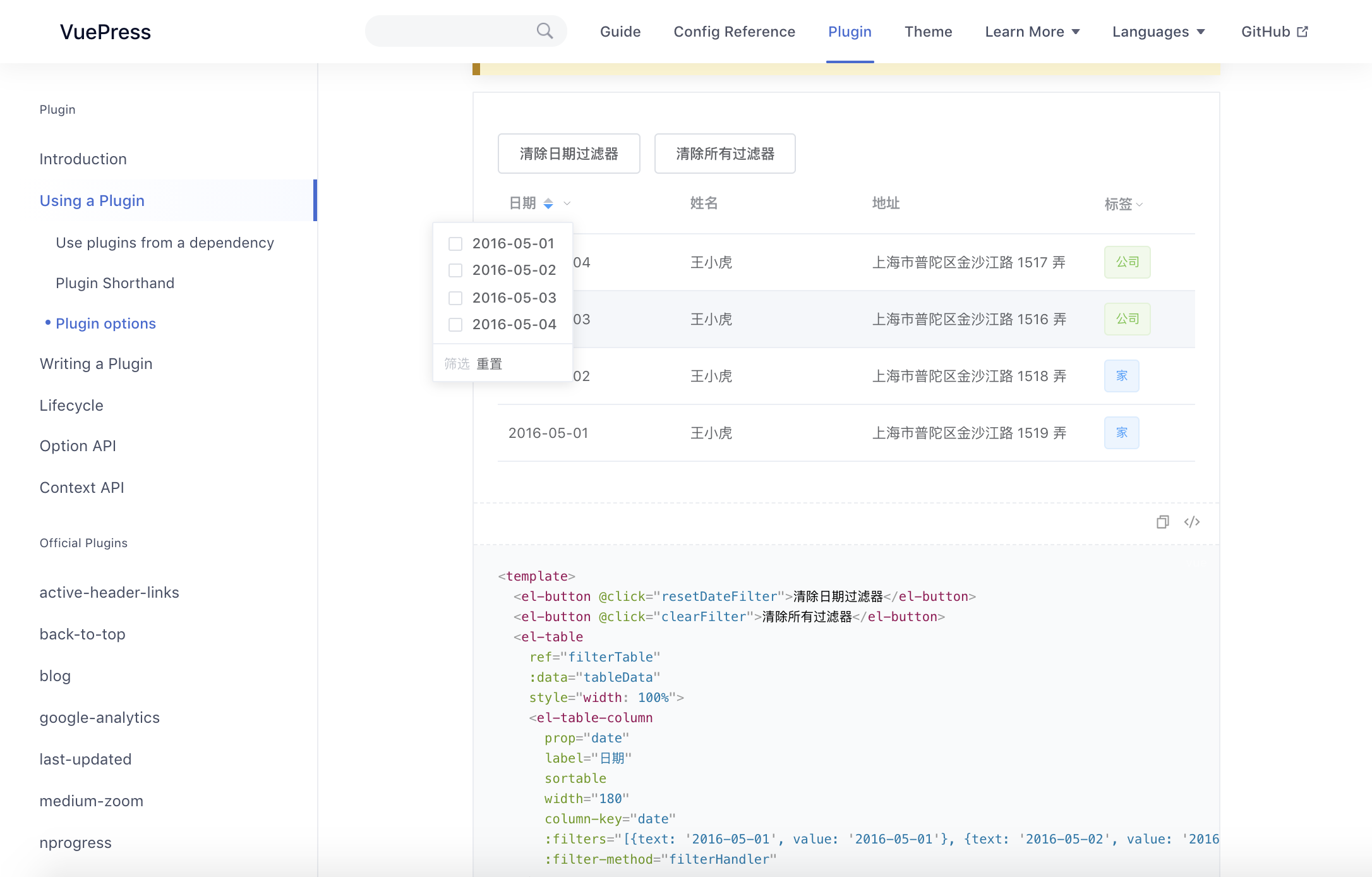
💡注意: 如果你需要引入element-ui, 则需要指定async-validator的版本:
``` bash
$ npm i -D async-validator@1.11.5
# OR
$ yarn add -D async-validator@1.11.5
```
## 致谢
本项目受到以下开源项目的启发, 感谢他们的杰出贡献
- [dumi](https://github.com/umijs/dumi)
- [vuepress-plugin-demo-code](https://github.com/BuptStEve/vuepress-plugin-demo-code)