@vonage/vivid-react
Version:
Vivid wrapped for easy React usage & IDE autocomplete support & typescript typings
192 lines (159 loc) • 7.26 kB
Markdown
# @vonage/vivid-react
Vivid-react is a script allowing you to generate `Vivid-React` components for the newest version of `Vivid` components stored as a package with all necessary dependencies and available through Artifactory npm registry.
The main goal of output package is to provide a better developer experience when using `Vivid` inside of `React` typescript applications. We still use regular `Vivid` web components, so be sure to target a recent browser.
Goals:
* wrap adding handlers for events like `change` which natively doesn't work in the environment
* mocks for Jest
* typing support (prop-types or typescript)
* a handy interface for initialisation (eg. fonts)
* getting advantages of JSX/TSX (eg. composed components*)
* all components within one package**
* storybook acting as developer sandbox for presenting quick examples
* one place for all future vivid-related code to use with React
*may provide a cut off at props inherited from MWC source.
**now also implemented in _raw_ Vivid.
# Similar strongly typed wrappers for other frameworks?
* https://github.com/Vonage/vivid-vue
# Why is this repository exists?
[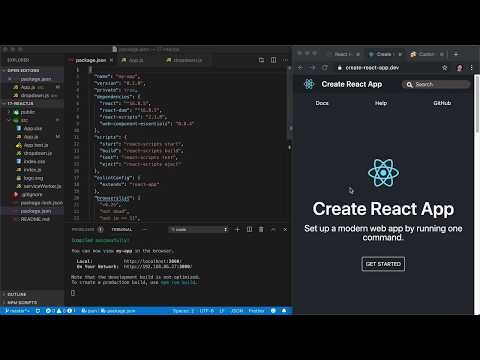](https://www.youtube.com/watch?v=o1dMXrIv3Q8)
## Supported components
Here's the list of all available wrappers, with the `Vivid` package name and version used to generate each one.
If you need to use a different version of a `Vivid` component, simply add it to your application's `package.json`.
Adding the `resolutions` field when using `yarn` might help get the correct version installed.
| Component Name | Package Name | Package Version |
|----------------|--------------|-----------------|
| VwcAccordion | @vonage/vwc-accordion | 2.45.0 |
| VwcActionGroup | @vonage/vwc-action-group | 2.45.0 |
| VwcBadge | @vonage/vwc-badge | 2.45.0 |
| VwcBanner | @vonage/vwc-banner | 2.45.0 |
| VwcButton | @vonage/vwc-button | 2.45.0 |
| VwcButtonToggleGroup | @vonage/vwc-button-toggle-group | 2.45.0 |
| VwcCalendar | @vonage/vwc-calendar | 2.45.0 |
| VwcCard | @vonage/vwc-card | 2.45.0 |
| VwcCarousel | @vonage/vwc-carousel | 2.45.0 |
| VwcCheckbox | @vonage/vwc-checkbox | 2.45.0 |
| VwcChips | @vonage/vwc-chips | 2.45.0 |
| VwcCircularProgress | @vonage/vwc-circular-progress | 2.45.0 |
| VwcDataGrid | @vonage/vwc-data-grid | 2.45.0 |
| VwcDatepicker | @vonage/vwc-datepicker | 2.45.0 |
| VwcDropdown | @vonage/vwc-dropdown | 2.45.0 |
| VwcElevation | @vonage/vwc-elevation | 2.45.0 |
| VwcEmptyState | @vonage/vwc-empty-state | 2.45.0 |
| VwcExpansionPanel | @vonage/vwc-expansion-panel | 2.45.0 |
| VwcFab | @vonage/vwc-fab | 2.45.0 |
| VwcFilePicker | @vonage/vwc-file-picker | 2.45.0 |
| VwcFormfield | @vonage/vwc-formfield | 2.45.0 |
| VwcHelperMessage | @vonage/vwc-helper-message | 2.45.0 |
| VwcIcon | @vonage/vwc-icon | 2.45.0 |
| VwcIconButton | @vonage/vwc-icon-button | 2.45.0 |
| VwcIconButtonToggle | @vonage/vwc-icon-button-toggle | 2.45.0 |
| VwcKeypad | @vonage/vwc-keypad | 2.45.0 |
| VwcLayout | @vonage/vwc-layout | 2.45.0 |
| VwcLinearProgress | @vonage/vwc-linear-progress | 2.45.0 |
| VwcList | @vonage/vwc-list | 2.45.0 |
| VwcMediaController | @vonage/vwc-media-controller | 2.45.0 |
| VwcMenu | @vonage/vwc-menu | 2.45.0 |
| VwcNotchedOutline | @vonage/vwc-notched-outline | 2.45.0 |
| VwcNote | @vonage/vwc-note | 2.45.0 |
| VwcPagination | @vonage/vwc-pagination | 2.45.0 |
| VwcPopup | @vonage/vwc-popup | 2.45.0 |
| VwcRadio | @vonage/vwc-radio | 2.45.0 |
| VwcSchemeSelect | @vonage/vwc-scheme-select | 2.45.0 |
| VwcSelect | @vonage/vwc-select | 2.45.0 |
| VwcSlider | @vonage/vwc-slider | 2.45.0 |
| VwcSnackbar | @vonage/vwc-snackbar | 2.45.0 |
| VwcSurface | @vonage/vwc-surface | 2.45.0 |
| VwcSwitch | @vonage/vwc-switch | 2.45.0 |
| VwcTabBar | @vonage/vwc-tab-bar | 2.45.0 |
| VwcTags | @vonage/vwc-tags | 2.45.0 |
| VwcText | @vonage/vwc-text | 2.45.0 |
| VwcTextarea | @vonage/vwc-textarea | 2.45.0 |
| VwcTextfield | @vonage/vwc-textfield | 2.45.0 |
| VwcThemeSwitch | @vonage/vwc-theme-switch | 2.45.0 |
| VwcTooltip | @vonage/vwc-tooltip | 2.45.0 |
| VwcTopAppBar | @vonage/vwc-top-app-bar | 2.45.0 |
| VwcTopAppBarFixed | @vonage/vwc-top-app-bar-fixed | 2.45.0 |
If the one you're looking for is missing, just [add a new one](#adding-a-component), so everyone can access them.
## Installation
Just run:
```shell
$ yarn add @vonage/vivid-react
```
No need for importing `vivid` directly. The dependencies will be installed for you.
## Initialization
```javascript
import ReactDOM from 'react-dom'
import { initVivid } from '@vonage/vivid-react'
const rootElement = document.getElementById('react-root')
const renderApp = () => {
// do some more initialization before rendering the main App
ReactDOM.render(
<App />,
rootElement
)
}
// for Vivid 2.x
initVivid(rootElement).then(renderApp)
// OR
// for Vivid 2.x + Vivid 3.x
initVivid(rootElement, () => {}, {
font: 'oss',
theme: 'light'
}).then(renderApp)
```
## Importing
For vivid **2.x**
Instead of importing each `vivid` component from `@vonage/vwc-*`, import them from `@vonage/vivid-react` instead.
```javascript
import VwcCheckbox from '@vonage/vivid-react/VwcCheckbox'
import VwcSlider from '@vonage/vivid-react/VwcSlider'
```
For vivid **3.x**
```javascript
import VwcCheckbox from '@vonage/vivid-react/v3/VwcCheckbox'
import VwcSlider from '@vonage/vivid-react/v3/VwcSlider'
```
## Bundling
This package is an ES module, so you might need to add some configuration to your bundling process.
## Testing
If you have problems rendering `vivid` when using Jest/Enzyme combo, you can add this to your `package.json` to replace all `Vivid` wrapped components with an empty React component.
It'll work also for _raw_ `vivid` components used in project, since js-dom doesn't support shadow DOM.
```json
{
"jest": {
"moduleNameMapper": {
"@vonage\/(vwc|vvd)": "@vonage/vivid-react/testing/component.mock.js"
},
"transformIgnorePatterns": [
"node_modules/(?!(@cct|@vonage|@lit|lit-html|lit-element)/)"
]
}
}
```
# Development
## Adding a component
Follow the steps:
* clone this repo
* create a branch
* add the missing vivid component as a `dependency` in `package.json`
* create a new PR and get it merged to `master`
* [publish](#publishing-a-new-version) new version
* install the new package in your application
## Publishing a new version
When you want to release the latest changes, checkout the latest `master` branch and run:
```shell
$ yarn version --new-version {minor/major/patch}
```
### Selecting new version number:
- `patch` - fixing some small issue, without new functionality
- `minor` - after adding support for a new component, or adding a new awesome feature
- `major` - after breaking or major package changes
## Storybook
For test/development storybook is in game. Stories are generated automatically per component
with no arguments/properties, fill them before using component.
## Compound Components
In the `scripts/generateWrappers/consts.js` you can define sets of compound components. All they do is filling default props. They are accessible after a dot:
```javascript
<VwcButton.Alert />
```
*This is the end*