@urbica/react-map-gl
Version:
React Component for Mapbox GL JS
305 lines (242 loc) • 12.9 kB
Markdown
# Urbica React Mapbox GL JS
[](https://github.com/urbica/react-map-gl/actions)
[](https://codecov.io/gh/urbica/react-map-gl)
[](https://www.npmjs.com/package/@urbica/react-map-gl)
[](https://www.npmjs.com/package/@urbica/react-map-gl)

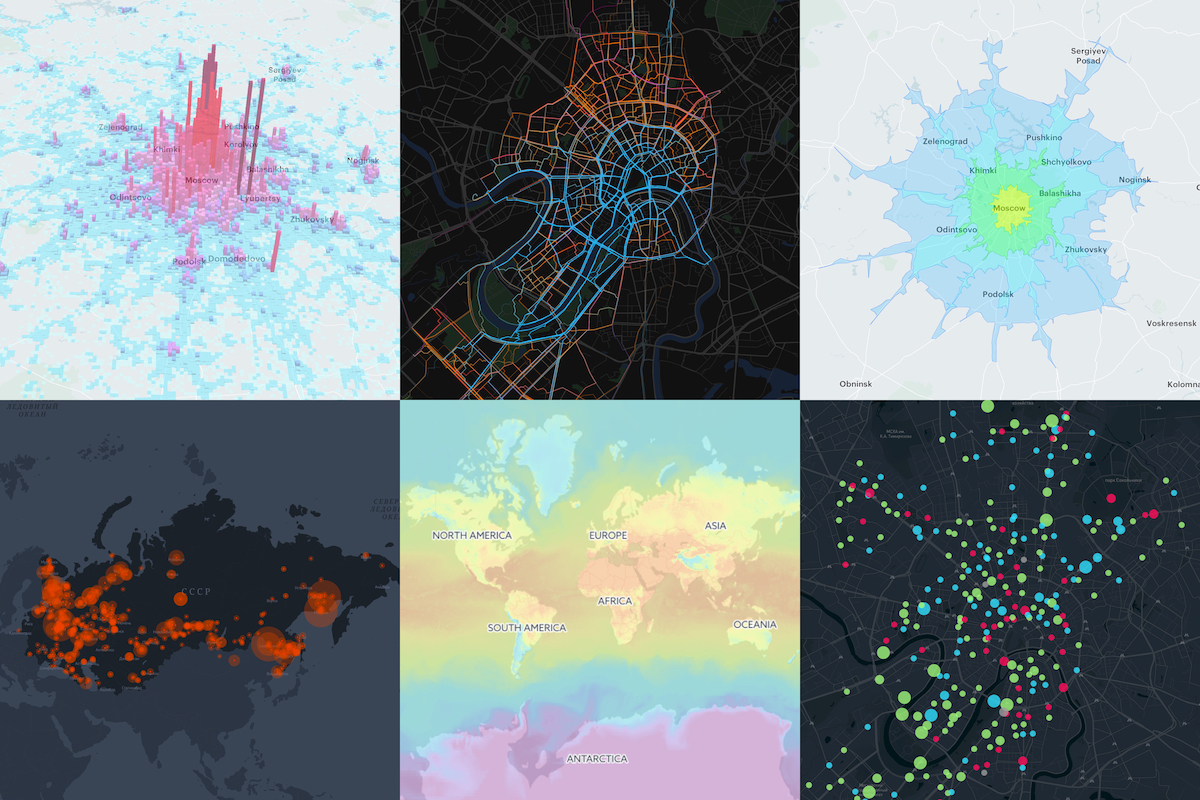
React Component Library for [Mapbox GL JS](https://github.com/mapbox/mapbox-gl-js). Mapbox GL JS is a JavaScript library that renders interactive maps from vector tiles and Mapbox styles using WebGL. This project is intended to be as close as possible to the [Mapbox GL JS API](https://docs.mapbox.com/mapbox-gl-js/api/).
This project is heavily inspired by [uber/react-map-gl](https://github.com/uber/react-map-gl).
- [Installation](#installation)
- [Components](#components)
- [Usage](#usage)
- [Static Map](#static-map)
- [Interactive Map](#interactive-map)
- [MapGL with Source and Layer](#mapgl-with-source-and-layer)
- [MapGL with GeoJSON Source](#mapgl-with-geojson-source)
- [Custom Layers support](#custom-layers-support)
- [Documentation](#documentation)
- [Changelog](#changelog)
- [License](#license)
- [Contributing](#contributing)
- [Team](#team)
## Installation
```shell
npm install --save mapbox-gl @urbica/react-map-gl
```
...or if you are using yarn:
```shell
yarn add mapbox-gl @urbica/react-map-gl
```
### Optional Dependencies
If you want to use the `LanguageControl`:
```shell
npm install --save @mapbox/mapbox-gl-language
```
...or if you are using yarn:
```shell
yarn add @mapbox/mapbox-gl-language
```
## Components
| Component | Description |
| --------------------------------------------------------- | ---------------------------------------------------------------------------------------------------------------------- |
| [MapGL](src/components/MapGL) | Represents map on the page |
| [MapContext](src/components/MapContext) | React Context API for the map instance |
| [Source](src/components/Source) | [Sources](https://docs.mapbox.com/mapbox-gl-js/api/#sources) specify the geographic features to be rendered on the map |
| [Layer](src/components/Layer) | [Layers](https://docs.mapbox.com/mapbox-gl-js/style-spec/#layers) specify the `Sources` style |
| [Filter](src/components/Filter) | Set filter to existing layer |
| [CustomLayer](src/components/CustomLayer) | Allow a user to render directly into the map's GL context |
| [Image](src/components/Image) | Adds an image to the map style |
| [Popup](src/components/Popup) | React Component for [Mapbox GL JS Popup](https://docs.mapbox.com/mapbox-gl-js/api/#popup) |
| [Marker](src/components/Marker) | React Component for [Mapbox GL JS Marker](https://docs.mapbox.com/mapbox-gl-js/api/#marker) |
| [FeatureState](src/components/FeatureState) | Sets the state of a geographic feature rendered on the map |
| [AttributionControl](src/components/AttributionControl) | Represents the map's attribution information |
| [LanguageControl](src/components/LanguageControl) | Adds support for switching the language of the map style |
| [FullscreenControl](src/components/FullscreenControl) | Contains a button for toggling the map in and out of fullscreen mode |
| [GeolocateControl](src/components/GeolocateControl) | Geolocate the user and then track their current location on the map |
| [NavigationControl](src/components/NavigationControl) | Contains zoom buttons and a compass |
| [ScaleControl](src/components/ScaleControl) | Displays the ratio of a distance on the map to the corresponding distance on the ground |
| [Cluster](https://github.com/urbica/react-map-gl-cluster) | Cluster [Markers](src/components/Marker) with [supercluster](https://github.com/mapbox/supercluster) |
| [Draw](https://github.com/urbica/react-map-gl-draw) | Support for drawing and editing features |
## Usage
To use any of Mapbox’s tools, APIs, or SDKs, you’ll need a Mapbox [access token](https://www.mapbox.com/help/define-access-token/). Mapbox uses access tokens to associate requests to API resources with your account. You can find all your access tokens, create new ones, or delete existing ones on your [API access tokens page](https://www.mapbox.com/studio/account/tokens/).
See [**Documentation**](https://urbica.github.io/react-map-gl/) for more examples.
### Static Map
By default, `MapGL` component renders in a static mode. That means that the user cannot interact with the map.
```jsx
import React from 'react';
import MapGL from '@urbica/react-map-gl';
import 'mapbox-gl/dist/mapbox-gl.css';
<MapGL
style={{ width: '100%', height: '400px' }}
mapStyle='mapbox://styles/mapbox/light-v9'
accessToken={MAPBOX_ACCESS_TOKEN}
latitude={37.78}
longitude={-122.41}
zoom={11}
/>;
```
### Interactive Map
In most cases, you will want the user to interact with the map. To do this, you need to provide `onViewportChange` handler, that will update map viewport state.
```jsx
import React, { useState } from 'react';
import MapGL from '@urbica/react-map-gl';
import 'mapbox-gl/dist/mapbox-gl.css';
const [viewport, setViewport] = useState({
latitude: 37.78,
longitude: -122.41,
zoom: 11
});
<MapGL
style={{ width: '100%', height: '400px' }}
mapStyle='mapbox://styles/mapbox/light-v9'
accessToken={MAPBOX_ACCESS_TOKEN}
latitude={viewport.latitude}
longitude={viewport.longitude}
zoom={viewport.zoom}
onViewportChange={setViewport}
/>;
```
### MapGL with Source and Layer
[Sources](https://docs.mapbox.com/mapbox-gl-js/api/#sources) specify the geographic features to be rendered on the map.
[Layers](https://docs.mapbox.com/mapbox-gl-js/style-spec/#layers) specify the Sources styles. The type of layer is specified by the `"type"` property, and must be one of `background`, `fill`, `line`, `symbol`, `raster`, `circle`, `fill-extrusion`, `heatmap`, `hillshade`.
Except for layers of the `background` type, each layer needs to refer to a source. Layers take the data that they get from a source, optionally filter features, and then define how those features are styled.
```jsx
import React from 'react';
import MapGL, { Source, Layer } from '@urbica/react-map-gl';
import 'mapbox-gl/dist/mapbox-gl.css';
<MapGL
style={{ width: '100%', height: '400px' }}
mapStyle='mapbox://styles/mapbox/light-v9'
accessToken={MAPBOX_ACCESS_TOKEN}
>
<Source id='contours' type='vector' url='mapbox://mapbox.mapbox-terrain-v2' />
<Layer
id='contours'
type='line'
source='contours'
source-layer='contour'
paint={{
'line-color': '#877b59',
'line-width': 1
}}
/>
</MapGL>;
```
### MapGL with GeoJSON Source
To draw a GeoJSON on a map, add `Source` with the `type` property set to `geojson` and `data` property set to a URL or inline [GeoJSON](http://geojson.org/).
```jsx
import React, { useState } from 'react';
import MapGL, { Source, Layer } from '@urbica/react-map-gl';
import 'mapbox-gl/dist/mapbox-gl.css';
const [viewport, setViewport] = useState({
latitude: 37.830348,
longitude: -122.486052,
zoom: 15
});
const data = {
type: 'Feature',
geometry: {
type: 'LineString',
coordinates: [
[-122.48369693756104, 37.83381888486939],
[-122.48348236083984, 37.83317489144141],
[-122.48339653015138, 37.83270036637107],
[-122.48356819152832, 37.832056363179625],
[-122.48404026031496, 37.83114119107971],
[-122.48404026031496, 37.83049717427869],
[-122.48348236083984, 37.829920943955045],
[-122.48356819152832, 37.82954808664175],
[-122.48507022857666, 37.82944639795659],
[-122.48610019683838, 37.82880236636284],
[-122.48695850372314, 37.82931081282506],
[-122.48700141906738, 37.83080223556934],
[-122.48751640319824, 37.83168351665737],
[-122.48803138732912, 37.832158048267786],
[-122.48888969421387, 37.83297152392784],
[-122.48987674713133, 37.83263257682617],
[-122.49043464660643, 37.832937629287755],
[-122.49125003814696, 37.832429207817725],
[-122.49163627624512, 37.832564787218985],
[-122.49223709106445, 37.83337825839438],
[-122.49378204345702, 37.83368330777276]
]
}
};
<MapGL
style={{ width: '100%', height: '400px' }}
mapStyle='mapbox://styles/mapbox/light-v9'
accessToken={MAPBOX_ACCESS_TOKEN}
onViewportChange={setViewport}
{...viewport}
>
<Source id='route' type='geojson' data={data} />
<Layer
id='route'
type='line'
source='route'
layout={{
'line-join': 'round',
'line-cap': 'round'
}}
paint={{
'line-color': '#888',
'line-width': 8
}}
/>
</MapGL>;
```
### Custom Layers support
[Custom layers](https://docs.mapbox.com/mapbox-gl-js/api/#customlayerinterface) allow a user to render directly into the map's GL context using the map's camera.
Here is an Uber [deck.gl](https://github.com/uber/deck.gl) usage example.
```jsx
import React from 'react';
import MapGL, { CustomLayer } from '@urbica/react-map-gl';
import { MapboxLayer } from '@deck.gl/mapbox';
import { ScatterplotLayer } from '@deck.gl/layers';
import 'mapbox-gl/dist/mapbox-gl.css';
const myDeckLayer = new MapboxLayer({
id: 'my-scatterplot',
type: ScatterplotLayer,
data: [{ position: [-74.5, 40], size: 1000 }],
getPosition: (d) => d.position,
getRadius: (d) => d.size,
getColor: [255, 0, 0]
});
<MapGL
style={{ width: '100%', height: '400px' }}
mapStyle='mapbox://styles/mapbox/light-v9'
accessToken={MAPBOX_ACCESS_TOKEN}
latitude={40}
longitude={-74.5}
zoom={9}
>
<CustomLayer layer={myDeckLayer} />
</MapGL>;
```
## Documentation
Check out [documentation website](https://urbica.github.io/react-map-gl/).
## Changelog
Check out [CHANGELOG.md](CHANGELOG.md) and [releases](https://github.com/urbica/react-map-gl/releases) page.
## License
This project is licensed under the terms of the [MIT license](LICENSE).
## Contributing
Clone and install dependencies
```shell
git clone https://github.com/urbica/react-map-gl.git
cd react-map-gl
npm install
```
Start `react-styleguidist` server
```shell
MAPBOX_ACCESS_TOKEN=<TOKEN> npm start
```
where `<TOKEN>` is a valid Mapbox [access token](https://www.mapbox.com/help/define-access-token/).
Run tests with
```shell
npm test
```
## Team
| [](https://github.com/stepankuzmin) | [](https://github.com/boyur) | [](https://github.com/device25) |
| ------------------------------------------------------------------------------------------------- | --------------------------------------------------------------------------------- | -------------------------------------------------------------------------------------------- |
| [Stepan Kuzmin](https://github.com/stepankuzmin) | [Artem Boyur](https://github.com/boyur) | [Andrey Bakhvalov](https://github.com/device25) |