@thefunbots/react-native-pointer-interactions
Version:
Expose iPad mouse & track pads interactions to React Native
114 lines (74 loc) • 4.3 kB
Markdown
<p align="center">
<img height="150" src="assets/logo.svg" />
<h1 align="center">React Native Pointer Interactions</h1>
<h3 align="center">Expose iPad mouse & track pads interactions to React Native.</h3>
</p>
<p align="center">
<a href="https://badge.fury.io/js/%40thefunbots%2Freact-native-pointer-interactions"><img src="https://badge.fury.io/js/%40thefunbots%2Freact-native-pointer-interactions.svg" alt="npm version" height="18"></a>
<a href="https://www.npmjs.com/package/@thefunbots/react-native-pointer-interactions"><img alt="npm downloads" src="https://img.shields.io/npm/dm/@thefunbots/react-native-pointer-interactions.svg" height="18" /></a>
<a href="https://www.codacy.com/gh/thefunbots/react-native-pointer-interactions"><img src="https://app.codacy.com/project/badge/Grade/fa3faa2983494f5fb496d122612ac831" alt="Codacy Badge" height="18"></a>
<a href="https://twitter.com/intent/follow?screen_name=thefunbots">
<img src="https://img.shields.io/twitter/follow/thefunbots.svg?label=Follow%20@thefunbots" height="18" alt="Follow @thefunbots" />
</a>
</p>
---
Expose iPad mouse & track pads interactions to React Native
Ref: https://developer.apple.com/design/human-interface-guidelines/ios/user-interaction/pointers/
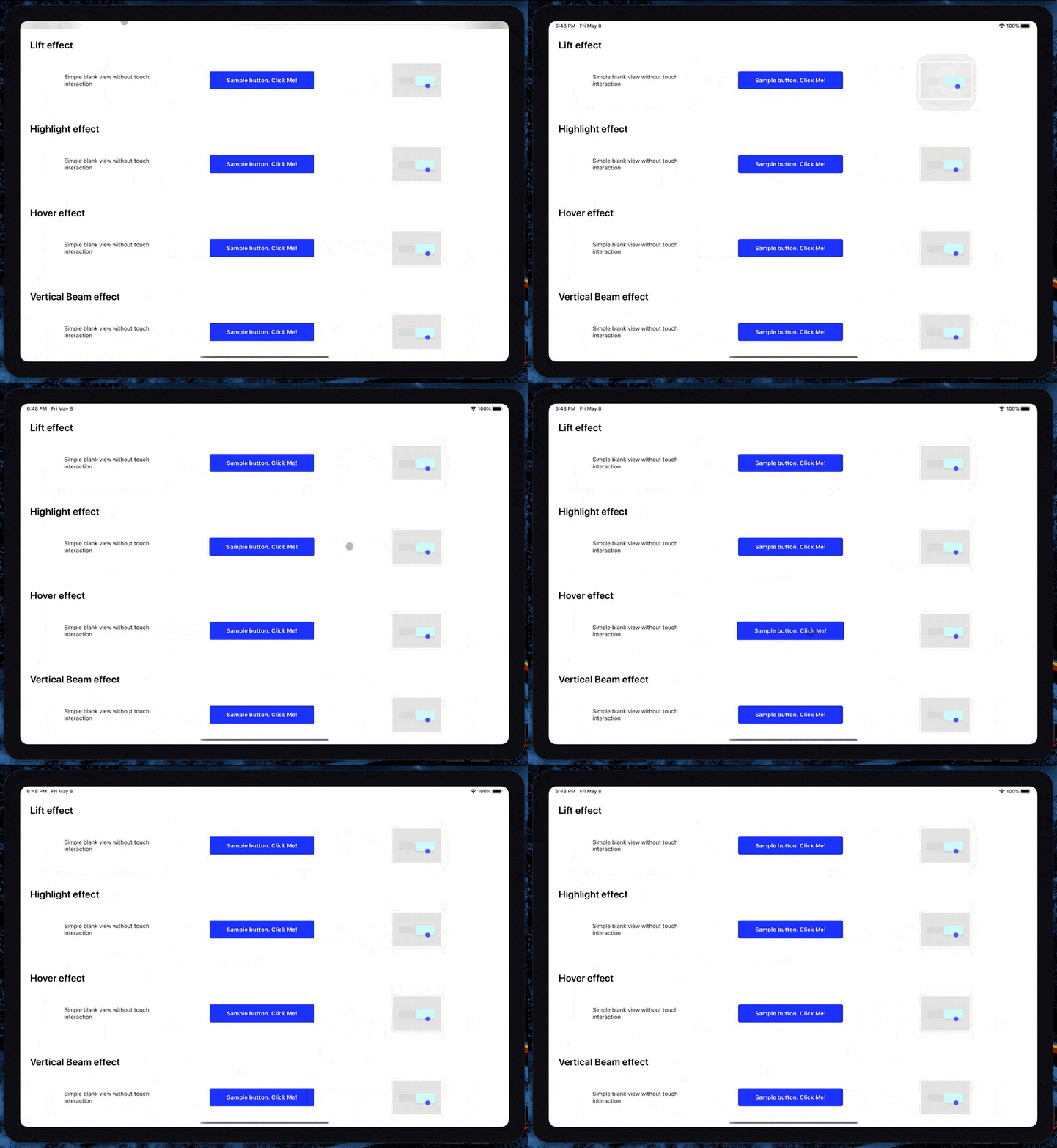
## Getting started
### Mostly automatic installation
**1. Install the library**
```bash
npm install @thefunbots/react-native-pointer-interactions --save
```
**2. (Optional) Install react-native-swift**
If you are not already using any other swift based modules in your app, install and run react-native-swift to configure your iOS project to support swift.
### Install react-native-swift
```bash
npm install --save react-native-swift
```
After installing it, you will need to link it. **Requires project to use Swift 5.0 and iOS SDK 13.4+**
### Manual installation
#### iOS
1. In XCode, in the project navigator, right click `Libraries` ➜ `Add Files to [your project's name]`
2. Go to `node_modules` ➜ `react-native-pointer-interactions` and add `RNPointerInteractions.xcodeproj`
3. In XCode, in the project navigator, select your project. Add `libRNPointerInteractions.a` to your project's `Build Phases` ➜ `Link Binary With Libraries`
4. Run your project (`Cmd+R`)<
## Setup
Add this to the Info plists
```xml
<key>UIApplicationSupportsIndirectInputEvents</key>
<true/>
```
## Usage
### Basic usage
Wrap the views you want to be interactable in `PointerInteractionView`
```jsx
import { PointerInteractionView } from '@thefunbots/react-native-pointer-interactions';
<PointerInteractionView pointerMode="lift">
<Text>Hi</Text>
</PointerInteractionView>
```
### Using the High Order Component
Soon
### Props
The component extends the regular View, so you can use the common properties too.
| Prop | Default | Description |
|-------------|---------------|-------------------------------------------------------------------------------|
| pointerMode | `'automatic'` | [`automatic`, `lift`, `highlight`, `hover`, `verticalBeam`, `horizontalBeam`] |
| beamLength | | Sets the cursor size for Beam modes only |
| hoverShadow | `true` | Determines if the view should have a shadow when hovered |
| hoverScale | `true` | Determines if the view should scale up when hovered |
| hoverTing | `true` | Determines if the view should have an overlay tint when hovered |
## Examples
If you want to play with the API but don't feel like trying it on a real app, you can run the example project. Clone the repo, go to the `example/` folder and run:
```bash
npm install
```
If you are running on ios, run `pod install` in the ios folder
Run `react-native start` to start the metro bundler
Run `react-native run-ios` (depending on which platform you want to run the example app on).
You will need to have an iOS device or emulator connected as well as `react-native-cli` package installed globally.
## Troubleshooting
- It doesn't work when wrapping `react-native-gesture-handler` buttons