@techstark/opencv-js
Version:
OpenCV JavaScript version for node.js or browser
90 lines (60 loc) • 2.71 kB
Markdown
# opencv-js
OpenCV JavaScript version (NPM package) for node.js or browser. Get started guide [OpenCV.js Tutorials](https://docs.opencv.org/4.11.0/#:~:text=OpenCV%2DPython%20Tutorials-,OpenCV.js%20Tutorials,-Tutorials%20for%20contrib).
The file `opencv.js` was downloaded from https://docs.opencv.org/4.11.0/opencv.js
TypeScript is supported (thanks to `mirada`).
# Basic Usage
## >=4.11
```js
import cvReadyPromise from "@techstark/opencv-js";
async function main() {
const cv = await cvReadyPromise;
console.log("OpenCV.js is ready!");
// You can now use OpenCV functions here
console.log(cv.getBuildInformation());
}
```
## <=4.10
```js
import cv from "@techstark/opencv-js";
cv.onRuntimeInitialized = () => {
console.log("OpenCV.js is ready!");
// You can now use OpenCV functions here
console.log(cv.getBuildInformation());
};
```
# Code Examples
- See code examples (React, Angular, Node.js) in [opencv-js-examples](https://github.com/TechStark/opencv-js-examples)
# Live Demo
## Using in react.js project
- See [live demo and code here](https://codesandbox.io/s/techstarkopencv-js-demo-page-f7gvk?file=/src/TestPage.jsx)
<img src="https://user-images.githubusercontent.com/132509/130320696-eaa3899b-2356-4e9f-bbc9-0a969465c58e.png" height="800px" alt="Live demo screenshot" />
- Get the test image from here [Lenna.png](test/Lenna.png)
## Using in Angular project
- See [code here](https://codesandbox.io/s/techstark-opencv-js-angular-demo-hkmc1n?file=/src/app/app.component.ts)
## Real-time face detection
- See [live demo and code here](https://codesandbox.io/s/opencv-js-face-detection-i1i3u)

# How to Use
- `npm install @techstark/opencv-js`
- or `yarn add @techstark/opencv-js`
- `import cv from "@techstark/opencv-js"`
- for TypeScript, set `"esModuleInterop": true` in `tsconfig.json`
- or `import * as cv from "@techstark/opencv-js"`
# Webpack Configuration (for browser usage)
If you use this package for browsers, you need to set some polyfills. In the file "webpack.config.js", set
```js
module.exports = {
resolve: {
modules: [...],
fallback: {
fs: false,
path: false,
crypto: false
}
}
};
```
# What methods and properties are available
The TypeScript type declarations may not be up to date with the latest OpenCV.js. Refer to [cvKeys.json](doc/cvKeys.json) to check the available methods and properties at runtime.
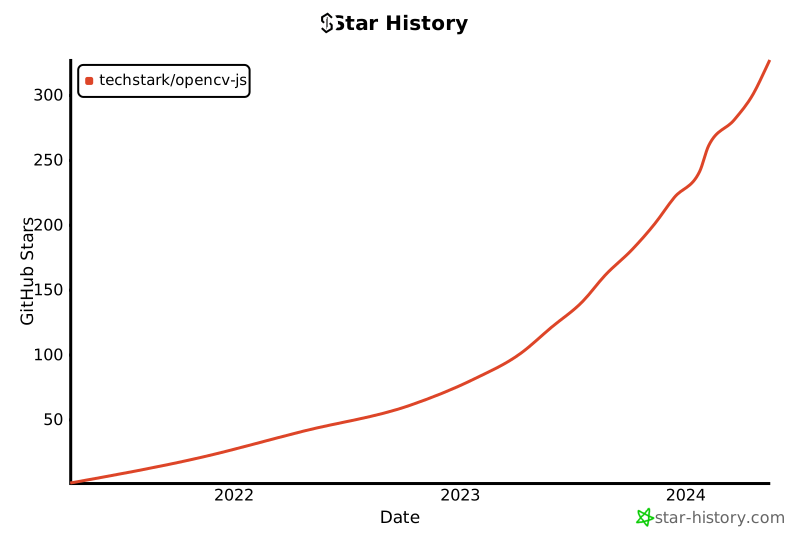
# Star History
[](https://star-history.com/#techstark/opencv-js&Date)