@sveltia/cms
Version:
Sveltia CMS is a modern, lightweight, Git-based headless content management system.
450 lines (389 loc) • 179 kB
Markdown
# Sveltia CMS: Netlify/Decap CMS alternative
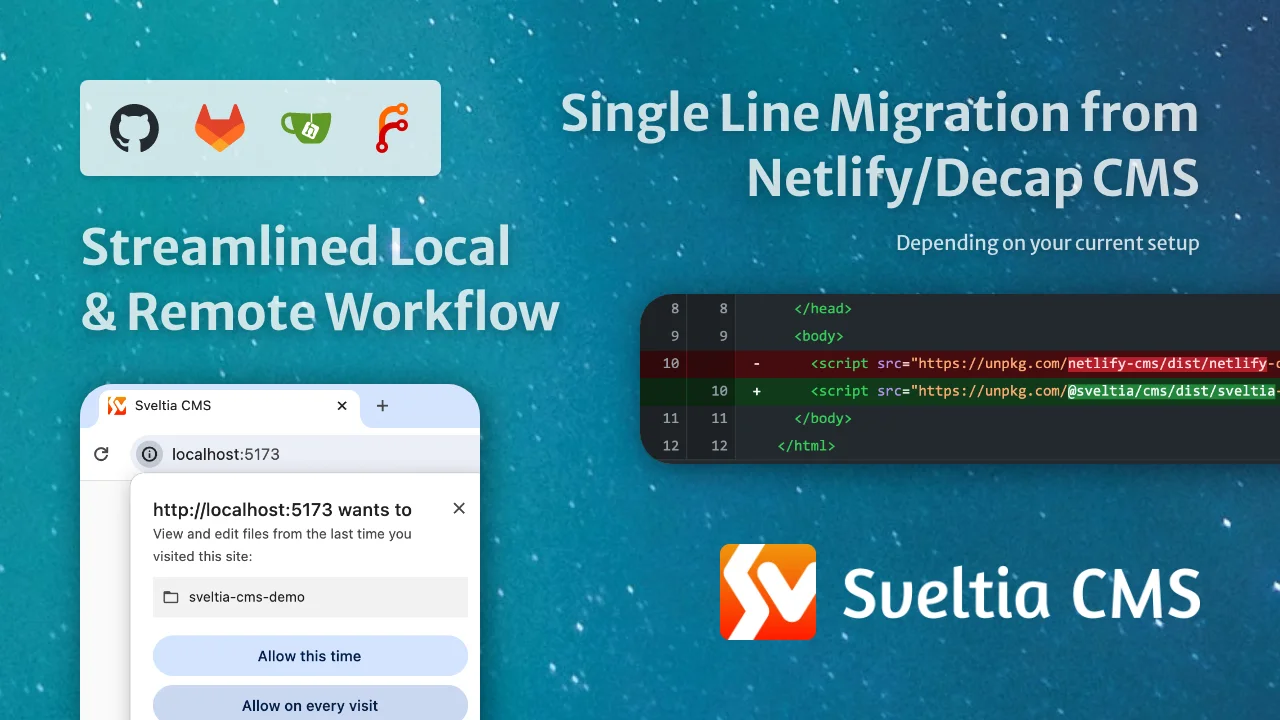
Sveltia CMS is a Git-based lightweight headless CMS under active development as a modern, powerful, quick replacement for Netlify CMS and Decap CMS. In some simple cases, migration is as easy as a single line of code change, although we are still working on improving compatibility.
The free, open source alternative to Netlify/Decap CMS is now in public beta, turbocharged with great UX, performance, i18n support and so many more enhancements.
Welcome to the only Netlify CMS successor you can trust!
<br>
<br>
<br>
<br>
<br>
<br>
## Table of contents
- [Motivation](#motivation)
- [Our advantage](#our-advantage)
- [Our goals](#our-goals)
- [Project status](#project-status)
- [Differentiators](#differentiators)
- [Better UX](#better-ux)
- [Better performance](#better-performance)
- [Better productivity](#better-productivity)
- [Better accessibility](#better-accessibility)
- [Better security](#better-security)
- [Better installation](#better-installation)
- [Better configuration](#better-configuration)
- [Better backend support](#better-backend-support)
- [Better i18n support](#better-i18n-support)
- [Better collections](#better-collections)
- [Better content editing](#better-content-editing)
- [Better content preview](#better-content-preview)
- [Better data output](#better-data-output)
- [Better widgets](#better-widgets)
- [New widgets](#new-widgets)
- [Better asset management](#better-asset-management)
- [Better customization](#better-customization)
- [Better localization](#better-localization)
- [Compatibility](#compatibility)
- [Features not to be implemented](#features-not-to-be-implemented)
- [Current limitations](#current-limitations)
- [Compatibility with Static CMS](#compatibility-with-static-cms)
- [Framework support](#framework-support)
- [Backend support](#backend-support)
- [Browser support](#browser-support)
- [Other notes](#other-notes)
- [Getting started](#getting-started)
- [Installation \& setup](#installation--setup)
- [Migration](#migration)
- [Editing the configuration file](#editing-the-configuration-file)
- [Migrating from Git Gateway backend](#migrating-from-git-gateway-backend)
- [Installing with npm](#installing-with-npm)
- [Updates](#updates)
- [Tips \& tricks](#tips--tricks)
- [Moving your site from Netlify to another hosting service](#moving-your-site-from-netlify-to-another-hosting-service)
- [Enabling autocomplete and validation for the configuration file](#enabling-autocomplete-and-validation-for-the-configuration-file)
- [Providing a JSON configuration file](#providing-a-json-configuration-file)
- [Providing multiple configuration files](#providing-multiple-configuration-files)
- [Working around an authentication error](#working-around-an-authentication-error)
- [Working with a local Git repository](#working-with-a-local-git-repository)
- [Enabling local development in Brave](#enabling-local-development-in-brave)
- [Using a custom icon for a collection](#using-a-custom-icon-for-a-collection)
- [Adding dividers to the collection list](#adding-dividers-to-the-collection-list)
- [Using a custom media folder for a collection](#using-a-custom-media-folder-for-a-collection)
- [Specifying default sort field and direction](#specifying-default-sort-field-and-direction)
- [Including Hugo’s special index file in a folder collection](#including-hugos-special-index-file-in-a-folder-collection)
- [Using singletons](#using-singletons)
- [Using keyboard shortcuts](#using-keyboard-shortcuts)
- [Translating entry fields with one click](#translating-entry-fields-with-one-click)
- [Localizing entry slugs](#localizing-entry-slugs)
- [Disabling non-default locale content](#disabling-non-default-locale-content)
- [Using a random ID for an entry slug](#using-a-random-id-for-an-entry-slug)
- [Configuring multiple media libraries](#configuring-multiple-media-libraries)
- [Optimizing images for upload](#optimizing-images-for-upload)
- [Disabling stock assets](#disabling-stock-assets)
- [Editing site deployment configuration files](#editing-site-deployment-configuration-files)
- [Editing data files with a top-level list](#editing-data-files-with-a-top-level-list)
- [Changing the input type of a DateTime field](#changing-the-input-type-of-a-datetime-field)
- [Rendering soft line breaks as hard line breaks in Markdown](#rendering-soft-line-breaks-as-hard-line-breaks-in-markdown)
- [Controlling data output](#controlling-data-output)
- [Understanding exceptions in data output](#understanding-exceptions-in-data-output)
- [Disabling automatic deployments](#disabling-automatic-deployments)
- [Setting up Content Security Policy](#setting-up-content-security-policy)
- [Showing the CMS version](#showing-the-cms-version)
- [Support \& feedback](#support--feedback)
- [Contributions](#contributions)
- [Roadmap](#roadmap)
- [v1.0](#v10)
- [v2.0](#v20)
- [v3.0](#v30)
- [TBD](#tbd)
- [Trivia](#trivia)
- [Related links](#related-links)
- [As seen on](#as-seen-on)
- [Disclaimer](#disclaimer)
## Motivation
Sveltia CMS was born in November 2022, when the progress of Netlify CMS was stalled for more than six months. [@kyoshino](https://github.com/kyoshino)’s clients wanted to replace their Netlify CMS instances without much effort, mainly to get better internationalization (i18n) support.
To achieve radical improvements in UX, performance, i18n and other areas, it was ultimately decided to build an alternative from the ground up, while ensuring an easy migration path from the other. After proving the idea with a rapid [Svelte](https://svelte.dev/) prototype, development was accelerated to address their primary use cases. The new product has since been named Sveltia CMS and released as open source software to encourage wider adoption.
We loved the simple architecture of Netlify CMS that turned a Git repository into a database with a single page app served from a CDN plus a plain YAML config file. In support of the [Jamstack](https://jamstack.org/) concept, we wanted to revive it, modernize it, and take it to the next level.
### Our advantage
Due to its unfortunate abandonment in early 2022, Netlify CMS spawned 3 successors:
- [Static CMS](https://github.com/StaticJsCMS/static-cms): a community fork, initial commit made in September 2022 — discontinued in September 2024 after making meaningful improvements
- **Sveltia CMS**: not a fork but a **complete rewrite** or “total reboot”, started in November 2022, first appeared on GitHub in March 2023
- [Decap CMS](https://github.com/decaporg/decap-cms): a rebranded version, [announced in February 2023](https://www.netlify.com/blog/netlify-cms-to-become-decap-cms/) as the official successor with a Netlify agency partner taking ownership — mostly stagnant, no significant updates
Sveltia CMS is the only project that doesn’t inherit the complexity, technical debt, and numerous bugs of Netlify CMS, which was launched in 2015. Our product is better by design: We have rebuilt the app from the ground up using a [modern framework](https://svelte.dev/) while closely monitoring and analyzing the predecessor’s issue tracker. We don’t use any of their code. This allows us to make [hundreds of improvements](#differentiators) without getting stuck in an old system.
While Sveltia CMS was created to replace legacy Netlify CMS instances, it can also be used as an alternative to other Netlify CMS successors. With its [solid i18n support](#better-i18n-support), we’re hoping our product will eventually be an appearing option for anyone looking for a free headless CMS.
### Our goals
- Making Sveltia CMS a viable, definitive successor to Netlify CMS
- Empowering SMBs and individuals who need a free, yet powerful, high-quality CMS solution
- Emerging as the leading open source offering in the Git-based CMS market
- Extending its capabilities as digital asset management (DAM) software
- Showcasing the power of Svelte and UX engineering
## Project status
Sveltia CMS is currently in **beta** and version 1.0 (GA) is expected to ship in late 2025. Check our [release notes](https://github.com/sveltia/sveltia-cms/releases) and follow us on [Bluesky](https://bsky.app/profile/sveltiacms.app) for updates. See also our [roadmap](#roadmap).
While we fix reported bugs as quickly as possible, usually within 24 hours, our overall progress may be slower than you think. The thing is, it’s not just a personal project of [@kyoshino](https://github.com/kyoshino), but also a complicated system involving various kinds of activities that require considerable effort:
- Ensuring substantial [compatibility with Netlify/Decap CMS](#current-limitations)
- Providing partial [compatibility with Static CMS](#compatibility-with-static-cms)
- Tackling as many [Netlify/Decap CMS issues](https://github.com/decaporg/decap-cms/issues) as possible
- So far, **250+ issues, or 520+ if including duplicates, have been effectively solved** in Sveltia CMS (Yes, you read it right)
- Target:
- 250 issues, or 500 if including duplicates, by GA — We did it! 🎉
- 400 issues, or 800 if including duplicates, in the future 💪
- or every single issue that’s relevant, fixable, and worth dealing with 🔥
- Issues include everything from feature requests to bug reports and [issues closed as stale](https://github.com/decaporg/decap-cms/issues?q=is%3Aissue+%22Closing+as+stale%22) or without an effective solution, as well as [discussions](https://github.com/decaporg/decap-cms/discussions) and stalled [pull requests](https://github.com/decaporg/decap-cms/pulls)
- Many of the bugs, including the annoying crashes, have already been solved
- The remaining bugs are mostly related to [unimplemented features](#current-limitations)
- Many of their [top-voted features](https://github.com/decaporg/decap-cms/issues?q=is%3Aissue+is%3Aopen+sort%3Areactions-%2B1-desc) are on our table or already implemented in Sveltia CMS
- Solving [our own issues](https://github.com/sveltia/sveltia-cms/issues)
- Implementing our own enhancement ideas for every part of the product
- Responding to requests from the maintainer’s clients
- Making the code clean and maintainable
<br>
## Differentiators
Netlify/Decap CMS users will definitely be pleased and surprised by the numerous improvements we have made, from the small to the large. Here’s what makes Sveltia CMS different. Look how serious we are!
Note: This lengthy section compares Sveltia CMS with both Netlify CMS and Decap CMS. Some of the listed bugs may have been fixed in the current version of Decap CMS.
### Better UX
- Created and actively maintained by an [experienced UX engineer](https://github.com/kyoshino) who loves code, design, marketing and problem solving. You can expect constant improvements to the user experience (UX) and developer experience (DX) across the platform.
- The maintainer tries to respond to bug reports as quickly as possible. While there are no guarantees, the typical turnaround time for a bug fix is less than 24 hours.
- Frequent releases deliver new features and enhancements to users faster. Most of our minor [releases](https://github.com/sveltia/sveltia-cms/releases) address one or more Netlify/Decap CMS issues, giving you even more reasons to switch from the legacy predecessor.
- Offers a modern, intuitive user interface that utilizes the full viewport,[^178] inspired in part by the Netlify CMS v3 prototype.[^1][^211][^212][^213][^214]
- Provides immersive dark mode.[^2] The UI theme follows the user’s system preference by default and can be changed in the application settings.
- Users can easily manage content on-the-go with mobile and tablet support.[^18][^215]
- For a smoother experience, we even go beyond responsive design with optimized navigation, floating action buttons, smooth [view transitions](https://developer.chrome.com/docs/web-platform/view-transitions), larger buttons, and other tweaks. We’ll continue to fully optimize the app for small screens and touch devices.
- If you’re already signed in on your desktop, open the Account menu in the top right corner of the CMS, click Sign In with Mobile, and scan the QR code for passwordless sign-in. Your settings will be automatically copied.
- Sveltia CMS loads all entries at startup. We don’t support backends that cannot retrieve multiple entries at once. This deliberate design choice improves performance and UX by enabling instant full-text searches, fast and powerful relation fields, and linking between assets and entries.
- Made with [Svelte](https://svelte.dev/), not React, means we can spend more time on UX rather than tedious state management. It also allows us to avoid common fatal React application crashes.[^113][^129] Best of all, Svelte offers great performance.
- Other crashes in Netlify/Decap CMS are also irrelevant to us, making Sveltia CMS much more stable.[^112][^203][^204][^260]
- We build [our own UI component library](https://github.com/sveltia/sveltia-ui), including custom dialogs, to ensure optimal usability without compromising accessibility.[^277][^196][^205][^206][^207][^208][^209][^210]
- Users can personalize the application with various settings, including appearance and language. Developer Mode can also be enabled, which enables certain features and displays the CMS version number.[^270]
- Never miss out on the latest features and bug fixes by being notified when an update to the CMS is available.[^31] Then update to the latest version with a single click.[^66]
<!-- - The in-app Help menu provides all links to useful resources, including release notes, feedback and support. -->
### Better performance
- Built completely from scratch with [Svelte](https://svelte.dev/) instead of forking React-based Netlify/Decap CMS. The app starts fast and stays fast with [no virtual DOM overhead](https://svelte.dev/blog/virtual-dom-is-pure-overhead). Note that Svelte is a compiler and Sveltia CMS is framework-agnostic; it’s served as a vanilla JavaScript bundle.
- Small footprint: The bundle size is less than 500 KB when minified and [brotlied](https://en.wikipedia.org/wiki/Brotli), which is much lighter than Netlify CMS (1.5 MB), Decap CMS (1.5 MB) and Static CMS (2.6 MB).[^57][^64] This number is remarkable because even though some Netlify/Decap CMS features are [omitted](#features-not-to-be-implemented) or [unimplemented](#current-limitations) in Sveltia CMS, we have added a lot of new features. That’s the power of [Svelte 5](https://svelte.dev/blog/svelte-5-is-alive) + [Vite](https://vite.dev/).
- Uses the GraphQL API for GitHub and GitLab to quickly fetch content at once, so that entries and assets can be listed and searched instantly[^32][^65] (the useless `search` configuration option is therefore ignored). It also avoids the slowness and potential API rate limit violations caused by hundreds of requests with Relation fields.[^14]
- Saving entries and assets to GitHub is also much faster thanks to the [GraphQL mutation](https://github.blog/changelog/2021-09-13-a-simpler-api-for-authoring-commits/).
- The Gitea/Forgejo backend is also faster because it utilizes an efficient API method introduced in Gitea 1.24 and Forgejo 12.0.
- Our [local repository workflow](#working-with-a-local-git-repository) utilizes the modern [File System Access API](https://developer.chrome.com/docs/capabilities/web-apis/file-system-access) to read and write files natively through the web browser, rather than using a slow, ad hoc REST API through a proxy server.
- Sorting, filtering and grouping of entries is done instantly without reloading the entire content.
- Uses caching, lazy loading and infinite scrolling techniques. A list of repository files is stored locally for faster startup and bandwidth savings.
- Thumbnails of assets, including videos and PDF files, are generated and cached for faster rendering of the Asset Library and other parts of the CMS.[^39][^38]
- No typing lag on input fields, especially within nested lists and objects.[^77]
- The entry preview doesn’t use an `<iframe>` by default because it’s a performance overhead.[^179]
### Better productivity
- Developers can [work with a local Git repository](#working-with-a-local-git-repository) without any additional configuration or proxy server, resulting in a streamlined workflow and improved performance.[^26]
- It also avoids a number of issues, including potential dependency corruption,[^158] a 30 MB file size limit,[^51] an unknown error with `publish_mode`,[^75] and an unused `logo_url`.[^49]
- When you delete an entry or an asset file, the empty folder that contains it is also deleted, so you don’t have to delete it manually.
- Provides a smoother user experience in the Content Editor:
- A local backup of an entry draft is automatically created without interruption by a confirmation dialog, which annoys users and can cause a page navigation problem if dismissed.[^106] The backup can then be reliably restored without unexpected overwriting.[^85]
- Click once (the Save button) instead of twice (Publish > Publish now) to save an entry. Or just hit the `Ctrl+S` (Windows/Linux) or `Command+S` (macOS) key to save your time.
- The editor closes automatically when an entry is saved. This behaviour can be changed in the application settings.
- Uploading files can be done with drag and drop.[^20]
- Users can upload multiple files at once to the Asset Library.
- Users can delete multiple entries and assets at once.
- Instant full-text search with results sorted by relevance helps you find entries faster. In Netlify/Decap CMS, you often won’t get the results you expect.
- Some [keyboard shortcuts](#using-keyboard-shortcuts) are available for faster editing.
### Better accessibility
- Improved keyboard handling lets you efficiently navigate through UI elements using the Tab, Space, Enter and arrow keys.[^17][^67]
- Comprehensive [WAI-ARIA](https://w3c.github.io/aria/) support enables users who rely on screen readers such as NVDA and VoiceOver.[^228] An announcement is read out when you navigate to another page.
- The rich text editor is built with [Lexical](https://lexical.dev/), which is said to follow accessibility best practices. The [Dragon NaturallySpeaking support](https://lexical.dev/docs/packages/lexical-dragon) is enabled.
- Ensures sufficient contrast between the foreground text and background colours.
- Enabled and disabled buttons can be clearly distinguished.[^105]
- Links are underlined by default to make them easier to recognize. This behaviour can be changed in the Accessibility Settings if you prefer.
- Honours your operating system’s [reduced motion](https://developer.mozilla.org/en-US/docs/Web/CSS/@media/prefers-reduced-motion) and [reduced transparency](https://developer.mozilla.org/en-US/docs/Web/CSS/@media/prefers-reduced-transparency) settings. Support for [high contrast mode](https://developer.mozilla.org/en-US/docs/Web/CSS/@media/prefers-contrast) will be added later.
- Browser console logs for developers are readable in either light or dark mode.[^116]
- We’ll continue to test and improve the application to meet [WCAG 2.2](https://w3c.github.io/wcag/guidelines/22/).
### Better security
- Avoids vulnerabilities in dependencies through constant updates, Dependabot alerts, [`pnpm audit`](https://pnpm.io/cli/audit), and frequent releases, unlike Netlify/Decap CMS where a number of high severity vulnerabilities remain unpatched for a long time.[^33]
- Thanks to pnpm, Svelte, Vite, GitHub Actions and [npm package provenance](https://github.blog/security/supply-chain-security/introducing-npm-package-provenance/), our release process is fast, reliable and transparent. This setup makes it easy to verify the integrity of published code and assets. It also helps us avoid errors that can occur with manual build steps.[^264]
- We have documented how to [set up a Content Security Policy](#setting-up-content-security-policy) for the CMS to prevent any unexpected errors or otherwise insecure configuration.[^108]
- The `unsafe-eval` and `unsafe-inline` keywords are not needed in the `script-src` CSP directive.[^34]
- The `same-origin` referrer policy is automatically set with a `<meta>` tag.
- Sveltia CMS has a [secure context](https://developer.mozilla.org/en-US/docs/Web/Security/Secure_Contexts) requirement that forces the site content, including the CMS configuration file, to be served over HTTPS.
- GitHub commits are automatically GPG-signed and [marked as verified](https://docs.github.com/en/authentication/managing-commit-signature-verification/about-commit-signature-verification).[^144]
- Our [local repository workflow](#working-with-a-local-git-repository) doesn’t require a proxy server, reducing an attack surface.[^158]
### Better installation
- Sveltia CMS is built with [Svelte](https://svelte.dev/), and we only publish compiled vanilla JavaScript bundles, so there are no React compatibility issues that might prevent developers from upgrading a project for many months.[^177] We haven’t actually integrated React for custom widgets and other features yet, but anyway, no dependencies will be installed when you [install the app with npm](#installing-with-npm).
- Sveltia CMS also won’t cause peer dependency conflicts mainly due to legacy third-party React UI libraries.[^175][^237] We build the app using [our own Svelte UI component library](https://github.com/sveltia/sveltia-ui) to reduce reliance on third parties.
- Some servers and frameworks are known to remove the trailing slash from the CMS URL (`/admin`) depending on the configuration. In such cases, the config file is loaded from the proper URL (`/admin/config.yml`) instead of a regular relative URL (`./config.yml` = `/config.yml`), which results in a 404 Not Found error.[^107]
- The [robots `meta` tag](https://developers.google.com/search/docs/crawling-indexing/robots-meta-tag) is automatically added to HTML to prevent the admin page from being indexed by search engines.[^174] Developers are still encouraged to manually add `<meta name="robots" content="noindex">` to `index.html`, as not all crawlers support dynamically added tags. However, our solution should at least work with Google in case you forget to do so.
- Initializing the CMS twice (due to the incorrect or missing placement of `window.CMS_MANUAL_INIT`) will not result in a `NotFoundError`.[^251]
- Sveltia CMS automatically enables [manual initialization](https://decapcms.org/docs/manual-initialization/) when you import the JavaScript module, so you don’t need to have `window.CMS_MANUAL_INIT = true` in your code.
### Better configuration
- Sveltia CMS supports a [JSON configuration file](#providing-a-json-configuration-file) that can be generated for bulk or complex collections.[^60]
- Also supports [multiple configuration files](#providing-multiple-configuration-files) to allow developers to modularize the configuration.[^197]
- We provide an [up-to-date JSON schema](#enabling-autocomplete-and-validation-for-the-configuration-file) for YAML/JSON configuration files, which enables autocomplete and validation in VS Code and other code editors.[^253]
- Improved TypeScript support: We keep our type definitions for `CMS.init()` and other methods complete, accurate, up-to-date and annotated.[^190][^191][^192][^193][^227] This makes it easier to provide a site config object when [manually initializing](https://decapcms.org/docs/manual-initialization/) the CMS.
### Better backend support
The [GitHub](https://decapcms.org/docs/github-backend/), [GitLab](https://decapcms.org/docs/gitlab-backend/), [Gitea/Forgejo](https://decapcms.org/docs/gitea-backend/) and [Test](https://decapcms.org/docs/test-backend/) backends are available in Sveltia CMS. For [performance reasons](#features-not-to-be-implemented), we don’t support [Azure](https://decapcms.org/docs/azure-backend/), [Bitbucket](https://decapcms.org/docs/bitbucket-backend/) and [Git Gateway](https://decapcms.org/docs/git-gateway-backend/).
- Uses the GraphQL API where possible for better performance, as mentioned above. You don’t need to set the `use_graphql` option to enable it for GitHub and GitLab.[^65]
- The Git branch name is automatically set to the repository’s default branch (`main`, `master` or whatever) if not specified in the configuration file, preventing data loading errors due to a hardcoded fallback to `master`.[^95][^27] If a branch name is specified, it works as expected.[^232]
- It’s possible to [disable automatic deployments](#disabling-automatic-deployments) by default or on demand to save costs and resources associated with CI/CD and to publish multiple changes at once.[^24]
- The GitLab backend support comes with background [service status](https://status.gitlab.com/) checking, just like GitHub.
- Service status checks are performed frequently and an incident notification is displayed prominently.
- Users can quickly open the source file of an entry or asset in your repository via the 3-dot menu when Developer Mode is enabled.
- We provide [our own OAuth client](https://github.com/sveltia/sveltia-cms-auth) for GitHub and GitLab.
- The GitLab backend supports Git LFS ([documentation](https://docs.gitlab.com/topics/git/lfs/)).[^231]
- Users won’t get a 404 Not Found error when you sign in to the GitLab backend.[^115]
- Our Gitea/Forgejo backend is high-performing because it retrieves multiple entries at once. It also supports Git LFS ([documentation](https://docs.gitea.com/administration/git-lfs-setup)). Additionally, the backend won’t cause 400 Bad Request errors due to the presence of `DRAFT_MEDIA_FILES` in file paths.[^222]
- Users can sign in directly with a Git-based backend using a personal access token (PAT) instead of going through the regular OAuth flow.[^258] To do so, click the small arrow button next to the Sign In button, and select Use Personal Access Token.
- The OAuth access token is automatically renewed when using the GitLab or Gitea/Forgejo backend with PKCE authorization.[^224] Token renewal for other backend configurations will be implemented later.
- Features the all-new [local repository workflow](#working-with-a-local-git-repository) that boosts DX. See the [productivity section](#better-productivity) above.
- Developers can select the local and remote backends while working on a local server.
- The Test backend saves entries and assets in the browser’s [origin private file system](https://web.dev/articles/origin-private-file-system) (OPFS) so that changes are not discarded when the browser tab is closed or reloaded.[^194] The persistent storage support works with all modern browsers [except Safari](https://bugs.webkit.org/show_bug.cgi?id=254726).
### Better i18n support
Sveltia CMS has been built with a multilingual architecture from the very beginning. You can expect first-class internationalization (i18n) support, as it’s required by clients of maintainer [@kyoshino](https://github.com/kyoshino), who himself was a long-time Japanese localizer for [Mozilla](https://www.mozilla.org/) and currently lives in the [most diverse city in the world](https://en.wikipedia.org/wiki/Toronto) where 150+ languages are spoken.
- Configuration
- The [i18n limitations](https://decapcms.org/docs/i18n/#limitations) in Netlify/Decap CMS do not apply to Sveltia CMS:
- File collections support multiple files/folders i18n structures.[^87] To enable it, simply use the `{{locale}}` template tag in the `file` path option, e.g. `content/pages/about.{{locale}}.json` or `content/pages/{{locale}}/about.json`. For backward compatibility, the global `structure` option only applies to folder collections, and the default i18n structure for file collections remains single file.
- The List and Object widgets support the `i18n: duplicate` field configuration so that changes made with these widgets are duplicated between locales.[^7][^68] The `i18n` configuration can normally be used for the subfields.
- The new `multiple_folders_i18n_root` i18n structure allows to have locale folders below the project root: `<locale>/<folder>/<slug>.<extension>`.[^182]
- The new `omit_default_locale_from_filename` i18n option allows to exclude the default locale from filenames. This option applies to entry collections with the `multiple_files` i18n structure enabled, as well as to file collection items with the `file` path ending with `.{{locale}}.<extension>`, aiming to support [Zola’s multilingual sites](https://www.getzola.org/documentation/content/multilingual/). ([Discussion](https://github.com/sveltia/sveltia-cms/discussions/394))
- The `required` field option accepts an array of locale codes in addition to a boolean, making the field required for a subset of locales when i18n support is enabled. For example, if only English is required, you could write `required: [en]`. An empty array is equivalent to `required: false`.
- [Entry-relative media folders](https://decapcms.org/docs/collection-folder/#media-and-public-folder) can be used in conjunction with the `multiple_folders` i18n structure.[^21]
- The `{{locale}}` template tag can be used in the [`preview_path`](https://decapcms.org/docs/configuration-options/#preview_path) collection option to provide site preview links for each language.[^63]
- It’s possible to [use a random UUID for an entry slug](#using-a-random-id-for-an-entry-slug), which is a good option for locales that write in non-Latin characters.
- It’s possible to [localize entry slugs](#localizing-entry-slugs) while linking the localized files,[^80] thanks to the support for Hugo’s `translationKey`.[^81]
- When the `clean_accents` option is enabled for [entry slugs](https://decapcms.org/docs/configuration-options/#slug-type), certain characters, such as German umlauts, will be [transliterated](https://en.wikipedia.org/wiki/Transliteration).[^99]
- It’s possible to embed the locale code in an entry by using `widget: hidden` along with `default: '{{locale}}'`.[^101]
- The `value_field` Relation field option can contain a locale prefix like `{{locale}}/{{slug}}`, which will be replaced with the current locale. It’s intended to support i18n in Astro. ([Discussion](https://github.com/sveltia/sveltia-cms/discussions/302))
- User interface
- Eliminates UI confusion: The Preview Pane can be displayed without toggling i18n in the Content Editor. Both panes are scrollable. There is no condition where both panes are edited in the same language at the same time.
- Users can easily switch between locales while editing by clicking a button instead of a dropdown list when there are less than 5 locales.
- Language labels appear in human-readable display names instead of ISO 639 language codes because it’s not easy for everyone to recognize `DE` as German, `NL` as Dutch, `ZH` as Chinese, and so on.
- Content editing
- [Integrates translation services](#translating-entry-fields-with-one-click) to allow translation of text fields from another locale with one click.
- The Content Editor supports [RTL scripts](https://en.wikipedia.org/wiki/Right-to-left_script) such as Arabic, Hebrew and Persian.[^146]
- It’s possible to [disable non-default locale content](#disabling-non-default-locale-content).[^15]
- Boolean, DateTime, List and Number fields in the entry preview are displayed in a localized format.
- Boolean fields are updated in real time between locales like other widgets to avoid confusion.[^35]
- Relation fields with i18n enabled won’t trigger a change in the content draft status when you start editing an existing entry.[^84]
- Solves problems with Chinese, Japanese and Korean (CJK) [IME](https://en.wikipedia.org/wiki/Input_method) text input in the rich text editor for the Markdown widget.[^54]
- Raises a validation error instead of failing silently if the `single_file` structure is used and a required field is not filled in any of the locales.[^55]
- Fields in non-default locales are validated as expected.[^13]
- No internal error is thrown when changing the locale.[^103]
- Duplicating an entry duplicates all locale content, not just the default locale.[^170]
- Copying Markdown from another locale using the menu works as expected.[^236]
### Better collections
- Configuration
- Provides some new options, including:
- `icon`: [Choose a custom icon for each collection](#using-a-custom-icon-for-a-collection).[^3]
- The option can also be used for individual files within a file collection. The specified icon will then appear in the file list.
- `thumbnail`: Specify the field name for a thumbnail displayed on the entry list, like `thumbnail: featuredImage`.
- A nested field can be specified using dot notation, e.g. `heroImage.src`.
- A wildcard in the field name is also supported, e.g. `images.*.src`.
- Multiple field names can be specified as an array for fallback purpose, e.g. `[thumbnail, cover]`.
- Occasionally, you may not have suitable images for thumbnails. For example, your images may have subtle differences or varied aspect ratios. In that case, you can disable the thumbnail with `thumbnail: []`.
- If this option is omitted, any non-nested, non-empty Image or File field will be used.[^173] Sveltia CMS doesn’t have [hardcoded inference fields](https://github.com/decaporg/decap-cms/blob/899dba82d1f396260e0f84c6977c1d2aee809b59/packages/decap-cms-core/src/constants/fieldInference.tsx#L64-L72).[^130]
- `limit`: Specify the maximum number of entries that can be created in a folder collection.[^185]
- `divider`: [Add dividers to the collection list](#adding-dividers-to-the-collection-list).
- Enhancements to the entry `filter` option for folder collections:
- Boolean `value` works as expected.[^93]
- `value` accepts `null` to match an undefined field value.
- `value` accepts an array to provide multiple possible values.[^151]
- `pattern` can be used instead of `value` to provide a regular expression, just like the `view_filters` collection option.[^153]
- Enhancements to [summary string transformations](https://decapcms.org/docs/summary-strings/):
- Transformations can be used in more places than just the collection `summary`:
- The `slug`, `path` and `preview_path` collection options[^29][^276]
- The `summary` field option for the List and Object widgets
- The `default` transformation accepts a template tag like `{{fields.slug | default('{{fields.title}}')}}`, making it possible to fall back to a different field value. ([Discussion](https://github.com/sveltia/sveltia-cms/issues/345))
- The `date` transformation supports the time zone argument. The only available value is `utc`, which converts a date to UTC. This is useful if the specified DateTime field is local, but you want to force UTC in the entry slug, e.g. `{{date | date('YYYYMMDD-HHmm', 'utc')}}`. ([Discussion](https://github.com/sveltia/sveltia-cms/issues/278#issuecomment-2565313420))
- The `date` transformation returns an empty string if an invalid date is given.[^176]
- Multiple transformations can be chained like `{{title | upper | truncate(20)}}`.
- Enhancements to file collections:
- Sveltia CMS supports [singletons](#using-singletons), a simple form of a file collection.[^233]
- File collections support files without extensions.[^255] This is useful for [editing site deployment configuration files](#editing-site-deployment-configuration-files), such as `_headers` and `_redirects`.
- Each file in a file collection has the `format` and `frontmatter_delimiter` options, which can be used to specify the file format, making it possible to have `yaml-frontmatter`, `toml-frontmatter` and `json-frontmatter` side by side.[^218]
- The collection `label` defaults to the `name` value according to the [Decap CMS document](https://decapcms.org/docs/configuration-options/#collections), while Netlify/Decap CMS actually throws a configuration error if the `label` option is omitted.
- Nested fields (dot notation) can be used in the `path` option for a folder collection, e.g. `{{fields.state.name}}/{{slug}}`.[^62]
- Markdown is supported in the `description` collection option.[^79] Bold, italic, strikethrough, code and links are allowed.
- The collection `folder` can be an empty string (or `.` or `/`) if you want to store entries in the root folder. This supports a typical VitePress setup.
- Entry slugs
- It’s possible to [use a random UUID for an entry slug](#using-a-random-id-for-an-entry-slug).
- Slug generation is fail-safe: If a slug cannot be determined from entry content, part of a random UUID is used instead of throwing an error or filling in with arbitrary string field values.[^133]
- Users can edit entry slugs via the 3-dot menu in the Content Editor.[^184]
- If a collection only has the Markdown `body` field, an entry slug will be generated from a header in the `body`, if exists. This supports a typical VitePress setup.
- Entry slug template tags support [transformations](https://decapcms.org/docs/summary-strings/) just like summary string template tags.[^29]
- Single quotes (apostrophes) in a slug will be replaced with `sanitize_replacement` (default: hyphen) rather than being removed.[^52]
- The [global `slug` option](https://decapcms.org/docs/configuration-options/#slug-type) accepts the `trim` option to remove leading and trailing replacement characters, such as hyphens, from an entry slug. The default value is `true`. Set to `false` to keep them.
- The maximum number of characters for an entry slug can be set with the new `slug_length` collection option to avoid deployment errors with Netlify or other platforms.[^25]
- Setting the collection `path` doesn’t affect the entry slugs stored with the Relation widget.[^137]
- Entry slugs are [localizable](#localizing-entry-slugs).[^80]
- Entry listing
- The [default sort field and direction](#specifying-default-entry-sort-field-and-direction) can be specified.[^172]
- The default filter and group can also be specified in the same way as with [Static CMS](https://staticjscms.netlify.app/docs/collection-overview#view-filters).[^269]
- Sorting entries by a DateTime field works as expected.[^110]
- Entry grouping and sorting can work together. For example, it’s possible to group by year and then sort by year if configured properly.
- The `sortable_fields` option accepts a special `slug` value to allow sorting by entry slugs.
- [Index file inclusion](#including-hugos-special-index-file-in-a-folder-collection) allows users to edit Hugo’s special `_index.md` file, including localized ones like `_index.en.md`, within a folder collection.[^201] If the `index_file` option is not defined, these files will be hidden in a folder collection unless the `path` option is configured to end with `_index` and the `extension` is `md`.[^120]
- A console error won’t be thrown when a collection doesn’t have the `title` field.[^152] In that case, an entry summary will be generated from a header in the Markdown `body` field, if exists, or from the entry slug, so the summary will never be an empty.[^161] This supports a typical VitePress and Docusaurus setup.[^230]
- If there was an error while parsing an entry file, such as duplicate front matter keys, it won’t show up as a blank entry, and a clear error message will be displayed in the browser console.[^121]
- A single file can be used for more than one item in a file collection.[^127]
- User interface
- The collection list displays the number of items in each collection.
- Users can select multiple entries and delete them at once.
- In an entry summary, basic Markdown syntax used in the title, including bold, italic and code, are parsed as Markdown. HTML character references (entities) are also parsed properly.[^69]
- If you update an entry field that appears in the collection’s `summary`, such as `title`, the entry list displays an updated summary after you save the entry.[^159]
- Thumbnails of entries are displayed not only in the grid view but also in the list view, making it easier to navigate.
- If entries don’t have an Image field for thumbnails, the entry list will only be displayed in the list view, because it doesn’t make sense to show the grid view.[^143]
- Assets stored in a [collection media folder](#using-a-custom-media-folder-for-a-collection) can be displayed next to the entries.
- The New Entry button won’t appear when a developer accidentally sets the `create: true` option on a file collection because it’s useless.[^89]
- The Delete Entry button won’t appear when a developer accidentally sets the `delete: true` option on a file collection because the preconfigured files should not be deleted.
### Better content editing
- Required fields, not optional fields, are marked for efficient data entry.
- Users can revert changes to all fields or a specific field.
- If you revert changes and there are no unsaved changes, the Save button is disabled as expected.[^118]
- The new `readonly` field option makes the field read-only. This is useful when a `default` value is provided and the field should not be editable by users.[^223]
- Fields with validation errors are automatically expanded if they are part of nested, collapsed objects.[^40]
- A full regular expression, including flags, can be used for the widget `pattern` option.[^82] For example, if you want to allow 280 characters or less in a multiline text field, you could write `/^.{0,280}$/s` (but you can now use the `maxlength` option instead.)
- A long validation error message is displayed in full, without being hidden behind the field label.[^59]
- Any links to other entries will work as expected, with the Content Editor being updated for the other.[^100]
- In the Boolean and Select widgets, you don’t have to update a value twice to re-enable the Save button after saving an entry.[^139]
- `data` can be used as a field name without causing an error when saving the entry.[^180]
### Better content preview
- The Preview Pane comes with a minimal default style.[^168] It looks nice without a custom preview style or template.
- For better performance, the Preview Pane doesn’t use an `<iframe>` unless a custom preview stylesheet is registered.[^179]
- The Preview Pane displays all fields, including each label, making it easier to see which fields are populated.
- Entering a long value into a field will not cause the field label to disappear.[^254]
- Clicking a field in the Preview Pane focuses the corresponding field in the Edit Pane.[^41] It automatically expands when collapsed.
- This is equivalent to the (misleading) visual editing feature introduced in [Decap CMS 3.6.0](https://github.com/decaporg/decap-cms/releases/tag/decap-cms%403.6.0), but our click-to-highlight feature is enabled by default; you don’t need to opt in with the `editor.visualEditing` collection option.
- Our implementation doesn’t cause a module import error[^225] or broken image previews.[^188]
- The Preview Pane doesn’t cause a scrolling issue.[^136]
- The Preview Pane doesn’t crash with a Minified React error.[^186]
- Provides better scroll synchronization between the panes when editing or previewing an entry.[^92]
- Developers can hide the preview of a specific field using a new field option: `preview: false`.[^126]
- [See below](#better-widgets) for widget-specific enhancements, including support for variable types[^42] and YouTube videos.
### Better data output
- Keys in generated JSON/TOML/YAML content are always sorted by the order of configured fields, making Git commits clean and consistent.[^86]
- Netlify/Decap CMS often, but not always, omits optional and empty fields from the output.[^154] Sveltia CMS aims at complete and consistent data output — it always saves proper values, such as an empty string, an empty array or `null`, instead of nothing (`undefined`), regardless of the `required` field option.[^45][^46][^44][^157]
- In other words, in Sveltia CMS, `required: false` makes data input optional, but doesn’t make data output optional.
- To omit empty optional fields from data output, use `omit_empty_optional_fields: true` in the [data output options](#controlling-data-output). This is useful if you have data type validations that expect `undefined`.[^156]
- JSON/TOML/YAML data is saved with a new line at the end of the file to prevent unnecessary changes being made to the file.[^11]
- Leading/trailing whitespaces in text-type field values are automatically removed when you save an entry.[^37] No option is required to trim the values.[^275]
- YAML string folding (maximum line width) is disabled, mainly for framework compatibility.[^119]
- A standard time is formatted as `HH:mm:ss` instead of `HH:mm` for framework compatibility.
- DateTime field values in ISO 8601 format are stored in native date/time format instead of quoted strings when the data output is TOML.[^147]
- Provides JSON/YAML format options as part of the [data output options](#controlling-data-output), including indentation and quotes.[^155][^9]
- The `yaml_quote` collection option added in [v0.5.10](https://github.com/sveltia/sveltia-cms/releases/tag/v0.5.10) is now deprecated and will be removed in v1.0.0. `yaml_quote: true` is equivalent to `quote: double` in the new YAML format options.
- Front matter injection is impossible through the `body` field.[^268]
### Better widgets
Sveltia CMS supports all the [built-in widgets](https://decapcms.org/docs/widgets/) available in Netlify/Decap CMS. We have improved these widgets significantly while adding some new ones. A few remaining [limitations](#current-limitations) will be addressed before the 1.0 release.
- Boolean
- A required Boolean field with no default value is saved as `false` by default, without raising a confusing validation error.[^45]
- An optional Boolean field with no default value is also saved as `false` by default, rather than nothing.[^46]
- Code
- More than 300 languages are available, thanks to [Prism](https://prismjs.com/)’s extensive language support.
- The language switcher always appears in the user interface, so it’s easy to spot and change the selected language.
- Dynamic loading of language modes work as expected.[^198]
- A Code field under a List field work as expected, saving both code and language.[^181]
- A wrong initial value will not cause a crash with a `TypeError`.[^257]
- Color
- The widget doesn’t cause scrolling issues.[^128]
- The preview shows both the RGB(A) hex value and the `rgb()` function notation.
- DateTime
- A DateTime field doesn’t trigger a change in the content draft status when you’ve just started editing a new entry.[^90]
- User’s local time is not saved in UTC unless the `picker_utc` option is `true`.[^150]
- The widget doesn’t throw a `RangeError` for formatting days of the month.[^250]
- Hidden
- The `default` value supports the following template tags:
- `{{locale}}`: The current locale code.[^101]
- `{{datetime}}`: The current date/time in [ISO 8601 format](https://developer.mozilla.org/en-US/docs/Web/JavaScript/Reference/Global_Objects/Date#date_time_string_format).[^102]
- `{{uuid}}`, `{{uuid_short}}` and `{{uuid_shorter}}`: A random UUID or its shorter version, just like the [slug template tags](#using-a-random-id-for-an-entry-slug).[^12]
- The `default` value is saved when you create a file collection item, not just a folder collection item.[^78]
- List
- It’s possible to [edit data files with a top-level list](#editing-data-files-with-a-top-level-list) using the new `root` option.[^148]
- The `min` and `max` options can be used separately. You don’t need to specify both to use either option.[^145]
- The Add Item button appears at the bottom of the list when the `add_to_top` option is not `true`, so you don’t have to scroll up each time to add new items.
- A list item comes with a menu that allows users to duplicate the item, insert a new item above/below it, or remove it.[^187]
- Users can expand or collapse the entire list, while the Expand All and Collapse All buttons allow you to expand or collapse all items in the list at once.[^164]
- A required List field with no subfield or value is marked as invalid.[^43] No need to set the `min` and `max` options for the `required` option to work.
- An optional List field with no subfield or value is saved as an empty array, rather than nothing.[^44]
- An optional List field won’t populate an item by default when the subfield has the `default` value.[^162]
- A simple List field with no subfields is disp